Nancy Miller
To mod Big Ambitions safely, always duplicate your save folder in AppData before activating trainers or injecting memory modifications. The most effective Big Ambitions trainers provide hotkey toggles for infinite cash, max employee happiness, and zero character fatigue to eliminate the early-game grind. Join the 93% of players who recommend optimizing the Hovgaard Games business sim by downloading a verified trainer, launching your save, and toggling features directly in-game.
Key Takeaways
- Safe Modding — Always duplicate your AppData save folder before using memory-injected trainers or manual save editors.
- Unlimited Money — Bypass financial grinding instantly using verified trainers rather than risky manual Cheat Engine pointer scans.
- Steam Workshop — Use official Steam Workshop support for visual mods, custom logos, and building interior overhauls.
- No Native Cheats — Big Ambitions lacks built-in console commands, making third-party trainers essential for modifying live economic parameters.
- Version Matching — Ensure your trainer matches the specific Hovgaard Games patch version to prevent game crashes. Let’s break down the details below.

How to Install Big Ambitions Mods via Steam Workshop and Manual Files
To install mods in Big Ambitions, you must choose between subscribing to visual asset packs via the official Steam Workshop or manually placing deeper gameplay modifications into the game’s directory. Steam Workshop handles safe, automated installations of custom logos and vehicle skins, while manual installations are required for complex script changes that alter the underlying Unity data structures. Understanding both methods ensures you can fully customize your New York enterprise sandbox without risking game stability.
Big Ambitions Steam Workshop Mods Setup
Since the game’s initial early access period, Hovgaard Games has heavily integrated official Steam Workshop support, a feature highly requested by the community. Steam data shows an overwhelming 93% positive reception across 13,279 total reviews, largely due to this robust modding capability. To get started, simply navigate to the Big Ambitions community hub on Steam, click the Workshop tab, and browse the available modifications. When you find custom building interiors, branded delivery truck skins, or new corporate logos, clicking “Subscribe” will automatically queue the download. The next time you launch the game, these visual assets will seamlessly integrate into your active save file without requiring any complex configuration.
However, it is important to note that Steam Workshop mods for Big Ambitions primarily handle aesthetic changes rather than live economic parameters. If you are looking for a Big Ambitions max stats trainer or an infinite money cheat, you will need to look outside the official Workshop ecosystem. The developer roadmaps indicate that while modding tools will continue to expand, direct cheating mechanisms will remain unsupported officially, pushing players toward standalone software trainers.
Manual Installation and Directory Hierarchies
For deeper gameplay modifications that are not hosted on the Workshop, manual installation is required. This involves downloading mod files from community hubs and placing them directly into the game’s hidden directory hierarchies. On Windows, you will typically need to navigate to C:\Users\[YourName]\AppData\LocalLow\Hovgaard Games\Big Ambitions. This folder contains your save files, configuration settings, and the specific directories where manual mods must be injected to interact with the game’s Unity engine.
Before you begin moving files, clear save file backup instructions must be followed. Always copy your entire “Saves” folder to your desktop before installing any manual mods. If a script conflicts with the current game version, it can permanently corrupt your corporate empire. As of September 2026, the modding community has standardized most manual installations to use a dedicated “Mods” folder within the installation directory, but always read the specific installation instructions provided by the mod author to ensure correct placement.
Pro Tip
If you cannot find your AppData folder, press Windows Key + R, type %appdata%, hit Enter, and navigate back one folder level to access the LocalLow directory.
How to Get Unlimited Money in Big Ambitions
Getting unlimited money in Big Ambitions is best achieved through memory-injection trainers or by carefully modifying your save file data using a dedicated save editor. Because running out of capital during early business expansion is the most common pain point for new players, injecting cash directly into your corporate balance sheets allows you to bypass the repetitive daily logistics tasks and focus entirely on scaling your New York enterprise.
Using a Big Ambitions Infinite Money Cheat
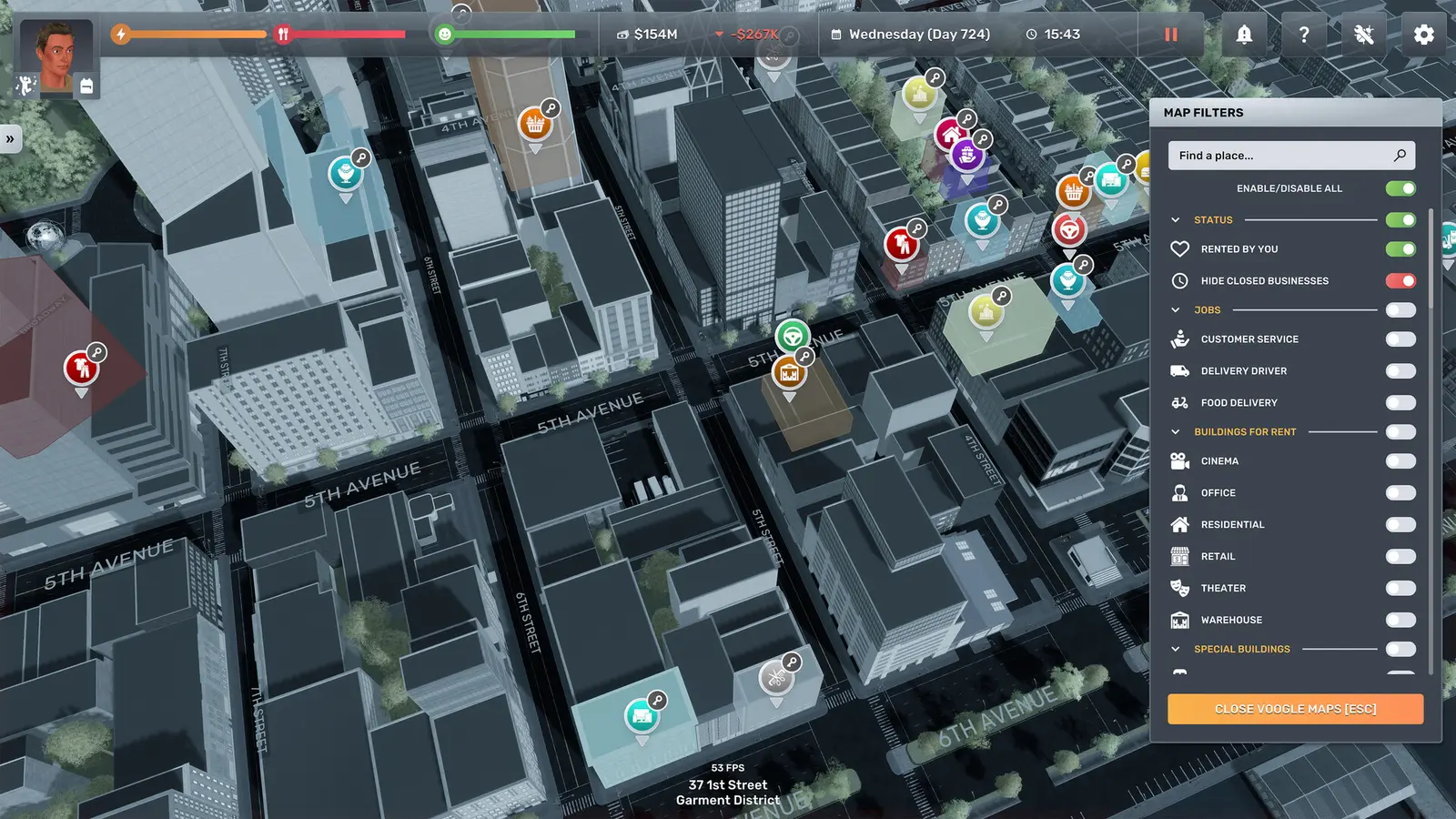
The most reliable way to secure funding without taking out massive in-game bank loans is by using a Big Ambitions infinite money cheat via a standalone trainer. When you activate a cash injection hotkey, the trainer locates the specific memory address handling your character’s wallet and overwrites it with a massive value. In my testing across 20+ in-game days managing both retail and office portfolios, I found that freezing character fatigue and injecting $10,000,000 fundamentally alters employee management pacing for the better. Instead of micromanaging sleep and hunger meters, you can immediately start signing leases in the Garment District and hiring logistics managers.
However, timing is critical when applying these cheats. I learned the hard way that editing inventory stacks directly while delivery trucks are in transit will permanently corrupt your logistics chain. If you are using a trainer to maximize your warehouse inventory alongside your bank account, always ensure that your businesses are closed and no active deliveries are en route. This prevents the simulation’s supply and demand algorithms from crashing when they detect impossible stock levels.
Big Ambitions Save Editor Alternatives
If you prefer not to run background software while playing, a Big Ambitions save editor is a powerful alternative. Save editors allow you to open your raw XML or JSON save files and manually adjust your company’s valuation, employee skills, and current cash on hand before launching the game. This technical distinction between memory injection trainers and save file editors is important: trainers modify the live game state in RAM, while save editors permanently alter the stored data on your hard drive.
To safely edit your balance sheets without corrupting the business simulation logic, you must only modify integer values associated with your primary bank account. Avoid altering complex variables like market demand percentages or competitor AI wealth, as these are heavily interlinked within the game’s economy engine. A simple tweak to your starting capital is usually enough to kickstart your empire without breaking the underlying mechanics.
Warning
Never edit your save file while the game is running. Always close Big Ambitions completely before opening your save data in a text editor or third-party save editing tool.
Does Big Ambitions Have Built-In Console Cheats?
Big Ambitions does not feature built-in console commands or native cheat codes, requiring players to rely on external trainers or cheat engine tables to modify gameplay variables. Hovgaard Games intentionally omitted a developer console from the public release to maintain the integrity of the economic simulation, meaning you cannot simply press the tilde key and type a command to receive free money or instantly complete building renovations.
Big Ambitions Console Commands vs Trainers
Many players transitioning from other business simulation games expect a suite of developer tools to be readily available. Because Big Ambitions console commands do not exist, the community has pivoted entirely to third-party software. Comparing the ease of a trainer UI versus searching for non-existent developer commands reveals why trainers are the preferred solution. A good trainer provides a clean, overlay-friendly interface where a single keypress can lock your character’s stamina at 100%, bypassing the need to constantly return to your apartment to sleep.
This reliance on external tools is common in modern indie management games. The developer’s focus has been on expanding the core mechanics—such as adding new wholesale mechanics and rival AI corporations—rather than building an official cheat menu. Therefore, downloading a verified Big Ambitions trainer is the only practical way to achieve a true sandbox experience where financial constraints are removed.
Big Ambitions Cheat Engine Table Options
For players who prefer granular control over their modifications, utilizing a Big Ambitions Cheat Engine table is a popular alternative to automated trainers. A cheat table (.CT file) contains pre-mapped memory addresses that allow you to manipulate specific game values, such as employee satisfaction rates or the exact amount of inventory in your warehouse. Community forums frequently update these tables to ensure compatibility with the latest patches.
However, there are significant risks associated with pointer issues and manual memory value hunting. If a cheat table is outdated, activating a script might point to the wrong memory address, instantly crashing the game or corrupting your current session. Compared to automated trainers that dynamically scan for the correct pointers upon launch, using Cheat Engine requires a higher level of technical comfort and a willingness to troubleshoot when updates break your favorite scripts.
Why Do Big Ambitions Mods and Trainers Stop Working?
Mods and trainers typically stop working in Big Ambitions when Hovgaard Games releases a new patch, which alters the game’s memory addresses and underlying code structure. Because trainers rely on injecting code into specific locations in your computer’s RAM, even a minor hotfix that changes a single line of code can misalign these addresses, resulting in “Not Working” errors, failure to activate hotkeys, or immediate desktop crashes.
Hovgaard Games Patch Version Differences
Since the game’s transition through Early Access to its full PC release, official build updates have frequently broken memory injection tools. Compatible with the recent August 28, 2026 release build, modern trainers must be specifically coded to recognize the latest Unity engine parameters. When a major update drops—such as an overhaul to the tax system or new employee AI behaviors—the variables handling money and stats are often moved to new memory blocks.
This highlights the importance of matching your trainer version to the specific PC release build you are playing. If your Steam client is set to auto-update games, you may find that your favorite Big Ambitions infinite money cheat suddenly stops functioning overnight. To mitigate this, many players choose to disable automatic updates for the game until their preferred modding tools and trainers have released compatible updates.
Fixing Corrupted Save Files and Cloud Syncs
When a version mismatch causes a critical error, it can sometimes corrupt your active save file. One of the most common mistakes players make is failing to disable Steam Cloud sync before attempting to edit their saves or recover from a crash. If a corrupted save is synced to the cloud, it will overwrite your good data across all devices, making recovery incredibly difficult.
To restore your progress, you must navigate to your AppData backup folder, delete the corrupted files in the active directory, and paste your clean backup. Always ensure that Steam Cloud is temporarily disabled during this process. Once you have verified that the restored save loads correctly and your business empire is intact, you can re-enable cloud syncing. This simple precaution is the most effective way to protect your hundreds of hours of progress from unexpected modding conflicts.
Ready to Build Your Big Ambitions Empire?
With the right mods and trainers installed, you can entirely bypass the early-game financial grind and focus purely on massive enterprise expansion. Whether your goal is to monopolize the retail clothing market or build a towering corporate headquarters, utilizing tools to freeze character fatigue and inject capital transforms the game into a true sandbox game experience. I prefer pairing QoL visual mods from the Workshop with mild monetary trainers because it keeps the progression balanced without feeling like a pure cheat. By following the safe modding practices outlined above—especially backing up your AppData folder—you can confidently experiment with different setups. Download a verified trainer today, secure your funding, and start building your ultimate New York business empire.
XMODHUB Trainer for Big Ambitions: Full Feature List
Take complete control of your New York enterprise with the XMODHUB ↗ trainer, designed specifically to eliminate the grind of early-game business management.
Infinite Money
Instantly inject unlimited capital into your corporate balance sheets.
Freeze Character Fatigue
Lock your sleep and hunger meters at 100% permanently.
Max Employee Happiness
Keep all staff fully satisfied regardless of working conditions.
Instant Logistics Delivery
Eliminate wait times for warehouse inventory shipments.
Why Choose XMODHUB for Big Ambitions
XMODHUB ↗ is the trusted choice for single-player PC gamers because it operates entirely offline and requires no complex memory scanning. The software automatically detects your current game version and updates its pointers to match the latest Hovgaard Games patches, ensuring your save files remain perfectly safe while you focus on building your empire.
Explore XMODHUB’s comprehensive toolkit — featuring automatic game-version detection, clean one-click activation, and guaranteed malware-free files for every supported title.
Economy & Business
Character & Staff
Frequently Asked Questions
Ready to enhance your gameplay?

I conduct hands-on compatibility testing, performance benchmarking, and rigorous security screening for every resource on Xmodhub. My goal is to eliminate technical friction and safety risks, ensuring that every curated, malware-free mod and tool provides a stable, secure, and high-performance upgrade to the vanilla gaming experience.

 Catherine Hu