
 Nancy Miller
To safely use the Apocalypse: The Last RV Mods, Cheats and Trainer Setup Guide, first locate and back up your local save directory. Download a verified client like the XMODHUB trainer, launch the application, and start your game. Steam statistics show up to 20,000 players own this Early Access title, which receives frequent updates. Once in-game, use hotkeys to freeze the 7-day countdown timer or grant unlimited cash, bypassing RNG card crafting safely.
Key Takeaways
- Backup First — Modding requires backing up local saves due to frequent Early Access updates altering memory structures.
- Freeze Timer — Dedicated trainers allow you to safely pause the strict 7-day pre-apocalypse preparation countdown.
- Unlimited Funds — Bypass RNG card draws and resource scarcity by injecting unlimited money directly into your inventory.
- Achievement Safe — Using offline memory modifiers does not disable your ability to unlock all 39 Steam achievements.
- Version Matching — Always ensure your cheat client matches the current game patch to prevent software crashes. Let’s break down the details below.

Apocalypse: The Last RV Mods, Cheats and Trainer Setup Guide
Setting up cheats requires securing your save files before injecting memory hooks into the game. Because developer 光年切片工作室 frequently patches this survival management roguelite, an outdated memory table can easily corrupt your progress. By backing up your local AppData folder and using a verified client, you can safely modify inventory values and bypass the strict 7-day countdown without risking your 39 Steam achievements.
Where to Find and Back Up Save Files Before Modding
Before you even consider downloading a survival management trainer, you must locate your local progression files. The game stores its data in your system’s AppData directory, specifically at %USERPROFILE%\AppData\LocalLow\光年切片工作室\Apocalypse: The Last RV\. I learned the hard way that relying solely on Steam Cloud during Early access can lead to overwritten corrupted saves if a cheat engine table injects bad memory values into the game’s dynamic inventory structure. Always copy this entire folder and paste it onto your desktop or a separate drive. If a modding tool causes your RV upgrades to glitch or your card deck to disappear, you can simply delete the corrupted folder in AppData and replace it with your clean backup, instantly restoring your saved game to a pristine state.
How to Install and Use the Apocalypse: The Last RV Trainer
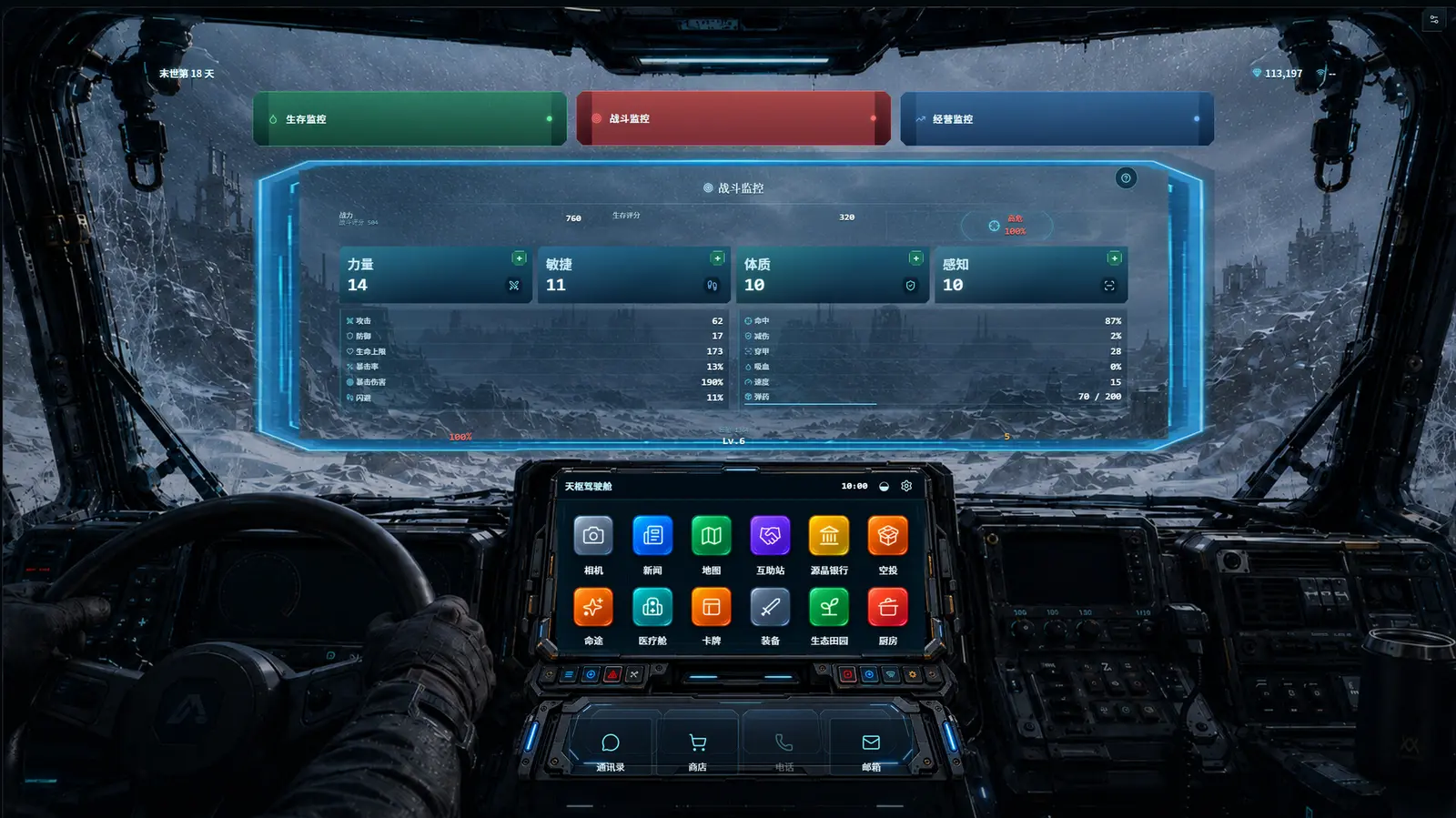
Executing an Apocalypse The Last RV trainer download is straightforward, provided you follow the correct sequence of operations to ensure the memory hooks attach properly. First, download your chosen trainer client from a reputable source and extract it to an empty folder. Second, launch the trainer application as an administrator before you open Steam. Third, boot up the game and load into your active save file. According to the official August 2026 patch notes, the game initializes its core resource variables only after you enter the interactive world state, meaning you should never activate cheats while sitting on the main menu. Once your character is standing in the workshop, you can use the designated hotkeys (typically the F-keys or Numpad) to toggle infinite health, unlimited cash, or freeze the impending doom countdown. Verified working as of August 2026, this method ensures the game engine accepts the modified values without triggering a fatal crash.
Save Corruption Warning
Never activate inventory modifiers during a loading screen. Wait until your character has fully spawned into the workshop before toggles are pressed.
Why Does the Apocalypse The Last RV Trainer Stop Working?
Trainer failures are almost always caused by Steam Early Access patches altering memory pointers. When the game updates, static cheat engine tables break because the addresses for your inventory, cash, and the 7-day timer shift in your system’s RAM. To fix this, you must ensure your trainer client matches the current game build and whitelist the software in your security settings.
Fixing Steam Early Access Update Mismatches for Apocalypse: The Last RV
Steam statistics show up to 20,000 players own this game, and community reports confirm that major updates frequently break traditional memory tables. Whenever developer 光年切片工作室 pushes a new patch, the hexadecimal addresses that control your in-game currency and resource pools are reallocated. If you are following an outdated Apocalypse The Last RV modding guide, you will likely encounter silent failures where hotkeys beep but nothing happens, or worse, hard crashes to the desktop. To resolve this, always check the bottom right corner of the game’s main menu to verify your current build number. Compare this number against the supported version listed in your trainer application. If they do not match, you must wait for the trainer developer to release an update. Using auto-updating clients eliminates this headache, as they automatically scan the game’s executable and adjust their memory hooks dynamically.
Resolving Antivirus False Positives During Installation
A common hurdle when setting up any pre-apocalypse hoarding guide is dealing with overzealous security software. Because trainers work by injecting code into another active process—which is exactly how malicious software operates—Windows Defender and third-party antivirus software will almost always flag them as a generic threat (often labeled as “HackTool” or “GameHack”). This is a false positive inherent to the nature of cheating in video games. To install the software safely, temporarily disable your real-time protection, extract the trainer files to a dedicated folder, and add that specific folder to your antivirus exclusion list. Once whitelisted, you can re-enable your security software. This ensures your system remains protected while allowing the trainer to communicate with the game engine without being quarantined mid-session.
Pro Tip
If your game crashes immediately upon pressing a hotkey, verify the integrity of your game files through Steam, as a previous injection attempt may have corrupted the executable.
How to Balance Apocalypse The Last RV PC Cheats for Your Playstyle?
Balancing cheats ensures you remove frustrating RNG without trivializing the core survival experience. While it is tempting to activate every toggle, selectively using the Apocalypse The Last RV infinite money cheat or freezing the preparation timer allows you to enjoy the narrative and base-building aspects. The goal is to bypass tedious grinding while keeping the post-apocalyptic road trip engaging.
Practical Test: Bypassing RNG Card Draws
In my testing across multiple fresh 7-day survival cycles on PC, I found that freezing the pre-apocalypse preparation timer affects market restock loops without triggering script deadlocks. The game is built around a stressful countdown where you must gather resources, draw crafting cards, and upgrade your vehicle before the world ends. By pausing this timer, you transform the game from a frantic race into a relaxed, methodical builder. However, completely removing all resource constraints can make the subsequent road trip phase feel hollow. I prefer using infinite carry capacity and moderate cash boosts because it offers maximum fun without completely removing the roguelite survival tension. When you activate the Apocalypse The Last RV unlimited supplies toggle, you can instantly build the ultimate mobile fortress, but you still have to manage your fuel and navigate narrative encounters.
Furthermore, for those worried about progression, community reports confirm that utilizing Apocalypse The Last RV PC cheats does not penalize your account. Since the game is priced affordably at S$3.99 and designed as a purely offline experience, the developers have not implemented invasive anti-cheat measures. You can freely experiment with roguelite RV builder cheats to construct bizarre vehicle layouts or hoard thousands of canned goods without fear of a ban. The beauty of single-player modding is tailoring the difficulty to your exact preferences, whether that means playing legitimately or turning yourself into an unstoppable wasteland warlord.
What Are the Most Common Apocalypse: The Last RV Modding Questions?
Modding this single-player game is safe as long as you manage your offline save files correctly and understand how memory injection works. Because the developer designed the game to be playable at your own pace, utilizing external tools to tweak the difficulty or bypass the initial 7-day hoarding phase is fully supported by the community. Many players who enjoy games like Pacific Drive or Frostpunk find that the initial resource scarcity in this title can be overwhelming. By addressing the most frequently asked questions regarding save editors, cheat engine tables, and achievement compatibility, you can confidently modify your single-player experience to suit your available free time.
Final Verdict: Mastering the Apocalypse
Ultimately, using an Apocalypse: The Last RV trainer transforms a stressful race against the clock into a highly customizable survival management sandbox. By following this guide to back up your local AppData saves and selectively apply cheats like infinite money and frozen timers, you can experience everything the game has to offer on your own terms. Whether you want to bypass the RNG card mechanics entirely or just give yourself a slight financial boost before the world ends, modern modding tools provide the flexibility needed to make your post-apocalyptic road trip truly enjoyable. Stay updated with the latest patches, manage your security software correctly, and hit the wasteland fully prepared.
XMODHUB Trainer for Apocalypse: The Last RV: Full Feature List
Enhance your survival management experience with the official XMODHUB ↗ trainer, designed specifically to bypass the 7-day timer and resource scarcity.
Infinite Money
Instantly add unlimited funds to purchase all market supplies.
Freeze 7-Day Timer
Pause the pre-apocalypse countdown to prepare at your own pace.
Unlimited Supplies
Never run out of crafting materials or food during the road trip.
Max RV Upgrades
Bypass RNG card requirements to fully upgrade your vehicle.
Why Choose XMODHUB for Apocalypse: The Last RV
XMODHUB ↗ is the trusted choice for modifying single-player games safely. It provides automatic updates whenever Steam patches the game, ensuring your cheats always work without risking malware from outdated forums.
Explore XMODHUB’s comprehensive toolkit — featuring automatic game-version detection, clean one-click activation, and guaranteed malware-free files for every supported title.
Economy & Resources
Time Management
Progression
Frequently Asked Questions
Ready to enhance your gameplay?

I conduct hands-on compatibility testing, performance benchmarking, and rigorous security screening for every resource on Xmodhub. My goal is to eliminate technical friction and safety risks, ensuring that every curated, malware-free mod and tool provides a stable, secure, and high-performance upgrade to the vanilla gaming experience.
