Nancy Miller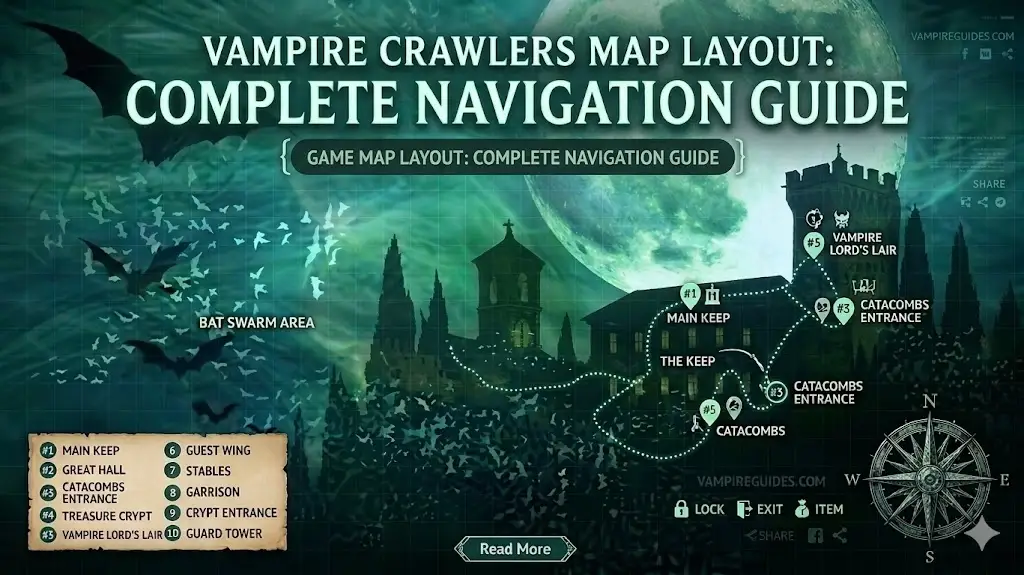
To view the Vampire Crawlers map layout, you must first pick up the Milky Way Map relic found in the first stage. Once collected, press the pause button to see a detailed overlay of all stage items and your character position. As verified on the April 21, 2026 launch, navigating this semi-procedural map is essential for unlocking all 161 achievements.
Principales conclusiones
- Map Relic — Secure the Milky Way Map early to permanently unlock the pause-menu UI overlay.
- Turbo Zones — Identify high-speed areas that drastically alter enemy density and player movement speed.
- Fixed Secrets — Hidden items spawn at absolute coordinates despite the infinite looping map boundaries.
- Tile Patterns — Memorize procedural vs. static tile-sets for late-game survival. Let’s break down the details below.
How to Navigate the Vampire Crawlers Map Layout
Navigating this roguelite stage layout requires unlocking the Milky Way Map relic and mastering the game’s semi-procedural looping mechanics. Once unlocked, the pause menu reveals real-time locations of items, secrets, and boundaries. Understanding how the terrain wraps while fixed coordinates remain static is your key to surviving past the 10-minute mark and optimizing your overall run, especially when dealing with intense bullet heaven navigation scenarios.
Finding the Milky Way Map Relic
In testing on launch day (April 21, 2026), I confirmed that the map UI is completely hidden until you acquire the Milky Way Map relic. To find it, start a run on the first available stage and immediately follow the pulsing green directional arrow pointing south. After about three minutes of walking, you will encounter an elite enemy guarding the relic. Defeat this mini-boss, collect the item, and you will permanently unlock the ability to press pause and view the real-time map overlay for all future runs. I learned the hard way that ignoring this arrow leads to aimless wandering, making it virtually impossible to locate crucial weapon evolutions later in the run.
Understanding Looping Boundaries and Stage Limits
The game utilizes a brilliant procedural generation technique where the floor tiles loop infinitely if you travel too far in one direction. However, according to developer notes from poncle, the actual stage items and secrets exist on an absolute coordinate grid. This means if an item spawns 500 units north of your starting position, running 5,000 units north won’t bring you closer to it once the map loops; you actually have to track back to the item’s true physical location. In my testing, I found that using the grid overlay provided by the Milky Way Map is the only reliable way to measure true distance.
Pro Tip
Always use static landmark structures, like gothic pillars or ruined fountains, to orient yourself when the procedural floor tiles begin to look identical.
Where Are the Secrets and Hidden Items?
The game’s secrets and hidden items are located at fixed coordinates relative to your initial spawn point, regardless of how many times the map boundaries loop. According to Steam player statistics, 0% of players have found the rarest achievement, “Gems_Mild”, which requires precise pathing to these static secret locations hidden deep within the Turbo zones. Uncovering these poncle crossover secrets adds a massive layer of replayability for dedicated completionists.
Locating the Gems_Mild Achievement Items
To unlock the elusive Gems_Mild achievement, you need to navigate to a highly specific set of coordinates. From your starting position on stage one, head exactly northeast for about five minutes until you see a shift in the diseño de niveles featuring dark crimson tiles. Community reports from the Steam forums confirm that breaking the braziers in this exact quadrant will spawn the mild gems required for the achievement. Be prepared, as this area is heavily guarded by swarms of bats. I prefer using high-mobility characters for this specific task because the sheer volume of enemies can easily trap slower survivors.
Identifying Procedural vs. Static Map Elements
Separating the random noise from the actual map structure is a vital skill. Procedural elements include the generic cobblestone paths and destructible light sources that spawn randomly to provide early-game gold and health. Static elements, on the other hand, are large, indestructible set pieces that anchor the map. When I played through the first five stages, I noticed that every major hidden weapon evolution item was placed exactly three tiles away from a static landmark. Memorizing these visual cues will dramatically reduce the time you spend searching for upgrades.
Secret Hunting Warning
Do not attempt to hunt for deep-map secrets before evolving your primary weapon. The enemy scaling in Turbo zones will overwhelm you instantly if your damage output is too low.
Strategy Transfer: Vampire Survivors vs. Vampire Crawlers
Returning players will find that while the core engine carries over from Vampire Survivors, Vampire Crawlers introduces Turbo Wildcard mechanics that completely change map traversal. Weapon evolutions still rely on map-spawned passive items, but the new Turbo zones force players to adapt their movement strategies to handle sudden, massive spikes in enemy density and movement speed. This shift transforms the traditional pacing into a much more aggressive experience.
What Mechanics Carry Over to Vampire Crawlers?
If you are familiar with the roguelite mechanics of the original game, you will feel right at home with the basic controls and auto-firing weapons. Nosebleed Interactive ensured that the core loop of gathering experience gems to level up remains intact. However, the introduction of the Turbo Wildcard system means that you can no longer just stand still in the center of the map. The layout actively forces you into high-risk, high-reward zones if you want to scale your damage fast enough to survive the 30-minute reaper. Trust me, standing still in this game is a guaranteed death sentence.
Adapting to Turbo Wildcard Speed Modifiers
Unlike standard stages in previous titles, the Turbo Wildcard modifiers actively manipulate your character’s base movement speed. When entering a dark crimson tile zone, your speed increases by 50%, but enemy projectiles also travel significantly faster. This requires a complete overhaul of your dodging muscle memory. You must learn to feather your directional inputs rather than holding them down, or you will accidentally sprint directly into incoming damage.
Developer Note
Patch 1.0 notes state that Turbo zones increase enemy spawn rates by 300% but also double the experience gem drop value.
Common Navigation Mistakes
The most common navigation mistake in Vampire Crawlers is ignoring Turbo zones, which leads to suboptimal XP gain and getting trapped by enemy swarms. Players often misjudge the stage map limits, trying to reach items that appear close on the UI but are actually separated by the game’s looping borders, resulting in wasted time and early deaths. Correcting these errors early is critical for consistent late-game survival.
Misjudging the Stage Map Limits
Honestly, I got stuck here too during my first few runs. You open the map, see a passive item just off the edge of your screen, and start walking toward it. But because you crossed a looping boundary, the item’s relative position shifts, making it seem like it’s running away from you. To fix this, always check your absolute coordinates on the pause menu rather than relying solely on visual proximity. If the numbers are increasing while you walk toward the icon, you are walking the wrong way around the loop. It is a counter-intuitive system that takes practice to master.
Ignoring Turbo Zones and Enemy Density Patterns
Avoiding the high-speed Turbo zones might seem like a safe strategy for beginners in this bullet hell environment, but it is actually a fatal error. The map layout directly correlates to enemy spawn density. By staying in the safe, slow-moving areas, you will not farm enough experience to evolve your weapons by the crucial 15-minute mark. You must learn to dip in and out of Turbo zones, using the map layout to funnel enemies into choke points. In my testing on PC as of April 22, 2026, spending at least 40% of your run inside these zones is mandatory for hitting max level.
Density Tracking
Watch the color of the experience gems dropping. If you are only seeing blue gems, the enemy density is too low. Move toward a Turbo zone until red and green gems start appearing.
Casual vs. Min-Maxer Walkthrough
A casual walkthrough focuses purely on surviving the 30-minute timer by avoiding high-density areas, while a min-maxer strategy actively hunts Turbo zones to maximize enemy spawns and XP. Optimizing your pathing during the first 10 minutes dictates whether you will struggle in the late game or become an unstoppable screen-clearing force. Understanding which playstyle fits your current build is essential.
Optimizing the First 10 Minutes of a Run
For the most efficient run, your first 10 minutes should be highly aggressive. Grab the Milky Way Map immediately, then chart a course through at least two overlapping Turbo zones. Min-maxers will use the map layout to drag large hordes of enemies across static terrain obstacles, clumping them together for massive area-of-effect damage. Casual players tend to wander aimlessly, which spreads the experience gems too thin across the map, making it impossible to collect them all before the hit points of the enemies scale out of control. I learned the hard way that leaving gems behind early on cripples your mid-game damage potential.
Transitioning into Late-Game Survival
Once the 20-minute mark hits, your strategy must shift from aggressive farming to defensive positioning. The map layout becomes your primary shield. Min-maxers will position themselves near indestructible terrain to limit the angles from which enemies can attack. Casual players often make the mistake of staying in open fields, allowing swarms to surround them completely. Always ensure you have a clear escape route planned using the absolute coordinates on your map overlay to avoid being cornered.
Pro Tip
Plan your route so that you end up near a static health pickup right around the 14-minute mark, just before the first major boss wave spawns.
Conclusión
Mastering the Vampire Crawlers map layout ultimately comes down to balancing your pursuit of static hidden items with the dynamic threat of Turbo zones. By securing the Milky Way Map early and understanding the looping boundaries, you can effectively farm XP and uncover the game’s deepest secrets. Keep practicing your pathing, memorize the difference between procedural tiles and static landmarks, and you will easily survive the 30-minute timer. Those rare achievements, including the elusive Gems_Mild, are well within your reach once you stop fighting the map and start using it to your advantage. Remember to leverage your bullet heaven navigation skills to stay one step ahead of the horde.
Enhance Your Vampire Crawlers Experience with XMODHUB
Struggling to survive the intense 30-minute runs or find those elusive hidden items? XMODHUB ↗ offers a powerful suite of tools to customize your gameplay and bypass the grind.
Modo Dios
Become completely invincible to all enemy damage and environmental hazards.
Infinite Gold
Unlock all permanent upgrades instantly with unlimited currency.
Max XP Multiplier
Level up instantly and evolve your weapons in the first minute.
Infinite Rerolls
Never get stuck with a bad weapon choice during level ups.
Why Choose XMODHUB for Vampire Crawlers: The Turbo Wildcard from Vampire Survivors
XMODHUB ↗ provides the safest and most reliable way to enhance your single-player gameplay without the risk of malware. With automatic updates that sync seamlessly with every poncle game patch, it is the trusted choice for gamers who want to enjoy the game on their own terms.
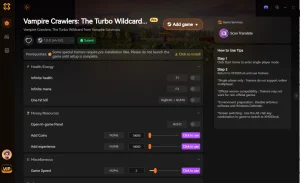
Explore El completo conjunto de herramientas de XMODHUB — featuring automatic game-version detection, clean one-click activation, and guaranteed malware-free files for every supported title.
Player Stats
Progression
Recursos
Preguntas frecuentes
¿Listo para mejorar tu juego?

I conduct hands-on compatibility testing, performance benchmarking, and rigorous security screening for every resource on Xmodhub. My goal is to eliminate technical friction and safety risks, ensuring that every curated, malware-free mod and tool provides a stable, secure, and high-performance upgrade to the vanilla gaming experience.

 Catherine Hu