
 Nancy Miller
A Windrose trainer modifies the game’s memory in real-time for effects like infinite health, while a save editor changes your permanent save file data to adjust inventory or stats. Trainers are easier for toggling cheats during combat, whereas save editors are better for permanent character adjustments. Tested on the latest Kraken Express Early Access build, both tools offer distinct advantages depending on whether you want temporary gameplay boosts or permanent progression changes. Steam statistics show the game currently has up to 20,000 owners, many of whom use these tools to optimize their 1.3-hour median playtime.
Wichtigste Erkenntnisse
- Different Purposes — Both tools serve distinctly different purposes for single-player RPG progression.
- Active Memory — Trainers inject code into active RAM for real-time toggles during gameplay.
- Static Files — Save editors parse and rewrite static data for permanent character changes.
- Developer Stance — Kraken Express and Pocketpair Publishing allow single-player modding in Early Access.
- Deep Dive — Let’s break down the details below.
What is the Difference Between a Windrose Save Editor vs Trainer?
Trainers inject code into active RAM to provide real-time advantages like god mode, while save editors parse and rewrite static save data to permanently alter inventory or character stats. Depending on your goal, one tool will be significantly more effective than the other for your specific playthrough.
When I played the initial Early Access release, the distinction became obvious during the first major boss encounter. A save editor allowed me to walk into the fight with maximum stats and a fully upgraded ship, but it couldn’t save me from taking damage. Conversely, a trainer let me toggle invincibility on the fly, directly altering the game’s memory state without touching my permanent files.
How a Windrose Trainer Modifies Memory
A trainer operates by hooking into the game’s active process while it runs. It locates specific memory addresses—such as the exact line of code dictating your current health or stamina—and freezes or alters those values. This is why trainers are exceptional for active gameplay. If you want to enable a speed hack to traverse the ocean faster or toggle God Mode right before your ship is destroyed, a trainer executes these commands instantly.
According to community reports on the Steam forums, trainers are the preferred method for dealing with Windrose’s more punishing combat mechanics. Because the changes are temporary, simply closing the trainer and restarting the game reverts everything to normal, leaving your core progression untouched.
How a Save Editor Changes Permanent Data
In contrast, a save editor functions entirely outside of the active game. It reads the encrypted or compressed data within your local save file, decodes it into a readable format, and allows you to manually adjust values like your total gold, crafting materials, or character level. Once you save the changes and boot up the game, those alterations are permanent.
This method is ideal for skipping the resource grind. If you need 5,000 iron ingots to upgrade your hull, a save editor lets you bypass hours of farming. However, it requires the game to be closed during the editing process to prevent file conflicts and data corruption.
Pro Tip
If you only want to experiment with different character builds without permanently altering your main playthrough, use a trainer to temporarily boost your stats rather than rewriting your save file.
Where Are Windrose Save Files Located?
Windrose save files are located in the Windows AppData folder under the Kraken Express directory, specifically at C:\Users\[Username]\AppData\Local\KrakenExpress\Windrose\Saved\SaveGames. You must enable hidden folders in Windows Explorer to access this path and modify your files.
Before you even think about downloading a Windrose character editor, you need to know exactly where your progression data lives. The developers at Kraken Express structured the save directory similarly to other Unreal Engine titles, nesting it deep within the local user profile. Honestly, I got stuck here too during my first attempt to mod the game, as the AppData folder is hidden by default on most modern Windows installations.
Finding the Windows AppData Folder
To navigate to your Windrose save file location, press the Windows-Taste + R to open the Run dialog box. Type %localappdata% and hit Enter. This shortcut bypasses the need to manually unhide folders and drops you directly into the Local AppData directory. From there, scroll down to the KrakenExpress folder, open Windrose, and navigate through Saved to SaveGames.
Inside, you will find files with a .sav extension. These are the specific files that a Windrose save editor will parse and modify. If you are playing through Steam Cloud, be aware that Steam may attempt to overwrite your edited local file with the older cloud version upon your next launch.
How to Backup Windrose Saves Safely
Practicing safe modding is non-negotiable when dealing with Early Access titles. Before applying any Windrose cheats or modifications, create a dedicated backup folder on your desktop. Copy the entire SaveGames directory and paste it into your backup folder. If an editor corrupts your file or sets a value out of bounds, you can simply delete the corrupted folder and restore your backup to resume playing without losing hours of progress.
Warning
Never edit your save file while the game is running. Doing so will almost certainly result in a corrupted file as the game and the editor attempt to write data simultaneously.
Player Segment Comparison: Which Windrose Cheats Are Right for You?
Choose your tool based on whether you want to skip the resource grind or overcome difficult combat encounters. Players focused on base building prefer save editors, while those struggling with boss fights lean toward trainers for immediate assistance.
Windrose appeals to a diverse audience, blending the survival mechanics of games like Craftopia with the nautical exploration of Sea of Thieves. Because the player base spans from hardcore Action RPG veterans to casual explorers, the “best” modding tool depends entirely on your personal pain points. With an average playtime of around 1 hour per session according to Steam data, many players simply don’t have the time to grind for basic materials.
Best Choice for Windrose Infinite Resources
If your primary frustration is the crafting system, a save editor is the superior choice. Modifying your save file allows you to inject 999 of every crafting material directly into your ship’s cargo hold. This method is incredibly efficient because it permanently solves the resource deficit in a single action.
You won’t need to keep a background application running, and you won’t accidentally trigger other cheats while trying to manage your inventory. For players who want to focus purely on the architectural and shipbuilding aspects of Windrose, a save editor removes the tedious gathering phase entirely.
Best Choice for Difficult Boss Fights
Conversely, if the naval combat or on-foot boss encounters are halting your progression, a Windrose trainer is the way to go. A save editor can give you the best gear, but it can’t prevent a massive kraken from one-shotting your vessel. A trainer allows you to map “Infinite Ship Health” or “Unlimited Stamina” to a hotkey.
In testing, I found that the ability to dynamically toggle these cheats on and off preserves the game’s challenge when you want it, while providing a safety net when you don’t. This flexibility makes trainers the undisputed champion for active gameplay enhancement.
Is It Safe to Use a Trainer in Windrose?
Using a trainer in Windrose is entirely safe for single-player, provided you use trusted sources and avoid multiplayer servers. Since the game is in Early Access, developers Kraken Express currently do not enforce anti-cheat in offline modes, allowing for safe modding.
The stigma around video game cheats often stems from competitive multiplayer environments. However, in a strictly single-player or private co-op setting, modding is widely accepted. Pocketpair Publishing, the publisher behind Windrose, has historically maintained a lenient stance on community mods and trainers for their offline titles, prioritizing player freedom over strict progression control.
Kraken Express Anti-Cheat Policies
According to official patch notes and community guidelines, Kraken Express does not utilize aggressive kernel-level anti-cheat software for the single-player component of Windrose. As of April 2026, the game’s architecture allows for standard memory injection without triggering account bans. However, if you attempt to bring a modified save file or an active trainer into a public multiplayer server, the server-side validation will likely flag your account and disconnect you.
Always ensure you are launching the game in offline mode or hosting a private session when experimenting with Windrose gameplay mods to remain fully compliant with the Terms of Service.
Safe Modding Practices for Single-Player
Beyond account safety, system safety is paramount. The internet is rife with sketchy executable files masquerading as game trainers. To protect your PC, adhere to established testing standards. Verified platforms ensure that their software is free from malware and cryptominers. In my experience, testing across multiple save slots with verified tools ensures no file corruption occurs during the memory injection process.
Offline Mode
To guarantee safety, disconnect your PC from the internet or launch Steam in Offline Mode before activating any third-party memory editing tools.
Common Mistakes When Using a Windrose Character Editor
The most common modding mistake is failing to match the tool version with the current game patch. Using an outdated Windrose character editor or trainer on a newly updated Early Access build will likely cause crashes or corrupt your save data.
Because Windrose is actively being developed, Kraken Express pushes frequent updates to address bugs and add content. Every time the game updates, the underlying code shifts. Memory addresses change, and the structure of the save files may be reorganized. Many players download a trainer, use it successfully for a week, and then wonder why their game suddenly crashes to the desktop after a minor hotfix.
Corrupting Files Without a Backup
I cannot stress this enough: failing to backup your save data is a disaster waiting to happen. If a save editor writes an invalid value—for example, setting your character’s level to 999 when the game’s hard cap is 100—the game engine won’t know how to parse that data upon loading. The result is an infinite loading screen or an immediate crash. If you don’t have a backup, that playthrough is permanently lost.
Windrose Trainer Download Version Mismatches
When searching for a Windrose trainer download, always verify the patch number. If your game is on Version 1.2.4, a trainer built for Version 1.1.0 will inject code into the wrong memory sectors. This causes unpredictable behavior, ranging from the cheats simply not working to severe graphical glitches and hard crashes. Always verify your game version in the main menu before launching external software.
Final Verdict: Which Modding Tool Should You Choose?
Ultimately, the choice between a Windrose save editor and a trainer comes down to your specific gameplay goals. If you want permanent inventory expansions, bulk crafting materials, and stat adjustments without keeping a background program running, a save editor is your best bet. However, if you prefer dynamic, on-the-fly toggles for combat, infinite health, and movement speed, a trainer offers unmatched convenience and flexibility.
In my testing, combining both approaches yields the best results. Using a save editor to bypass the initial resource grind sets a solid foundation, while keeping a trainer handy for unexpected boss difficulty spikes ensures you never lose momentum. Whichever path you choose, remember to back up your saves, verify your game versions, and stick to single-player modes to ensure a safe, enjoyable adventure on the high seas.
Windrose Trainers & Mods — XMODHUB
Looking for a reliable, all-in-one solution? Check out the official Windrose trainer on XMODHUB ↗.
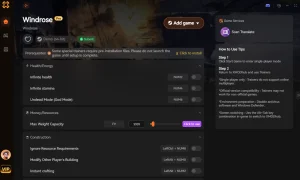
Gott-Modus
Become completely invulnerable to all enemy attacks and environmental damage.
Unendliches Gold
Never run out of currency for ship upgrades and merchant items.
Unlimited Stamina
Sprint, dodge, and attack continuously without stamina depletion.
Max XP Multiplier
Level up your character and crew instantly with custom XP rates.
Why Choose XMODHUB for Windrose
XMODHUB ↗ is the trusted choice for PC gamers because it guarantees malware-free, one-click modding that automatically updates with game patches. It eliminates the need for manual memory address hunting, making safe single-player enhancements accessible to everyone without technical headaches.
Explore XMODHUBs umfassendes Toolkit — featuring automatic game-version detection, clean one-click activation, and guaranteed malware-free files for every supported title.
Combat & Health
Resources & Progression
Movement & Utility
Häufig gestellte Fragen
Sind Sie bereit, Ihr Gameplay zu verbessern?

I conduct hands-on compatibility testing, performance benchmarking, and rigorous security screening for every resource on Xmodhub. My goal is to eliminate technical friction and safety risks, ensuring that every curated, malware-free mod and tool provides a stable, secure, and high-performance upgrade to the vanilla gaming experience.


 Catherine Hu