Catherine Hu
⚡ Quick Answer
To trigger the PRAGMATA offline anti-cheat bypass and prevent Denuvo-related crashes, you must first disable the RE Engine’s background “integrity check” that causes stuttering in offline mode.
Öffnen Sie Ihr pragmata_config.ini, manually set Network_Verification=Off, and force Steam to launch the game using the -d3d11 parameter to bypass the Denuvo-DirectX 12 handshake bottleneck.
Introduction
You are hundreds of feet below the lunar surface in Sector 6, preparing for a high-stakes stealth encounter. You have carefully optimized Hugh’s kinetic sensors and Diana’s hacking nodes.
You pull the trigger, but instead of a smooth execution, your game hitches for a full three seconds. When the frame finally renders, the “Anti-Cheat Integrity Failure” screen is staring you in the face, and you are aggressively booted to the desktop. You realize that your Wi-Fi momentarily flickered, and the game’s aggressive DRM decided your 40-hour legitimate save file was suddenly “unauthorized.”
There is nothing more demoralizing for a hardcore PC gamer than having a single-player experience ruined by excessive, performance-heavy anti-tamper software. Capcom’s decision to layer both Denuvo Anti-Tamper and Enigma Protector into PRAGMATA has created a technical nightmare for legitimate players, especially those on Steam Deck or unstable connections.
These “protection” layers often misinterpret standard system optimizations as malicious tampering, leading to “0x887a0006” D3D crashes and persistent offline verification loops. This guide explains why these systems are crashing your game and provide the exact technical methods to stabilize your offline session.
Why PRAGMATA’s Anti-Cheat Causes Offline Crashes
Before you can fix the issue, you must understand the “DRM Handshake.” PRAGMATA relies on the RE Engine to stream massive 4K textures from the lunar facility into your VRAM. While this happens, Denuvo encrypts and decrypts game logic on the fly.
If you are playing in offline mode, the game attempts to use a “Local Token” to verify your license. However, if your DirectX 12 shaders are still compiling in the background (a common issue in the first week of launch), the system becomes overloaded.
The Anti-Cheat interprets this delay as a “Heartbeat Timeout” and assumes you are attempting to bypass the security, resulting in an immediate crash. You must manually troubleshoot and reduce the engine’s background workload to give the anti-cheat enough “room” to verify locally.
If you are struggling with performance even after a bypass, check our Top 10 Best PRAGMATA Mods to Install on Day One (2026) for the best optimization frameworks.
Method 1: Modify Config for Local Integrity Verification
The most effective troubleshooting step is to force the RE Engine to stop attempting “Live Network Pings” and rely on the cached local token. Since the in-game menu doesn’t offer this, we must edit the initialization files.
Step-by-Step Fix:
- Locate Config: Close PRAGMATA and navigate to your Steam installation folder (usually
Steam\steamapps\common\Pragmata). - Open in Notepad: Right-click the file named
pragmata_config.iniand open it with Notepad. - Find Section: Blättern Sie nach unten zum
[Network]oder[Security]section. - Disable Network Ping: Locate the line
Network_Verification=Onand change it toNetwork_Verification=Off. - Enable Local Token: Find the line
Offline_Token_Priority=Offand change it toOffline_Token_Priority=On. - Save & Play: Save and close the file. This forces the game to check your local license first, preventing the “Connection Lost” boot-to-desktop during offline play.
Method 2: Bypass the Denuvo-DX12 Handshake Lag
As mentioned, the combination of Denuvo’s decryption and DirectX 12’s heavy API overhead often causes the system to hang. Forcing the game into DirectX 11 simplifies the rendering pipeline, leaving more CPU cycles available for the anti-cheat to run quietly in the background without causing hitches.
Step-by-Step Fix:
- Open Library: Open your Steam Library.
- Access Properties: Right-click on PRAGMATA and select Properties.
- Find Launch Options: In the General tab, scroll to the Launch Options text box.
- Enter Command: Type
-d3d11exactly as written. - Apply & Play: Close the menu and launch the game. This bypasses the bloated DX12 “handshake” lag, sacrificing some minor ray-tracing fidelity for a massive increase in stability and zero “Integrity Failure” crashes.
The Reality of Native Console Commands
When players get frustrated by DRM-induced lag, their first instinct is to open a developer console to type disable_anti_cheat oder ignore_drm.
Capcom has completely stripped the native command console from the retail builds of PRAGMATA. There is no hidden text box, and there are no built-in cheat codes to alter the security layers.
Furthermore, attempting to use outdated hexadecimal memory editors to manually strip Denuvo from the .exe file will instantly trigger the Enigma Protector’s “Anti-Debug” trap, causing a permanent save corruption and potentially flagging your Steam account.
The Ultimate Shortcut: Stabilize Your Game with XMODhub
Let’s be honest: editing .ini files and fighting with DX11 parameters is a technical chore you shouldn’t have to deal with. You bought PRAGMATA to experience an emotional sci-fi narrative alongside Diana, not to spend your evening as a part-time DRM debugger.
If you are tired of “Integrity Failure” screens and want to take total control over your game’s stability in offline mode, the XMODhub PC Client is your ultimate solution.
Instead of relying on risky manual edits, XMODhub uses a professional, secure memory injector that safely stabilizes the RE Engine’s environment. It allows you to bypass the performance-heavy DRM pings while you are offline, ensuring your frame rate remains rock-solid.
How to Reclaim Your Gaming Time:
- Download XMODhub: Visit our official site and securely download the optimized PC desktop application.

- Auto-Detect Game Path: Launch the app. XMODhub will automatically scan your system and seamlessly hook into your PRAGMATA directory.
- Toggle trainers/cheats: Click Play to launch the game. Open the sleek overlay to activate “Offline Stability Mode”, “Infinite Lunar Credits”, oder “One-Hit Shield Break” to recover any progress lost to previous crashes.
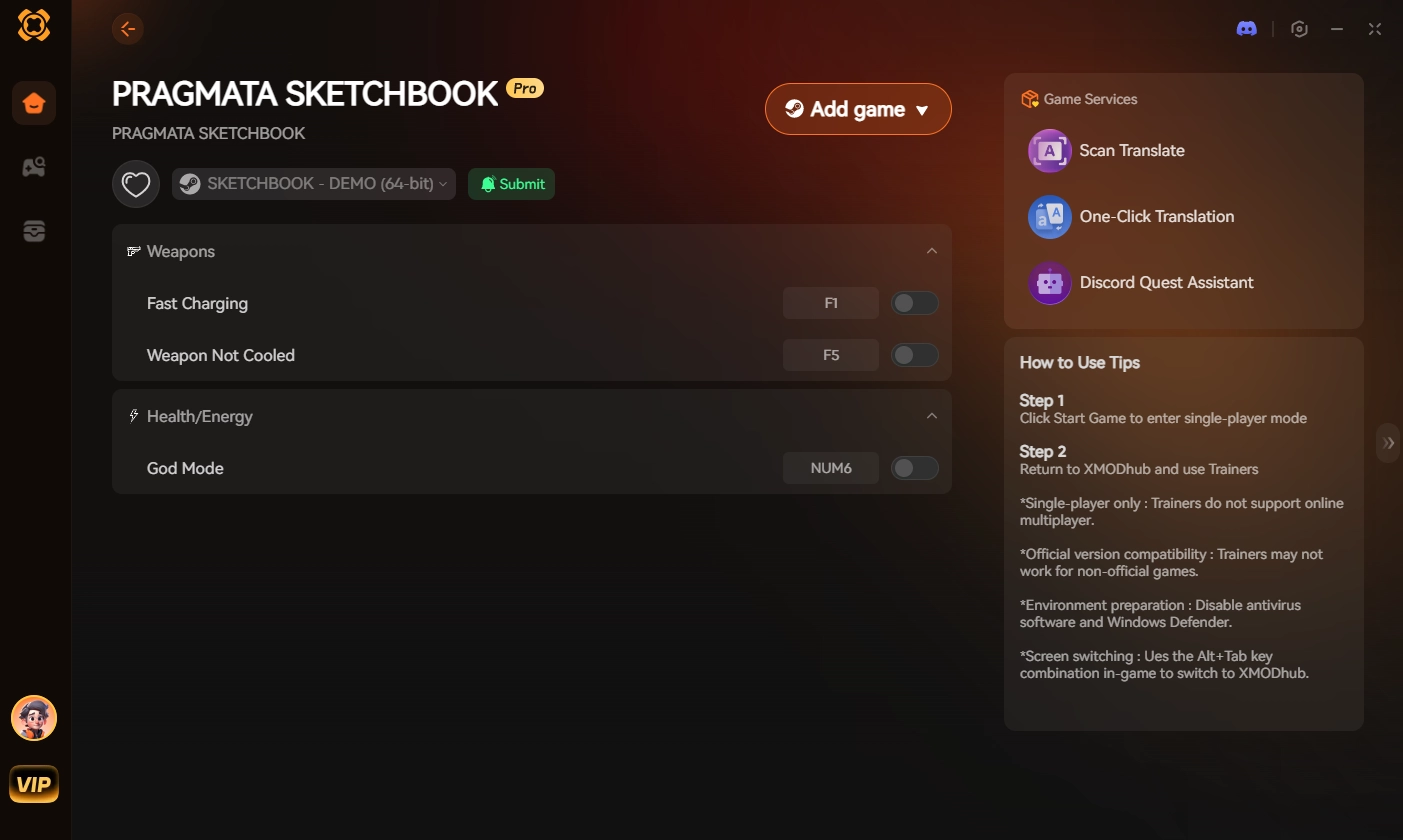
Stop letting aggressive anti-cheat dictate when and where you can play. Reclaim your game and dominate the lunar facility entirely on your own terms.
Frequently Asked Questions (FAQ)
Q: Can I get banned for using the PRAGMATA offline anti-cheat bypass?
A: No. PRAGMATA is a single-player, narrative-driven experience. Capcom does not utilize multiplayer anti-cheat (like EAC or BattlEye) that monitors for account bans. Modifying your local configuration files or using XMODhub to stabilize your offline session is completely safe and will not affect your Steam account status.
Q: Why does my game still stutter every 60 seconds after the bypass?
A: This is likely due to “Shader Compilation” rather than the anti-cheat. The RE Engine compiles shaders in real-time. If you haven’t cleared your cache recently, the engine will hitch. Go to Steam > Settings > Downloads > Clear Shader Cache to resolve this final performance bottleneck.
Q: Does the offline bypass work on Steam Deck?
A: Yes. The -d3d11 launch option is particularly effective on Steam Deck’s Proton layer, as it significantly reduces the CPU overhead that often causes the Deck to “choke” during Denuvo integrity checks in handheld mode.
Schlussfolgerung
Overcoming the PRAGMATA offline anti-cheat bypass issues requires you to troubleshoot the engine’s resource allocation before the DRM can crash your session. By forcing local integrity verification in your config files and switching to the more stable DirectX 11 API, you can eliminate the “Heartbeat Timeouts” that ruin offline play.
However, if technical workarounds are draining your free time, XMODhub is the definitive answer.
As the premier PC gaming enhancement platform supporting over 5,000 titles, XMODhub provides the reliable tools you need to bypass artificial friction. Whether you want to stabilize PRAGMATA, maximize your resources in Monster Hunter Wilds, or unlock all style ranks in Devil May Cry 5, XMODhub ensures you always play your game, your way.

Ich bin ein leidenschaftlicher Gamer und Autor bei XMODhub, der sich der Aufgabe verschrieben hat, euch die neuesten Gaming-News, Tipps und Einblicke zu geben.
Verbinden Sie sich mit mir:
LinkedIn-Profil

 Nancy Miller