Catherine Hu
Want to test out the endgame Succubus outfit early? Are you tired of grinding for hundreds of hours hoping for a rare Steam Inventory drop, or perhaps you just want a specific hairstyle to match your desktop aesthetic without spending real money on the community market?
Using internal asset IDs to override your local inventory is a beloved staple of PC gaming freedom. Below is the most comprehensive, categorized, and up-to-date list of Item IDs, visual override codes, and interaction modifiers for Bongo Waifu, verified for the latest Unity engine patch.
Quick Reference: Top 10 Most Wanted Bongo Waifu IDs
If you don’t want to scroll through thousands of rows of Unity asset strings, here are the exact internal codes for the most essential and frequently searched cosmetic items in the game.
Trainer Injection Command: [VisualOverride ItemID]
| Artikel Name | Item Description | Item ID |
|---|---|---|
| Black Lace Lingerie | Ultra-rare Steam drop outfit. | Cosmetic_Lingerie_BlackLace |
| Succubus Wings | Animated demon wings accessory. | Acc_Wings_Succubus |
| Blonde Twin-Tails | Highly requested classic anime hairstyle. | Hair_TwinTails_Blonde |
| Max Affection Token | Instantly fills the companion’s mood meter. | Item_Affection_Max |
| Maid Outfit | Classic French maid uniform. | Cosmetic_Outfit_Maid |
| Cat Ears (White) | Interactive twitching cat ears. | Acc_CatEars_White |
| Bunny Suit (Red) | Premium casino-themed outfit. | Cosmetic_Outfit_BunnyRed |
| Gamer Headset | RGB glowing desktop headset. | Acc_Headset_RGB |
| Silver Bob Cut | Short, sleek silver hairstyle. | Hair_BobCut_Silver |
| Zero Fatigue Booster | Prevents the companion from falling asleep. | Item_Fatigue_Zero |
How to Enable the Console & Use Spawn Commands (Engine Reality Check)
Before you try to type these ID codes, you must understand a critical change in how Bongo Waifu operates compared to standard single-player games.
Because Bongo Waifu’s 300+ cosmetic items are tied directly to the Steam Inventory economy, Ramen Cat Studio has permanently locked the native developer console. Pressing the Tilde (~) key will do absolutely nothing. You cannot type spawn Cosmetic_Lingerie_BlackLace into a text box because the command line was removed in Patch v1.1.083 to prevent players from spoofing items onto the Steam Community Market.
“If you see guides telling you to edit the .ini file to EnableConsole=1 for Bongo Waifu, they are hallucinating outdated information from other Unity games. Bongo Waifu uses a secure polling system. You cannot natively spawn items. However, you can force the local engine to load the visual assets temporarily using an external memory injector. While the internal string IDs below are 100% accurate, you must use a UI tool like XMODhub to apply them locally. Doing this manually with hex editors triggers Steam’s anti-cheat.” — Catherine Hu, Senior Modding Specialist at XMODhub
The Easy Way: XMODhub Visual Spawner (No Typing Required)
Stop trying to hack Unity DLL files or writing dangerous Cheat Engine scripts that corrupt your save files. The XMODhub PC Client includes a dedicated “Visual Item Spawner” feature specifically built for live-service desktop games like Bongo Waifu.
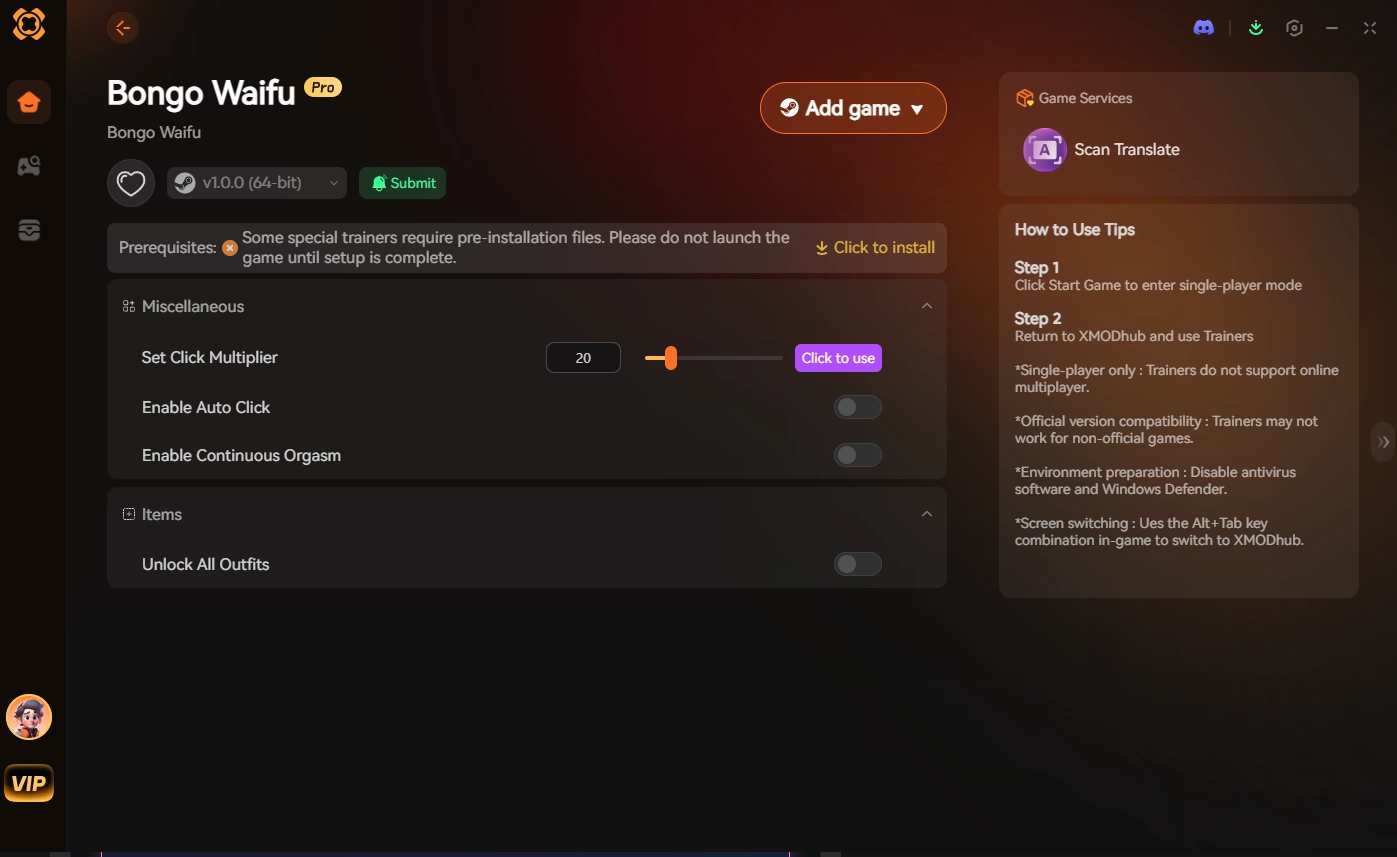
🚀 Get the XMODhub Visual Spawner for Free
Outfit & Lingerie IDs List
Use these internal asset strings to change your desktop companion’s primary clothing. (XMODhub Override Format: Select via UI dropdown)
| Outfit Name | Item ID |
|---|---|
| Default Casual Wear | Cosmetic_Outfit_Default |
| White Silk Nightgown | Cosmetic_Nightgown_White |
| Black Lace Set | Cosmetic_Lingerie_BlackLace |
| French Maid Uniform | Cosmetic_Outfit_Maid |
| Crimson Cheongsam | Cosmetic_Outfit_CheongsamRed |
Hairstyle & Accessory IDs List
| Accessory/Hair Name | Item ID |
|---|---|
| Long Straight (Black) | Hair_Long_Black |
| Twin-Tails (Blonde) | Hair_TwinTails_Blonde |
| Messy Bun (Pink) | Hair_Bun_Pink |
| Reading Glasses | Acc_Glasses_Reading |
| Demon Horns | Acc_Horns_Demon |
| Choker (Heart) | Acc_Choker_Heart |
Interaction & Consumable IDs List
| Effect Name | Item ID |
|---|---|
| Instant Max Affection | Effect_Affection_100 |
| Reset Fatigue | Effect_Fatigue_0 |
| Trigger Idle Animation 3 | Anim_Idle_03 |
| Trigger Climax Event | Event_Climax_Trigger |
Desktop Utility & Perk IDs
| Utility Name | Item ID |
|---|---|
| Force Transparent Background | Env_Bg_Transparent |
| Enable Click-Through | Sys_ClickThrough_True |
| Lock Window Position | Sys_WindowLock_True |
Troubleshooting: Why Are My Commands Failing?
Trying to Use Native Console: As stated above, the native Unity console is dead. You cannot type these in. You must use an external injector like XMODhub to push the VisualOverride command.
Item ID Invalid: Check if you are trying to load an item from a discontinued seasonal event. Sometimes Ramen Cat Studio removes the mesh files for old event items, meaning the ID will return a “Null Reference” error.
Steam Cloud Sync Overwrite: If your outfit randomly reverts to default, Steam Cloud Sync noticed a mismatch between your Steam Inventory and your local visual state. Use XMODhub to “freeze” the cosmetic state to prevent the game from reverting it.
Frequently Asked Questions (FAQ)
Q: Are these Item IDs case-sensitive in Bongo Waifu?
A: Yes. Unity engine asset paths are strictly case-sensitive. Typing cosmetic_outfit_maid will fail to load the mesh. You must use the exact capitalization: Cosmetic_Outfit_Maid.
Q: Can I spawn items to sell on the Steam Community Market?
A: No. Using these Item IDs via a trainer only creates a Local Visual Override. The game renders the outfit on your screen, but the item does not exist on Valve’s servers. Attempting to spoof API calls to the Steam Market will result in an immediate, permanent Steam account ban.
Q: How do I find the Item IDs for newly released outfits?
A: Extracting Unity .assets files manually after every patch is incredibly difficult. We highly recommend using the XMODhub Item Browser, which automatically scans the game’s updated asset bundles and lets you equip new cosmetics with a single click without knowing the exact string ID.
Conclusion: The Ultimate Desktop Experience
Having access to the complete Bongo Waifu Item IDs list gives you a glimpse into the game’s internal asset structure, allowing you to customize your companion exactly how you want without suffering through RNG drop rates. Bookmark this page so you can reference the exact names of your favorite outfits.
Whether you are trying to maximize your typing interactions in Bongo Waifu, or exploring other massive interactive desktop titles like Rusty’s Retirement, Spirit Realm, und Chill Town, XMODhub has you covered. With secure support for over 5,000+ single-player PC games, you can easily customize your gameplay, skip the tedious grind, and play exactly the way you want.Get XMODhub Now!

Ich bin ein leidenschaftlicher Gamer und Autor bei XMODhub, der sich der Aufgabe verschrieben hat, euch die neuesten Gaming-News, Tipps und Einblicke zu geben.
Verbinden Sie sich mit mir:
LinkedIn-Profil