WUCHANG: Fallen Feathers Version 1.4 Rollback Guide

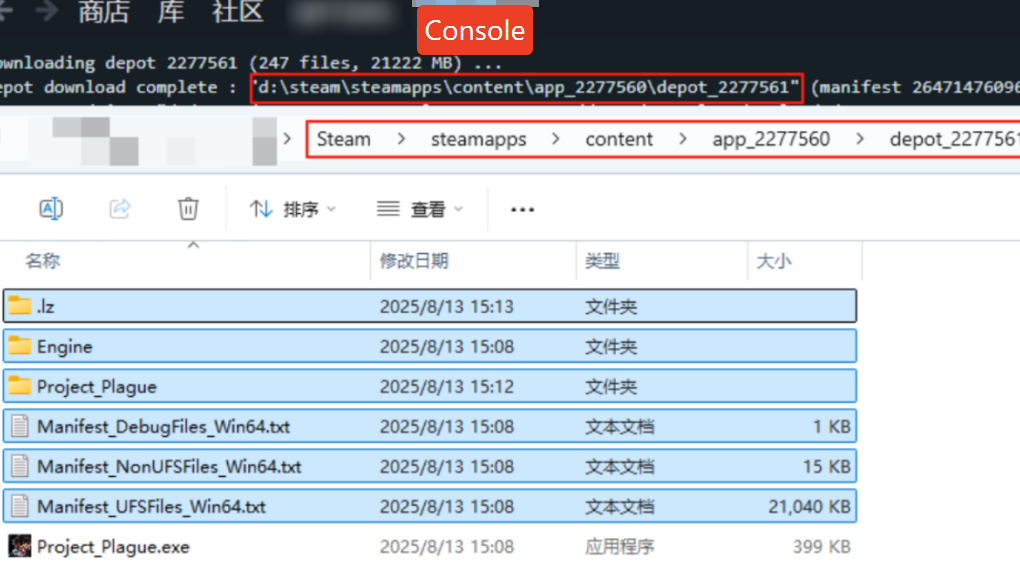
After downloading version 1.4, you will see the prompt shown below. Please follow the guide to complete the process once you see this prompt.

1A6986CA 7AFD 4b51 AD27 7E41A5AB6162

1. Locate the downloaded version 1.4 files according to the folder path shown in the download completion prompt. Select and copy all files except the last process file.
FE33214C 3EA6 41c1 AEC1 B89B22B745FB
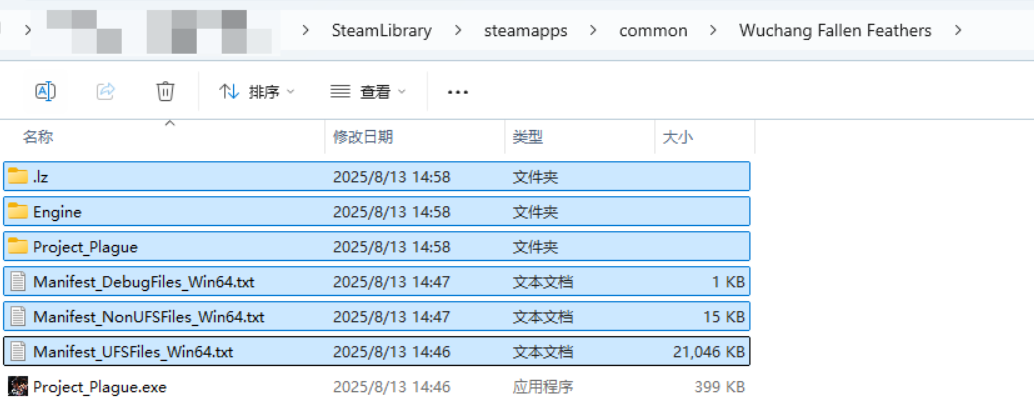
2. Replace all files in the game’s original folder. To avoid potential issues, it is recommended to delete all files in the original folder except for the final .exe file before copying.

43E5C5D6 C620 4dc8 BF70 733AF7741DDA


109D02AC F246 4fa4 BE3D 7B284FD74B6F

  • Catherine Hu

    I am a passionate gamer and writer at XMODhub, dedicated to bringing you the latest gaming news, tips, and insights. Connect with me: LinkedIn Profile ↗

    Related Posts

    Paralives 2026 Launch: Steam Price & Official Trailer Guide

    6 min readSteam priceReleaseFreeWhere Quick AnswerParalives → Paralives is an upcoming indie life simulation game scheduled for an Early Access release on May 25, 2026. While the exact Steam price and official trailer…

    How to Save Farm Progress After DX12 Crash: Rogue Core

    7 min readHow toStepbystepWhereFix Quick AnswerDeep Rock Galactic: Rogue Core → To save your farm progress after a DX12 crash or black screen in Deep Rock Galactic: Rogue Core, you must manually back…

    Leave a Reply

    Your email address will not be published. Required fields are marked *

    Primary Color

    Secondary Color

    Layout Mode

    Social Share Buttons and Icons powered by Ultimatelysocial