Summary: Learn how XMOD enhances The Outer Worlds 2 as a safe, user-friendly alternative to Cheat Engine. Customize gameplay, boost performance, and explore freely without risks or complex setups.
The Outer Worlds 2 takes players on a bigger, bolder journey filled with new worlds and deeper choices.
For those wanting more control, XMOD is the best Cheat Engine alternative—safe, powerful, and easy to use.
This guide covers the best cheats, mods, and tools XMOD offers to enhance your adventure.
Learn how to use it safely and customize your Outer Worlds 2 experience like never before.
Table of contents
- Why XMOD Is the Best Cheat Engine Alternative for The Outer Worlds 2
- Best The Outer Worlds 2 Cheats and Mods on XMOD
- How to Use XMOD for The Outer Worlds 2 Cheats
- More Than Cheats: XMOD Mods & Gaming Tools
- Is XMOD Safe to Use?
- FAQs About XMOD and The Outer Worlds 2 Cheats
- Final Thoughts
Why XMOD Is the Best Cheat Engine Alternative for The Outer Worlds 2

Cheat Engine has long been used to alter in-game values, but it often brings major risks — malware infections, corrupted saves, and complicated setup processes.
XMOD solves these problems by offering:
- One-click cheats – No coding or manual file editing required.
- Stable, virus-free trainers – Verified and tested by the XMOD team.
- Wide game support – Compatible with titles like The Outer Worlds 2, Cyberpunk 2077, and Starfield.
- Automatic updates – Always stays in sync with the latest game patches.
- Safe single-player use – Built to maintain fair play without touching online modes.
XMOD is ideal for both beginners and veteran players seeking a secure, streamlined way to enhance their Outer Worlds 2 experience.
Best The Outer Worlds 2 Cheats and Mods on XMOD
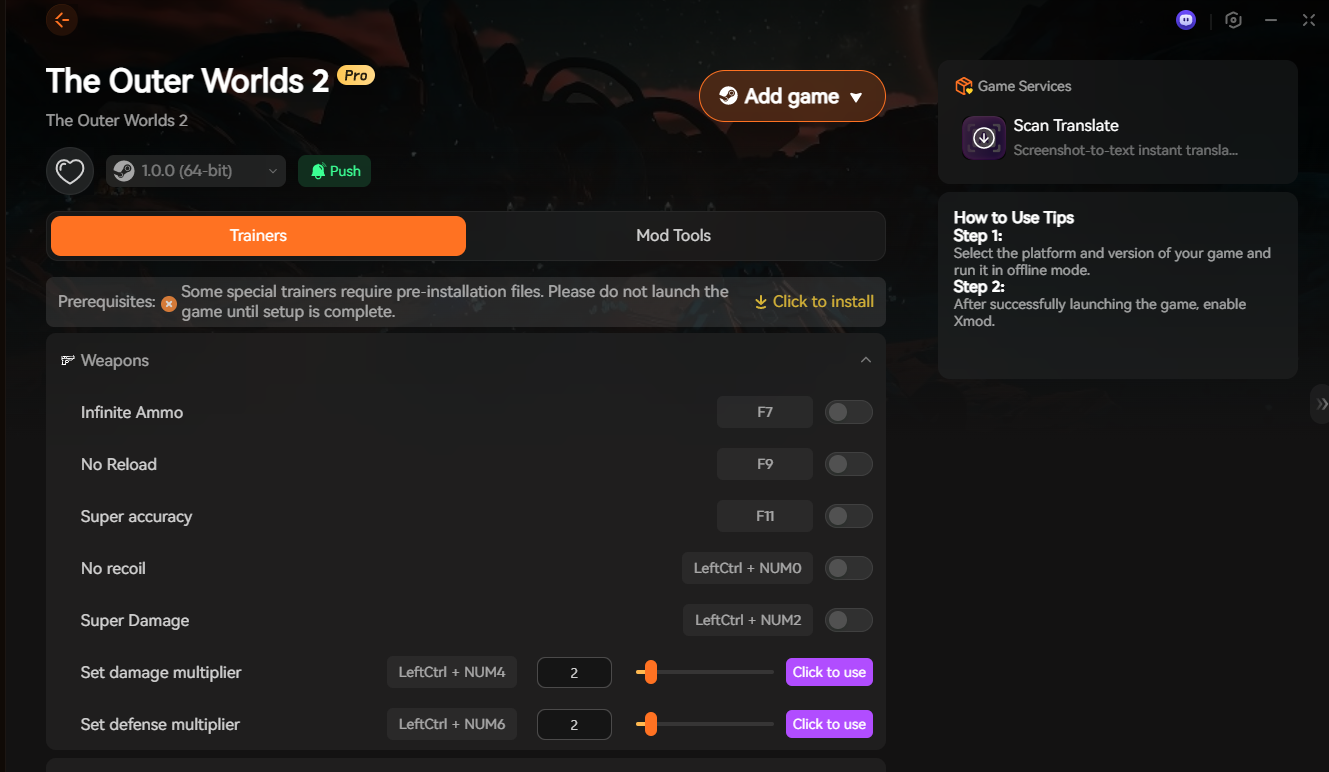
The XMOD trainer for The Outer Worlds 2 includes a powerful selection of cheats designed to enhance both combat and exploration. Players can toggle each option easily through hotkeys or one-click activation.
Here are some of the top features available:
- Infinite Ammo – Never run out of bullets during firefights.
- No Reload – Keep shooting without interruption.
- Super Accuracy & No Recoil – Perfect aim with every weapon.
- Super Damage – Eliminate enemies instantly with boosted power.
- Damage & Defense Multipliers – Adjust combat balance for your preferred difficulty.
- God Mode – Become invincible against all attacks.
- Stealth Mode – Move undetected through enemy zones.
- Infinite Health – Stay alive no matter the challenge.
Each cheat can be activated directly from the XMOD interface, offering full control without editing game files. These features make XMOD the ultimate modding companion for players who want to explore The Outer Worlds 2 freely and confidently.
How to Use XMOD for The Outer Worlds 2 Cheats
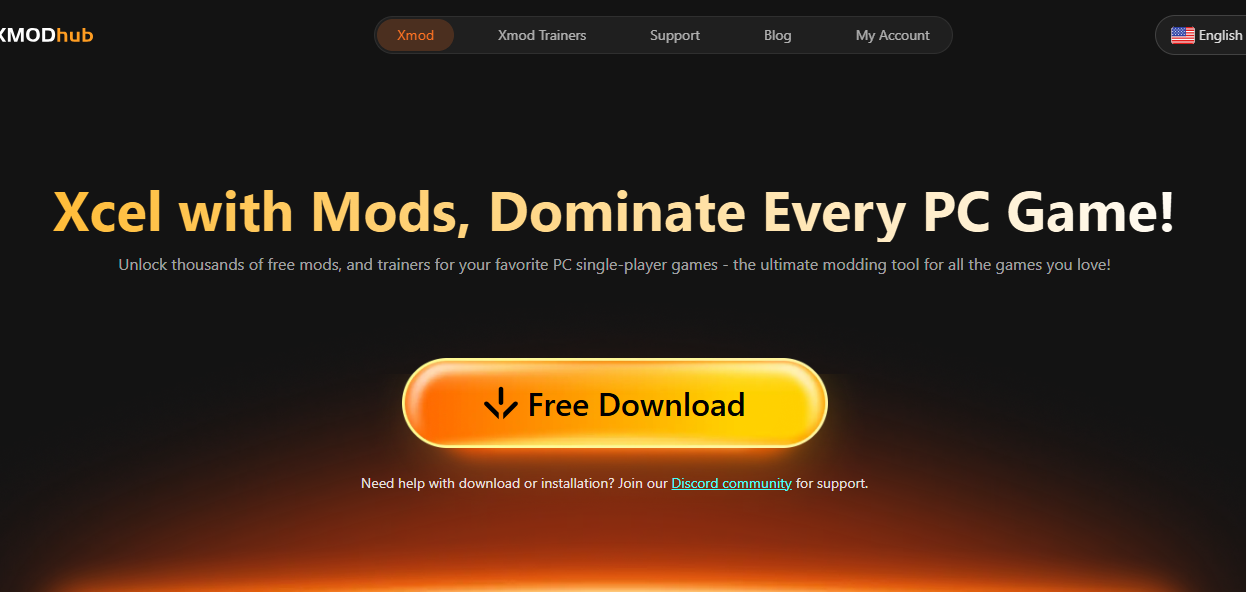
Using XMOD for The Outer Worlds 2 is simple and doesn’t require any coding or manual setup. Here’s how to get started:
1: Download and install XMOD on your PC.
2: Launch The Outer Worlds 2 through XMOD’s interface.
3: Make sure to run the game in offline mode to ensure stable trainer performance.
4: Once the game is running, open the XMOD overlay and toggle your preferred cheats such as Infinite Ammo, God Mode, or No Reload.
5: Adjust values like damage and defense multipliers using the sliders or preset hotkeys.
All changes take effect instantly, allowing you to modify gameplay in real time without restarting the game. XMOD’s simple layout and safety-focused design make it easy for any player to master The Outer Worlds 2 their way.
More Than Cheats: XMOD Mods & Gaming Tools
XMOD isn’t just a hub for cheats and trainers — it’s a complete platform for enhancing your PC gaming experience. Beyond unlocking unlimited money or boosting your game stats, XMOD provides mods, custom tools, and quality-of-life enhancements for thousands of single-player games.
With XMOD, you can:
- Install game mods easily – Apply visual upgrades, gameplay tweaks, or performance fixes, all pre-tested for stability.
- Use trainers for advanced gameplay control – Adjust speed, resources, or character stats safely without corrupting save files.
- Access exclusive gaming tools – Enjoy integrated utilities like automated translation, DLSS optimization, interactive maps, and in-game overlays.
- Stay updated automatically – Get the latest mods, trainers, and compatibility updates as new game versions release.
This all-in-one approach saves you time and guarantees a safe, seamless, and enjoyable gaming experience. Whether you’re fine-tuning The Outer Worlds 2, building in House Flipper 2, or relaxing in PowerWash Simulator 2, XMOD delivers everything you need in one reliable platform.
Is XMOD Safe to Use?
Yes — XMOD is designed with player safety and reliability in mind. Unlike many third-party trainers or cheat engines that carry malware risks, XMOD’s tools are virus-free, verified, and regularly updated by the development team.
All cheats and mods are tested for stability and compatibility, ensuring they won’t damage your save files or trigger unwanted system issues. XMOD also operates strictly in offline mode, meaning it won’t interfere with online play or violate fair-play policies.
FAQs About XMOD and The Outer Worlds 2 Cheats
Q1: Can I use XMOD safely with The Outer Worlds 2?
Yes. XMOD’s trainers and mods are tested to ensure stability and safety, and they only function in offline mode to prevent any multiplayer or online issues.
Q2: Do I need Cheat Engine to run XMOD?
No. XMOD is a standalone tool that works without Cheat Engine. It offers an easier, one-click setup without manual script editing or code input.
Q3: What cheats are available for The Outer Worlds 2 on XMOD?
You can activate options like Infinite Ammo, God Mode, No Reload, Super Accuracy, and Damage Multipliers to tailor your gameplay experience.
Q4: Is XMOD free to use?
Yes, XMOD is free to download and use for most features. Some premium tools or early-access mods may require an upgrade.
Q5: Will using XMOD affect my game files or saves?
No. All XMOD cheats and trainers are designed to be non-destructive, keeping your save files intact and your gameplay smooth.
Final Thoughts
The Outer Worlds 2 pushes exploration, storytelling, and player freedom to new heights — and XMOD takes that experience even further. As a safe and intuitive alternative to Cheat Engine, XMOD gives players complete control with one-click cheats, powerful trainers, and performance-enhancing tools.
Whether you’re fine-tuning combat, experimenting with mods, or just making the game more accessible, XMOD ensures everything runs smoothly and securely. For players who want to enjoy The Outer Worlds 2 without limits, XMOD is the ultimate companion for a customizable and worry-free adventure.
I am a passionate gamer and writer at XMODhub, dedicated to bringing you the latest gaming news, tips, and insights.
Connect with me:
LinkedIn Profile ↗

 Catherine Hu


 Nancy Miller



