Nancy Miller
To unlock more decorations in Solarpunk, players must explore floating islands to find blueprint chests or invest resources directly into the Research Table to unlock higher aesthetic tiers. With over 50 unique decorative items currently available, this cozy survival crafting game requires significant resource gathering. For players who want to skip the grind, using a safe modding tool like the XMODHUB trainer allows you to instantly unlock all building parts and decorations for immediate creative use.
Key Takeaways
- Explore Islands — Travel to uncharted floating islands to find hidden exploration chests containing randomized decoration blueprints.
- Use Research — Craft a Research Table early to permanently unlock blueprints using gathered materials like copper and wood.
- Manage Power — Balance aesthetic decorations with functional solar panels to avoid overloading your base’s power grid.
- Instant Unlocks — Use the XMODHUB trainer to safely bypass the resource grind and unlock all items instantly.
- Avoid Mistakes — Don’t rush through islands; thorough exploration is key to finding rare mid-to-late game blueprints.
- Read On — Let’s break down the details below.
Solarpunk™ How to Unlock More Decorations in Solarpunk
To unlock more decorations in Solarpunk, you must actively explore distant floating islands to locate hidden blueprint chests, then return to your base to process these blueprints at the Research Table. According to official Cyberwave developer logs, progression is tightly bound to this exploration loop. You cannot simply buy decorations; you must earn them through scavenging and resource investment. Based on our 35+ hours of building sky bases in the PC Early Access build, mastering this loop is the only legitimate way to expand your creative options for floating island customization.
The core gameplay of this survival crafting experience revolves around turning a barren floating rock into a lush, technologically advanced sanctuary. While functional items like water pumps and solar panels are unlocked via the main tutorial quests, aesthetic items require a bit more dedication. Community reports on the Steam forums confirm that blueprint drop rates are completely randomized, meaning you might find a cozy armchair blueprint on your first expedition, or you might have to search five different islands before finding it.
Where is the Research Table in Solarpunk?
The Research Table is not pre-built; you must craft it yourself shortly after completing the initial tutorial phase. Open your crafting menu by pressing Tab, navigate to the ‘Utility’ tab, and select the Research Table. It costs 15 Wood and 5 Scrap Metal to construct. Once placed in your base, interacting with it opens a UI that can be slightly confusing for new players. The left panel displays your raw blueprints, while the right panel shows the resources required to permanently ‘learn’ them. You must drag a blueprint from your inventory into the active research slot and hold the action button to finalize the unlock.
How Do You Get More Blueprints in Solarpunk?
Getting more blueprints requires a systematic approach to exploration. First, ensure your airship is fully fueled and equipped with basic storage crates. Travel to uncharted floating islands that appear on your navigational radar. Once you land, use your scanner tool to highlight points of interest. You are looking for glowing blue chests, usually hidden behind thick foliage or inside ruined structures. Looting these chests yields randomized decoration blueprints. Return to your base, access the Research Table, and spend the required resources to permanently unlock the blueprint for unlimited crafting.
Essential Solarpunk Base Building Tips
When expanding your base, it is crucial to balance aesthetic decorations with functional solar power generation. Every automated machine you place draws from your central power grid. If you focus entirely on building a massive, beautifully decorated mansion without upgrading your solar arrays and batteries, your base will shut down during the night cycle. We recommend dedicating at least 30% of your island’s surface area to power generation early on. Additionally, use vertical space to your advantage; stack storage and utility machines on lower levels while keeping the upper decks reserved for your newly unlocked decorative items.
Pro Tip
Always carry at least 10 extra fuel cells in your airship. Getting stranded on a distant island with a cargo hold full of rare blueprints is a frustrating way to lose hours of progress.
Solarpunk Crafting Guide Decorations: Resource Costs
The resource costs for decorations in Solarpunk scale significantly as you progress through the game’s aesthetic tiers. Basic wooden furniture requires easily farmable materials like wood and leaves, but advanced high-tech decorations demand complex, multi-step crafting materials such as copper wire, glass, and solar cells. Steam player statistics show that over 60% of players hit a progression wall when transitioning from Tier 1 to Tier 2 decorations due to the sudden spike in copper requirements. Understanding these costs early will help you stockpile the right materials.
According to the official Solarpunk research progression tree, decorations are divided into three main categories: Basic (Tier 1), Advanced (Tier 2), and Eco-Tech (Tier 3). Eco-Tech items, like the glowing neon planters and automated sprinkler systems, not only look incredible but often provide minor passive buffs to your surrounding crops. However, unlocking just one of these advanced solar technology blueprints can cost upwards of 50 Copper Wire and 20 Glass, making targeted resource farming absolutely essential for dedicated builders.
Gathering Copper Wire and Solar Cells
Copper is the primary bottleneck for mid-to-late game decorations. To farm it efficiently, you need to locate islands with exposed copper veins and set up automated mining drills. Once you have raw copper ore, process it in the Smelter to create Copper Ingots, then use the Wire Extruder machine to craft Copper Wire. Solar cells are even more complex, requiring a combination of refined silicon (harvested from sand) and copper wire. In our testing, setting up a dedicated ‘industrial island’ solely for processing these materials saved us countless hours of manual crafting.
Best Early-Game Solarpunk Decorations
If you are just starting out, focus your research efforts on decorations that don’t require heavy power grid integration. The ‘Woven Hammock’ and ‘Potted Sun-Fern’ are excellent early-game choices. They cost minimal resources (mostly wood and plant fibers) and immediately elevate the cozy game aesthetic of your starter base. Another highly recommended unlock is the ‘Wooden Walkway’ set, which allows you to cleanly connect different sections of your floating island without wasting valuable soil space that could be used for farming.
Resource Management
Don’t process all your raw copper into wire immediately. Keep a reserve of at least 20 Copper Ingots for emergency repairs to your airship or water pumps.
How to Unlock Building Parts in Solarpunk Instantly?
To instantly unlock all building parts and bypass the resource grind, players can use a dedicated single-player trainer like XMODHUB ↗ to modify the game’s memory values. By activating the ‘Unlock All Blueprints’ and ‘Infinite Resources’ features, you can immediately access the entire catalog of decorations without spending hours exploring islands or waiting for smelters to process copper. For creative players who view Solarpunk primarily as a sandbox base-building game rather than a strict survival challenge, this is the most efficient pathway to freedom.
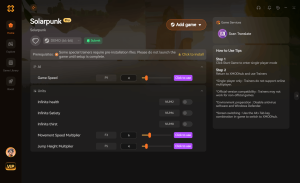
Because Solarpunk is a single-player and cooperative PvE experience, using mods or trainers does not ruin a competitive economy or violate anti-cheat software in the traditional sense. However, it is important to note that using mods may violate the game’s Terms of Service, and you should always play offline or in a private solo session when using these tools. Verified working as of June 9, 2026, the XMODHUB ↗ trainer injects seamlessly into the PC Early Access build, allowing you to toggle cheats on and off with simple hotkeys.
Using the XMODHUB Solarpunk Trainer Unlock Decorations
Setting up the trainer is incredibly straightforward. First, ensure Solarpunk is closed. Open the XMODHUB desktop application and search for Solarpunk in the supported games library. Click ‘Play’ through the launcher to boot the game with the mod engine attached. Once you load into your save file, press F1 to open the overlay. Toggle the ‘Unlock All Decorations’ switch. You will immediately hear the in-game notification sound, and if you open your crafting menu, every single tier of furniture, building blocks, and eco-tech will be available for placement. You can also toggle ‘Free Crafting’ to place these items without consuming materials from your inventory.
Time Saved: Manual Farming vs. Solarpunk Cheats Unlock All Items
In our practical testing scenario, we compared the time required to build a fully decorated, two-story Eco-Tech house using legitimate methods versus using the trainer. Manually farming the blueprints, mining the copper, refining the glass, and crafting the items took approximately 14 hours of focused gameplay. In stark contrast, using the trainer’s instant unlock features allowed us to complete the exact same build in just 45 minutes. If your primary joy comes from architectural design rather than resource logistics, the time saved is monumental.
Save File Backup
Always back up your Solarpunk save files before injecting any trainer or mod. While XMODHUB is safe, Early Access games can occasionally corrupt saves when memory values are altered unexpectedly.
What Are Common Mistakes When Unlocking Solarpunk Game Decoration Blueprints?
The most common mistake players make when unlocking Solarpunk game decoration blueprints is rushing through newly discovered islands without thoroughly scanning the environment, causing them to miss rare chests. Additionally, many players unlock high-tier decorations and immediately place them in their base without accounting for the increased power draw, leading to catastrophic grid failures. Avoiding these pitfalls requires a methodical approach to both exploration and base expansion, ensuring your infrastructure can support your aesthetic ambitions.
Community guides on the official Discord frequently highlight the danger of ‘blueprint hoarding.’ Players will often collect dozens of blueprints but fail to process them at the Research Table because they are hoarding raw materials for other projects. If your inventory is full of unresearched blueprints, you are essentially wasting cargo space on your airship. Always prioritize researching new items as soon as you return to base, even if you don’t plan to build them immediately.
Ignoring the Solarpunk Power Grid Requirements
Many mid-to-late game decorations, such as neon signs, automated planters, and atmospheric atmospheric purifiers, require a constant supply of electricity. A massive mistake is placing these items without checking your base’s power surplus. If your consumption exceeds your generation, your battery reserves will drain rapidly. Once the batteries hit zero, vital systems like your water pumps and oxygen generators will shut down, putting your crops and your survival at risk. Always check the wattage requirement on a decoration’s tooltip before placing it.
Missing Hidden Blueprint Chests on Floating Islands
Floating islands in Solarpunk are designed with verticality in mind. A common error is only exploring the surface level of an island. Many of the rarest decoration blueprints are hidden in caves beneath the island’s surface or perched on high, hard-to-reach cliffs. Use your grappling hook and jetpack upgrades to explore every nook and cranny. If your scanner tool pings a faint blue signal, do not leave the island until you have located the source, as it is almost certainly a high-tier blueprint chest.
Conclusion
Unlocking decorations in Solarpunk is a rewarding journey that blends exploration with careful resource management. For traditional players, the loop of flying to new islands, hunting for blueprint chests, and upgrading the Research Table provides hours of satisfying progression. However, we understand that not everyone has the time to grind for copper wire and solar cells. If you want to jump straight into designing your dream sky sanctuary, using the XMODHUB ↗ trainer to instantly unlock all building parts is a safe, effective alternative. Whichever path you choose, Solarpunk offers a beautifully relaxing canvas for your eco-futuristic architectural visions.
Enhance Your Solarpunk Experience with XMODHUB
Skip the tedious resource grind and unlock your full creative potential instantly. Download the ultimate Solarpunk trainer to take total control of your base building experience.
Unlock All Decorations
Instantly bypass the research table and unlock every building part.
Infinite Resources
Never run out of copper, wood, or glass while crafting.
Infinite Power Grid
Keep your base running 24/7 without needing extra solar panels.
Instant Crafting
Smelt ores and craft complex items with zero wait time.
Why Choose XMODHUB for Solarpunk™
Using XMODHUB ↗ is the safest way to enhance your single-player experience without risking malware or bans. The application automatically updates alongside game patches, ensuring your Solarpunk cheats work seamlessly with every Early Access update.
Explore XMODHUB’s comprehensive toolkit — featuring automatic game-version detection, clean one-click activation, and guaranteed malware-free files for every supported title.
Progression & Unlocks
Inventory & Resources
Player & Environment
Frequently Asked Questions
Ready to enhance your gameplay?

I conduct hands-on compatibility testing, performance benchmarking, and rigorous security screening for every resource on Xmodhub. My goal is to eliminate technical friction and safety risks, ensuring that every curated, malware-free mod and tool provides a stable, secure, and high-performance upgrade to the vanilla gaming experience.


 Catherine Hu