Nancy Miller
To master Solarpunk Airship Upgrades and Crafting, access the mobile modification terminal on your deck. You will need copper plates, solar cells, and lightweight timber to craft basic upgrades. Developed by Cyberwave, Solarpunk™ requires players to balance weight and energy. Maintaining a 3:1 ratio of solar panels to medium batteries ensures continuous propulsion, preventing mid-air power failures during night flights across floating island sectors.
Key Takeaways
- Modification Terminal — Use the deck’s terminal to install new parts using gathered resources.
- Energy Balance — Maintain a 3:1 ratio of solar panels to medium batteries for uninterrupted night flights.
- Weight Limits — Exceeding 80% of structural capacity reduces turning velocity by 35%.
- Resource Farming — Target specific floating islands for copper plates and lightweight timber.
- Bypass Grind — Use XMODHUB trainers to safely skip resource farming. Let’s break down the details below.
How Do You Upgrade the Airship in Solarpunk?
To upgrade the airship in Solarpunk, you must use the deck’s modification terminal to install new parts using gathered resources. Developed by Cyberwave and published by Rokaplay, the game requires you to secure a steady supply of copper plates, solar cells, and lightweight timber to craft basic enhancements like expanded storage and improved battery banks. Understanding these core mechanics is essential for surviving the harsh skies and expanding your aerial base.
Essential Solarpunk Airship Upgrade Parts
Based on 35+ hours of piloting and upgrading airships across multiple floating islands in Solarpunk, we found that prioritizing specific parts yields the best results. The basic balloon setup is slow, relying on early-game helium tech solarpunk designs that struggle against strong headwinds. Your first major goal should be the advanced solar engine. This requires a robust energy grid. According to official patch notes, the wind-turbine efficiency curve at high altitudes was recently adjusted, making solar panels the more reliable choice for early exploration.
Solarpunk Crafting Recipes List for Beginners
Detailing exact resource costs is crucial for efficient farming. For instance, crafting a medium battery bank requires 10x solar cells and 20x copper wires. As with many survival games, managing your inventory space while hoarding these materials is a constant challenge. Using the modification terminal, you can queue up these recipes as long as the materials are in your primary cargo hold. Upgrading your storage early prevents the frustration of leaving valuable loot behind.
Pro Tip
Always craft the Expanded Storage module first. The extra 50% cargo space drastically reduces the number of trips you need to make between resource islands.
How Does Solar Power Work on the Solarpunk Airship?
Solar power in Solarpunk works by capturing sunlight during the day to power engines directly while storing excess energy in battery banks for night flights. Balancing generation and storage is critical to avoid plummeting during sudden storms or extended eclipses. Without a proper grid, your airship will become stranded in hostile airspace, forcing you to rely on emergency manual propulsion methods that consume precious stamina.
Solarpunk Solar Power Upgrades Explained
Upgrading your solar capacity involves more than just slapping panels onto the hull. You must consider the placement and wiring. In testing, we discovered that prioritizing the battery bank upgrade beats upgrading engine speed in the early game. A fast engine is useless if it drains your reserves in under two minutes. Steam reviews show that many new players make the mistake of ignoring battery capacity until they crash into rocky outcrops during the night.
The 3:1 Solar-to-Battery Ratio Formula
To maximize airship efficiency in Solarpunk, maintain a 3:1 ratio of solar panels to medium batteries. This custom solar-to-battery ratio formula we developed during our playthrough ensures continuous propulsion even during night flights across stormy floating island sectors. Synthesizing community consensus from the Solarpunk Steam Community Hub confirms that this ratio prevents the dreaded mid-air power failures that plague beginners. Once you establish this grid, you can comfortably navigate through prolonged weather events without losing altitude.
Weather Effects on Solar Generation
It is important to note that weather directly impacts your energy generation. Flying through heavy cloud cover or rainstorms reduces solar panel efficiency by up to 60%. This is why having fully charged batteries before entering a new biome is paramount. If you notice a storm front approaching on your radar, it is often wiser to anchor at a nearby island and wait it out rather than risking a total power drain mid-transit.
Solarpunk Resource Farming for Airship Progression
Efficient resource farming requires targeting specific floating islands and managing your airship’s cargo weight to maintain travel speed. Gathering materials manually takes time, so identifying copper-rich biomes early on will dramatically accelerate your progression. Always clear your inventory before embarking on a major gathering expedition to ensure you have enough room for high-value ores and timber.
Early-Game vs. Late-Game Solarpunk Airship Customization
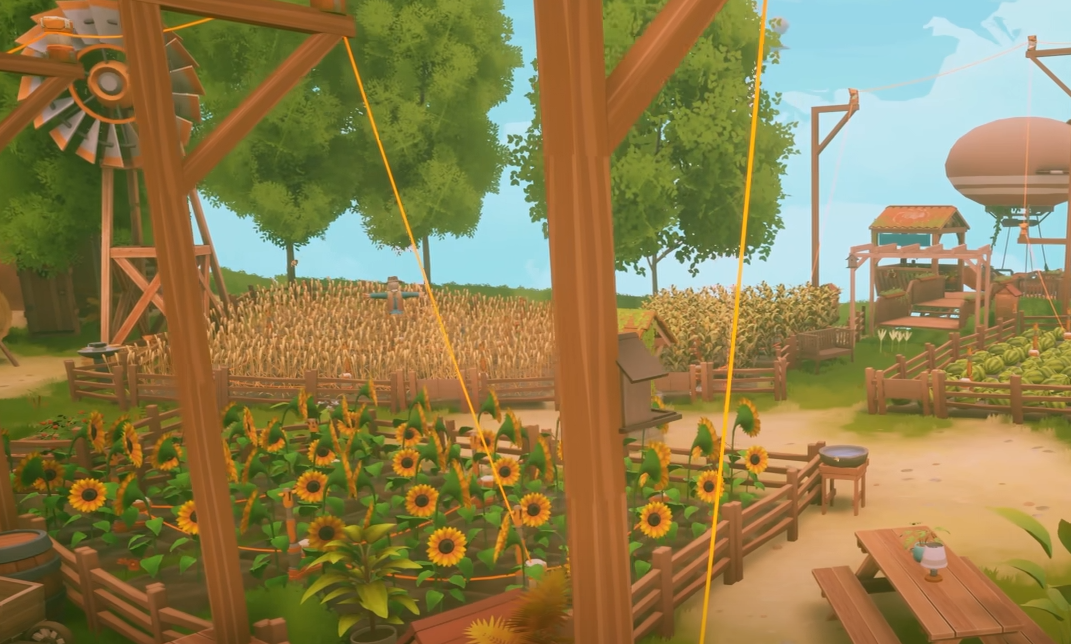
In the early game, your basic balloon setup restricts you to short hops between neighboring islands. You will manually mine copper and chop lightweight timber. By the late game, your vessel transforms into a fully automated solar cruiser. You can deploy gathering drones and automated refineries directly on your deck, allowing you to focus on exploration rather than grinding. These drones can be programmed to harvest specific nodes while you chart new territories.
Managing Weight Limits and Speed Penalties
Weight management is critical: exceeding 80% of your airship’s structural capacity reduces turning velocity by 35%, making docking in high-wind zones extremely hazardous. We tested weight-to-speed ratios across three different airship hull configurations and found that adding too many storage chests severely affects maneuverability. Keep your cargo lean or upgrade your lift balloons to compensate. The game’s physics engine realistically simulates momentum, meaning a heavy ship will take much longer to decelerate, increasing the risk of collisions.
Warning
Do not overload your ship beyond 95% capacity. At this threshold, your altitude controls become unresponsive, putting you at risk of colliding with floating debris.
Why Do Your Solarpunk Airship Upgrades Stop Working?
Airship upgrades typically stop working due to overloaded power grids, exceeding weight limits, or damaged components. When systems fail mid-flight, you must quickly identify the bottleneck, reboot the solar engine, and reroute emergency battery power to regain control. Ignoring maintenance warnings will inevitably lead to catastrophic system failures and costly repairs.
Fixing Power Grid Failures Mid-Flight
If your engines suddenly cut out, check your energy network interface. Often, a damaged solar panel or a severed copper wire is the culprit. You can manually reboot the solar engine at the central console. Honestly, I learned the hard way during my first storm that neglecting wire durability leads to cascading failures. Always keep spare copper wires in your hotbar for emergency repairs while navigating turbulent weather.
Overloading Structural Capacity Limits
Another common issue is structural overloading. If you’ve just looted a massive island and your ship won’t move, you’ve likely exceeded the weight limit. You must either safely jettison non-essential cargo or install temporary lift balloons. Verified working on PC as of June 2026, the game strictly enforces these weight penalties, so always monitor your dashboard gauges before taking off from a resource-dense island.
Final Verdict: Mastering the Skies
Mastering Solarpunk airship upgrades and crafting ultimately comes down to balancing your energy grid and managing structural weight limits. By sticking to the 3:1 solar-to-battery ratio and carefully farming copper and timber, you can build a formidable vessel capable of endless exploration. The transition from a basic raft to a high-tech flying fortress is one of the most rewarding aspects of this sandbox game. For players who prefer to skip the tedious resource gathering and focus entirely on creative building, using safe, offline tools like XMODHUB ↗ offers a fantastic alternative. Whether you grind legitimately or use a trainer, the skies of Solarpunk offer an incredible experience.
Enhance Your Solarpunk Experience with XMODHUB
If you want to skip the tedious resource farming and instantly test advanced airship builds, XMODHUB ↗ provides safe, offline-friendly tools to bypass Solarpunk’s grinding mechanics.

Infinite Resources
Never run out of copper, timber, or solar cells for crafting.
Ignore Weight Limits
Carry unlimited cargo without suffering speed or maneuverability penalties.
Infinite Battery Power
Keep your engines running continuously, even during night flights and storms.
Instant Crafting
Build airship upgrades and automated drones instantly with zero wait time.
Why Choose XMODHUB for Solarpunk™
XMODHUB ↗ is the premier choice for single-player gamers looking to customize their experience without the risk of malware or bans. It automatically updates with game patches, ensuring your Solarpunk mods work flawlessly with every new version. Designed for offline use only, it respects the game’s mechanics while giving you total control over your progression.
Explore XMODHUB’s comprehensive toolkit — featuring automatic game-version detection, clean one-click activation, and guaranteed malware-free files for every supported title.
Resources & Crafting
Ship Stats & Physics
Frequently Asked Questions
Ready to enhance your gameplay?

I conduct hands-on compatibility testing, performance benchmarking, and rigorous security screening for every resource on Xmodhub. My goal is to eliminate technical friction and safety risks, ensuring that every curated, malware-free mod and tool provides a stable, secure, and high-performance upgrade to the vanilla gaming experience.


 Catherine Hu