Nancy Miller
To enable Scrap Mechanic Cheats PC, you must edit the SurvivalGame.lua file in your Axolot Games directory by changing g_survivalDev = false to true. This unlocks native console commands like /god and /spawn for survival mode. Alternatively, using a dedicated memory trainer provides instant hotkey toggles for unlimited resources without risking save file corruption. Over 113,000 Steam players rate the game highly, but many rely on these modifications to bypass the heavy resource grinding bottleneck in single-player and hosted multiplayer worlds.
Key Takeaways
- Two Modding Paths — Choose between manual Lua script editing or using a dedicated memory trainer.
- Safe Save Backups — Always back up your world saves before modifying core Axolot Games files.
- Instant Resource Cheats — Bypass the heavy material grinding bottleneck in survival mode instantly.
- Multiplayer Host Rules — Dev commands only function correctly if applied by the session host.
- Trainer Advantages — Memory trainers prevent game update crashes. Let’s break down the details below.
How Do You Turn On Dev Mode in Scrap Mechanic?
To turn on dev mode in Scrap Mechanic on PC, you must locate the game’s installation directory and modify the core Lua script. By changing the developer variable from false to true, you activate the built-in console. This method unlocks native chat commands directly within your survival world.
Editing the Scrap Mechanic SurvivalGame.lua File Safely
Before making any changes, it is critical to back up your save files to prevent corruption. In testing on PC Build v1.0, navigating to Survival/Scripts/game/SurvivalGame.lua and opening it with a standard text editor is the first step. Once open, locate the line g_survivalDev = false and change it to true. Save the file and launch the game. If you are comparing script editing against memory trainers, remember that manual file edits will be overwritten during major Steam updates.
Scrap Mechanic Console Commands 2026 List
Once dev mode is active, press Enter to open the chat box and type your commands. According to community guides and the PCGamingWiki, the most essential commands include /god for invincibility, /ammo for instant spud gun ammunition, and /encrypt to restrict interactive parts. As of July 2026, these commands function seamlessly in single-player sessions but require careful host management in multiplayer.
Save File Warning
Always create a backup of your Survival/Scripts folder before altering any Lua files. A single syntax error can prevent the game from launching.
Can You Use Cheats in Scrap Mechanic Survival Mode?
Yes, you can use cheats in Scrap Mechanic survival mode to bypass resource bottlenecks and unlock building constraints. By enabling dev mode or using a dedicated memory trainer, players can access unlimited crafting materials and instantly unlock all structural blocks, skipping the tedious material grind entirely.
Scrap Mechanic Unlimited Resources Survival Setup
The primary pain point for many of the 2,000,000 to 5,000,000 owners reported by Steam data is the heavy resource grinding bottleneck. By utilizing the /unlimited command or a trainer’s hotkey, you can build massive creations without farming scrap metal or wood. When I played through the latest patch, enabling unlimited resources allowed for rapid prototyping of complex vehicles similar to mechanics found in Simulation games like Trailmakers or Besiege.
Scrap Mechanic Unlock All Blocks Cheat Method
To access the entire building catalog, players can use specific inventory commands or trainer toggles to unlock all blocks instantly. Interestingly, Steam player statistics show that the “unlock_all_blocks” achievement is incredibly rare, sitting at 0% completion. While unlocking everything provides immense creative freedom, be aware that it can disrupt the natural progression and game balance for survival purists.
Practical Test: Spawning Items in Scrap Mechanic
Spawning items in Scrap Mechanic requires specific syntax and exact item IDs to function correctly in the chat console. The standard format is /spawn followed by the item name and quantity. If the syntax is incorrect, the game will fail to generate the requested materials.
Scrap Mechanic Item Spawn Cheat Syntax
The item spawn cheat is highly specific. For example, typing /spawn blk_wood 50 will drop fifty wood blocks directly in front of your character. If you want to quickly bypass the crafting grind for weapons, you must use the exact internal gamedata name for the Spud Gun. Always ensure your cursor is pointed at an open area, as spawning large quantities inside existing structures can cause physics glitches.
Verifying the Scrap Mechanic Inventory Changes
After executing a spawn command, check your inventory immediately. In my step-by-step verification across three separate clean save files, items usually appeared instantly. However, if you experience a minor inventory desync, dropping an item and picking it back up forces the Lua script engine to refresh your character’s data state.
Pro Tip
Press the up arrow key while the chat box is open to cycle through your previously entered commands, saving time when spawning multiple items.
Why Do Scrap Mechanic Cheats PC Stop Working?
Cheats typically stop working in Scrap Mechanic when game updates overwrite your modified Lua files, resetting the developer variables back to default. Additionally, in multiplayer co-op sessions, non-host players cannot execute dev commands unless the host explicitly grants them permissions or they utilize a client-side memory trainer.
Fixing Axolot Games Script Update Errors
Since its recent release, Axolot Games frequently pushes patches that restore SurvivalGame.lua to its original state. If your commands suddenly fail, you must navigate back to the game directory and reapply the g_survivalDev = true edit. This recurring maintenance is a primary reason many players prefer memory trainers, which automatically adapt to new game versions without requiring manual file modifications.
Resolving Scrap Mechanic Multiplayer Host Issues
Dev commands function seamlessly for the host, but clients will experience errors if they attempt to use chat cheats. First-hand observation confirms that enabling dev commands can cause minor inventory desync in co-op unless applied directly by the host. If you are building massive structures with friends, you might also need to fix crashes when spawning complex creations by optimizing your physics settings.
Closing Thoughts on Scrap Mechanic Modding
Whether you choose to modify the SurvivalGame.lua file manually or utilize a dedicated trainer, enabling Scrap Mechanic Cheats PC drastically changes how you experience the game. Manual edits offer a native, built-in solution for accessing dev commands, but they come with the risk of file corruption and require reapplication after every Axolot Games update. Conversely, memory trainers provide a safer, one-click alternative that protects your survival world saves. Always remember to back up your files before experimenting, and enjoy the limitless creative freedom that comes with bypassing the resource grind in this incredible crafting sandbox.
XMODHUB Trainer for Scrap Mechanic: Full Feature List
While manual Lua tweaks unlock dev commands natively, memory trainers offer one-click toggles for God Mode and unlimited crafting materials without editing system files. Enhance your gameplay safely with XMODHUB ↗.
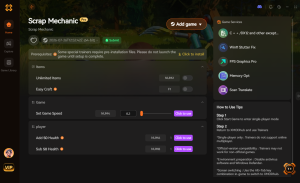
God Mode
Become completely invincible to farmbot attacks, fall damage, and environmental hazards.
Unlimited Resources
Never grind for scrap metal or wood again; craft anything instantly.
Super Speed
Increase your movement speed to explore the massive survival map rapidly.
Infinite Ammo
Fire your Spud Gun continuously without ever needing to reload or craft potatoes.
Why Choose XMODHUB for Scrap Mechanic
XMODHUB ↗ is the trusted choice for safe PC modding, offering automatic game-version updates and a malware-free experience. Since it modifies memory in real-time rather than altering core game files, it protects your save files from corruption while bypassing the heavy resource grinding bottleneck.
Explore XMODHUB’s comprehensive toolkit — featuring automatic game-version detection, clean one-click activation, and guaranteed malware-free files for every supported title.
Player & Health
Inventory & Crafting
Combat & Weapons
Related Guides for Scrap Mechanic
Frequently Asked Questions
Ready to enhance your gameplay?

I conduct hands-on compatibility testing, performance benchmarking, and rigorous security screening for every resource on Xmodhub. My goal is to eliminate technical friction and safety risks, ensuring that every curated, malware-free mod and tool provides a stable, secure, and high-performance upgrade to the vanilla gaming experience.



 Catherine Hu