
 Catherine Hu
⚡ Quick Answer
What is the best and safest PRAGMATA mods tool?
To modify your gameplay safely without corrupting your 50-hour lunar exploration save file, you need to use the right PRAGMATA mods tools:
- [01] XMODhub: The absolute easiest, crash-free memory injector for instant progression, infinite health, and zero file conflicts.
- [02] REFramework: The essential background utility for RE Engine games that enables a powerful scripting API and VR support.
- [03] Fluffy Mod Manager 5000: The community standard for managing RE Engine .pak files, 4K suit textures, and complex load orders.
- [04] Pragmata Script Extender (PSE): A mandatory utility required to run advanced community logic scripts and mission overhauls.
Introduction
Let’s be brutally honest: PRAGMATA’s vanilla gameplay is an atmospheric masterpiece for the first 20 hours, but eventually, the resource grind on the lunar surface hits a wall.
Whether you are exhausted by the repetitive scanning mechanics, tired of a specific high-difficulty boss, or just want to overhaul the ray-tracing shaders to push your hardware, you are going to need a dependable PRAGMATA mods tool.
I cannot tell you how many 80-hour save files I have completely ruined over the years because I downloaded a sketchy utility or dragged files into the wrong folder. In the RE Engine, a single misplaced .pak file can lead to an infinite loading screen. Finding a safe tool that actually works—without triggering a massive red flag on your antivirus or causing a desktop crash—is vital for your sanity.
In this guide, I am breaking down the exact utilities you actually need. We will cover the best community managers, where to find your hidden game folders, and the ultimate plug-and-play solution for gamers who just want to tweak their stats and get straight back to the action.
You may also like: The Ultimate Pragmata Cheat Engine Guide (And A Much Easier Alternative)
Why You Need a Dedicated Mods Tool
Listen to me carefully: never manually drag and drop loose files into your PRAGMATA root folder. Because PRAGMATA runs on the RE Engine, it uses a complex file-indexing system.
If two different mods try to alter the same player-suit metadata or enemy AI logic, the engine will panic and instantly crash to the desktop (CTD). A dedicated tool like Fluffy Manager acts as a traffic controller, ensuring the engine reads your custom files in the exact sequence they need to safely load without overwriting core game data.
Where is the PRAGMATA Mods Folder Located?
If you are using a community manager, you rarely need to dig into your files. However, for manual cleanups or verifying your installation, finding the directory is essential.
- ✦ Steam Users:
C:\Program Files (x86)\Steam\steamapps\common\PRAGMATA\ManualMods - ✦ Fluffy Manager Path:
\Fluffy Mod Manager\Games\PRAGMATA\Mods(Drop your .rar or .zip files here). - ✦ Local AppData (For Configs): Press
Win+R, type%localappdata%, and look for theCapcom\PRAGMATAfolder to find your shader cache and local settings.
Top PRAGMATA Mods Tools Compared
| Tool Name | Best For | Technical Type |
|---|---|---|
| Fluffy Manager 5000 | Visuals, Textures, Character Swaps | File Manager |
| REFramework | Console Commands, Scripting, VR | DLL Injector |
| XMODhub | Infinite Health, Credits, No-Grind | Memory Trainer |
| PSE (Script Extender) | Complex Gameplay Logic Mods | Core Utility |
- ▹ The Visual Organizer (Fluffy Manager): If you want to install massive 8K environment textures or swap your astronaut suit for classic Capcom character skins, use this. It handles gigabytes of data effortlessly.
- ▹ The Core Enabler (REFramework): You will see this listed as a “Requirement” on almost every download page. It provides the UI overlay needed to access hidden developer settings and fix camera FOV issues.
- ▹ The Progression Hacker (XMODhub): If you do not care about shiny graphics and just want to skip the resource gathering or unlock all suit upgrades instantly, use XMODhub.
The Easiest, Crash-Free Alternative: XMODhub
Here is the dirty secret about traditional mod managers: they are incredibly fragile. Every time Capcom releases a tiny stability patch, your traditional tools and script extenders will break. Your save file becomes a hostage until mod authors update their code weeks later.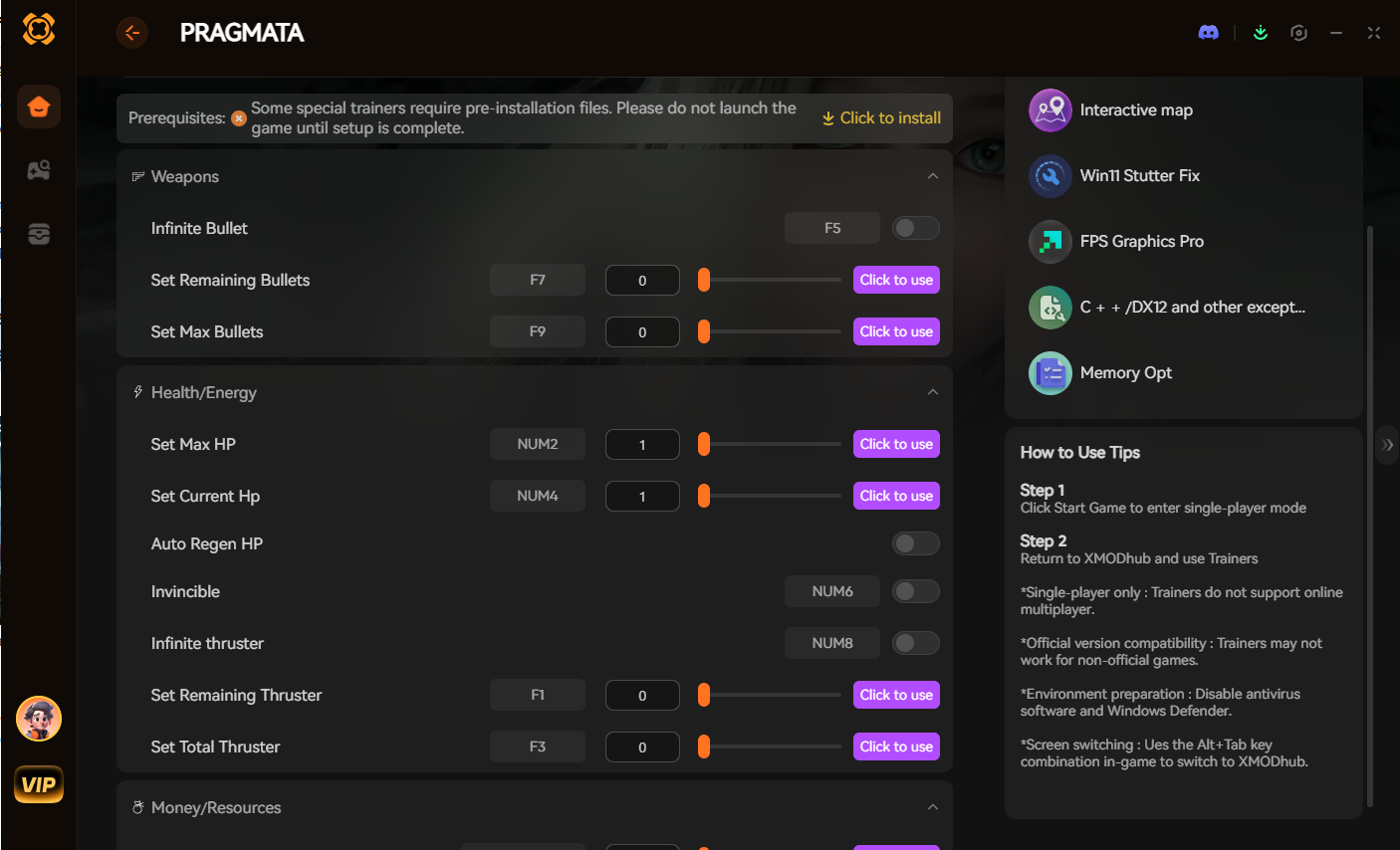
As an adult with a job and responsibilities, I do not have time to troubleshoot load orders on my only day off. If your primary goal is to gain an advantage—such as activating God Mode, getting Unlimited Tech Credits, or Speeding up the Scanning Animations—XMODhub is the undisputed king.
I highly recommend XMODhub for PRAGMATA because:
- ✓ Zero Installation Conflicts: XMODhub uses advanced memory injection. It never touches or overwrites your actual game files on your SSD. Load-order crashes are literally impossible.
- ✓ Patch-Proof Architecture: When the game updates, XMODhub updates seamlessly in the background. You never have to wait for a script extender update to continue your campaign.
- ✓ Achievement Safe: Because it does not alter permanent game code, it is completely safe for your hard drive and will not lock your hard-earned Steam achievements.
Troubleshooting: What to Do When Your Mods Tool Breaks
If your game refuses to launch or hangs on the “Capcom” logo, follow my emergency checklist:
- 1. Disable the Last 3 Additions: 99% of the time, the culprit is the very last mod you toggled in Fluffy Manager.
- 2. Delete reframework64.dll: If the game won’t boot after a patch, this file (located in the root folder) is likely the cause. Remove it and wait for an update.
- 3. Verify Game Files: Right-click PRAGMATA in Steam > Properties > Installed Files > Verify integrity of game files.
How to Avoid Malware and Fake Download Buttons
The PC gaming space is filled with malicious software disguised as “Unlimited Credits” tools. Protect your rig:
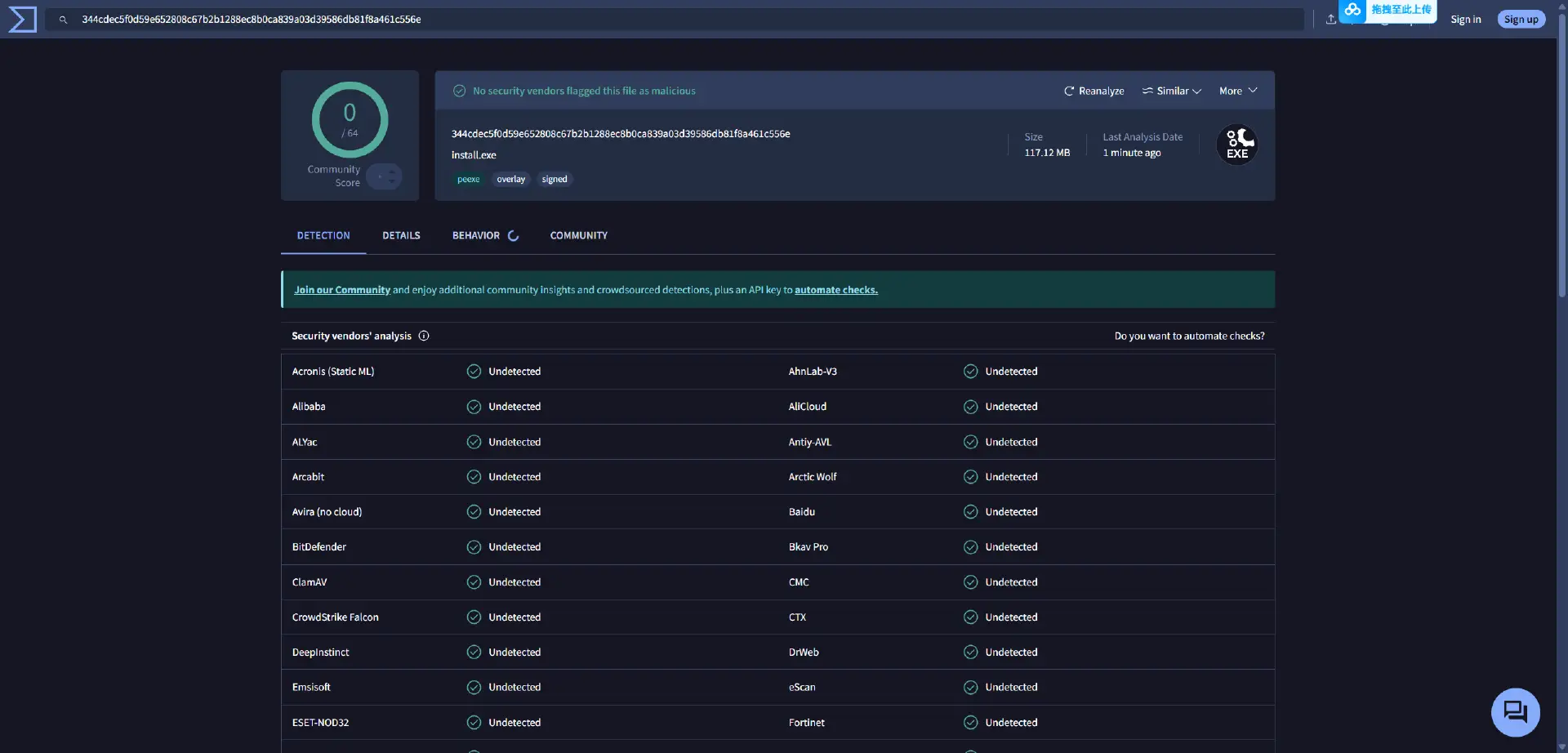
- ▹ Verify the Source: Only download tools from universally trusted platforms like Nexus Mods, GitHub, or the official XMODhub website.
- ▹ Check the File Extension: A legitimate manager will be an
.exeor a.zip. Never execute random.bator.vbsfiles from Discord links. - ▹ Understand False Positives: Safe memory-injection tools like XMODhub often trigger a warning from Windows Defender because they interact with the game’s RAM. This is normal behavior for a high-performance trainer.
Frequently Asked Questions (FAQ)
Does using a mods tool disable my achievements in PRAGMATA?
Standard file-replacement mods rarely disable achievements in RE Engine games. However, using XMODhub is the safest method as it functions externally, keeping your Steam/Epic profile progression fully active.
Is there a native console in PRAGMATA?
No. Capcom has locked the native console. To use commands, you must install REFramework or use the XMODhub interface for a much more user-friendly experience.
Conclusion
Customizing your experience is the absolute best part of owning PRAGMATA on PC. By choosing the correct PRAGMATA mods tool, you can skip the tedious mechanics and focus entirely on the mystery of the moon.
For visual overhauls, stick to Fluffy Manager. But if you want a seamless, crash-free way to dominate the game instantly without needing a computer science degree, download XMODhub.
Join thousands of us who are taking back control of our gaming sessions in PRAGMATA and other massive titles like Dragon’s Dogma 2, and Monster Hunter Wilds.

I am a passionate gamer and writer at XMODhub, dedicated to bringing you the latest gaming news, tips, and insights.
Connect with me:
LinkedIn Profile ↗


 Nancy Miller




Thanks for the detailed breakdown of the essential tools for PRAGMATA modding—especially the emphasis on backing up saves before diving in. It’s great to see a resource that prioritizes both safety and performance, especially for players who want to extend their lunar exploration without risking their progress. The distinction between tools like XMODhub and REFramework really helps clarify the workflow for newcomers.