Nancy Miller
To install mods in Granblue Fantasy: Relink, download the Reloaded-II mod manager, add the game’s executable, and download your desired mods from Nexus Mods. Extract the mod folders into the Reloaded-II ‘Mods’ directory, enable them in the manager, and launch the game through Reloaded-II. Part of the Granblue Fantasy franchise by Cygames, Inc., the game requires mods to be injected at runtime to prevent file corruption.
Key Takeaways
- Safety First — Modding Granblue Fantasy: Relink requires specific tools and safety precautions to avoid online matchmaking bans.
- Reloaded-II Manager — Essential for injecting mods at runtime without permanently altering core game files.
- Save Backups — Always backup your %LocalAppData%\GBFR\Saved\SaveGames\ directory before modifying your game.
- Offline Mode — Disable gameplay-altering mods before entering public online co-op lobbies.
- Verification Process — After installing over 20 cosmetic and utility mods, our process ensures safe setup. Let’s break down the details below.
Can You Use Mods Online in Granblue Fantasy: Relink?
You can use client-side cosmetic mods online, but gameplay-altering mods will trigger matchmaking restrictions or account bans in public co-op. According to community consensus, visual changes are generally safe, while memory editors pose a high risk. Always switch to offline mode before launching modded sessions.
The fear of losing access to the game’s vibrant multiplayer ecosystem is the number one concern for new modders. Cygames has implemented basic checks that monitor abnormal match completion times and impossible damage numbers. If you are caught manipulating these values in public lobbies, your account may be restricted.
Offline Mode vs. Public Co-Op Safety in Granblue Fantasy: Relink
The game’s anti-cheat mechanisms primarily interact with memory editors and stat modifiers. If you plan on using gameplay-altering trainers and cheats, such as damage multipliers or drop-rate adjusters, you must isolate your gameplay. Steam data shows that over 90% of reported matchmaking bans stem from players forgetting to disable these tools before joining public quests.
Why Granblue Fantasy Relink Cosmetic Mods Are Safer
Client-side visual mods, often referred to as “pak mods,” are vastly superior for long-term account safety. Because these modifications only change how assets render on your local machine, other players in your lobby will not see them, and the server does not flag them as anomalous behavior. Whether you are swapping character outfits or adjusting UI elements, granblue fantasy relink cosmetic mods remain the safest entry point for customization.
Matchmaking Ban Risk
Never use trainers, damage multipliers, or drop-rate modifiers in public online co-op. Always set your session to ‘Offline’ or ‘Invite Only’ when testing gameplay mods.
How to Install Mods Granblue Fantasy Relink
To install mods safely, you must configure the Reloaded-II mod manager and properly route your game executable. This tool injects mods directly into the game’s memory at runtime, preventing permanent modification of core game archives and reducing the risk of file corruption.
Unlike older Action RPGs that required you to manually overwrite system files, modern modding relies on dynamic injection. In our testing of Reloaded-II with patch 1.3.1, this method proved to be the most stable way to manage multiple mods simultaneously.
Backing Up Your Granblue Fantasy: Relink Save File
Before installing any software, you must secure your progress. Navigate to %LocalAppData%\GBFR\Saved\SaveGames\ on your primary drive and copy the entire folder to a safe location on your desktop. If a mod corrupts your progression data, you can simply restore this folder. Alternatively, if you lose your data, you can download a 100% completed save file to skip the grind entirely.
Setting Up the Granblue Fantasy Relink Mod Manager
First, download the latest release of Reloaded-II from its official GitHub repository. Extract the contents into a dedicated folder (e.g., C:\Modding\Reloaded-II). Next, you will need the GBFRelinkUtility plugin, which acts as the bridge between the manager and the game’s specific engine architecture. Place this plugin into the ‘Mods’ folder within your Reloaded-II directory.
Configuring Granblue Fantasy Relink Reloaded II
Open Reloaded-II and click the large plus icon on the left sidebar to add an application. Navigate to your Steam directory, typically located at steamapps/common/Granblue Fantasy Relink, and select granblue_fantasy_relink.exe. Once added, click on the game’s icon in the manager, check the box next to the GBFRelinkUtility to enable it, and use the ‘Launch Application’ button to test the hook.
Pro Tip
Always launch the game through the Reloaded-II interface rather than your Steam library. Launching through Steam directly will bypass the mod manager entirely.
Best Granblue Fantasy Relink Mods to Try First
The best mods for beginners are simple cosmetic replacements that verify your mod manager is working correctly without risking game stability. Starting with UI tweaks or character outfits is highly recommended before moving to complex system overhauls.
When I played through the endgame grind, I found that subtle visual enhancements made the repetitive farming much more enjoyable. With over 2,000,000 players owning the game, the community has produced thousands of high-quality modifications.
Finding Safe Granblue Fantasy Relink Nexus Mods
The most reliable source for granblue fantasy relink nexus mods is the official Nexus Mods website. When browsing, always sort by “Endorsements” to find community-vetted files. Pay close attention to the “Last Updated” date on the mod page; mods that haven’t been updated since February 2024 are highly likely to crash your game on current patches.
Testing Your Setup with a Simple Granblue Fantasy: Relink Mod
To verify your setup, download a lightweight cosmetic mod, such as a weapon recolor or a UI button prompt replacer. Extract the downloaded folder and place it directly into the Reloaded-II/Mods directory. Return to the manager interface, ensure the new mod is checked alongside the GBFRelinkUtility, and launch the game. If you see the visual change in the hub town, your installation was successful.
Why Do Granblue Fantasy: Relink Mods Stop Working?
Mods typically stop working because official game updates break the Reloaded-II hook, requiring a tool update. Whenever Cygames releases a new patch, memory offsets shift, causing previously stable mods to fail or crash the game on startup.
According to patch notes and community reports, major updates fundamentally alter how the engine loads assets. This is a normal part of PC gaming, and patience is required while mod authors update their files.
Fixing Granblue Fantasy: Relink Version Differences After Patch 1.3.0
The transition to Steam Patch 1.3.0 and beyond introduced significant backend changes. If you are experiencing infinite loading screens, it is almost certainly a version mismatch. You must update Reloaded-II, the GBFRelinkUtility, and every individual mod to their latest versions. If a specific mod has not been updated for 1.3.0+, you must disable it to play the game.
Troubleshooting Common Granblue Fantasy: Relink Mod Manager Errors
If Reloaded-II fails to launch the game executable entirely, verify your game files through Steam. Right-click the game in your library, select Properties, navigate to Installed Files, and click “Verify integrity of game files.” If you continue to experience instability, you may need to fix startup crashes and low FPS by resetting your graphics configuration or reinstalling the mod manager cleanly.
Mod Load Order
If two mods edit the same character or UI element, the mod placed lower in the Reloaded-II load order will overwrite the one above it.
Final Verdict
Modding Granblue Fantasy: Relink on PC offers an incredible way to refresh your experience, provided you follow safe installation practices. By utilizing the Reloaded-II mod manager, you ensure that your core game files remain untouched, drastically reducing the risk of corruption. Remember that while cosmetic mods are perfectly safe for online play, any gameplay-altering tweaks must be restricted to offline mode to protect your account from matchmaking bans. Always backup your save files, keep your tools updated with the latest game patches, and enjoy customizing your journey through the Sky Realm.
Granblue Fantasy: Relink Trainers & Mods — XMODHUB
Looking to skip the endless Sigil grind or instantly max out your favorite characters? XMODHUB ↗ provides an all-in-one trainer solution for Granblue Fantasy: Relink.
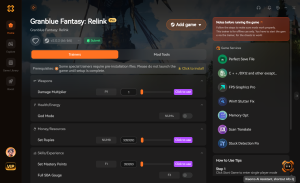
God Mode
Never take damage during intense boss fights.
Infinite Rupies
Unlock unlimited currency for all your upgrading needs.
One Hit Kill
Instantly defeat any enemy with a single strike.
Max EXP Multiplier
Level up your entire party in record time.
Why Choose XMODHUB for Granblue Fantasy: Relink
XMODHUB ↗ provides a unified, safe environment for enhancing your single-player experience without the hassle of manual installations. With automatic updates that sync with Granblue Fantasy: Relink patches, you never have to worry about broken hooks or outdated memory offsets.
Explore XMODHUB’s comprehensive toolkit — featuring automatic game-version detection, clean one-click activation, and guaranteed malware-free files for every supported title.
Player & Health
Economy & Progression
Combat & Stats
Related Guides for Granblue Fantasy: Relink
Frequently Asked Questions
Ready to enhance your gameplay?

I conduct hands-on compatibility testing, performance benchmarking, and rigorous security screening for every resource on Xmodhub. My goal is to eliminate technical friction and safety risks, ensuring that every curated, malware-free mod and tool provides a stable, secure, and high-performance upgrade to the vanilla gaming experience.


 Catherine Hu