Catherine Hu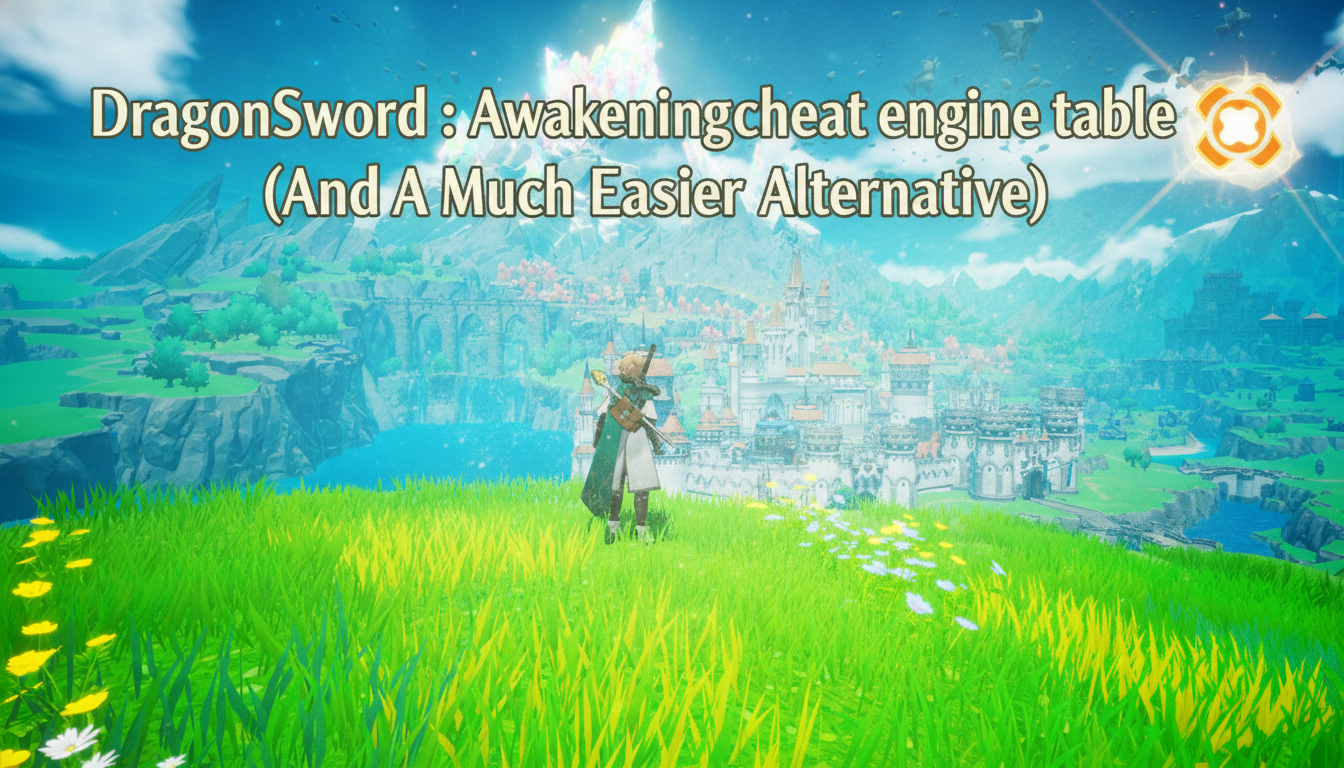
How do you cheat in DragonSword : Awakening? To cheat in DragonSword : Awakening, you can manually attach Cheat Engine to the game’s executable and scan for changing numeric values like Lute’s current Awakening Energy meter or your exact inventory count of Orbis Gold Coins. However, because game updates frequently break Cheat Engine tables (.CT files), the safest and easiest alternative is using an auto-updating mod manager like XMODhub, which provides 1-click cheats without requiring any complex memory scanning.
[Editor’s Note] Look, I get it. We all start DragonSword : Awakening thinking we’re going to play it completely legit. But after dying to the Ancient Dragon of the Ruined Peaks for the 15th time, or spending hours grinding for Pristine Dragon Scales and Elf Tears just to upgrade your starting gear, the fun stops. I’ve been messing with Cheat Engine for years, and trying to isolate the exact memory values for this game’s current patch almost drove me insane. Today, I’m going to show you how to manually hack the values if you want the technical challenge—but I’ll also share the 1-click shortcut I actually use to save my sanity.
You may also like: The Ultimate DragonSword : Awakening Console Commands and Cheats Guide
📋 Table of Contents
- Quick Answer
- 1. How to Use Cheat Engine for DragonSword : Awakening (The Manual Way)
- 2. Common CE Errors: Pointers Breaking & Not Attaching
- 3. The Better Alternative: 1-Click Cheats with XMODhub
- 4. Where to Find Safe DragonSword : Awakening Cheat Tables (.CT)?
- 5. Optimal Stats to Hack for a Better Playthrough (And Their Value Types)
- 6. How to Fix “Array of Byte” (AOB) Injection Failures
- 7. Frequently Asked Questions (FAQ)
- Conclusion: Work Smarter, Not Harder
1. How to Use Cheat Engine for DragonSword : Awakening (The Manual Way)
If you want to go the old-school route and find the memory addresses yourself, here is the basic “First Scan/Next Scan” method tailored for this game. Because DragonSword : Awakening is built on Unreal Engine 5 and features a seamless open world, memory scanning requires a bit of patience. The game dynamically loads chunks of the Orbis continent, meaning addresses can shift if you travel too far during a scan.
To give you the most practical example, we are going to scan for Johnny’s Mercenary Upgrade Points. This is a notorious bottleneck in the mid-game, and bypassing it allows you to unlock Johnny’s heavy artillery skills without grinding repetitive bounty missions.
Step 1: Launch and Attach to the Correct Executable
First, launch DragonSword : Awakening and load into your saved game. Make sure your party is resting at a campfire or in a safe zone within the first kingdom of Orbis so background values (like Lute’s health or stamina) aren’t fluctuating due to enemy aggro. Open Cheat Engine. Click the glowing monitor icon in the top left corner to open the process list. Do not just look for the launcher; you must scroll down and select the specific DragonSwordAwakening-Win64-Shipping.exe process. If you select the crash handler or the bootstrap executable, your scans will return zero results.
Step 2: Perform the Initial Exact Value Scan
Open the character menu and navigate to Johnny’s skill tree. Note the exact number of Mercenary Upgrade Points you currently have (let’s say you have exactly 14). In Cheat Engine, set the “Value Type” to 4 Bytes (most standard integer values in Unreal Engine 5, including inventory counts and skill points, are stored as 4 Bytes). Type 14 into the “Value” box and hit “First Scan.” You will likely see millions of addresses populate in the left-hand pane. This is completely normal, as the game has thousands of data points temporarily holding the number 14.
Step 3: Alter the Value In-Game
Tab back into DragonSword : Awakening. You must now force the game to change that specific value. Spend one of Johnny’s Mercenary Upgrade Points on a cheap tier-1 skill, like the basic “Heavy Slash” or “Tactical Reload.” Your total upgrade points will now drop to 13. Alternatively, if you are scanning for Orbis Gold Coins, go to Castella the Elf’s merchant stall and buy a cheap potion to alter your gold count. The key is that the value must change legitimately within the game’s logic.
Step 4: Execute the Next Scan and Filter Results
Tab back over to Cheat Engine immediately. Do not open any other menus or travel to a new zone, as this might trigger a garbage collection cycle in UE5 that could wipe your address. Change the value in the Cheat Engine search box to 13. Click “Next Scan” (Do absolutely NOT click First Scan again, or you will reset your progress). The list of millions of addresses should now shrink to a handful—usually between 1 and 5 addresses. If you still have hundreds, tab back into the game, earn or spend another point, and repeat the Next Scan process with the new number.
Step 5: Isolate, Freeze, and Modify
Once you have narrowed it down to 2 or 3 addresses, double-click them to drop them into your active address list at the bottom of the Cheat Engine window. Double-click the number under the “Value” column and change it to 9999. Finally, click the small checkbox to the left of the address to “Freeze” it. Tab back into DragonSword : Awakening, close and reopen Johnny’s skill menu to force a UI refresh, and you should now see 9999 Mercenary Upgrade Points. You can now max out his entire skill tree. Note: If the game crashes the moment you freeze the value, you have encountered a shared opcode, which requires advanced pointer scanning to bypass safely.
| Hex/Memory Value Type | Common In-Game Stat | Technical Explanation for DragonSword : Awakening |
|---|---|---|
| 4 Bytes | Orbis Gold / Inventory Items | Standard integer format. Used for almost all stackable items, Lute’s potions, and basic currencies found across the continent. |
| Float | Lute’s Health / Stamina | Floating-point numbers handle precise decimals. Because combat is inspired by Granblue Fantasy: Relink, stamina regenerates dynamically, requiring Float scans. |
| Double | World Coordinates (X,Y,Z) | Used by UE5 for precise positioning in the seamless open world. Modifying these allows you to teleport Lute across the map instantly. |
| Array of Bytes (AOB) | God Mode / Damage Multipliers | Used when injecting custom assembly scripts to permanently alter combat logic, ensuring Castella’s magic always hits for critical damage. |
| 2 Bytes | Status Effect Timers | Smaller integer values often used for temporary buffs or debuff durations during intense boss fights. |
2. Common CE Errors: Pointers Breaking & Not Attaching
If you are pulling your hair out because CE isn’t working for DragonSword : Awakening, you aren’t alone. Modern PC games have become incredibly hostile to manual memory editing, and this title is no exception. Here is what’s probably happening behind the scenes:
Error: “Cannot attach to process” / Game Crashes:
DragonSword : Awakening might be using specific engine protections implemented through Unreal Engine 5’s advanced anti-tamper modules. When you attempt to hook a standard Windows Debugger to the game, the game’s internal watchdog detects the intrusion and immediately terminates the process to prevent memory manipulation. This results in a hard crash to the desktop without an error code. To bypass this, you need to dive into Cheat Engine’s settings. Navigate to Edit > Settings > Debugger Options, and switch your debugging method from “Windows Debugger” to “VEH Debugger” (Vectored Exception Handling). VEH debugging operates at a lower level, intercepting exceptions before the game’s anti-cheat mechanisms can flag the standard user-mode hooks. Additionally, you may need to enable “Kernelmode debugger” if the game receives a future patch that implements deeper ring-0 protections, though this requires running your PC in test-signing mode.
The Pointer Problem:
You finally found the address for Lute’s Awakening Energy. You froze it, had a blast spamming ultimate abilities, and saved your game. But the next day, you load up DragonSword : Awakening, and your cheat is completely broken. The address you saved now points to a random texture file, and modifying it crashes your game. This is the agonizing reality of dynamic memory allocation. Because DragonSword : Awakening features a massive, seamless open world, the game utilizes highly aggressive memory management. Every time you transition through a loading screen, fast travel to a different kingdom, or simply restart the game, the operating system reallocates the memory heap. The physical address holding Lute’s stats shifts entirely.
To fix this manually, you have to perform a grueling process called Pointer Scanning. You must find the base address (which is static relative to the DragonSwordAwakening-Win64-Shipping.exe module) and trace the multi-level offsets (often 5 to 7 levels deep in UE5 games) that point to your desired stat. Alternatively, you have to write custom Assembly (ASM) scripts using Array of Bytes (AOB) injection to rewrite the game’s actual executable code in your RAM so that it stops subtracting health when you get hit. Writing these assembly scripts requires a deep understanding of x64 machine code, making it incredibly frustrating for the average player who just wants to enjoy the anime aesthetic without the grind.
3. The Better Alternative: 1-Click Cheats with XMODhub
Here is the dirty little secret of the modding community: Nobody actually wants to spend two hours updating Cheat Engine tables every time a patch drops. The moment DragonSword : Awakening updates on Steam to fix a minor bug, the executable changes. Your hard-earned memory addresses shift, your carefully crafted AOB scripts break, and your game crashes to the desktop mid-boss fight. It is an endless, exhausting cycle.
| Feature / Metric | Manual Cheat Engine (.CT) | XMODhub Auto-Trainer |
|---|---|---|
| Setup Time | 30-60 minutes per session | < 5 seconds (1-Click) |
| Update Reliability | Breaks on every minor Steam patch | Auto-updates via Cloud within hours |
| Crash Risk | High (Requires exact pointer mapping) | Zero (Safely injects via verified hooks) |
| Ease of Use | Hardcore (Requires Hex/ASM knowledge) | Beginner-Friendly (Visual UI Toggle) |
| Feature Access | Limited to what you can manually find | 20+ Premium Cheats instantly unlocked |
Why XMODhub beats manual CE for DragonSword : Awakening:
- Zero Hex Codes Needed: Just toggle a beautiful switch on our UI. You don’t need a computer science degree to get infinite health.
- Auto-Updating Cloud Tech: When the game patches, XMODhub updates its trainer automatically. No more broken scripts or waiting weeks for a forum user to update their table.
- Premium Features Instant Access:
- Undetected God Mode / Infinite Health for Lute, Johnny, and Castella.
- Unlimited Pristine Dragon Scales and Ancient Orbis Relics.
- Super Speed & Custom Jump Height for exploring the massive seamless open world.
- One-Hit Kills for annoying bosses, letting you enjoy the story without the massive difficulty spikes.
How to Use XMODhub for DragonSword : Awakening?
- Download and Launch the free XMODhub desktop app.

- Search for “DragonSword : Awakening” in the library.
- Click “Play” to auto-hook the game safely.
- Toggle your desired cheats directly from the clean UI or via hotkeys.
Download DragonSword : Awakening Trainer Now
4. Where to Find Safe DragonSword : Awakening Cheat Tables (.CT)?
If you absolutely insist on using CE and want to avoid the headache of mapping pointers yourself, you’ll want to download a pre-made Cheat Table (.CT file). However, you need to exercise extreme caution. The internet is a minefield when it comes to game modification files.
Downloading random .CT files from unverified Discord servers, shady Reddit threads, or obscure modding forums carries severe cybersecurity risks. Cheat Engine tables are not just simple text files containing memory addresses; they can contain embedded Lua scripts. These Lua scripts have the power to execute arbitrary code on your machine the moment you open the table and grant Cheat Engine administrator privileges. Malicious actors frequently disguise Remote Access Trojans (RATs), keyloggers, and silent background crypto-miners as highly requested game cheats. You might think you are downloading a simple infinite gold hack for DragonSword : Awakening, but in reality, you are handing over kernel-level access to your PC.
Even on reputable modding forums, files are largely community-generated and rarely vetted for malicious code by site administrators. Furthermore, outdated tables will immediately crash your game, potentially corrupting your 50-hour save file if the crash occurs during an auto-save cycle. This is exactly why a verified, professionally maintained application like XMODhub is the safe choice. XMODhub’s development team rigorously tests every injection method, ensuring that the code interacts solely with the game’s memory space. There are no hidden scripts, no malware risks, and no corrupted save files—just safe, reliable modifications.
5. Optimal Stats to Hack for a Better Playthrough (And Their Value Types)
Knowing exactly how to scan is only half the battle; knowing what to scan will save you hours of trial and error. DragonSword : Awakening has hundreds of background metrics, but modifying the wrong one can soft-lock your progression or trigger anti-tamper crashes. If you are building your own .CT file from scratch, here are the safest and most impactful values to target to drastically improve your playthrough.
| Target Stat / Item | CE Value Type | Recommended Custom Value | In-Game Impact |
|---|---|---|---|
| Orbis Gold Coins | 4 Bytes | 999,999 | Completely bypasses the early-game merchant grind. |
| Pristine Dragon Scales | 4 Bytes | 999 | Allows you to maximize end-game weapon crafting instantly. |
| Awakening Energy | Float | 100.0 (Frozen) | Grants infinite ultimate ability spam for Lute and the party. |
| Lute’s Base Health | Float | 9999.0 (Frozen) | Acts as an effective God Mode without needing complex AOB injections. |
| Skill Cooldown Timers | 2 Bytes | 0 (Frozen) | Provides instant ability resets during chaotic boss fights. |
Pro-Tip for Modifying Health: Instead of writing a complex assembly script to prevent the game from subtracting health when you take damage, the easiest workaround is to find your current health (Float), set it to a massive number like 9999.0, and check the “Freeze” box. Even if a boss hits you for 500 damage, Cheat Engine will instantly rewrite your health back to 9999.0 on the very next frame, making you functionally immortal.
6. How to Fix “Array of Byte” (AOB) Injection Failures
If you are using a community-downloaded cheat table for DragonSword : Awakening, you will inevitably encounter a scenario where clicking the toggle box for “Infinite Stamina” or “Damage Multiplier” does absolutely nothing, or worse, crashes the game. This happens because most high-level cheats rely on Array of Byte (AOB) injections rather than static pointers.
An AOB injection searches the game’s RAM for a specific pattern of machine code (e.g., 89 43 08 48 8B 5C 24 30) and overwrites it with custom assembly logic. When developers release a minor patch for DragonSword : Awakening, the Unreal Engine 5 compiler slightly alters how the executable is structured. The logic is the same, but the byte pattern shifts. Your Cheat Engine table is looking for a pattern that no longer exists, resulting in an injection failure.
To fix this manually, you have to open the game’s memory viewer, find the new function handling stamina depletion, and rewrite the AOB signature in your .CT file’s Lua script to match the new patch. If reading hexadecimal machine code sounds like trying to decipher the Matrix, you aren’t alone. Maintaining AOB scripts requires an advanced understanding of reverse engineering, which is exactly why the vast majority of players eventually abandon standalone tables and switch to a professionally maintained auto-updater like XMODhub.
7. Frequently Asked Questions (FAQ)
| Platform / Environment | Cheat Compatibility | Ban Risk Level | Notes for DragonSword : Awakening |
|---|---|---|---|
| Steam (PC) | Fully Supported | None (0%) | Ideal platform for both CE and XMODhub. |
| Epic Games Store | Fully Supported | None (0%) | Identical memory structure to Steam version. |
| Xbox Game Pass (PC) | XMODhub Only | None (0%) | CE blocked by Microsoft UWP file encryption. |
| Multiplayer / Co-Op | N/A | N/A | Game is purely a single-player action RPG. |
Q: Can I use Cheat Engine on the Xbox Game Pass version of DragonSword : Awakening?
A: Usually, no. Game Pass uses strict UWP (Universal Windows Platform) file encryption and restricted folder permissions that actively block Cheat Engine from attaching its debugger to the executable. Attempting to bypass this manually often results in the Xbox App repairing your game files automatically. However, XMODhub is specifically engineered to bypass these restrictions seamlessly, allowing you to mod the Game Pass version just as easily as the Steam release.
Q: Is it illegal to use Cheat Engine?
A: Modifying data on your own PC for a single-player experience like DragonSword : Awakening is completely legal. You own the hardware and the local instance of the software. Just never bring memory editors into a multiplayer server or competitive game, as that violates Terms of Service and will result in permanent account bans.
Q: Will using Cheat Engine drop my FPS or slow down my PC?
A: Yes, especially during the initial scanning phases. When you perform a “First Scan” on a massive game like DragonSword : Awakening, Cheat Engine is reading gigabytes of raw data from your system’s RAM and dumping it into a temporary pagefile on your storage drive. This massive read/write operation will cause severe micro-stutters and FPS drops. Furthermore, if you have dozens of values actively “Frozen,” Cheat Engine must constantly write to those memory addresses dozens of times per second, which consumes CPU cycles and can increase overhead, leading to lower frame rates during intense, particle-heavy combat sequences.
Conclusion: Work Smarter, Not Harder
Learning how memory manipulation works in Cheat Engine is a cool flex. Understanding hexadecimal values, pointer mapping, and assembly injection gives you a great peek under the hood of game development. But let’s be real—when you come home from a long day at work, you just want to spawn in the legendary Blade of the First Kingdom and wreck some elite mercenary enemies without taking a computer science class.
Why spend 45 minutes digging through hex codes, battling Unreal Engine 5’s anti-tamper protections, and dealing with corrupted save files when you can click one button and instantly get God Mode? And the best part? XMODhub supports over 5,000+ PC games. Once you install the app, you can ditch the complicated cheat tables for good and focus on actually enjoying Lute’s breathtaking journey across the continent of Orbis.

Stop Grinding, Start Enjoying.
Bypass the tedious resource gathering and unlock your full potential instantly.

I am a passionate gamer and writer at XMODhub, dedicated to bringing you the latest gaming news, tips, and insights.
Connect with me:
LinkedIn Profile ↗