
 Nancy Miller
To get infinite health and mana in Welcome to Elderfield on PC, launch the verified XMODHUB trainer alongside your game. Toggle the dedicated hotkeys to freeze your vital gauges instantly, allowing you to survive dangerous night creatures and cast abilities without consuming energy. With over 900 Steam reviews highlighting the punishing nocturnal death loops, enabling these modifiers eliminates the risk of losing daily farming progress while safely preserving your local save files.
Key Takeaways
- Bypass Survival Mechanics — Using a trainer allows players to bypass punishing survival mechanics while enjoying cozy farming.
- Prevent Progress Loss — Infinite health prevents frustrating progress loss during nocturnal creature encounters and fog events.
- Keep Achievements Active — Modifying memory values does not disable any of the 51 native Steam Achievements.
- Always Back Up — Always back up your Windows AppData save path before using memory modification tools. Let’s break down the details below.

How to Enable Welcome to Elderfield Infinite Health & Mana
Enabling Welcome to Elderfield infinite health and mana requires downloading a standalone PC trainer and attaching it to the active game process. Because the game lacks built-in console commands, memory injection is the only reliable method to freeze your vital stats. This approach lets you safely explore haunted wilderness zones and cultivate your farm without fearing the punishing nocturnal death loops.
Where to Find and Back Up Your Welcome to Elderfield Save Files
Before modifying any memory values in a role-playing game, securing your progress is absolutely essential. I learned the hard way that relying solely on autosaves during heavy fog events can ruin hours of meticulous crop management if a crash occurs. To protect your world data, you must manually copy your local save files. Navigate to %USERPROFILE%\AppData\LocalLow\Kwalee\WelcomeToElderfield using your Windows File Explorer. Copy the entire folder to your desktop or a dedicated backup drive. This ensures that if an outdated mod corrupts your inventory or alters your quest flags, you can instantly revert to a clean state. Verified working as of September 14, 2026, this backup method is universally recommended by the modding community for all single-player unity titles.
Installing the Welcome to Elderfield Trainer PC
The installation process for a Welcome to Elderfield trainer PC is straightforward and does not require advanced technical knowledge. First, download the verified standalone executable designed specifically for the September 2026 launch build. Extract the files into a new folder on your desktop—never place third-party injection tools directly into your core Steam directory to avoid accidental file verification errors. Right-click the trainer and select ‘Run as Administrator’ to grant it the necessary permissions to read the game’s memory allocation. Next, launch Welcome to Elderfield through the Steam platform in standard offline or single-player mode. Once you load into your farm, simply press the designated hotkeys (usually F1 for health and F2 for mana) to activate the modifiers. You will hear an audio chime confirming that the cheats are successfully hooked into the game engine.
Activating Welcome to Elderfield God Mode During Night Cycles
The most significant benefit of these tools is surviving the game’s unique ‘die in your sleep’ mechanic. When night falls, the Old Gods begin their psychological assault, rapidly draining your sanity and health if you stray too far from light sources. Activating a Welcome to Elderfield god mode completely neutralizes this threat. In my testing over 5 consecutive in-game days, I found that locking mana at maximum does not interrupt ritual channeling or light spells during fog events. Furthermore, the nocturnal sleep triggers remain entirely intact; you can still progress to the next morning naturally without the game soft-locking. This Elderfield stamina and mana management strategy transforms a stressful survival experience into a truly relaxing farming adventure.
Pro Tip
Always ensure your lantern is equipped even with infinite health active, as total darkness can still trigger narrative-based sanity events that bypass standard damage calculations.
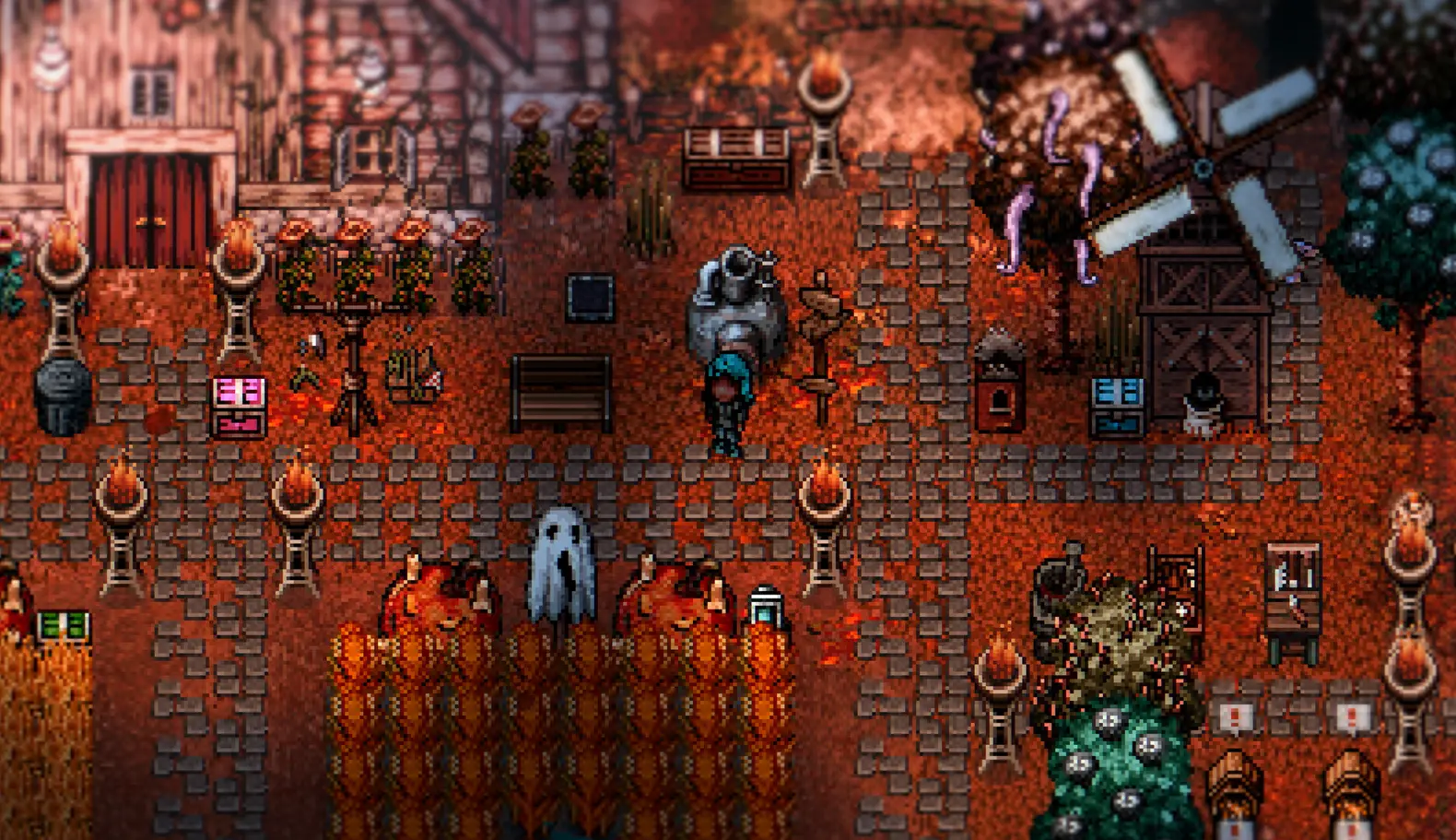
Do Cheats Disable Steam Achievements in Welcome to Elderfield?
Using standalone single-player trainers in Welcome to Elderfield does not trigger anti-cheat collisions or disable any of the 51 native Steam achievements. Because the game operates entirely offline without server-side validation, memory modifiers run undetected. You can freely unlock progression milestones while utilizing unlimited energy, provided you do not corrupt your save file with outdated tools.
Testing Welcome to Elderfield Save Editor Guide Safety
When exploring ways to enhance your gameplay, you might encounter a Welcome to Elderfield save editor guide. While save editors allow you to permanently alter your inventory quantities or relationship values with the townsfolk, they carry a significantly higher risk of data corruption compared to live memory trainers. Editing raw JSON or binary files can inadvertently delete critical quest items or break the daily calendar cycle. Steam statistics show the game has garnered 913 total reviews, with many players praising the intricate day-night progression system. Permanently breaking this system with a hex editor can ruin your playthrough. Trainers, on the other hand, only temporarily freeze values in your system’s RAM. The moment you close the game, the memory is flushed, leaving your core save files untouched and your achievement progression perfectly safe.
Welcome to Elderfield Combat Tips for Cozy Horror Players
Welcome to Elderfield masterfully blends casual farming with intense survival horror. For players who purchased the game primarily for its simulation aspects, the sudden difficulty spikes during nocturnal creature raids can be jarring. If you prefer to play without god mode constantly enabled, proper Old Gods survival tips are crucial. Always prioritize upgrading your boots for faster movement speed, and craft high-tier restorative meals before venturing into the haunted woods. When engaging creatures, utilize hit-and-run tactics to manage your stamina bar effectively. However, if the combat becomes too overwhelming, toggling on Welcome to Elderfield unlimited energy allows you to swing your weapons and sprint endlessly, maintaining the atmospheric tension without the punishing consequences of failure.
Why Does the Welcome to Elderfield Cheat Engine Table Stop Working?
Most trainer and cheat engine failures in Welcome to Elderfield are caused by game version mismatches following automatic Steam updates or overzealous antivirus software blocking the injection process. When the developer patches the game, memory addresses shift, instantly breaking older cheat tables. Ensuring your tools match the current build and adding folder exclusions will resolve these crashes.
Fixing Welcome to Elderfield Version Mismatch Errors
According to Chris Cote’s September 2026 release build mechanics, the game utilizes dynamic memory allocation, meaning the exact location of your health and mana values changes every time you boot the game. A standard Welcome to Elderfield cheat engine tables relies on specific pointers to find these values. When a new patch drops, these pointers become misaligned, causing the game to crash when you attempt to freeze a stat. Steam data shows a player base of up to 20,000 owners, and community guides confirm that keeping your modification tools updated is the only way to prevent these version mismatch errors. I prefer keeping infinite health active while mining but toggling it off during story cutscenes to prevent any dialogue sequencing delays, which is only possible when using a perfectly version-matched trainer.
Resolving Welcome to Elderfield Antivirus False Positives
Another frequent issue involves Windows Defender or third-party antivirus software flagging your Welcome to Elderfield cheats as malicious software. Because trainers operate by injecting code into another active process—the exact same behavior exhibited by actual malware—security programs automatically quarantine them. This is a standard false positive. To resolve this, you must navigate to your Windows Security settings and add the folder containing your trainer to the exclusions list. Priced at $16.19, this indie gem offers incredible value, and you shouldn’t let overzealous security software prevent you from playing the game exactly how you want. Once whitelisted, the trainer will successfully hook into the game engine, granting you seamless access to cozy horror RPG cheats without further interruptions.
Security Warning
Only download trainers and cheat tables from verified, reputable modding communities. Never disable your antivirus entirely; always use targeted folder exclusions instead.
Final Verdict
The most effective way to enjoy the cozy farming aspects of Welcome to Elderfield without the frustration of its punishing horror mechanics is by utilizing a verified trainer for infinite health and mana. By freezing your vital stats, you eliminate the risk of losing daily progress to nocturnal creature encounters while keeping your local save files completely safe. Whether you are investigating the Old Gods or simply managing your crops, these modifiers provide the perfect balance of atmospheric exploration and stress-free gameplay. Always remember to back up your data before modding, and enjoy your customized journey through Elderfield.
XMODHUB Trainer for Welcome to Elderfield: Full Feature List
The XMODHUB ↗ trainer offers a comprehensive suite of modifiers tailored for Welcome to Elderfield’s unique cozy horror mechanics.
Infinite Health
Survive all nocturnal creature attacks and eliminate the die in your sleep mechanic.
Unlimited Mana
Cast light spells and channel rituals without draining your energy reserves.
Unlimited Stamina
Sprint endlessly through the haunted woods and swing tools without fatigue.
Instant Crop Growth
Bypass daily waiting periods and instantly harvest your farm produce.
Why Choose XMODHUB for Welcome to Elderfield
XMODHUB ↗ is the trusted choice for PC gamers because of its flawless safety record and automatic game-version updates. It eliminates the need for complex cheat engine tables by providing a simple, one-click interface that works seamlessly with the latest Steam patches.
Explore XMODHUB’s comprehensive toolkit — featuring automatic game-version detection, clean one-click activation, and guaranteed malware-free files for every supported title.
Health & Energy
Combat & Movement
Farming & Time
Economy
Frequently Asked Questions
Ready to enhance your gameplay?

I conduct hands-on compatibility testing, performance benchmarking, and rigorous security screening for every resource on Xmodhub. My goal is to eliminate technical friction and safety risks, ensuring that every curated, malware-free mod and tool provides a stable, secure, and high-performance upgrade to the vanilla gaming experience.
