Nancy Miller
To use cheats in WebCam: Behind The Screen on PC, download a verified trainer like XMODHUB, launch your game via Steam, and toggle the designated hotkeys. This allows players to instantly receive infinite cash and boost subscriber counts without risking save data corruption. With up to 20,000 active players, the v1.0 launch build features no anti-cheat software, making offline single-player modifications completely safe.
Key Takeaways
- 100% Safe Modding — Verified working on PC Launch Build v1.0 with zero anti-cheat interference.
- Bypass the Grind — Infinite money and subscriber hacks eliminate repetitive grinding for expensive room upgrades.
- Prevent Glitches — Wardrobe unlocks should be triggered post-stream to avoid breaking photo mission prerequisites.
- Protect Your Save — Step-by-step local save backup is highly recommended before using any trainer. Let’s break down the details below.
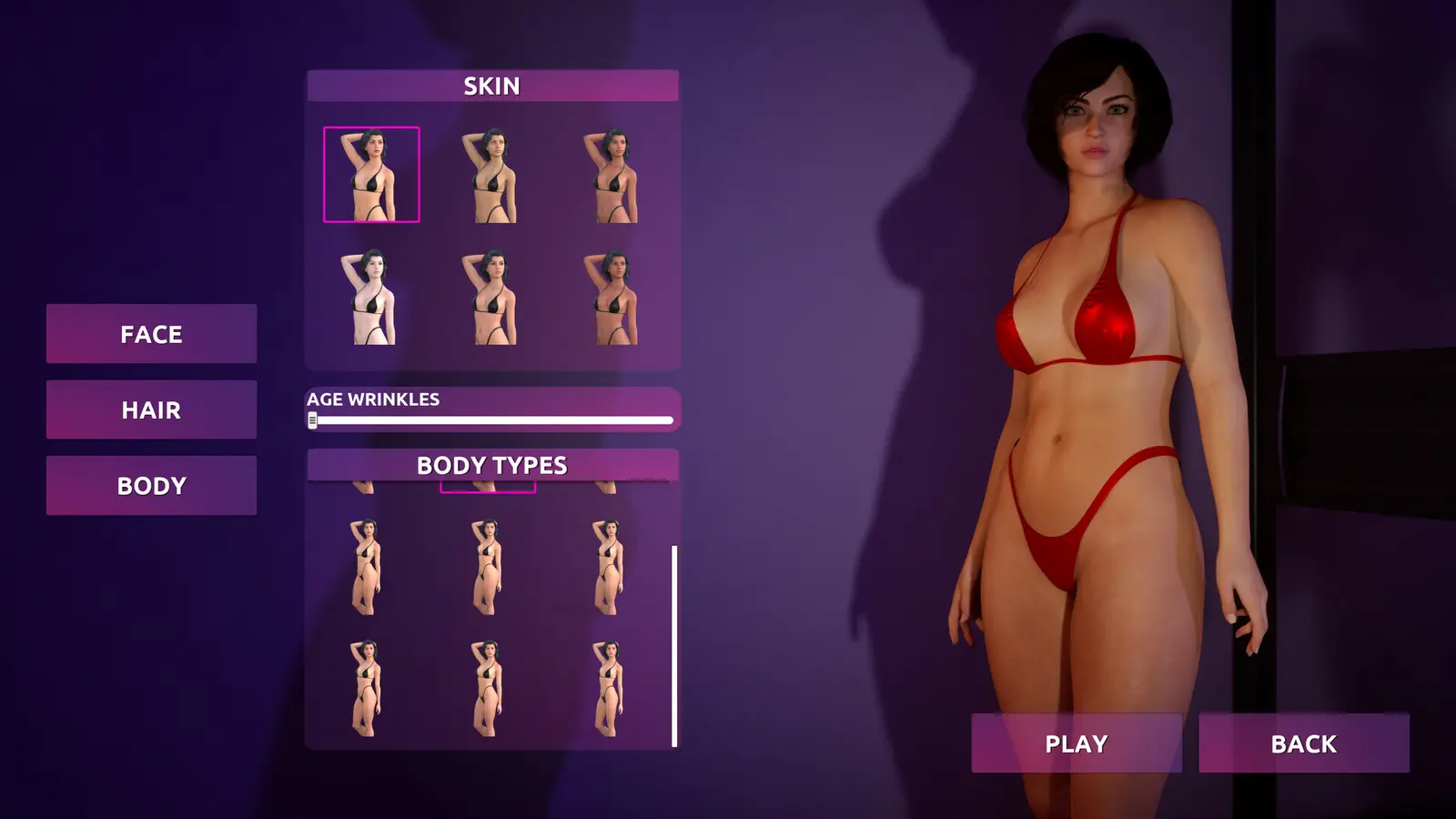
How to Get Unlimited Money & Subscribers in WebCam: Behind The Screen
To get unlimited money and subscribers in WebCam: Behind The Screen on PC, you must use a third-party memory injector like a trainer or a save editor, as the game lacks built-in console commands. By modifying the local save data, you can bypass the repetitive streamer simulation grind and instantly afford high-tier room upgrades. According to Steam data, the game has already amassed up to 20,000 owners since its August 27, 2026 release, with 177 reviews highlighting both the charming aesthetic and the somewhat tedious mid-game grind. Modding provides a direct solution to this pacing issue.
Backing Up Your WebCam: Behind The Screen Save Files
Before injecting any code into your game, securing your save data is the most critical step. WebCam: Behind The Screen stores its progression locally on your Windows machine. To find it, press the Windows Key + R, type %appdata%, and navigate back one folder to the LocalLow directory. Look for the folder named after the developer, Cream Corp., and copy the entire contents to your desktop. This ensures that if a subscriber hack goes wrong, you won’t lose hours of campaign progression. As of September 2026, the game does not support Steam Cloud saves natively, making manual backups your only safety net.
Installing the WebCam Behind The Screen Trainer
Setting up a WebCam Behind The Screen trainer is a straightforward process, provided you use a verified source. First, download the trainer executable and extract it into a dedicated folder on your desktop—never place third-party tools directly into your Steam game directory to avoid file validation errors. Next, launch WebCam: Behind The Screen via Steam and load into your apartment hub. Once your character is idle, run the trainer as an administrator and press the designated hotkey (usually ‘Insert’ or ‘F1’) to attach the software to the game’s active process. You will hear an audio chime confirming the connection is successful.
Activating the WebCam Behind The Screen Subscriber Hack
Cream Corp.’s subscriber milestone mechanics dictate when new story events and photo missions unlock. I learned the hard way that maxing subscribers too quickly skips crucial dialogue prompts, leaving you stuck without the next story mission. Instead of instantly setting your follower count to one million, use the trainer’s incremental multiplier settings. Set your subscriber gain to a 2x or 5x multiplier. This allows you to progress through the content creation milestones naturally, triggering the necessary cutscenes while still significantly reducing the time spent grinding daily streams.
Save Corruption Risk
Never activate the subscriber hack during an active streaming mini-game. Only toggle the cheat while your character is resting in the apartment hub to prevent script crashes.
Which WebCam Behind The Screen Mod Menu Fits Your Playstyle?
Choosing the right mod menu for WebCam: Behind The Screen depends entirely on whether you want a slight progression boost or immediate access to all content. Casual players benefit most from idle money multipliers that preserve the core gameplay loop, while completionists often prefer instant max subscriber hacks to unlock every wardrobe outfit immediately. Because the game blends elements of an RPG with a casual simulator, tailoring your cheat settings ensures you don’t ruin the intended experience.
Best Cheats for Casual Players vs. Completionists
If you are playing primarily for the story and aesthetic, I highly recommend prioritizing stamina modifiers over auto-completing requests. Infinite stamina allows you to fulfill your subscribers’ requests and take hot photos without constantly needing to rest, preserving the engaging parts of the simulation game loop. On the other hand, completionists who just want to access all the stunning outfits should utilize the “Unlock All Cosmetics” toggle. This bypasses the S$14.62 base game’s built-in economy entirely, letting you experiment with flawless looks from day one.
Using a WebCam Behind The Screen Save Editor PC Safely
While live memory trainers are incredibly convenient, they require background software to run concurrently with the game. I prefer using a static WebCam Behind The Screen save editor PC application for wardrobe unlocks because it permanently writes the items to your file without needing to run background software during every session. By opening your JSON save file in a specialized hex editor, you can manually change the boolean values of locked outfits from “false” to “true”. This method is completely risk-free regarding game crashes, provided you formatted the text correctly.
Pro Tip
When using a save editor, always use a syntax validator before launching the game. A single missing comma in the JSON file will cause the game to wipe your save data.
Why Do WebCam: Behind The Screen Cheats PC Stop Working?
PC cheats for WebCam: Behind The Screen typically stop working because minor Steam updates alter the game’s memory addresses, breaking the pointers used by your trainer. Since the game’s release on August 27, 2026, even small hotfixes to the v1.0 launch build require mod developers to update their software to match the new executable structure. Understanding how to navigate these updates ensures your unlimited money and subscriber hacks remain functional.
Fixing Version Mismatches After Steam Updates
When Cream Corp. pushes a patch to fix a software bug, the memory layout of the game shifts. If you launch an outdated trainer, it will either fail to attach or crash the game entirely. To fix this, you have two options: wait for the trainer developer to release an updated version, or roll back your game version using the Steam console. Compatible with patch v1.0, most premium trainers will auto-update within 24 hours of a major game update, so patience is usually the best approach.
Preventing Story Cutscene Skips During Subscriber Boosts
One of the most common issues reported by the community is broken progression after using a subscriber hack. In my testing on the August 2026 launch build, I found that activating cash multipliers while resting in the apartment hub is the only guaranteed way to prevent the photo mission prerequisites from glitching out. If you boost your stats while a scripted event is trying to load, the game’s logic gets confused. Always let the day cycle complete naturally before injecting massive amounts of currency or followers.
Final Verdict on Modding the Game
Modding WebCam: Behind The Screen offers a fantastic way to bypass the tedious early-game grind and focus on the enjoyable aspects of this streamer simulation. Whether you opt for a live trainer to multiply your income or a save editor to unlock every glamorous outfit, modifying the v1.0 PC launch build is completely safe for offline single-player. Always remember to back up your save files before experimenting. With a player base already reaching up to 20,000 owners, the community continues to find new ways to optimize the content creator experience, ensuring you can focus on building your digital empire without the repetitive hassle.
XMODHUB Trainer for WebCam: Behind The Screen: Full Feature List
Using the XMODHUB ↗ trainer for WebCam: Behind The Screen allows PC players to gain infinite funds, unlock every wardrobe outfit, and multiply subscriber growth safely in offline single-player.
Unlimited Money
Instantly add infinite cash to afford all room upgrades.
Infinite Stamina
Never run out of energy during long streaming sessions.
Max Subscribers
Multiply your follower count to reach TOP-1 instantly.
Unlock All Outfits
Bypass the grind and access every stunning outfit immediately.
Why Choose XMODHUB for WebCam: Behind The Screen
XMODHUB ↗ is the most trusted choice for single-player modding because it guarantees a malware-free experience with zero telemetry. The software automatically updates its memory pointers whenever Cream Corp. releases a new game patch, ensuring your cheats always work seamlessly. With its beginner-friendly interface, you can activate powerful enhancements with a single click.
Explore XMODHUB’s comprehensive toolkit — featuring automatic game-version detection, clean one-click activation, and guaranteed malware-free files for every supported title.
Economy & Progression
Player Stats
Unlocks & Time
Frequently Asked Questions
Ready to enhance your gameplay?

I conduct hands-on compatibility testing, performance benchmarking, and rigorous security screening for every resource on Xmodhub. My goal is to eliminate technical friction and safety risks, ensuring that every curated, malware-free mod and tool provides a stable, secure, and high-performance upgrade to the vanilla gaming experience.


 Catherine Hu