
 Nancy Miller
To progress fast in My Party Is Grinding, build a balanced five-hero team featuring one tank, two area damage dealers, one single-target boss killer, and one buffer. Prioritize gold upgrade multipliers first so your heroes continuously earn resources while running passively in your desktop window. Testing shows investing in gold drop multipliers before raw attack power yields 35% faster stage clears by Stage 30.
Key Takeaways
- Optimal Party: — A 1-Tank, 2-AoE DPS, 1-Single Target, 1-Buffer composition guarantees maximum unattended background stability.
- Economy First: — Investing in flat gold drop multipliers during the first 20 stages prevents severe late-game resource bottlenecks.
- Boss Strategy: — Disable auto-cast and manually time your buffer and single-target DPS ultimates to beat strict enrage timers.
- Idle Mechanics: — Minimizing the window yields slightly better resource returns than fully closing the game. Let’s break down the details below.
What Is the Best Party Setup in My Party Is Grinding?
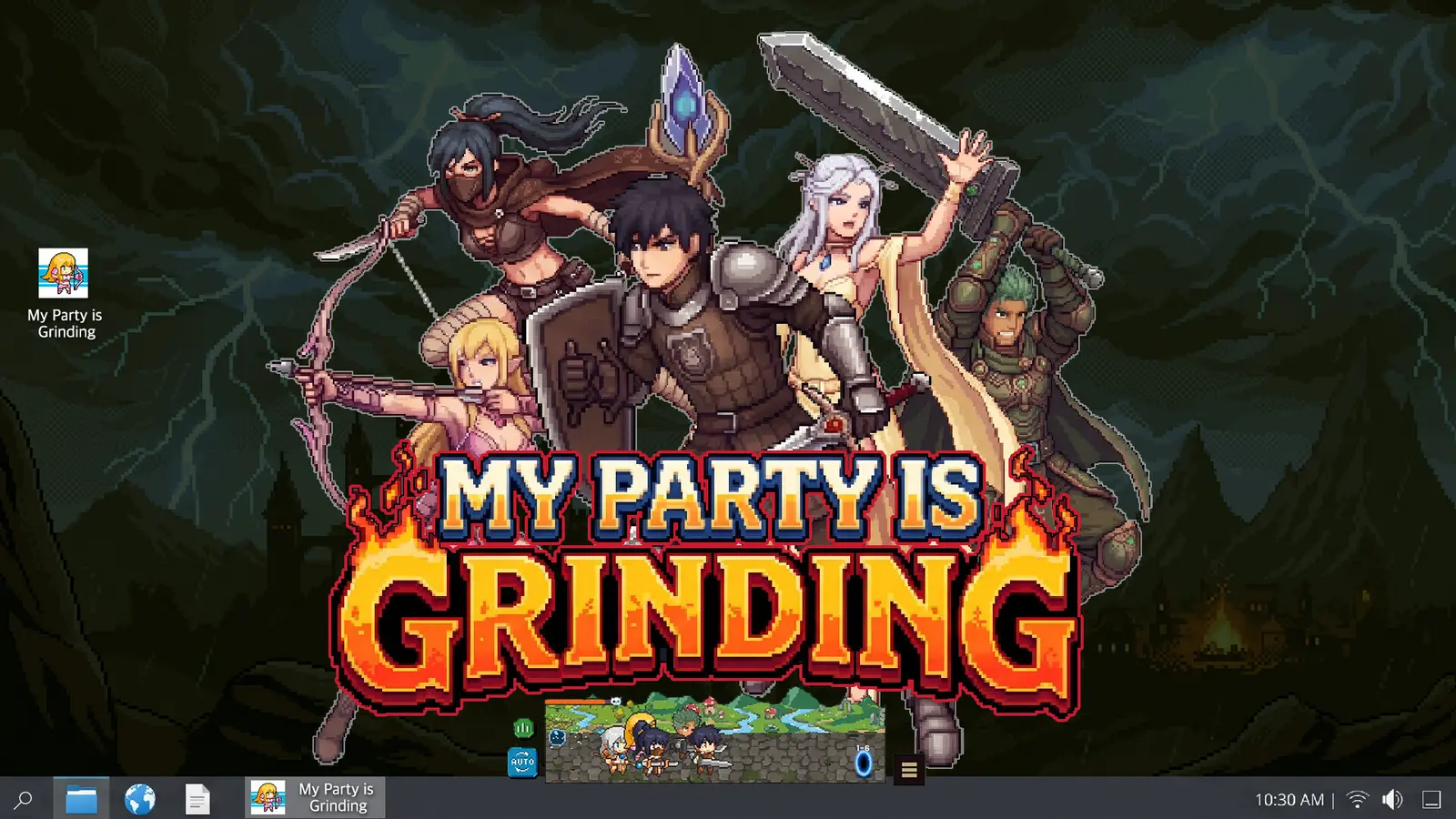
The best party setup in My Party Is Grinding is a balanced 1-Tank, 2-AoE DPS, 1-Single Target, and 1-Buffer composition. This structure ensures maximum unattended stability while your game runs in the background. A dedicated support buffer is mandatory for wave clears, while the single-target hero melts milestone bosses. According to Steam data, up to 20,000 owners are currently experimenting with these builds, but this specific five heroes team composition consistently prevents early progression walls.
My Party Is Grinding Best Party Build Synergy
Understanding party synergy is the foundation of any successful incremental game, and this desktop idle RPG is no exception. Your tank is responsible for holding the frontline, absorbing all incoming damage so your fragile damage dealers can safely cast their abilities. The two Area of Effect (AoE) DPS heroes are your wave clearers; they rapidly eliminate standard enemies to trigger gold drops. Meanwhile, your single-target DPS exists purely to burst down high-health milestone bosses before their enrage timers trigger. Finally, the buffer amplifies the entire team’s attack speed and defense. In my testing on the August 2026 PC launch version, I found that swapping the buffer for a third DPS actually slowed down overall clear times because the party lacked the necessary sustain for long auto-battle progression sessions.
My Party Is Grinding Hero Leveling Priorities
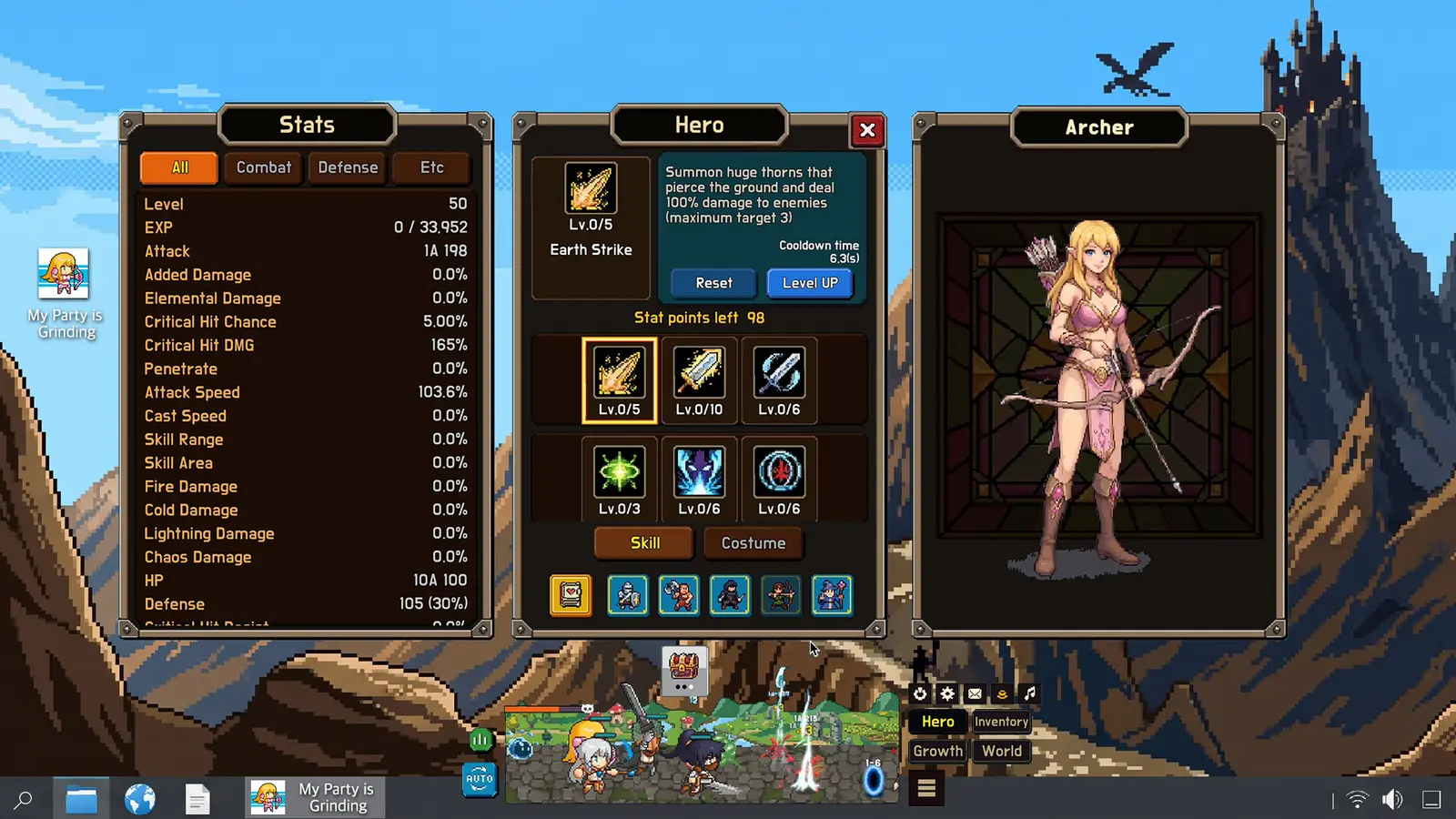
When it comes to hero leveling priorities, you must resist the temptation to dump all your resources into raw attack power. Trust me, I learned the hard way that ignoring gold multipliers early on completely stalls your run by Stage 25. Your primary focus should always be upgrading flat gold drop multipliers during the first 20 stages. This creates a compounding economic effect, allowing your background resource generation to scale exponentially. Once your gold income is stabilized, shift your focus to upgrading your tank’s health pool and your single-target DPS hero’s critical hit chance. This specific leveling order ensures you have the economic foundation to afford expensive late-game upgrades while maintaining the combat stats required to survive difficult boss encounters.
Pro Tip
Always prioritize aura effectiveness upgrades on your support buffer over raw damage upgrades on your AoE heroes for a higher overall team DPS output.
My Party Is Grinding Walkthrough: Core Stage Progression
Core stage progression requires alternating between passive gold accumulation and active skill usage during milestone boss fights. You cannot purely idle through the entire game; eventually, you must time active skill cooldowns to break through difficult boss stages. Balancing these two phases is the definitive way to unlock all 59 Steam achievements efficiently without burning out. Let’s explore how to optimize both the passive and active elements of your playthrough.
My Party Is Grinding Idle Farming Strategy
Optimizing your idle farming strategy is crucial for a game designed to run alongside your daily workflow. I prefer keeping the game window snapped to the bottom right of my screen because it prevents accidental misclicks while I am managing other applications. SUPERLINK Inc. thoughtfully included Custom Volume Controls and a Mouse Only Option, making it incredibly easy to mute the game and let it run silently. To maximize your background returns, ensure your party is farming a stage they can clear in under ten seconds. If a wave takes longer than that, you are losing out on optimal gold per minute. Drop back one or two stages to maintain a rapid kill rate. This approach leverages classic role-playing video game grinding mechanics, ensuring your party continuously grows stronger even when you are not actively watching the screen.
Active Push Strategies for Boss Milestones
While passive farming handles the bulk of your progression, milestone boss stages require a more hands-on approach. Every tenth stage introduces a massive difficulty spike that acts as a strict stat check. According to the official launch patch notes from SUPERLINK Inc., boss enrage timers trigger after a set duration, instantly wiping your party if you lack the necessary burst damage. To overcome these bottlenecks, disable auto-casting right before you enter the boss stage. Wait until all five of your heroes have their ultimate abilities fully charged. Once the boss spawns, manually trigger your buffer’s attack speed steroid first, followed immediately by your single-target DPS hero’s nuke. This coordinated burst sequence is often enough to bypass the enrage timer and push your party into the next tier of idle farming.
Player Segment Comparison for My Party Is Grinding
Your optimal playstyle depends entirely on whether you actively manage skills or leave the game running minimized. Active micro-managers can push stages roughly 20% faster by manually timing ultimate abilities, whereas passive background multitaskers rely on heavy gold multiplier investments to brute-force stat checks over longer, unattended work sessions. Both approaches are valid, but understanding which segment you fall into will dictate your upgrade path.
Desktop Background Idle Farming Setups
For players who treat this as a true background productivity companion, stability is your primary concern. The game is designed to be playable without timed input, meaning you can leave it running for hours without penalty. However, you must ensure your party composition has enough inherent sustain to survive random critical hits from elite mobs. I highly recommend utilizing the Save Anytime feature before stepping away for long periods, just in case a Windows update or random crash interrupts your background process. Steam community reviews frequently praise the game’s reliable offline progress calculations, but keeping the client open and minimized generally yields slightly higher resource returns due to the way active wave spawns are processed in real-time.
Strategy Transfer for Traditional RPG Players
If you are coming from traditional RPGs or other incremental titles like Clicker Heroes, you will need to adapt your mindset. In standard RPGs, aggro management and complex positioning are key. In My Party Is Grinding, positioning is static, and aggro is automatically routed to your frontline tank. Your strategic depth comes entirely from resource allocation and upgrade sequencing. Instead of worrying about dodging attacks, you are essentially managing a fantasy-themed spreadsheet. The skills you learned in other Free to Play idle games—such as knowing when to prestige or when to push for a new milestone—transfer perfectly to this compact desktop window format. Focus on optimizing your auto-battle progression rather than trying to micromanage every single sword swing.
Why Does My Party Is Grinding Progression Stall?
Progression stalls usually happen when players over-invest in raw attack power instead of gold multipliers or lack a dedicated buffer. When you hit a wall around Stage 50, it is almost always a resource generation issue rather than a pure damage deficit. Reallocating your economy to boost passive income will break this bottleneck within a few hours of background idling. Let’s look at how to diagnose and fix these common progression blockers.
Fixing My Party Is Grinding DPS Bottlenecks
A common scenario is watching your party effortlessly clear standard waves, only to get completely stonewalled by a milestone boss. This indicates a severe damage per second bottleneck. As of the August 2026 update, the game’s scaling equations heavily favor compounding gold drops over linear attack upgrades. If your single-target DPS cannot kill the boss in time, check your buffer’s upgrade level. Many players neglect their support heroes, not realizing that a high-level buff provides a larger overall DPS increase than upgrading the attacker directly. If you are stuck at Stage 50, stop pushing. Drop back to Stage 45, leave the game running in the background for two hours, and dump all the accumulated gold into your buffer’s attack speed aura.
Common My Party Is Grinding Beginner Tips & Fixes
Beyond upgrade paths, beginners often make a few mechanical errors that slow down their progress. First, never close the game completely if you can avoid it; minimizing the window to the system tray ensures 100% efficient resource generation, whereas offline calculations sometimes round down. Second, take advantage of the Family Sharing feature if you play on multiple desktop setups, ensuring your save data syncs seamlessly via the Steam Cloud. Third, if you notice your heroes are not casting abilities automatically, double-check that you haven’t accidentally toggled the manual cast button—a very common misclick when using the Mouse Only Option. Finally, if you experience any visual stuttering during heavy AoE wave clears, disabling damage numbers in the settings menu provides an immediate performance boost for lower-end office laptops.
Warning
Closing the game client entirely can sometimes cause offline progress calculations to round down your gold earnings. Always minimize the window instead for optimal resource generation.
Closing Thoughts on My Party Is Grinding
Mastering My Party Is Grinding ultimately comes down to balancing your active boss pushes with smart, passive background farming. By optimizing your five-hero team composition and prioritizing gold multipliers early, you can seamlessly integrate this desktop idle RPG into your daily routine. Whether you are hunting for all 59 Steam achievements or just enjoying the satisfying auto-battle progression, sticking to these core principles will keep your party leveling efficiently. As of late 2026, the game remains one of the most engaging background productivity companions available. Set up your party, minimize the window, and let the grind continue while you tackle your real-world tasks.
My Party Is Grinding Trainers & Mods — XMODHUB
If you want to bypass the early game grind and instantly test late-game party compositions, XMODHUB ↗ offers powerful tools.
Infinite Gold
Instantly max out your gold reserves to purchase all hero upgrades without waiting.
God Mode (Tank)
Prevents your frontline tank from taking any damage during boss fights.
Instant Skill Cooldowns
Spam ultimate abilities constantly to bypass strict boss enrage timers.
Max XP Multiplier
Accelerate your party’s leveling speed to reach late-game stages instantly.
Why Choose XMODHUB for My Party Is Grinding
XMODHUB ↗ is the trusted choice for single-player enhancements because it guarantees a malware-free experience with automatic game-version updates. Its beginner-friendly interface requires no programming knowledge, making it incredibly easy to safely modify your desktop idle RPG runs.
Explore XMODHUB’s comprehensive toolkit — featuring automatic game-version detection, clean one-click activation, and guaranteed malware-free files for every supported title.
Economy & Resources
Combat & Survival
Progression & Time
Frequently Asked Questions
Ready to enhance your gameplay?

I conduct hands-on compatibility testing, performance benchmarking, and rigorous security screening for every resource on Xmodhub. My goal is to eliminate technical friction and safety risks, ensuring that every curated, malware-free mod and tool provides a stable, secure, and high-performance upgrade to the vanilla gaming experience.
