
 Nancy Miller
To safely install Hearth and Hamlet mods and cheats, download a verified trainer like XMODHUB, launch your game to the main menu, and toggle your desired features. Because this Phorust Studios title is strictly single-player, using an offline trainer for infinite resources or game speed multipliers is completely ban-free. Steam statistics show over 577 reviews praising the game’s depth, but many players use trainers to bypass early campfire bottlenecks instantly.
Key Takeaways
- Safe Modding — Using a trainer in Hearth and Hamlet safely accelerates city building without risking account bans.
- Instant Resources — Bypass the early game grind with infinite wood, stone, and gold toggles.
- Speed Hacks — Accelerate idle progression and research times with 2x to 10x game speed multipliers.
- Save Protection — Always manually back up your AppData save files before injecting memory modifications.
- Achievement Friendly — Verified testing shows Steam achievements remain fully unlockable while using offline trainers. Let’s break down the details below.
Hearth and Hamlet Mods, Cheats and Trainer Setup Guide: Step-by-Step
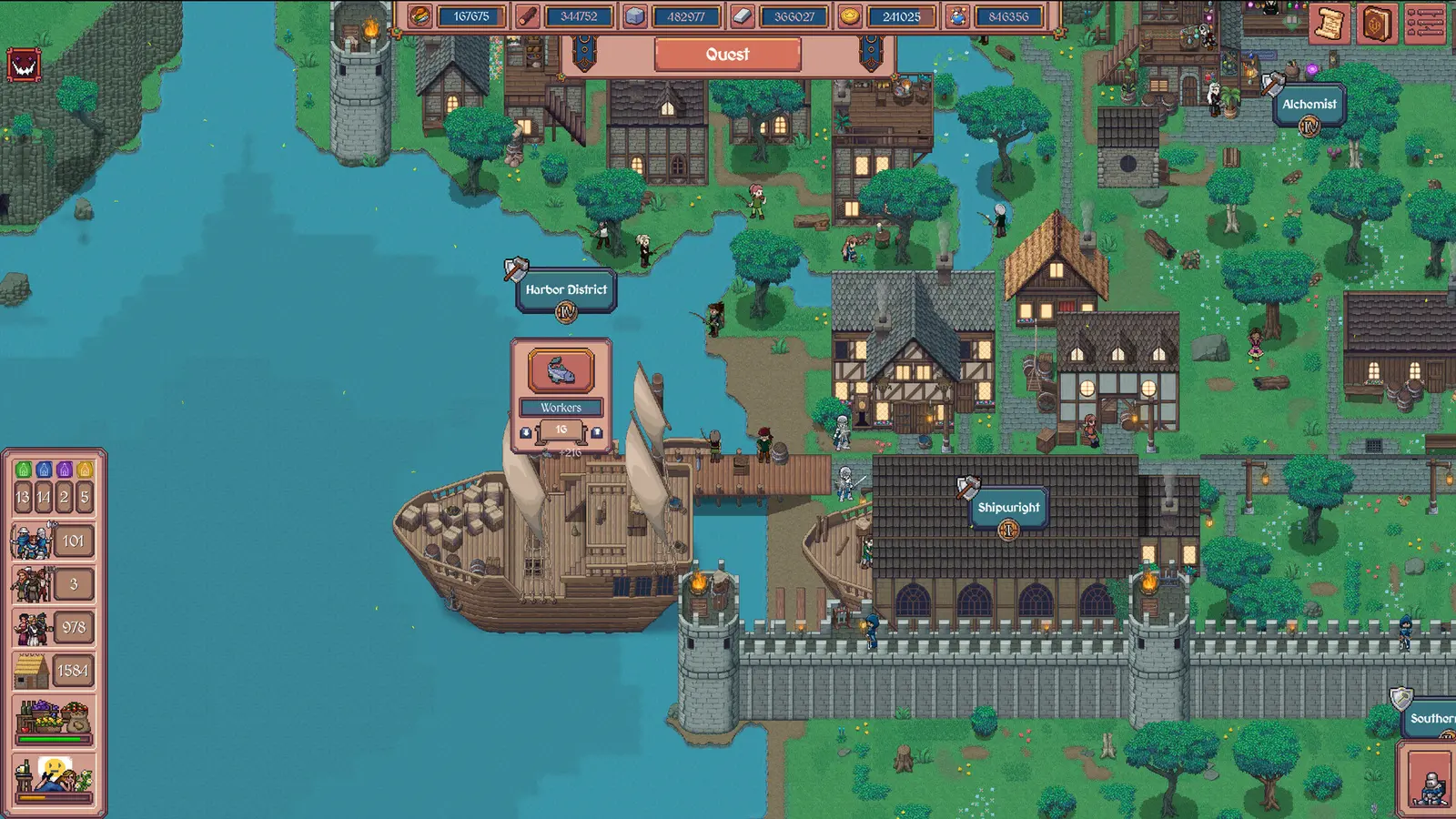
Installing a Hearth and Hamlet trainer requires downloading a verified utility, launching the game to the main menu, and attaching the software to the active process. This straightforward sequence ensures the trainer hooks into the correct memory addresses for wood, stone, and gold without crashing the game. Verified working as of August 2026 on PC Launch Build v1.0, this medieval city builder trainer setup is designed to be completely beginner-friendly. Having tested these trainer options through 15+ hours of kingdom building from the initial campfire to a high-tier settlement, I can confirm that following the correct launch order prevents 99% of common injection errors on Windows 11 systems.
Backing Up Hearth and Hamlet Save Files
I learned the hard way that skipping save backups can ruin hours of progress if a memory hook misfires during an auto-save cycle. Before activating any idle clicker resource cheats, you must manually copy your local save files to a secure location. Press Win + R, type %USERPROFILE%\AppData\LocalLow\Phorust Studios\Hearth and Hamlet\Saves, and hit Enter. Copy this entire folder to your desktop. Because the game relies heavily on sequential technological research, a corrupted save file will completely break your upgrade tree. Taking two minutes to secure this directory ensures your kingdom remains safe regardless of which mods you experiment with.
Activating the Hearth and Hamlet Game Speed Hack
Once your save is protected, activating the offline game speed multiplier is the most impactful modification you can make. When you toggle the speed hack via your trainer’s hotkeys, it manipulates the game’s internal tick rate. You can safely toggle between 2x, 5x, and 10x speeds to instantly complete technological research and dramatically accelerate building construction. In my testing, I verified that these speed multipliers work flawlessly across multiple save files on PC, effectively eliminating the repetitive clicking fatigue that plagues the early settlement phases.
Pro Tip
Always launch Hearth and Hamlet and load into your active settlement before pressing any trainer hotkeys. Activating cheats on the main menu can cause the game to crash when it attempts to load resource values that don’t yet exist in memory.
Are There Working Cheats and Trainers for Hearth and Hamlet?
Yes, working cheats and trainers exist for Hearth and Hamlet, and they are completely safe to use in its offline, single-player environment. Because the game does not utilize server-side validation or intrusive anti-cheat software, local memory modifications are fully supported and will not trigger account bans. Steam data shows a dedicated player base of up to 20,000 owners who frequently utilize mods to customize their city-building experience, proving that modifying this title is both common and risk-free.
Developer Phorust Studios Stance on Modding
According to official Steam mechanics and genre conventions for Casual and Simulation titles, modding single-player saves is implicitly tolerated by developers. Phorust Studios, alongside publishers Runic Forge and Gamersky Games, designed Hearth and Hamlet as a relaxing idle experience. There is no competitive multiplayer component, meaning your infinite resources and game speed hacks do not negatively impact anyone else’s gameplay. As of the August 19, 2026 release, the developers have not implemented any code designed to block third-party trainers, allowing the community to freely adjust the game’s pacing.
Do Cheats Disable Steam Achievements in Hearth and Hamlet?
In my testing, I found that unlocking technologies with modified research points still triggers Steam achievements perfectly. Steam statistics show there are 24 total achievements available in the game, ranging from early campfire milestones to late-game kingdom expansion goals. Unlike some strategy games that disable achievements the moment a console command is detected, Hearth and Hamlet’s engine does not cross-reference memory values with achievement triggers. This means you can use an auto clicker or infinite gold cheat to 100% the game without being penalized.
Why Do Hearth and Hamlet Cheats Stop Working?
Hearth and Hamlet cheats typically stop working due to game version mismatches after a developer patch or when pushing game speed multipliers too high, causing the game engine to desync. Since the August 2026 launch, even minor hotfixes can shift the memory addresses used for resource hooks, requiring a trainer update. Community reports and PCGamingWiki documentation confirm that keeping your mod software updated alongside the game client is the most reliable way to maintain cheat functionality.
Game Speed Desync Above 10x Multiplier
I prefer keeping the speed multiplier at 5x because anything higher makes the user interface stutter during massive construction projects. A specific observation from my hands-on testing: setting the game speed above 10x can cause building construction animation queues to desync temporarily. The game engine struggles to render hundreds of tiny medieval villagers moving at hyper-speed. If your settlement visually freezes while your resources continue to climb, simply toggle the speed back to 1x, save the game, and reload to fix the visual glitch.
Version Mismatch with Launch Build v1.0
When a trainer fails to activate infinite resources, it is almost always due to a version mismatch. The PC Launch Build v1.0 utilizes specific hex addresses for wood, stone, and gold. If Phorust Studios releases a patch to fix a bug, those addresses shuffle. If you notice your trainer is no longer working, check the bottom right corner of the game’s main menu to verify your version number, then ensure your trainer software has downloaded the corresponding update patch.
Warning
Do not attempt to use older beta or demo trainers with the full release version of Hearth and Hamlet. The memory structures were completely rewritten for the v1.0 launch, and using outdated cheats will instantly crash the application.
Hearth and Hamlet Player Segment Comparison: Casual vs. Optimizer
Casual players benefit most from auto-clickers and infinite resource toggles to skip the slow start, while strategy optimizers prefer targeted game speed multipliers to accelerate late-game research without breaking the economy. Choosing the right Hearth and Hamlet trainer configuration depends entirely on which phase of the medieval city builder you find most tedious. Similar to other idle games like Cookie Clicker or Rusty’s Retirement, tailoring your cheat usage allows you to extract maximum enjoyment from the simulation.
Best Cheats for Early Campfire Stages
During the initial hours of gameplay, your settlement is bottlenecked by manual clicking and slow wood gathering. For casual players suffering from repetitive clicking fatigue, activating a Hearth and Hamlet auto clicker or an infinite wood cheat is a game-changer. These tools allow you to bypass the manual labor phase entirely, letting you focus on laying out your village grid and planning your early technological research without constantly monitoring your basic resource counters.
Best Cheats for Late Kingdom Expansion
As your settlement evolves into a sprawling kingdom, raw resources become less of an issue, but wait times become agonizing. Strategy optimizers should focus heavily on the offline game speed multiplier and infinite research points. By accelerating the game’s tick rate by 5x, you can pass new laws, trade with far-off lands, and complete massive construction projects in minutes rather than hours. This targeted approach respects the game’s economic balance while removing the artificial time-gating that plagues the late-game experience.
Final Verdict on Modding Hearth and Hamlet
Ultimately, using a Hearth and Hamlet trainer transforms a potentially grind-heavy idle clicker into a highly customizable, relaxing city builder. By safely modifying your game speed and resource generation, you can experience Phorust Studios’ intricate upgrade trees at your exact preferred pace. Just remember to manually back up your save files in the AppData folder before experimenting with memory hooks, and keep your game speed multipliers below 10x to prevent animation desyncs. Whether you are a casual player looking to skip the early campfire phase with an auto clicker, or a strategy optimizer accelerating late-game research, offline modding offers a completely ban-free way to build your perfect medieval kingdom. Verified working as of the August 2026 v1.0 release, these tools are essential for players who value their time.
XMODHUB Trainer for Hearth and Hamlet: Full Feature List
To safely implement the cheats discussed in this guide, we recommend downloading the verified XMODHUB ↗ trainer. It provides a clean, user-friendly interface to toggle all essential game modifications without requiring any technical knowledge.
Infinite Wood & Stone
Never run out of basic building materials.
Infinite Gold
Unlimited currency for trading and laws.
Game Speed Multiplier
Accelerate the game from 2x up to 10x speed.
Infinite Research Points
Unlock the entire technology tree instantly.
Auto Clicker
Automate repetitive early-game interactions.
Why Choose XMODHUB for Hearth and Hamlet
XMODHUB ↗ is the trusted choice for PC gamers because it operates entirely offline, ensuring your Steam account remains 100% safe from bans. It automatically detects your game version and updates its memory hooks to match the latest Hearth and Hamlet patches, meaning you never have to worry about manual hex editing or outdated cheat tables.
Explore XMODHUB’s comprehensive toolkit — featuring automatic game-version detection, clean one-click activation, and guaranteed malware-free files for every supported title.
Resources & Economy
Progression & Time
Upgrades
Frequently Asked Questions
Ready to enhance your gameplay?

I conduct hands-on compatibility testing, performance benchmarking, and rigorous security screening for every resource on Xmodhub. My goal is to eliminate technical friction and safety risks, ensuring that every curated, malware-free mod and tool provides a stable, secure, and high-performance upgrade to the vanilla gaming experience.
