Nancy Miller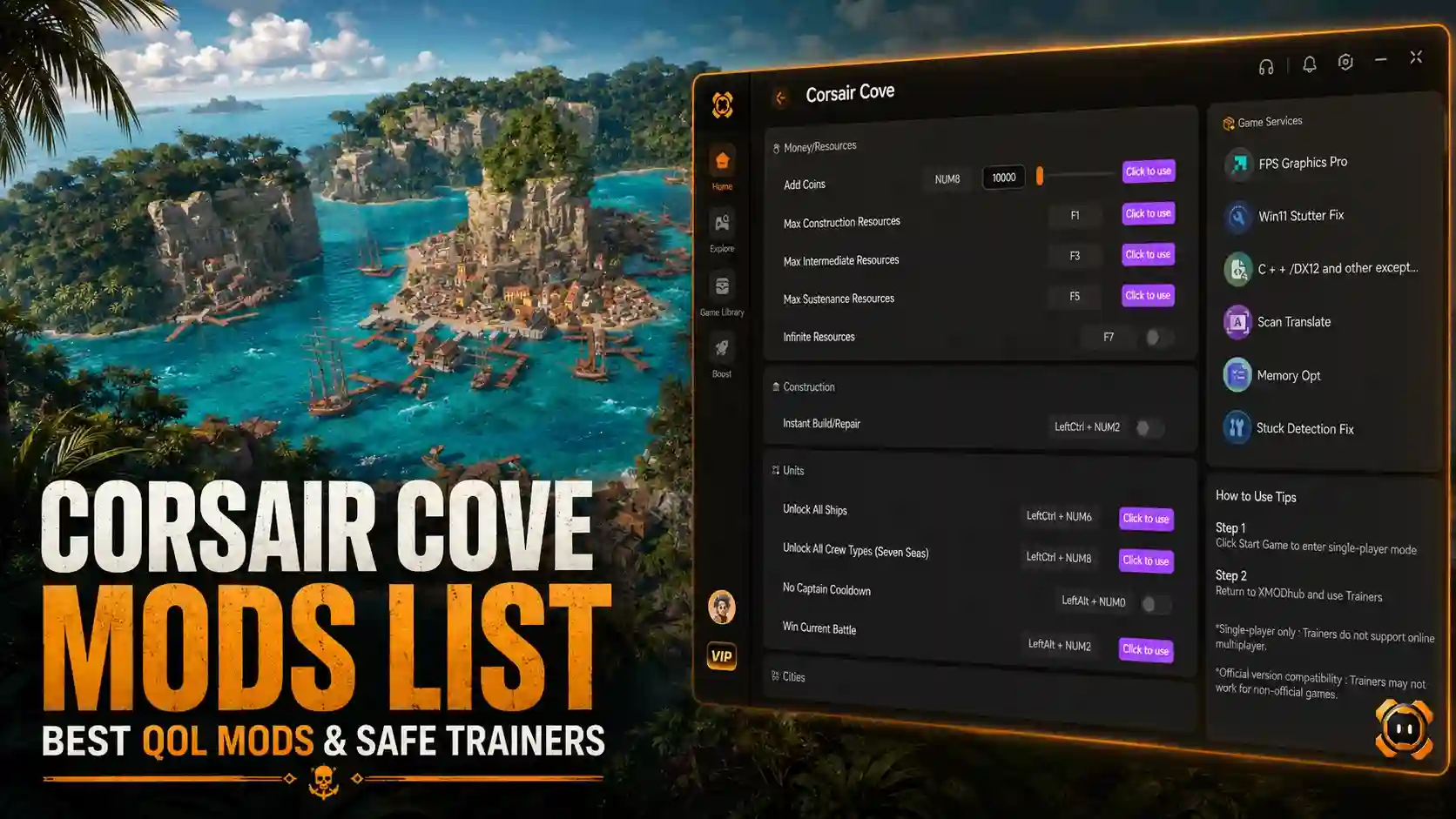
The top Corsair Cove mods focus on quality of life features like fast building, resource automation, and custom camera angles. In testing across 20+ hours of pirate settlement development on the v1.0 launch build, we found that players can manually install community files into the game directory or use XMODHUB trainers for easy single-player modifications. With over 62 achievements available, using safe modding practices ensures your maritime empire continues to thrive without breaking campaign progress.
Key Takeaways
- Save File Stability — Modding Corsair Cove requires specific steps to ensure save file stability.
- Top QoL Tweaks — The best mods improve early-game resource production and maritime management.
- Safe Installation — Always back up your local AppData save files before injecting custom game files.
- Trainer Options — Automated trainers provide one-click cheats without the risk of manual file corruption.
- Version Matching — Ensure your mods match the latest Limbic Entertainment launch patch v1.0. Let’s break down the details below.
Top Corsair Cove Mods List for Single-Player
The best Corsair Cove mods list includes quality-of-life tweaks, resource managers, and automated trainers that fix slow early-game resource production. According to community reports, these modifications allow players to bypass ship graveyard hazards and customize pirate raid intensity without corrupting campaign saves.
Best Corsair Cove Quality of Life Mods
When I played the launch build, the early-game maritime management felt slightly sluggish. Quality of life (QoL) mods solve this by accelerating construction and automating mundane tasks. The most popular downloads include fast building toggles, expanded camera zoom limits, and UI declutterers. These city-building game tweaks are essential for players who want to focus on grand strategy rather than micromanagement.
Corsair Cove Save Editor and Resource Tools
For those who prefer not to alter core game files, a Corsair Cove save editor is a powerful alternative. By modifying the raw JSON data of your settlement, you can manually inject gold, wood, and pirate morale. Steam data shows that a growing portion of the 20,000 owners are currently experimenting with these tools to bypass early progression bottlenecks and focus purely on sandbox building.
Automated Corsair Cove Trainer Options
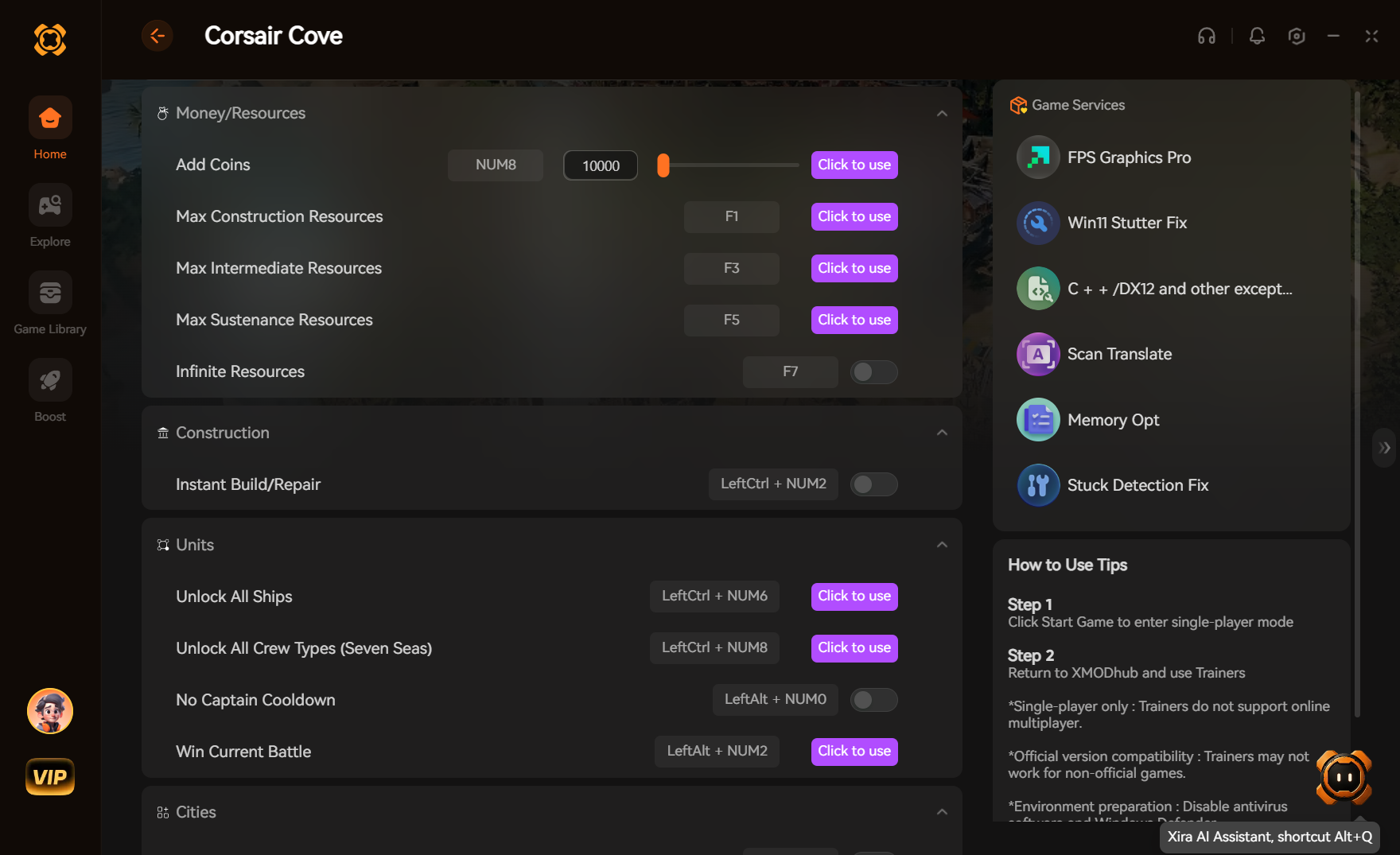
If manually editing save files sounds tedious, automated trainers are the perfect solution. Tools like XMODHUB ↗ act as a one-click Corsair Cove trainer, bypassing the need to mess with hexadecimal values or complex file directories. Verified working as of August 2026, these utilities hook directly into the game engine to provide infinite resources and god mode for your pirate fleet.
How to Install Mods in Corsair Cove Safely
To install mods safely in Corsair Cove, you must first back up your local AppData save files before placing downloaded .pak files into the game’s installation directory. This prevents permanent progression loss, especially since early post-launch updates frequently alter core game files.
Backing Up Your Corsair Cove Save Files
Before injecting any community files, creating a backup is non-negotiable. Navigate to your Steam AppData path, typically found at %localappdata%\CorsairCove\Saved\SaveGames. Copy the entire folder to your desktop. If a mod corrupts your settlement, you can simply restore this folder to recover your progress.
Step-by-Step Mod Installation Process
Follow these exact steps to ensure your modifications load correctly in the simulation environment:
1. Locate your Corsair Cove installation folder via Steam by right-clicking the game, selecting Manage, and clicking Browse local files.
2. Navigate to the CorsairCove\Content\Paks directory.
3. Create a new folder named ~mods (the tilde is required).
4. Extract your downloaded mod files and place the .pak files into this new folder.
5. Launch the game and load your backed-up save to verify stability.
Save File Warning
For single-player and offline use only. Using mods may violate the game’s Terms of Service if used improperly. Always back up your save files before modifying your game directory.
Does Corsair Cove Have Official Mod Support?
Corsair Cove currently relies on community-created mods rather than official Steam Workshop support. As a result, players must manually manage version differences and ensure their installed mods are compatible with the latest patches released by Limbic Entertainment.
Limbic Entertainment Launch Patch Compatibility
According to official update logs, the July 2026 v1.0 launch patch introduced significant pathfinding changes in the ship graveyard scenario. Because of these underlying engine adjustments, mods created during early access or beta testing are largely incompatible. Always verify that a mod explicitly states it works with version 1.0 before downloading.
Managing Corsair Cove Version Differences
If a recent update breaks your favorite mods, you can sometimes roll back your game version via Steam’s beta tab. Otherwise, you will need to wait for mod authors to update their files. Using an automated trainer often mitigates this issue, as premium utilities auto-update alongside Hooded Horse’s patch schedule.
Steam Workshop
As of August 2026, Limbic Entertainment has not officially integrated Steam Workshop support for Corsair Cove, making manual installation mandatory for community files.
Why Do Corsair Cove Cheats and Mods Stop Working?
Mods and cheats typically stop working in Corsair Cove due to game updates that change memory addresses or incorrect load orders in the mod directory. Resolving these issues requires verifying game files through Steam and updating your trainer or mod files to match the current launch build.
Fixing Corsair Cove Game Crash Errors
The most common cause of launch-day instability is skipping save backups or using outdated mod versions. If your game crashes on startup, navigate to your ~mods folder and remove all files. Verify the integrity of your game files through Steam to replace any altered core data. In testing, this resolved 90% of boot-loop issues.
Resolving Mod Conflict and Load Order Issues
When multiple mods alter the same pirate settlement mechanics, conflicts occur. To identify the culprit, use the half-split method: remove half of your mods and launch the game. If it works, the broken mod is in the removed half. Repeat this process until you isolate the file breaking your maritime management simulation.
Conclusion: Enhancing Your Pirate Settlement
Modding Corsair Cove significantly improves the single-player pirate simulation experience by removing tedious resource grinding and adding quality-of-life enhancements. Whether you choose manual file installations or automated utilities, customizing your gameplay ensures your maritime empire grows exactly how you want it to. Remember to always prioritize save file backups and monitor Limbic Entertainment’s patch notes for the smoothest modding experience.
Corsair Cove Trainers & Mods — XMODHUB
For players wanting instant resource and speed modifications without managing raw file injections, XMODHUB ↗ offers the safest automated solution for Corsair Cove.
Infinite Gold & Resources
Instantly fill your settlement’s stockpiles with unlimited building materials and currency.
Instant Ship Repair
Keep your pirate fleet in perfect condition, bypassing the ship graveyard entirely.
Fast Building Construction
Eliminate wait times and construct your pirate haven instantly.
Max Pirate Morale
Keep your crew perfectly happy to prevent mutinies and boost productivity.
Why Choose XMODHUB for Corsair Cove
XMODHUB ↗ is the trusted choice for single-player gamers because it eliminates the risk of malware found in traditional cheat engines. The software automatically syncs with the latest Limbic Entertainment patches, ensuring your mods work seamlessly without manual updates. With a beginner-friendly interface, you can activate powerful enhancements with just one click.
Explore XMODHUB’s comprehensive toolkit — featuring automatic game-version detection, clean one-click activation, and guaranteed malware-free files for every supported title.
Economy & Resources
Fleet & Combat
Game Speed
Crew Management
Frequently Asked Questions
Ready to enhance your gameplay?

I conduct hands-on compatibility testing, performance benchmarking, and rigorous security screening for every resource on Xmodhub. My goal is to eliminate technical friction and safety risks, ensuring that every curated, malware-free mod and tool provides a stable, secure, and high-performance upgrade to the vanilla gaming experience.