
 Catherine Hu
Quick Answer: Does Shards of Solitude Have Console Commands?
No, Shards of Solitude does not have a built-in developer console or native text-based cheat codes. Because the game relies heavily on randomized item locations and unpredictable ghost behavior to build its horror atmosphere, the developers did not include a traditional command-line interface for players to manipulate the environment.
If you are struggling to survive Miyuki’s relentless pursuit, trying to complete the ritual room trials, or simply want to explore the haunted house without fear, the only way to cheat is by using a third-party trainer like XMODhub. This dedicated software offers 1-click alternatives like God Mode, Ghost Freeze, and Infinite Items, allowing you to bypass the terrifying grind entirely.
Editor’s Note
This guide was last verified against the newest Shards of Solitude patch. Whether you are using native engine tools or a dedicated trainer, please back up your save files before modifying game memory to prevent unexpected bugs.
We have all been there. You have just spent hours dying to the same boss in Shards of Solitude, or maybe you simply do not have the time to grind for the randomized exit key and crucial ritual items after a long day. Single-player games are meant to be enjoyed on your own terms. Let us get your character powered up.
You may also like: Shards of Solitude Cheats Engine Table Guide
1. How to Enable Cheats in Shards of Solitude
Because Shards of Solitude is a tightly coded indie horror experience designed around suspense and randomization, there is no hidden .ini file tweak or tilde (~) key shortcut to bring up a developer console. Players cannot simply type in codes to spawn the old radio or teleport away from Miyuki.
Instead, enabling cheats requires injecting safe memory modifications into the game’s active process. To do this securely without triggering anti-tamper mechanisms or corrupting your save state, you will need to utilize a professional trainer. Here is the foolproof three-step process to download, attach, and enable modifications using XMODhub:
2. The Complete List of Shards of Solitude Cheats
Because Shards of Solitude does not feature a developer console, there are no text-based cheat codes to input. You will not find any godmode 1 or spawn_item_exitkey commands hidden in the game files. However, you can achieve the exact same effects—and often much more stable ones—using the XMODhub app.
The trainer manipulates the game’s memory dynamically, allowing you to counter the randomized mechanics and Miyuki’s aggressive AI. Below is the complete list of features available in the XMODhub trainer for Shards of Solitude:
Feature / Effect / How to Activate
Toggle via Overlay / Numpad 1Toggle via Overlay / Numpad 2Toggle via Overlay / Numpad 3Toggle via Overlay / Numpad 4Toggle via Overlay / Numpad 5Click in Overlay MenuToggle via Overlay / Numpad 6Deep Dive into Core Trainer Mechanics
Surviving Miyuki’s AI: Miyuki’s behavior in Shards of Solitude is highly dynamic. For instance, on higher difficulties, she can pull the player out of the closet even if she is in a relatively normal mood. By utilizing the God Mode or Force Normal Difficulty AI features, you strip away this unpredictable danger. Furthermore, if you are attempting to trigger the exit key cutscene, the game normally checks if Miyuki is nearby. The Ghost Freeze feature ensures she remains stuck in place, preventing the terrifying bug where she stands up and attempts to kill you right in the middle of picking up the key.
Bypassing the Randomization Grind: Every single run in Shards of Solitude randomizes item locations. You might spend twenty minutes looking for the old radio or setting up the camera room. The Highlight Interactables feature is arguably the most powerful tool for players who want to experience the story without the tedious scavenger hunt. It injects an ESP (Extra Sensory Perception) overlay into the game engine, drawing a subtle box around crucial progression items, regardless of where the procedural generation placed them.
3. Item IDs and Spawning Guide
Because Shards of Solitude does not feature a developer console, manually spawning items via text commands using internal hex codes or Item IDs is completely impossible without native engine tools. The game does not process string inputs like give_item 0x1A4.
In a standard survival horror game, players might look up the specific ID for the “Old Radio” or the “Exit Key” to skip a difficult puzzle. However, Shards of Solitude handles its inventory and item states strictly through compiled memory addresses that shift every time you boot up the game—a process known as dynamic memory allocation.
XMODhub bypasses this complex technical hurdle entirely. Instead of forcing you to memorize long lists of alphanumeric Item IDs and type them into a non-existent console, the trainer allows you to instantly maximize your inventory or force items into your hands with a single click.
If you need the music box to pacify Miyuki, you do not need to know its internal asset name. You simply activate the “Obtain All Key Items” script within the XMODhub interface. This script automatically scans the game’s current memory structure, locates the randomized pointer for the items, and directly injects them into your character’s inventory slots, eliminating the need to look up complex hex codes or wander the haunted house aimlessly.
4. Do Cheats Disable Achievements?
When playing single-player PC games on platforms like Steam, the integration of achievements is a major concern for players who want to use modifications. In many modern titles, if the game detects that the developer console has been accessed or that internal flags have been altered via native text commands, it will permanently lock achievement progression for that specific save file.
However, because Shards of Solitude does not have a native console, the game lacks the internal “cheat flagged” state that usually disables achievements. This is where the technical superiority of XMODhub shines.
XMODhub operates externally and uses stealth hooking techniques to modify values directly in your system’s RAM. Because it does not alter the core game files on your hard drive or trigger internal developer flags, the Steam API remains completely unaware that any modifications are taking place. Whether you are using God Mode to survive the second trial in the ritual room or freezing Miyuki to safely pick up the exit key, your achievements for escaping the house or successfully banishing the ghost will unlock exactly as they normally would. XMODhub safely bypasses achievement locks, allowing you to 100% the game on your own terms.
5. Why Native Cheats Can Break Your Save Files
Beyond the achievement lock, native developer tools and memory editors are notoriously unstable. These commands were originally built for developers to test bugs during production, not for everyday gameplay.
Forcing a quest to complete or bypassing intended story triggers can cause crucial NPCs to completely disappear from your map. Memory leaks, corrupted assets, and sudden crashes to the desktop are incredibly common when you spawn too many items at once.
In the context of Shards of Solitude, the game is built on a delicate sequence of triggers. The patch notes specifically highlight how fragile Miyuki’s pathing and AI state machine can be. For example, there are known issues where Miyuki could get stuck on a box near the camera room, or where she would incorrectly spawn in the ritual room immediately after the player finished the second trial.
If you were to use raw memory editors (like Cheat Engine) to manually change your coordinates or force the exit key into your inventory without triggering the prerequisite story flags, you risk catastrophic game logic failures. You might trigger the cutscene where the exit key is picked up, only for Miyuki to start moving during the cinematic, breaking the camera angles and soft-locking your progression. By skipping the natural flow of the game’s event handlers, you create ghost states where the game expects Miyuki to be under the influence of the old radio, but your raw memory edit failed to update her aggression variable. This results in permanently corrupted save files that force you to restart the entire randomized run from scratch.
6. The Safer Alternative: 1-Click Cheats with XMODhub
If you want the benefits of cheats—like infinite health or skipping the heavy grind—without risking your save files or locking your achievements, you need a dedicated game modification tool.
Instead of typing risky code that might corrupt your game world, the XMODhub app hooks into Shards of Solitude safely and cleanly. The software is developed by reverse-engineering experts who map out the exact memory structures of the game, ensuring that every toggle respects the game’s internal logic.
How to Use XMODhub for Shards of Solitude

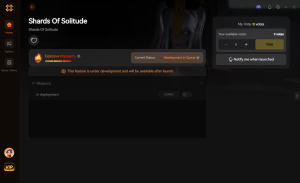
Download Shards of Solitude Trainer Now
By relying on professional trainers, you avoid the pitfalls of manual memory editing. When you freeze Miyuki using XMODhub, the software does not just change her movement speed to zero; it safely suspends her AI decision tree so the game does not panic and crash when she fails to reach her intended destination.
7. Troubleshooting: Cheats Not Working
Even with the most sophisticated tools, PC gaming environments can sometimes cause unexpected friction. If you find that your XMODhub features are not activating in Shards of Solitude, it is rarely a permanent issue. Here are the most common culprits and how to resolve them immediately:
8. Best Cheat Configurations for Different Playstyles
Because Shards of Solitude lacks a native developer console, players cannot quickly test different engine parameters using text commands. Fortunately, utilizing a memory trainer allows you to curate the exact type of experience you want.
Whether you are here to absorb the deeply hidden lore without jumping out of your skin, or you are looking to master the game’s intricate mechanics for speedrunning, combining specific XMODhub toggles can transform the game entirely. Below is our curated matrix of the best cheat configurations tailored to specific playstyles:
Playstyle Focus / Recommended XMODhub Feature / In-Game Benefit / Priority Level
By adopting these specific loadouts, you can effectively bypass the artificial difficulty spikes that often gatekeep the best parts of single-player horror titles.
9. Speedrunning and Exploring: Maximizing Your Trainer
If you are a hardcore player looking to optimize your completion times, or a content creator trying to capture the perfect cinematic shot, standard gameplay mechanics can be incredibly restrictive. Without console commands like noclip or freecam, mapping out the haunted house in Shards of Solitude can feel like a chore.
Mastering Procedural Generation
Speedrunners rely heavily on understanding how a game’s engine randomizes items. By using the Highlight Interactables feature (ESP), you can instantly see where the engine has placed the exit key and camera parts the moment you spawn. This allows you to mentally map the “seed” of that specific run. Over time, observing these highlighted patterns through walls will teach you the underlying logic of the game’s item distribution, making you significantly faster even when you turn the cheats off.
Uncovering Hidden Lore
Shards of Solitude is packed with environmental storytelling. There are diary entries, cryptic paintings, and subtle audio cues scattered throughout the second floor. Unfortunately, Miyuki’s aggressive AI rarely gives you the breathing room to actually appreciate these details. Activating the Ghost Freeze feature essentially turns the game into a walking simulator. You can thoroughly investigate every corner of the map, read every document, and fully absorb the terrifying atmosphere without the constant anxiety of a jump scare.
10. Frequently Asked Questions (FAQ)
A: No. Modifying game memory or accessing developer consoles for Shards of Solitude is strictly limited to the PC version. Console ecosystems are locked down by their manufacturers, making memory injection impossible without heavily modifying the console hardware itself.
A: There is no account ban or official penalty for cheating in a single-player environment. The only downsides are the potential for corrupted save files and disabled achievements, which can be avoided by using a secure trainer like XMODhub.
A: No. XMODhub is specifically coded to respect cinematic triggers. If you freeze Miyuki, she will simply remain in place while the cutscene plays out normally. The game will still register the event completion, allowing you to proceed to the ending without her standing up and attacking you during the animation.
A: Not at all. XMODhub’s features are dynamic. You can toggle the item highlight on and off at any point during your playthrough. It will immediately scan the environment and outline the remaining randomized items, such as the old radio or camera parts, without requiring a save reload.
A: Yes. Whether you are playing on “Normal” or a higher difficulty setting, the memory hooks function identically. The trainer can even force Miyuki’s behavior to revert to Normal difficulty parameters if you find the higher settings too overwhelming.
Conclusion
Whether Shards of Solitude provides a built-in console or not, taking control of your single-player experience is easier than ever. While tweaking raw engine code can be a fun technical experiment, it comes with significant risks to your save files and achievements. For a flawless, risk-free experience, using a dedicated modification tool is always the smarter choice.
With secure support for over 5,000+ single-player PC games, you can easily customize your gameplay, skip the tedious grind, and play exactly the way you want.


I am a passionate gamer and writer at XMODhub, dedicated to bringing you the latest gaming news, tips, and insights.
Connect with me:
LinkedIn Profile ↗

 Nancy Miller





