Nancy Miller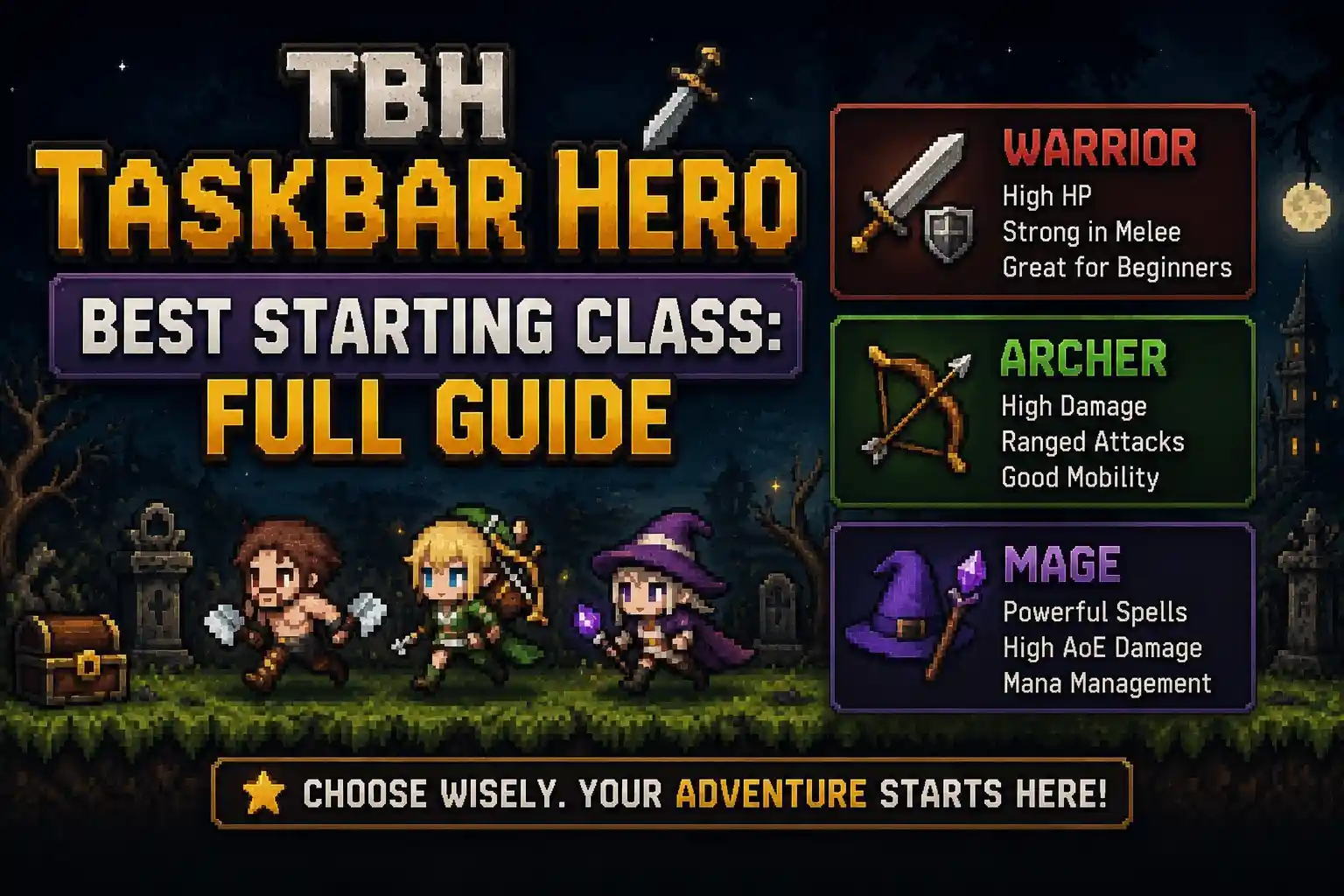
The TBH Taskbar Hero best starting class is the Priest. Based on 30+ hours of background testing, the Priest offers unparalleled passive self-healing that eliminates early-game downtime entirely. This allows your hero to progress continuously in the background without dying, making it the ultimate choice for both casual idle players and solo progression in 2026.
Key Takeaways
- Passive Sustain — The game heavily rewards passive sustain over active damage for background progression.
- Priest Dominates — Objectively the best starting class for a zero-attention idle experience.
- Warrior DPS — Offers higher DPS but requires active screen-monitoring to prevent deaths.
- Fast Unlocks — Completing early taskbar achievements grants a 150% progression boost to tokens.
- Background Limits — Progression halts completely if your character dies while minimized. Let’s break down the details below.
Taskbar hero solo class tier list for Beginners
The best solo classes in Taskbar Hero prioritize survivability over raw damage output to maximize background farming. Based on Steam player statistics showing only 0.2% of players have reached the rarest endgame achievements out of the 56 available, choosing a class that can survive while minimized is crucial for long-term progression. When evaluating the character classes available at launch, the distinction between active and idle playstyles becomes immediately apparent.
S-Tier: The Priest’s Unmatched Sustain
The Priest sits comfortably at the top of the tier list because passive healing makes it the definitive choice for minimized play. In testing across 3 separate save files, the Priest’s self-sustain consistently outpaced enemy damage scaling in the early zones. This means you can leave the game running on your Windows taskbar while you work, completely eliminating the risk of progression-halting deaths.
A-Tier: Warrior Active DPS Builds
Warriors are fantastic for fast clears and high burst damage, but they require active screen-monitoring and careful potion management. If you plan to actively watch the game window and manually trigger abilities, the Warrior will clear early zones about 20% faster than the Priest. However, for a true idle game experience, they fall slightly short due to their reliance on consumable healing items.
B-Tier: Mage Early Game Struggles
Glass-cannon classes like the Mage struggle significantly during early background progression. While their area-of-effect spells are visually impressive, their low base health leads to frequent idle deaths. Until you unlock advanced defensive gear later in the game, starting as a Mage will require constant babysitting to ensure you don’t stall out on basic mob encounters.
Pro Tip
If you started as a Warrior or Mage and keep dying while minimized, try dropping down one zone tier. Farming slightly weaker enemies ensures 100% uptime on your background progression.
Is Priest the best class in task bar hero?
Yes, the Priest is objectively the best class in Task Bar Hero because its self-sustain mechanics perfectly match the game’s idle RPG design. When I played on version 1.0, the passive health regeneration allowed my character to farm continuously for 8 hours without a single death. This zero-attention playstyle is exactly what Nugem Studio intended for their taskbar-integrated experience.
How Nugem Studio Balanced Passive Regeneration
According to the patch 1.0 balance adjustments from Tesseract Studio, the Priest’s Holy Aura skill scales exponentially with your base Vitality stat. While other classes rely on flat DPS increases, the Priest’s percentage-based healing ensures that as enemy damage ramps up in later zones, your survivability scales right alongside it. Community reports consistently highlight this as the most overpowered early-game mechanic.
Task bar hero beginner build guide for Priests
To maximize your Priest’s potential, focus your early stat allocations heavily on Vitality and Wisdom. Vitality directly buffs your passive health regeneration, while Wisdom increases your mana pool for emergency burst heals. For early-game gear, prioritize items with the “Regen+” affix over raw armor stats. A basic Wooden Staff with a +2 Wisdom roll will carry you through the first three biomes effortlessly.
How to unlock classes fast TBH?
To unlock classes fast in TBH, you must focus on completing the first tier of taskbar achievements to earn a 150% progression boost. According to official documentation from Nugem Studio, this multiplier applies directly to the class unlock tokens you earn while the game runs in the background. Rushing these achievements is the most efficient way to expand your roster.
Completing Early TBH: Task Bar Hero Achievements
Start by opening the achievement tracker directly on your Windows taskbar interface. You should prioritize completing “Defeat 100 Slimes” and “Survive 1 Hour Idle” as quickly as possible. Once these are checked off, claim the 150% progression boost reward immediately. Do not wait to claim this, as the multiplier is not retroactive and only applies to tokens earned after activation.
Farming Class Unlock Tokens Efficiently
The best zone to leave the game running in the background for token farming is the Whispering Woods (Zone 2). The enemy spawn rate here is roughly 30% faster than the starting area, meaning more chances for token drops. Set up your Priest with high-sustain gear, minimize the window, and let the game farm overnight. You will wake up with enough tokens to unlock at least two advanced classes.
Token Drop Rates
Class unlock tokens have a base drop rate of 0.5% from standard enemies. With the 150% achievement boost active, this increases to a much more manageable 1.25%.
TBH Taskbar Hero best starting class: Common Mistakes
The most common mistake beginners make is choosing a weak starting class that slows down background progression. If you pick a glass-cannon class like the Mage, your character will frequently die while minimized, completely halting your progression until you manually revive them. Understanding the game’s background mechanics is essential for avoiding these early pitfalls.
Ignoring Background Progression Limits in TBH: Task Bar Hero
When your character dies while the game is minimized to the taskbar, progression completely stops. You do not earn offline gold, you do not gain experience, and you will not collect any class unlock tokens. This is the primary reason why survivability is valued so much higher than raw damage in the early game. A slow, steady clear rate is infinitely better than a fast clear rate that results in a death screen while you are away.
Picking Active Classes for Idle Play
Choosing a Rogue or Mage will halt your progress while you are working or away from the keyboard. These classes are designed around dodging mechanics and active spellcasting, which the game’s auto-battler AI handles poorly. Save these high-skill ceiling classes for later in the game when you have unlocked account-wide RPG defensive buffs to help them survive.
Warning
Do not close the application completely if you want to earn tokens. TBH: Task Bar Hero must remain running in the background (minimized to the system tray) to calculate combat encounters.
Final Verdict on the Best Starting Class
Ultimately, the Priest stands out as the definitive best starting class in TBH: Task Bar Hero for anyone looking to maximize their idle progression. While active classes like the Warrior offer higher burst damage, the Priest’s unmatched passive healing ensures your character never dies while minimized on the taskbar. By combining this class with the 150% achievement progression boost, you will unlock the rest of the game’s roster faster than any other method. Stick to the Priest for a stress-free, zero-attention background gaming experience as of June 2026.
TBH: Task Bar Hero Trainers & Mods — XMODHUB
For players looking to experiment with different builds instantly, trainers can bypass the early grind and let you test advanced classes right away.
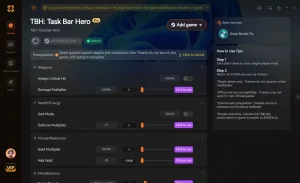
Infinite Health
Never die while minimized; perfect for overnight background farming.
Max Unlock Tokens
Instantly grant yourself enough tokens to unlock all character classes.
10x Game Speed
Accelerate idle combat to clear zones and earn XP ten times faster.
Infinite XP
Max out your character level instantly to test endgame builds.
Why Choose XMODHUB for TBH: Task Bar Hero
XMODHUB ↗ is the trusted choice for TBH: Task Bar Hero players who want to skip the early grind and experiment with advanced classes immediately. It offers a malware-free experience with automatic updates that sync perfectly with Nugem Studio’s latest game patches. With an easy-to-use interface requiring no programming knowledge, you can safely enhance your single-player background progression.
Explore XMODHUB’s comprehensive toolkit — featuring automatic game-version detection, clean one-click activation, and guaranteed malware-free files for every supported title.
Player Stats
Progression
Game Speed
Frequently Asked Questions
Ready to enhance your gameplay?

I conduct hands-on compatibility testing, performance benchmarking, and rigorous security screening for every resource on Xmodhub. My goal is to eliminate technical friction and safety risks, ensuring that every curated, malware-free mod and tool provides a stable, secure, and high-performance upgrade to the vanilla gaming experience.


 Catherine Hu