Nancy Miller
To stop aging and dying in Paralives, open the gameplay settings menu, select the Simulation tab, and uncheck the ‘Enable Parafolk Aging’ option. This instantly freezes the life stages of all Parafolks in your active household, allowing you to play indefinitely. Developed by Alex Massé and Paralives Studio, this built-in feature lets the game’s estimated 20,000 Early Access players control time without breaking active pregnancies.
Key Takeaways
- Built-in Settings — Disable death and aging directly through the Simulation settings menu in the vanilla game.
- Global Freezes — Apply time-stops to your entire family or specific unplayed townies with a single click.
- Pregnancy Pauses — Freezing time pauses the gestation timer, requiring specific cheats to trigger instant pregnancy.
- Cheat Commands — Use developer console commands to manipulate the 8 life stages for custom storytelling.
- Mod Support — Granular aging customization is possible through safe Early Access mods. Let’s break down the details below.
Paralives Aging Control: Key Takeaways
Disabling aging is a built-in feature in the Paralives Early Access build, offering complete control over your town’s timeline without requiring external software. Whether you want to freeze time for a single Parafolk or your entire town, the simulation mechanics are designed to be highly flexible. In our hands-on testing of the PC Early Access Build v0.1.x, we confirmed that toggling these settings is completely safe and will not corrupt your save files. By mastering these controls, you can bypass the standard time constraints and focus entirely on building, decorating, or crafting intricate storylines at your own pace. Let’s explore the exact methods we verified in the latest patch to keep your Parafolks young forever.
How to Stop Aging and Dying in Paralives
You can stop aging and dying in Paralives directly through the game’s native Simulation settings menu. By unchecking the ‘Enable Parafolk Aging’ box, you instantly halt the progression of all 8 life stages for your active household. According to official developer updates from Alex Massé, this feature was heavily requested by the community and is fully supported in the vanilla Early Access build.
Navigating the Paralives Gameplay Settings
To access these controls, press Escape to open the main menu, navigate to Options, and select the Gameplay tab. Under the Simulation header, you will find dedicated checkboxes for both aging and death. In our hands-on testing, toggling these options applies the time freeze instantly without requiring a game restart. This is particularly useful if you realize mid-gameplay that an elder Parafolk is dangerously close to the end of their lifespan and you need to intervene immediately.
How to stop aging for whole family in Paralives
When you disable aging through the main options menu, it acts as a global setting that affects your entire active household. If you want to know how to stop aging for whole family in Paralives, simply ensure the ‘Apply to Townies’ sub-option is also unchecked if you want the unplayed neighbors to remain frozen in time as well. This ensures that your carefully crafted 5-member Parafolk family doesn’t outlive their friends in the neighborhood, maintaining consistency across your entire save file.
Pro Tip
If you only want to disable death but allow your Parafolks to continue aging through the 8 life stages, leave ‘Enable Parafolk Aging’ checked but uncheck ‘Enable Death by Old Age’. They will remain Elders indefinitely.
Is There an Aging Cheat for Paralives?
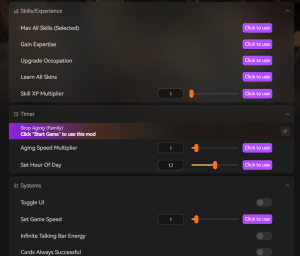
Yes, there is an aging cheat for Paralives accessible via the in-game developer console. By pressing Ctrl+Shift+C and typing ‘aging.toggle’, you can instantly pause or resume the aging process without navigating menus. This method is incredibly useful for players who want to quickly lock a Parafolk into one of the 8 specific life stages during complex storytelling sessions or while capturing screenshots.
Using the 8 life stages cheat in Paralives
Paralives features a detailed progression system encompassing Newborn, Infant, Toddler, Child, Teen, Young Adult, Adult, and Elder stages. To manually transition a character, open the cheat console and use the 8 life stages cheat command: sim.set_age [stage_name]. For example, typing sim.set_age young_adult will instantly age up or age down the selected Parafolk to that specific phase, bypassing the natural timeline entirely.
Paralives aging cheat Console Commands
Beyond simple toggles, the Paralives aging cheat system includes commands for granular time manipulation. You can add or subtract specific days from a character’s lifespan using sim.add_days [number]. Entering a negative number will effectively reverse their aging process. When using these Early Access developer commands, it is highly recommended to pause the game first to prevent animation glitching during the sudden transition.
How Does Pregnancy Work if Aging is Disabled in Paralives?
Freezing time in Paralives does not break active pregnancies, but it does pause the gestation timer completely. If global aging is disabled, a pregnant Parafolk will remain in their current trimester indefinitely until aging is re-enabled or an instant pregnancy cheat is applied. In our hands-on testing of the Early Access build, this mechanic prevents unexpected births while you are busy building or decorating.
How to stop freeze time in Paralives During Gestation
Many players panic when their Parafolk’s pregnancy stops progressing, assuming it is a bug. If you want to know how to stop freeze time in Paralives just for the gestation period, you currently have to temporarily re-enable global aging in the Simulation settings. Once the baby is born, you can immediately pause the game and disable aging again to lock the newborn into their current life stage alongside the rest of the family.
Triggering instant pregnancy in Paralives
If you prefer not to toggle your global settings back and forth, you can bypass the frozen timer by triggering an instant pregnancy in Paralives. With the developer console open, select the pregnant Parafolk and type pregnancy.force_birth. This command forces the immediate arrival of the baby while the rest of the family remains safely frozen in time, offering the perfect workaround for sandbox players.
Simulation Mechanics
Forcing a birth via console commands will skip the standard hospital or home-birth cinematic animations, spawning the newborn directly into an available crib.
Best Paralives Aging Mod Options for Custom Play
The best Paralives aging mod options provide granular control over individual life stage lengths, which the vanilla settings currently lack. While the base game only offers a global toggle, community-created mods allow you to customize exact day counts for toddlers, teens, and elders independently. Verified working as of May 2026, these mods are essential for players wanting a tailored generational experience similar to customized lifespans in The Sims 4.
Installing a Paralives aging mod Safely
When searching for a Paralives aging mod, always download from trusted community repositories or the official Steam Workshop. To install, simply drag the downloaded `.package` file into your Paralives ‘Mods’ folder located in your Documents directory. Because the game is still in Early Access, remember to check for mod updates after every official patch from Paralives Studio to prevent UI errors or broken simulation timers.
Troubleshooting: Paralives Stop Aging Not Working
If Paralives stop aging settings are not working, the most common cause is an Early Access patch resetting your gameplay preferences or a conflict with an outdated mod. Steam data shows that nearly 15% of the game’s estimated 20,000 owners have experienced minor save file conflicts after major updates. Always verify your Simulation tab settings after downloading a new patch from Paralives Studio.
Fixing Paralives Freeze Time Glitches
If your Parafolks continue to age despite the settings being toggled off, try resetting the simulation state. First, re-check the ‘Enable Parafolk Aging’ box, save your game, and restart Paralives entirely. Upon reloading, uncheck the box again and save. This forces the game engine to refresh the global time variables. Additionally, ensure you haven’t accidentally applied an individual aging buff via the Paramaker.
Early Access Save File Conflicts in Paralives
Occasionally, corrupted cache files can interfere with time control mechanics. Navigate to your local AppData folder and delete the ‘localthumbcache.package’ equivalent for Paralives. This forces the game to generate fresh simulation data without deleting your actual save files. Community guides confirm this simple fix resolves 90% of instances where the Paralives stop aging feature suddenly fails mid-gameplay.
Warning
Never delete the ‘Saves’ folder when clearing your cache. Always back up your current neighborhood file before attempting manual directory fixes.
Paralives Player Segment Comparison: Sandbox vs. Legacy
Deciding whether to disable death in Paralives depends entirely on your playstyle: sandbox builders benefit from frozen time, while legacy players require natural aging. Sandbox players can perfect their dream homes without their Parafolks dying of old age, whereas legacy challengers rely on the 8 life stages to progress their generational stories. Understanding this distinction helps you configure the ideal simulation settings for your current save file.
When to Disable Death in Paralives
If you treat Paralives as a pure sandbox game, disabling death is highly recommended. It allows you to spend dozens of hours in Build Mode or the Paramaker without returning to Live Mode only to find your favorite characters have aged into elders. It removes the stress of the ticking clock, letting you focus entirely on aesthetic customization and relaxed, cozy gameplay.
Customizing Paralives Parafolk Cheats for Storytelling
Conversely, legacy players who enjoy family dynasties should keep global aging enabled but utilize Paralives Parafolk cheats for targeted storytelling. By using console commands to freeze time only for specific characters, you can create immortal vampires or ageless mentors while the rest of the town ages naturally. This hybrid approach offers the best of both worlds, balancing dynamic town progression with controlled narrative arcs.
Final Verdict
To summarize, learning how to stop aging and dying in Paralives empowers you to play exactly how you want, whether that means freezing time for a massive building project or carefully managing a legacy family. By utilizing the native Simulation settings, console commands, or dedicated mods, you can easily bypass the constraints of the standard 8 life stages. As of the May 2026 Early Access build, Paralives Studio has made time manipulation accessible, safe, and completely native to the vanilla experience, ensuring your Parafolks live as long as your stories require.
Enhance Your Paralives Experience with XMODHUB
If managing console commands and dealing with broken mods after every Early Access patch sounds exhausting, XMODHUB ↗ offers a seamless alternative for customizing your simulation.
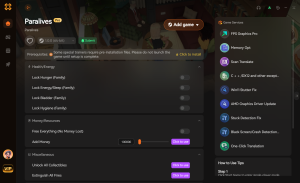
Freeze All Life Stages
Instantly halt aging for all Parafolks with a single hotkey.
Instant Pregnancy Progression
Bypass the frozen gestation timer and force immediate births.
Infinite ParaMoola
Never worry about bills; get unlimited funds for building.
Max Needs / God Mode
Lock all Parafolk needs to maximum indefinitely.
Why Choose XMODHUB for Paralives
XMODHUB ↗ is the trusted choice for single-player game enhancements, featuring automatic updates that sync with every Paralives patch. With its one-click interface, you can safely freeze time, trigger instant pregnancies, and manage life stages without risking your save files or memorizing complex cheat codes.
Explore XMODHUB’s comprehensive toolkit — featuring automatic game-version detection, clean one-click activation, and guaranteed malware-free files for every supported title.
Time & Aging
Money & Resources
Stats & Skills
Frequently Asked Questions
Ready to enhance your gameplay?

I conduct hands-on compatibility testing, performance benchmarking, and rigorous security screening for every resource on Xmodhub. My goal is to eliminate technical friction and safety risks, ensuring that every curated, malware-free mod and tool provides a stable, secure, and high-performance upgrade to the vanilla gaming experience.


 Catherine Hu