
 Catherine Hu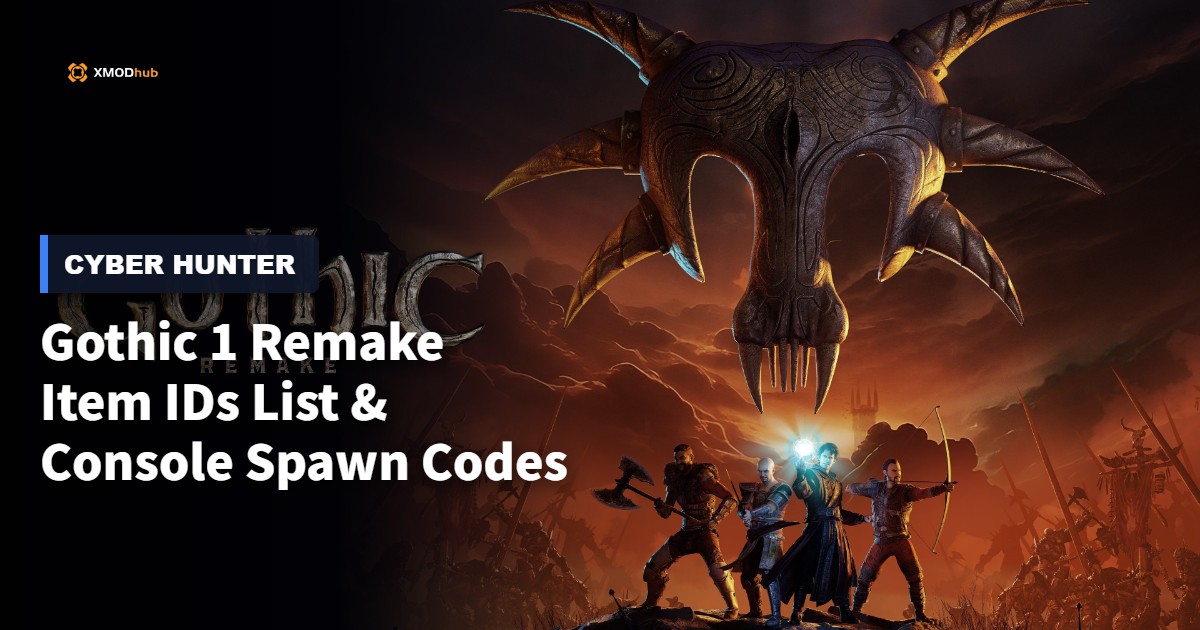
Want to test out the endgame legendary sword UriZiel early? Are you tired of grinding in the mines for Ore Nuggets, or perhaps you accidentally sold a critical focus stone and now your playthrough is completely soft-locked?
Using developer console commands to spawn items is a beloved staple of PC gaming freedom. However, because Gothic 1 Remake is built on Unreal Engine 5, spawning items is no longer as simple as typing insert itmi_nugget like in the original 2001 release. Below is the most comprehensive, categorized, and up-to-date list of UE5 Blueprint Item IDs, spawn codes, and perk IDs for Gothic 1 Remake, verified for the latest patch.
Quick Reference: Top 10 Most Wanted Gothic 1 Remake IDs
If you don’t want to scroll through thousands of rows of engine data, here are the exact Unreal Engine blueprint spawn paths for the most essential and frequently searched items in the Mining Colony (including Ore Nuggets, Max Health potions, and top-tier weapons).
Command Format: Summon [Blueprint Path]
| Item Name | Blueprint Item ID (Spawn Code) |
|---|---|
| Ore Nuggets (Currency) | /Game/Blueprints/Items/Loot/BP_OreNugget.BP_OreNugget_C |
| UriZiel (Legendary Sword) | /Game/Blueprints/Weapons/2H/BP_UriZiel.BP_UriZiel_C |
| Scar’s Sword | /Game/Blueprints/Weapons/1H/BP_ScarsSword.BP_ScarsSword_C |
| Heavy Ore Armor | /Game/Blueprints/Armor/Heavy/BP_HeavyOreArmor.BP_HeavyOreArmor_C |
| Major Healing Potion | /Game/Blueprints/Items/Consumables/BP_HealthPotion_Major.BP_HealthPotion_Major_C |
| Lockpick | /Game/Blueprints/Items/Tools/BP_Lockpick.BP_Lockpick_C |
| Focus Stone (Quest Item) | /Game/Blueprints/Items/Quest/BP_FocusStone.BP_FocusStone_C |
| Minecrawler Mandible | /Game/Blueprints/Items/Trophies/BP_MinecrawlerMandible.BP_MinecrawlerMandible_C |
| Heavy Crossbow | /Game/Blueprints/Weapons/Ranged/BP_HeavyCrossbow.BP_HeavyCrossbow_C |
| Scroll: Rain of Fire | /Game/Blueprints/Magic/Scrolls/BP_Scroll_RainOfFire.BP_Scroll_RainOfFire_C |
How to Enable the Console & Use Spawn Commands
Before you can use the ID codes listed below, you must understand the correct syntax for the developer console in Gothic 1 Remake. Because it runs on UE5, the classic “Marvin Mode” is locked behind modern engine protections.
Summon [Blueprint Path]Summon /Game/Blueprints/Items/Loot/BP_OreNugget.BP_OreNugget_C and press Enter.Expert Warning
“Typing a simple code like insert gold was fine in 2001. But in modern UE5 games, manually typing case-sensitive hex codes and blueprint paths becomes incredibly repetitive. One wrong character results in an ‘Unrecognized Command’ error or, worse, a game crash if you spawn a broken physics object. While the lists below are meticulously verified, I personally switched to a visual UI injector months ago. Seeing the weapon icon and just clicking ‘Add to Inventory’ is how modern PC modding should feel.”
The Easy Way: XMODhub Visual Spawner (No Typing Required)
Stop Alt-Tabbing to check massive spreadsheets. Typing long, case-sensitive ID codes breaks your immersion and wastes time while you are trying to survive the Valley of Mines.
The XMODhub PC Client includes a dedicated “Visual Item Spawner” feature specifically built for Gothic 1 Remake.
Weapon IDs List (Melee & Ranged)
Use these codes to instantly equip yourself with the best arsenal the colony has to offer.
Command Format: Summon [Blueprint Path]
| Weapon Name | Blueprint Item ID |
|---|---|
| Rusty Sword | /Game/Blueprints/Weapons/1H/BP_RustySword.BP_RustySword_C |
| Innos’ Rage | /Game/Blueprints/Weapons/1H/BP_InnosRage.BP_InnosRage_C |
| Orc Axe | /Game/Blueprints/Weapons/2H/BP_OrcAxe.BP_OrcAxe_C |
| Long Bow | /Game/Blueprints/Weapons/Ranged/BP_LongBow.BP_LongBow_C |
Armor & Clothing IDs List
Survive the swamp and the orc lands with top-tier protection.
Command Format: Summon [Blueprint Path]
| Armor Name | Blueprint Item ID |
|---|---|
| Digger’s Trousers | /Game/Blueprints/Armor/Light/BP_DiggerTrousers.BP_DiggerTrousers_C |
| Guard’s Armor | /Game/Blueprints/Armor/Medium/BP_GuardArmor.BP_GuardArmor_C |
| High Magician’s Robe | /Game/Blueprints/Armor/Magic/BP_HighMageRobe.BP_HighMageRobe_C |
Ammo & Consumables IDs List
Never run out of supplies during a Shadowbeast fight again. Note: The UE5 Summon command drops one instance. To get stacks quickly, a Visual Spawner is highly recommended.
Command Format: Summon [Blueprint Path]
| Consumable Name | Blueprint Item ID |
|---|---|
| Arrow (Bundle) | /Game/Blueprints/Ammo/BP_ArrowBundle.BP_ArrowBundle_C |
| Crossbow Bolt (Bundle) | /Game/Blueprints/Ammo/BP_BoltBundle.BP_BoltBundle_C |
| Scavenger Meat (Raw) | /Game/Blueprints/Items/Food/BP_ScavengerMeat.BP_ScavengerMeat_C |
| Swampweed | /Game/Blueprints/Items/Consumables/BP_Swampweed.BP_Swampweed_C |
Skills, Perks & Traits IDs
You don’t just have to spawn physical items. You can use the console to instantly learn skills, unlock magic circles, or add permanent character traits.
Command Format: AddPerk [Perk ID]
| Skill / Perk Name | Console Command Code |
|---|---|
| Acrobatics | AddPerk Perk_Acrobatics |
| Master Swordsman (1H) | AddPerk Perk_1H_Master |
| Master Lockpicking | AddPerk Perk_Lockpick_Master |
| Magic Circle 6 | AddPerk Perk_MagicCircle_6 |
Troubleshooting: Why Are My Commands Failing?
If you are typing the IDs correctly but the game is throwing errors, check these common issues:
Frequently Asked Questions (FAQ)
A: Yes. Because Gothic 1 Remake utilizes Unreal Engine 5, the directory paths are strictly case-sensitive. Typing /game/blueprints instead of /Game/Blueprints will result in a failed spawn.
A: No. The underlying architecture required to inject a console unlocker is strictly limited to the PC platform. Console players do not have the system access required to modify the engine state.
A: There are no account bans or official developer penalties for modifying a purely single-player RPG environment. The only real consequences are the potential for corrupted save data and disabled achievements, both of which can be easily avoided by using a professional trainer like XMODhub.
A: Most toggle-based developer commands, such as God or Ghost, can be safely deactivated by opening the console and typing the exact same word a second time.
A: Finding dynamic load-order Blueprint paths manually requires unpacking .pak files, which is extremely difficult. We highly recommend using the XMODhub Item Browser, which automatically scans your active mods, detects the custom items, and lets you spawn them with a single click without knowing the hidden ID string.
Conclusion: The Ultimate Sandbox Experience
Having access to the complete Gothic 1 Remake Item IDs list is the fastest way to experiment with different magic builds, test weapon damages on Orcs, or simply recover from a frustrating quest bug. Bookmark this page so you can quickly reference the codes whenever you need a resupply in the colony.
However, if you want a significantly smoother, crash-free experience where you don’t need to memorize strings of code like BP_MinecrawlerMandible_C, the XMODhub Visual Spawner is the superior modern choice. Browse items visually. Spawn them instantly. Keep your Steam achievements active.
 XMODhub is your ultimate all-in-one toolkit for PC single-player gaming. Whether you are tweaking stats under the barrier in Gothic 1 Remake, managing your dream neighborhood economy grinds in Paralives, or trying to survive the dark in Shift At Midnight, the exact same app has you covered.

I am a passionate gamer and writer at XMODhub, dedicated to bringing you the latest gaming news, tips, and insights.
Connect with me:
LinkedIn Profile ↗


 Nancy Miller