Can’t download XMODhub installer, how to fix it?

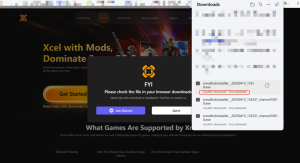
When you are trying to download XMODhub, if you encounter download failures caused by McAfee scanning detection , such as Couldn’t download and Virus detected, you can refer to the following program to solve the problem:
xmod

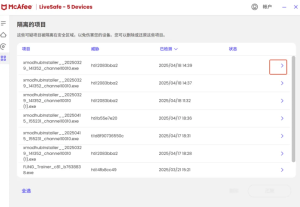
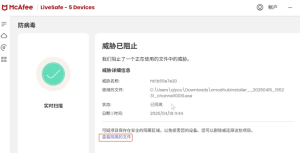
1. When McAfee pops up the message “We just stopped a threat ….”, you can download the XMODHub from McAfee. Click the “View Details” button.

xmod

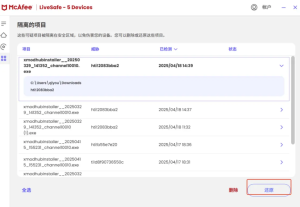
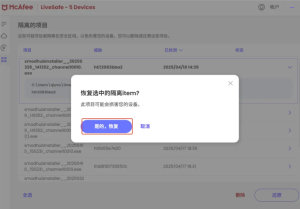
2. In the View Quarantine item, find the installation package that just failed to download. Click the “>” button on the right, and click “Restore”, select “Yes, Restore”.
Restore

Restore

Restore

Restore

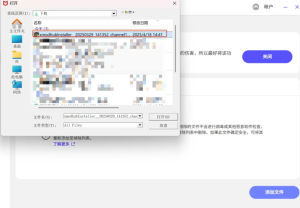
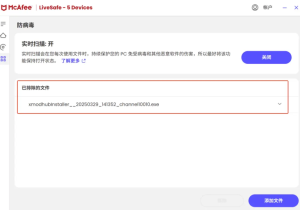
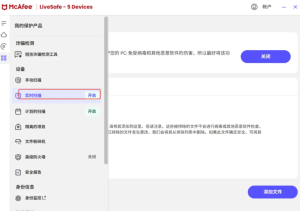
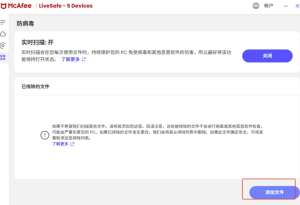
3. Find “Real-time Scan” on the left side, and click “Add Files” to find the file that just failed to download, and add it successfully.
Add Files

Add Files

Add Files

Add Files

4, and then try to install XMODhub, you can successfully install and open it.

If you need help, join the discord for help and solutions.

  • Wren Niu

    I'm an avid gamer and content creator at X-Hub Play, where I focus on delivering fresh gaming updates, practical tips, and deep insights into the world of mods and interactive entertainment.

    Related Posts

    DYNASTY WARRIORS: ORIGINS Nameless Character Model Swap tutorial

    Took some digging to find out how to do this because forums rarely give direct instructions. This Cheat Engine table allows you to switch Nameless’ default character model with any character models within…

    《Escape from Duckov》Boss Real time Map Marking Mod Usage Tutorial

    Mod Description: Mark the BOSS’s location on the map in real time for easy finding and defeating the BOSS. Mod Usage: A mod option has been added, which is in the config.ini file…

    Leave a Reply

    Your email address will not be published. Required fields are marked *

    Primary Color

    Secondary Color

    Layout Mode