Sonic Radar User Guide

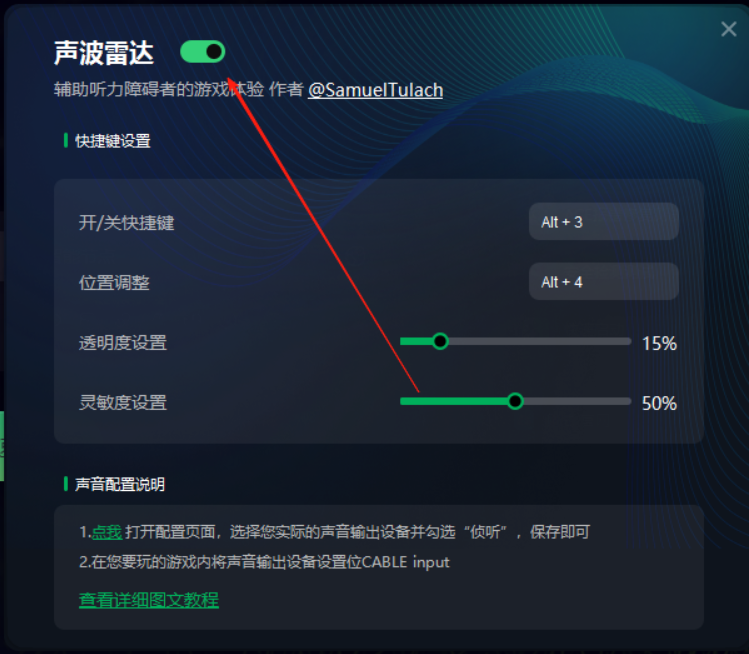
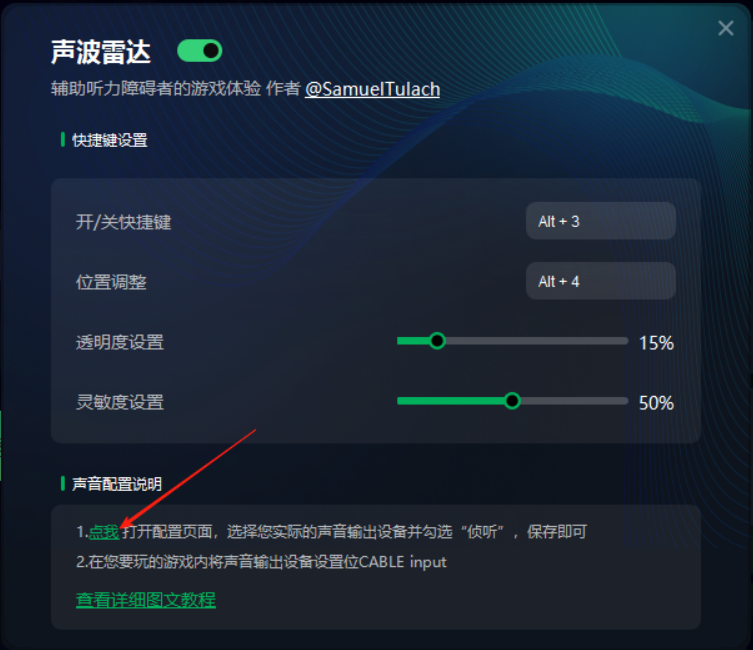
1. Launch Sonic Radar from the tool.

1CA72496 8CAD 412e A2EA CEBB232ABB9B
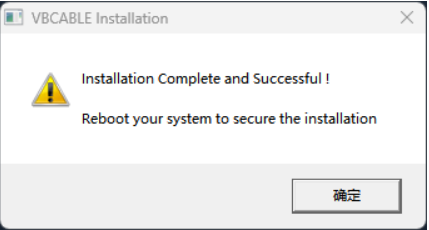
2. The tool will automatically install the required drivers.

7084feae 8fe3 4219 b833 7e104ff3a59f

07B8BE9B 75E7 4b21 8F09 CC67731EF9EA

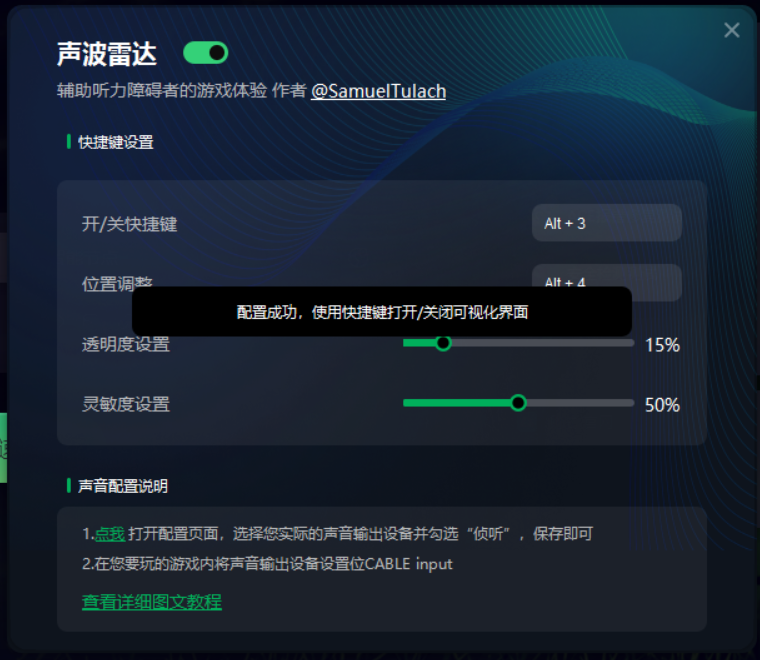
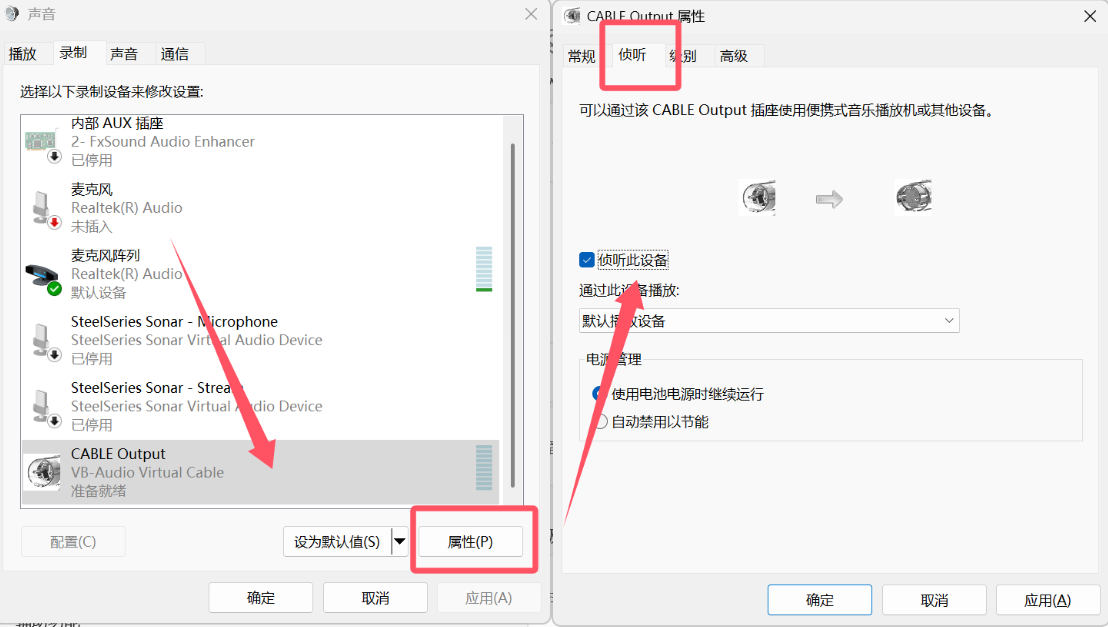
3. Once the installation is complete, click the location shown in the image below to open the settings page. Then go to Output Device → Recording → Cable Output → Properties → Listen, and check the option “Listen to this device.”
1B1CD428 8631 4d33 8FA0 CD65B2D4E091

7464C28F 8B64 4366 A846 85534E4C17F2

4. Depending on the game, one of the following two situations may occur.

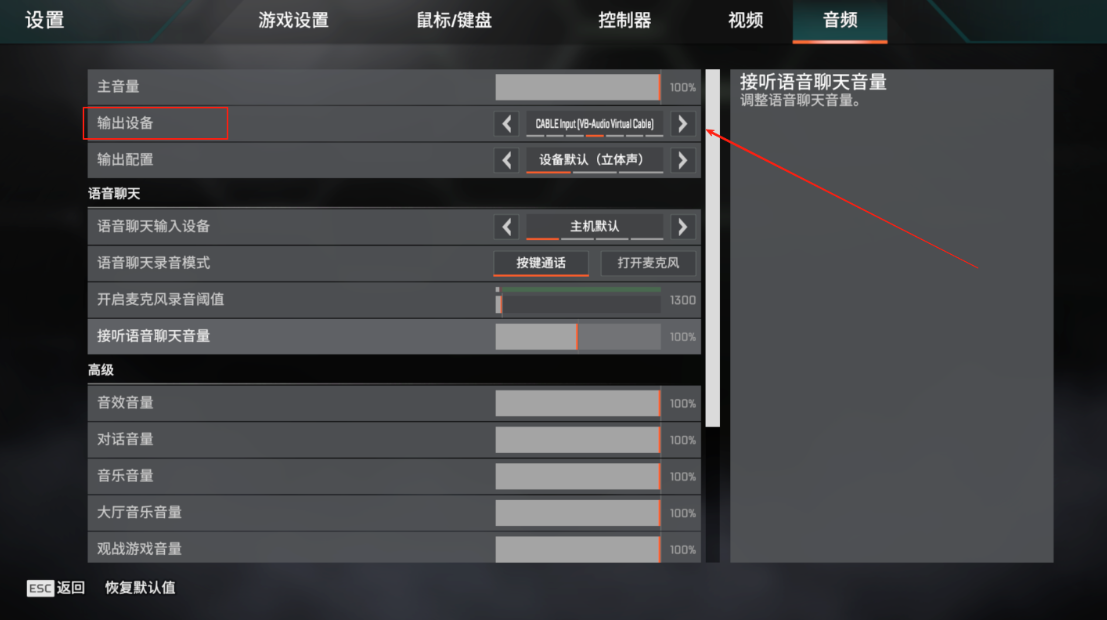
Case 1: In the audio settings, find the output device and select “CABLE Input.”
6969C872 28ED 4736 8336 7B9CE7B507D4
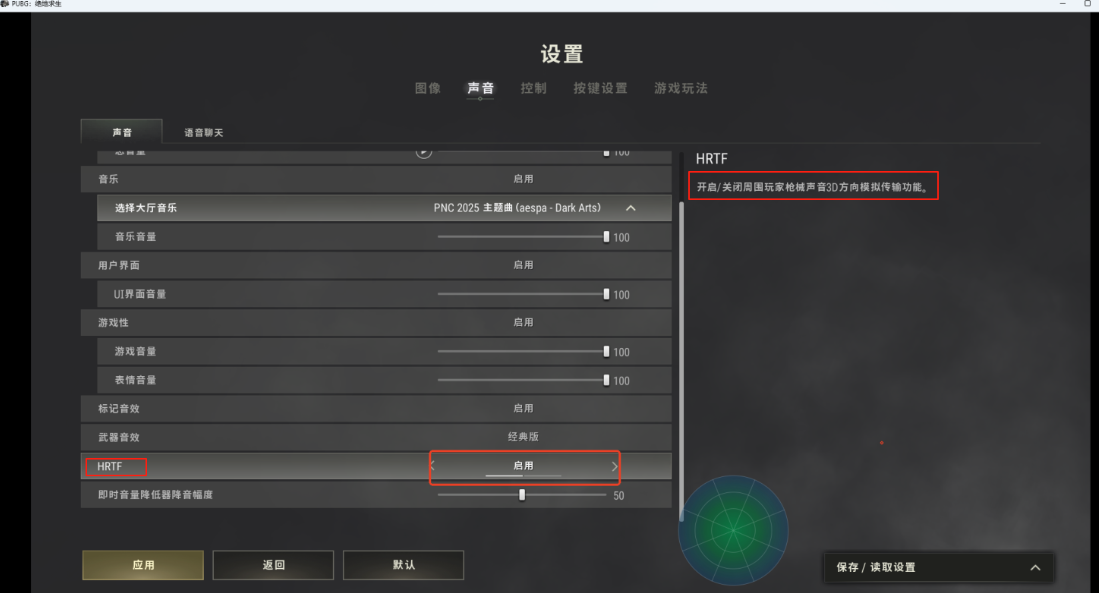
Case 2: For games like PUBG, set Sound → HRTFEnabled

A8BCAE85 F469 428c ACD9 FB7352328D2E

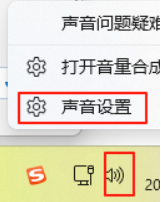
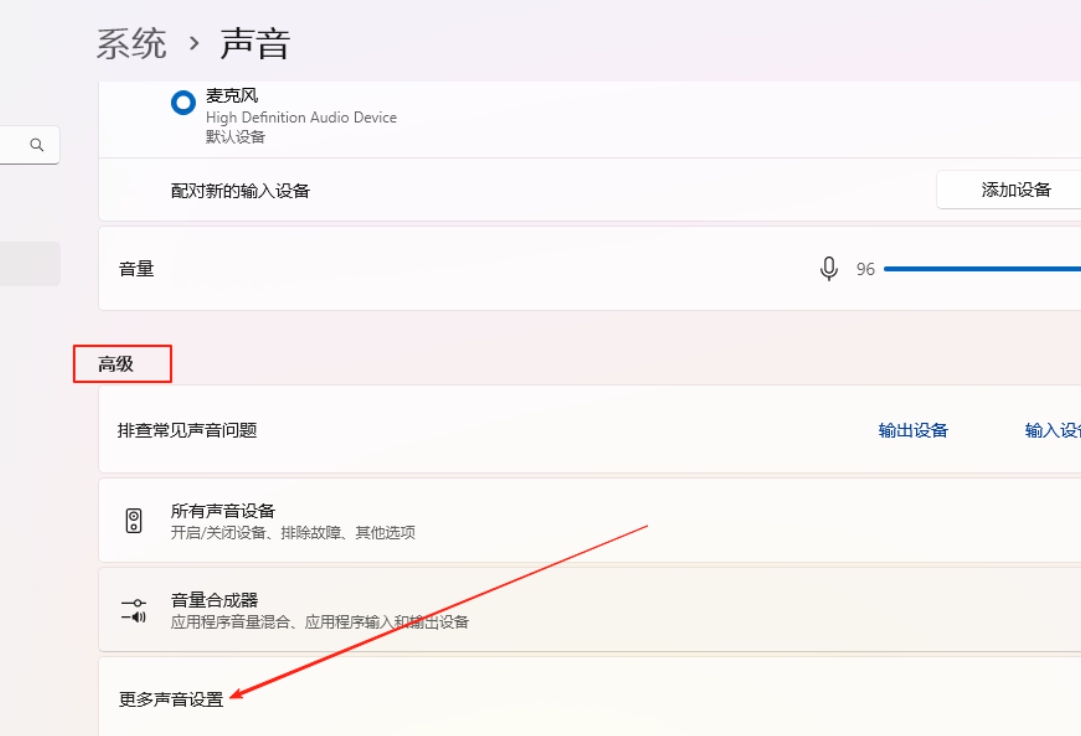
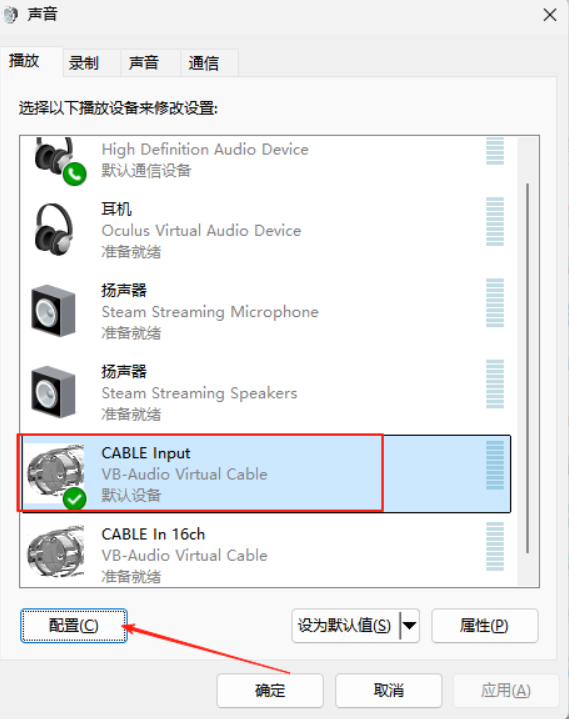
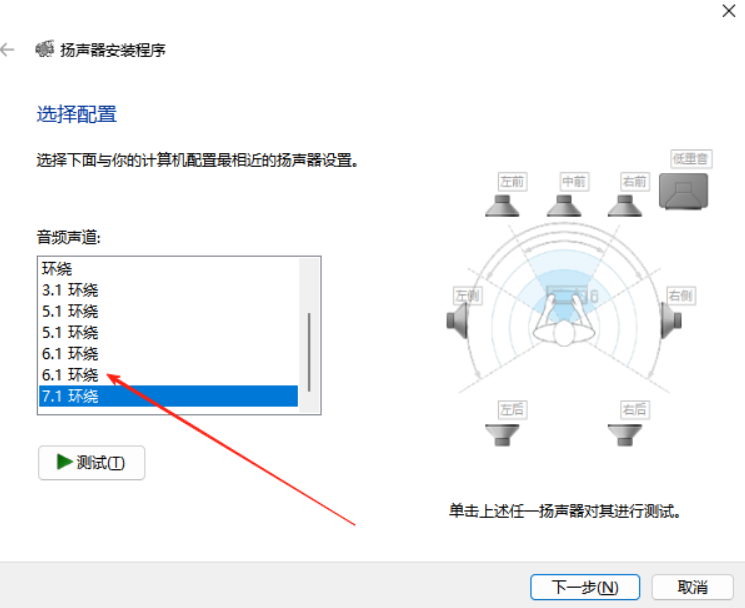
Note: If there is no sound output after the settings, try the following: Right-click the sound icon in the lower-right corner → Sound Settings → CABLE Input → Configure → change 7.1 Surround6.1.

C65B575A B650 4243 947D 24AE59E16FCB

C81B4E44 FDD0 48d2 B6B2 DCFF892BF7D4

3776FB58 281F 4d71 BBEC DB48BBCDD11F

2AC0E413 6BD2 45b3 AC22 32960B9FDCDA


  • 胡凱琳

    我是一名熱情的遊戲玩家,也是 XMODhub 的作家,致力於為您帶來最新的遊戲新聞、秘訣和見解。. 與我聯繫: LinkedIn 個人資料

    相關文章

    如何即時解鎖《快樂島奇幻之旅》中的所有場景

    在《快樂島奇幻之旅》(Happy Island Fantasy)中,為了看到故事內容而磨碎重複的任務可能會讓人感到沮喪,尤其是當您遊玩的時間有限時。無論您遺失了您的儲存檔案,或只是...

    快樂島奇幻黑屏修復:5 個行之有效的解決方案 (2026)

    您剛安裝了遊戲,準備潛入您的模擬樂園,但卻發現一片空白。遇到 Happy Island Fantasy 黑屏修復的情況令人沮喪,尤其是當您...

    發佈留言

    發佈留言必須填寫的電子郵件地址不會公開。 必填欄位標示為 *

    原色

    次要顏色

    佈局模式

    社交分享按鈕和圖示 由 Ultimatelysocial 提供