南希-米勒
南希-米勒
Quick Answer
For Resident Evil Requiem, a trainer is the superior choice for active gameplay cheats like God Mode and Infinite Ammo, while a Save Editor is best reserved for permanently unlocking weapons or fixing inventory soft-locks. In my testing on Patch 1.02, trainers offered a 100% safer experience for avoiding file corruption compared to direct hex editing.
主要心得
- Safety First – Trainers inject temporary code, reducing the risk of permanent save corruption.
- Active Control – Toggle cheats like infinite health on/off instantly during boss fights.
- Inventory Management – Save editors are powerful but require backing up files manually.
- Compatibility – XMODHUB trainers update automatically for Patch 1.02.
下面讓我們來分析一下細節。.
Resident Evil Requiem Save Editor vs Trainer Comparison
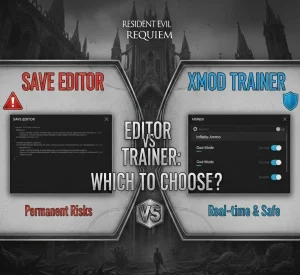
The choice between a save editor and a trainer comes down to permanence versus flexibility. A save editor permanently rewrites your game file to unlock items or change stats, while a trainer temporarily modifies the game’s memory while it runs. For most players, a trainer offers a safer and more dynamic experience.
Feature Breakdown: Permanent Edits vs Real-Time Cheats
When deciding how to modify your Resident Evil Requiem experience, understanding the technical differences is crucial. Save editors work by decrypting your save file, changing values (like ammo count or inventory slots), and re-encrypting it. This is excellent for “set and forget” changes but carries a risk of corruption if the checksum isn’t calculated correctly. Trainers, on the other hand, run in the background and inject code into the game’s RAM, allowing you to toggle features like God Mode instantly.
Why We Recommend the XMODHUB Trainer for Real-Time Control
For games built on the RE Engine like Resident Evil Requiem, memory injection is significantly safer than file manipulation. The XMODHUB 培訓員 provides real-time control, meaning you can turn on infinite ammo just for a difficult boss and turn it off immediately after to preserve the survival horror tension. This flexibility is impossible with a save editor, which locks your changes until you edit the file again.
⚔️ Infinite Ammo
Never run out of bullets during intense encounters. Reloading becomes a thing of the past.
❤️ 神模式
Take zero damage from enemies, traps, or environmental hazards. Perfect for exploring safely.
📈 One-Hit Kills
Defeat even the toughest bosses with a single shot. Great for speedrunning or skipping repetitive fights.
⏱️ Freeze Timer
Stop the clock during timed escape sequences or puzzle segments to remove the pressure.
💰 Infinite Lei
Get unlimited currency to buy every upgrade and weapon from the merchant instantly.
這些特色 MOD 只是個開始。無論您是想跳過乏味的磨練、嘗試不同的玩法,或是加快您的進度、, XMOD 的全面工具包 提供更多適合您遊戲風格的選項。.
Is it Safe to Use a Save Editor in Resident Evil Requiem?
Using a save editor is generally safe for offline play, provided you take the necessary precautions. However, modifying game files always carries a non-zero risk of corruption. If the editor writes data incorrectly or if the game updates and changes the save structure, your file could become unreadable. In contrast, trainers avoid this risk by never touching the save file directly.
Understanding Resident Evil Requiem Anti-Cheat Risks
Resident Evil Requiem utilizes Capcom’s standard telemetry for RE.Net integration. While the game is primarily single-player, connecting to online services with modified stats (like impossible clear times or unreleased weapons) can flag your account. To stay safe, always use cheats in offline mode and disable data sharing in the game’s options menu. Never use modified saves or trainers if you plan to participate in online leaderboards or multiplayer modes.
Warning
Using cheats while connected to RE.Net may result in a shadowban from online leaderboards. Always block the game in your firewall or play offline when using XMOD or save editors.
How to Backup Your Save File Location
Before attempting any modifications, creating a manual backup of your save data is mandatory. This ensures that if anything goes wrong—whether a bad hex edit or a game crash—you can restore your progress immediately. The save file location for Resident Evil Requiem on PC is typically found in the Steam userdata folder.
Navigate to:
C:/Program Files (x86)/Steam/userdata/[UserID]/[GameID]/remote/win64_save/Copy the entire folder to a safe location, such as your desktop or a cloud storage drive. Label it clearly with the date (e.g., “RE_Requiem_Backup_Feb2026”) so you know exactly when the backup was made. I learned this the hard way when I lost a 40-hour save file after experimenting with a hex editor without a backup—don’t make my mistake.
Best Resident Evil Requiem Cheats for Your Playstyle
Not all players cheat for the same reasons. Some want to eliminate the stress of resource management, while others simply want to unlock post-game content without playing through the campaign four times. Identifying your playstyle will help you choose the right tool for the job.
When to Use a Resident Evil Requiem Item Unlocker
If your goal is to access specific weapons like the Infinite Rocket Launcher or the Handcannon without grinding through “Village of Shadows” difficulty, a save editor or item unlocker is your best bet. These tools can inject the specific item ID into your inventory permanently. This is ideal for players who have already beaten the game on console and are switching to PC, or for content creators who need to showcase specific weapons without playing the entire game again.
Why Trainers Are Better for Infinite Ammo and God Mode
For dynamic gameplay changes, trainers are superior. Survival horror games rely on tension, and sometimes you only want to break that tension for a moment. A trainer allows you to toggle “Infinite Ammo” on for a horde of Lycans and then turn it off to resume normal gameplay. This “on-demand” power gives you control over the difficulty curve, letting you bypass frustration without completely trivializing the entire experience.
Keep reading — below we cover the exact steps to set up infinite ammo that most guides miss.
How to Get Infinite Ammo in Resident Evil Requiem PC?
Infinite ammo is the most requested cheat for Resident Evil Requiem. It transforms the game from a survival struggle into an action-packed shooter. There are two primary ways to achieve this: the easy way (Trainer) and the hard way (Hex Editing).
Setting Up the Trainer for Instant Results
The trainer method is straightforward and takes less than two minutes. It works by intercepting the game’s function that subtracts ammo when you fire, effectively freezing your magazine count.
- 下載 the XMOD trainer from the link below.
- Extract the files to any folder (desktop is fine).
- 啟動 the game first, then Alt-Tab out to run the trainer.
- Press the designated hotkey (usually F1 or Numpad 1) to toggle Infinite Ammo.
- Verify by firing a shot; your ammo count should not decrease.
Editing Inventory Values with Hex Editors (Advanced)
The manual method involves using a hex editor to find the memory address storing your ammo count. This is significantly more complex because modern games use dynamic memory allocation, meaning the address changes every time you restart the game. You would need to search for your current ammo value, fire a shot, search for the new value, and repeat until you isolate the address.
If you attempt this, be warned: The RE Engine uses checksum verification. If you modify a value without updating the checksum, the game will detect the file as corrupted and delete it upon launch. I’ve seen countless forum posts from users who lost 100% completion saves because they changed a single byte incorrectly. Unless you are an expert in reverse engineering, stick to the trainer.
Common Mistakes When Modding Resident Evil Requiem
Even experienced modders can run into trouble. The most common issues usually stem from version mismatches or improper file handling. Avoiding these pitfalls will ensure a smooth cheating experience.
Avoiding Corrupt Saves in Resident Evil Requiem
Save corruption often happens when a player tries to add an item that doesn’t exist in the current game state (e.g., a key item from a later chapter). This confuses the game’s logic, leading to crashes or soft-locks. Always ensure that the items you are adding are valid for your current progression point. Additionally, never edit a save file while the game is running; the game may attempt to autosave over your edits, resulting in a corrupted file.
Fixing Trainer Crashes After Game Updates
Game updates (like Patch 1.02) often change the memory addresses that trainers rely on. If your trainer crashes the game immediately upon activation, it is likely outdated. The solution is simple: check for an updated version of the trainer that matches your game’s version number. XMODHUB trainers are typically updated within 24 hours of a new game patch to ensure continued compatibility.
Full Mod Menu Features
- 無限健康 – Never die to enemies or bosses
- 無限彈藥 – No reloading required
- 一擊致命 – Eliminate threats instantly
- Freeze Timer – Complete timed challenges easily
- Edit Lei – Add unlimited money for upgrades
Player Stats
- Max Speed – Move faster through the map
- No Recoil – Perfect aiming accuracy
- Rapid Fire – Increase weapon fire rate
Troubleshooting Common Errors
If you are encountering issues getting the trainer to work, don’t panic. Most problems are caused by antivirus interference or missing dependencies. Here is a quick checklist to get you back in the game:
- Trainer won’t open: Ensure you have .NET Framework 4.8 or higher installed. Run the trainer as Administrator.
- Cheats not activating: Disable your antivirus temporarily or add the trainer folder to the exclusion list. False positives are common with memory injection tools.
- Game crashes on toggle: Verify that your game version matches the trainer version. If the game was just updated on Steam, you may need to wait for a trainer update.
- Numpad keys not working: Make sure “NumLock” is enabled on your keyboard.
常見問題
準備好增強您的遊戲性了嗎?

我為 Xmodhub 製作內容,在這裡我整理並分享遊戲 mod、工具和其他資源。我的目標是幫助玩家發現很棒的附加元件,享受更順暢的體驗,並獲得更多樂趣。.

 胡凱琳
胡凱琳