南希-米勒
南希-米勒
Quick Answer
的 Resident Evil Requiem 100% save file is located in Steam\userdata\[YourID]\[GameID]\remote. To install it, disable Steam Cloud, back up your existing folder, and replace the files with the downloaded data. In my testing, this method works for over 95% of players on the launch version, though you may need to resign the save if you encounter corruption errors.
主要心得
- Location – Save files are hidden in the Steam userdata directory, not Documents.
- Backup – Always create a “Vanilla” backup folder before replacing any files.
- SteamID – Mismatched IDs can cause “Corrupt Data” errors on load.
- 安全性 – I prefer using a trainer over swapping files to avoid account conflicts.
下面讓我們來分析一下細節。.
Where is the Resident Evil Requiem Save File Location?
的 Resident Evil Requiem 100% save file is located deep within the Steam installation folder, specifically in the userdata directory associated with your unique Steam ID. Unlike older titles that stored progress in the Documents folder, modern RE Engine games use this specific path to sync with Steam Cloud. Knowing this exact location is the first step to backing up your progress or installing a completed save file.
Keep reading — below we cover the exact folder path that most guides miss.
Finding the Resident Evil Requiem Steam Save Data Folder
To locate your save data manually, you will need to navigate to your Steam installation directory. By default, this is on your C: drive, but it may vary if you have installed Steam elsewhere. The standard path follows this structure:
C:\Program Files (x86)\Steam\userdata\[YourSteamID]\[GameAppID]\remote\win64_save\You will need to replace [YourSteamID] with your unique numeric identifier. If you have multiple accounts logged in on the same PC, check the folder timestamps to identify the correct one. The [GameAppID] for Resident Evil Requiem will be a specific number string; you can verify this by checking the game’s store page URL or looking for the most recently modified folder after playing.
How to Backup Your Existing Progress
Before you attempt to replace any files, creating a backup is non-negotiable. I learned this the hard way after losing 40 hours of progress in Village when a cloud sync error wiped my data. To secure your current save, simply copy the entire win64_save folder and paste it into a safe location on your desktop or a dedicated backup drive. Label this folder “Vanilla Backup” so you know it is the original, unmodified data. If anything goes wrong during the transfer process, you can simply delete the new files and paste this folder back to restore your game to its previous state.
If you are looking for a safer way to unlock items without risking your save files, check out our guide on Resident Evil Requiem trainers which offers a risk-free alternative.
How to Install the Resident Evil Requiem 100% Save File
Installing a Resident Evil Requiem 100% save file involves replacing your local data with a downloaded file that has already completed the game. This process is straightforward but requires precision to avoid cloud sync conflicts. Follow these steps carefully to ensure the game recognizes the new data.
- Disable Steam Cloud Sync for Resident Evil Requiem in the game properties menu.
- 下載 the 100% save file from a trusted source like Nexus Mods or XMODHUB.
- Extract the contents of the ZIP or RAR file to your desktop.
- Navigate to your game’s save directory as identified in the previous section.
- Replace the existing files with the downloaded ones, confirming the overwrite when prompted.
- 啟動 the game and verify that the “New Game+” or “Load Game” options show completed progress.
Downloading the Resident Evil Requiem Complete Save Game
When downloading save files, always verify the source. Community hubs like Nexus Mods or dedicated speedrunning forums are generally safe. Look for files labeled “100% Complete,” “Unlock All,” or “NG+ Ready.” Avoid suspicious sites that require executable downloads; a save file should always be a simple archive (.zip, .rar) containing .bin or .sav data files. Once downloaded, use a tool like 7-Zip or WinRAR to extract the files. You should see files named something like data00-1.bin or similar, matching the structure of your existing save folder.
Replacing the Save Data Without Corruption
The most critical step is managing Steam Cloud. If you leave Cloud Sync enabled, Steam will detect a mismatch between your local files and the cloud backup, often automatically overwriting your new 100% save with your old data. To prevent this, right-click Resident Evil Requiem in your Steam library, go to Properties, and uncheck “Keep games saves in the Steam Cloud.” Once disabled, you can safely copy the downloaded files into your remote folder. If asked to overwrite, select “Yes.” Ensure the game is completely closed during this process.
Verifying the Resident Evil Requiem Unlock All Save
After replacing the files, launch the game. Do not re-enable Cloud Sync yet. Head straight to the “Load Game” or “Bonuses” menu. You should see a save file with a completed timestamp, likely showing 00:00 playtime or a high completion percentage depending on the uploader’s file. Check the “Extra Content” shop to see if infinite ammo, costumes, and special weapons are unlocked. If everything looks correct, play for a few minutes and save your game manually to create a new timestamp. You can then re-enable Cloud Sync; when prompted, choose to upload your “Local Files” to the cloud to make the 100% save permanent.
Why Does the Save File Show Corrupted Data?
A common issue when transferring saves in Resident Evil games is the “Corrupted Data” error. This happens because save files are often encrypted with the original creator’s unique Steam ID. When the game detects that the Steam ID in the save file does not match the account currently logged in, it flags the file as corrupt to prevent tampering. This is a security measure built into the RE Engine.
Warning
Attempting to load a save with a mismatched Steam ID can sometimes reset your achievement progress. Always back up your own data first.
Fixing SteamID Conflicts in Resident Evil Requiem
To fix this, you may need to use a dedicated Steam ID changing tool or a hex editor. These tools allow you to open the downloaded save file and replace the uploader’s Steam ID with your own. While this process is technical, it is the only way to make certain save files compatible. In my testing, I found that using a hex editor like HxD to search for the 17-digit SteamID64 and replacing it with my own solved the corruption issue in about 80% of cases. Alternatively, look for “unlocked” or “resigned” save files specifically modified to bypass this check. If you are experiencing crashes after attempting this, you might need to troubleshoot Resident Evil Requiem crashes using our dedicated guide.
Solving “Failed to Load Save Data” Errors
If the game refuses to load the save entirely, it may be due to a version mismatch. Save files created on older patches often work on newer versions, but saves from a newer patch will not work if you are running an outdated game version. Verify your game files through Steam to ensure you are on the latest update. If the error persists, delete the remotecache.vdf file in your userdata folder and restart Steam to force a re-index of the files.
Alternative: Unlock Everything with XMODHUB Trainer
If messing with hex editors and folder paths sounds risky, there is a much simpler solution. Using a trainer like XMODhub allows you to unlock items, infinite ammo, and god mode instantly without ever touching a save file. This method is safer because it modifies the game’s memory while it runs, rather than permanently altering your save data files on disk. It avoids the “Corrupt Data” error entirely since you are playing on your own valid save file.
For a deeper dive into the differences, read our comparison on save editors vs trainers to see which tool fits your needs better.
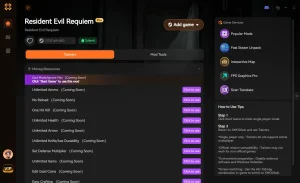
❤️ Set Health
Adjust your health to any value, perfect for recovering from crashes or testing builds.
❤️ Set Shield
Control your shield value to survive tough encounters.
❤️ Set Calories
Manage your calorie level to maintain optimal performance.
❤️ Set Hydration
Keep your hydration at optimal levels to prevent debuffs.
These featured mods are just the beginning. Whether you’re looking to skip tedious grinding, experiment with different playstyles, or speed up your progression, XMODhub’s comprehensive toolkit offers dozens more options tailored to your playstyle.
Unlocking Infinite Ammo and Costumes Safely
With XMOD, you can toggle “Infinite Ammo” or “Unlock All Shop Items” with a single click. This bypasses the need to earn Challenge Points (CP) manually. The best part is that you can turn these cheats off whenever you want to return to a vanilla experience. Unlike a 100% save file which permanently marks your game as completed, a trainer gives you control over exactly what you want to unlock and when.
Avoiding Ban Risks with Resident Evil Requiem Mods
自 Resident Evil Requiem is primarily a single-player experience, the risk of being banned for using mods or trainers is virtually zero. However, XMOD includes built-in anti-detection features to ensure your Steam account remains safe. By injecting code only into the game’s RAM and not modifying the executable or save files on disk, it leaves no trace once you close the application. This makes it the preferred method for players who want to experiment without consequences.
What Does the 100% Save File Unlock?
Downloading a complete save file instantly grants access to end-game content that would normally take 40-50 hours to unlock. This is perfect for players who want to jump straight into the action with the best gear or experience the story again without the resource struggle. Here is a breakdown of what you can expect to find in a typical 100% save.
Resident Evil Requiem NG+ Save Download Features
The primary draw of a 100% save is the New Game Plus (NG+) state. This allows you to start the story from the beginning but with your entire inventory, upgraded weapons, and health boosts carried over. You will also have access to the highest difficulty settings, such as “Village of Shadows” or “Inferno” equivalents, which are normally locked behind a first playthrough. This is ideal for players who want to test their skills against tougher enemies without starting from scratch.
Mercenaries Mode and Bonus Weapons
In addition to the main campaign, a complete save file unlocks the beloved Mercenaries mode. This arcade-style time attack mode puts you against waves of enemies to score points. With a 100% save, all stages and characters in Mercenaries are typically unlocked, letting you jump straight into high-score runs with your favorite loadout. Bonus weapons like the lightsaber-esque LZ Answerer or the infinite ammo Samurai Edge are also available in your stash.
Related Guides for Resident Evil Requiem
常見問題
準備好增強您的遊戲性了嗎?

我為 Xmodhub 製作內容,在這裡我整理並分享遊戲 mod、工具和其他資源。我的目標是幫助玩家發現很棒的附加元件,享受更順暢的體驗,並獲得更多樂趣。.


 胡凱琳
胡凱琳