
 胡凱琳
胡凱琳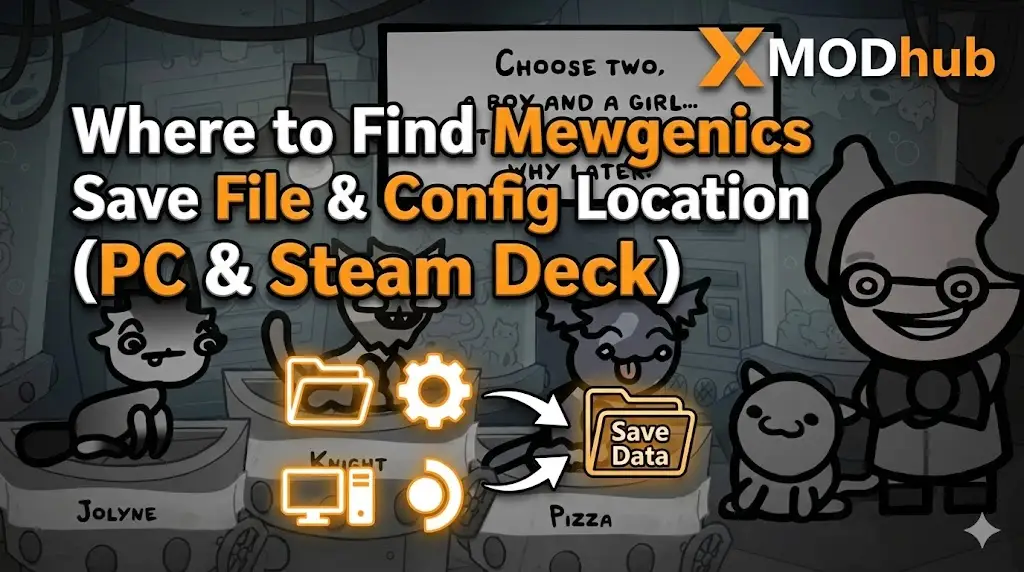
Editor’s View: Why This Matters
Because this game uses a custom engine, it doesn’t always sync perfectly with Steam Cloud on shaky connections. I specifically wrote this guide to urge you: Backup your My Games folder. Don’t let a glitch erase your favorite cat.”
There is nothing worse than sinking 40 hours into Mewgenics, breeding the perfect lineage of combat cats, only to witness a “Corrupted Save” error after a game update.
In a roguelike simulation with Permadeath elements, your save file is your legacy. Losing it means watching generations of careful genetic selection vanish instantly. Whether you want to manually backup your house progress, transfer your cats to a Steam Deck, or tweak the options.ini file for debug access, you first need to find where the data is hidden.
Below is the exact file path for Mewgenics on Windows and Steam Deck, along with a safer, automated method to protect your bloodline.
您可能也會喜歡:
Mewgenics Cheat Engine Table vs. XMODhub Trainer: Best Free Alternative (2026)
Windows PC Save File Location
Unlike many modern games that hide saves in AppData, Mewgenics typically follows the classic structure used by The Binding of Isaac and other McMillen titles.
C:\Users\%USERNAME%\Documents\My Games\Mewgenics\C:\Program Files (x86)\Steam\userdata\[Your_Steam_ID]\[Game_App_ID]\remote\How to navigate there quickly:
- 打開您的 File Explorer.
- 按一下 Documents in the left sidebar.
- Open the My Games folder.
- Look for Mewgenics.
請注意: You will typically see files like persistentgamedata1.dat 或 gamestate.dat. These are your active saves.
Mewgenics Config File Location (Options & Debug)
If you need to enable the Debug Console or manually change resolution settings that aren’t appearing in the menu, you need the initialization file.
C:\Users\%USERNAME%\Documents\My Games\Mewgenics\options.iniHow to Edit:
- 按一下滑鼠右鍵
options.ini. - 選擇 Open with Notepad.
提示: To enable the console, look for EnableDebugConsole=0 and change it to 1.
Steam Deck / Linux Save Location
Mewgenics is ideal for the Steam Deck, but finding files on Linux requires digging into the Proton prefix.
/home/deck/.local/share/Steam/steamapps/compatdata/[Steam_App_ID]/pfx/drive_c/users/steamuser/Documents/My Games/Mewgenics/提示: You will need to know the specific Steam App ID for Mewgenics. Check SteamDB or your library properties to find the number.
The Smarter Way: One-Click Backup with XMODhub
Navigating through folders every time you breed a new generation is tedious. One accidental delete, and your legacy is gone. XMODhub offers a built-in Save Manager tool designed specifically for Roguelites.
01
Auto-Backup
XMODhub can automatically backup your save file every time you return to the Main Menu.
02
Legacy Rollback
Did a bug kill your favorite cat unfairly? Roll back to a save from 10 minutes ago.
03
Visual Management
Organize your saves by “Generation” or “House Level” with a single click.
XMODhub: More Than Just a Save Manager
XMODhub is your ultimate all-in-one toolkit for PC single-player gaming. Whether you need powerful Trainers to tweak genetics, real-time Translation Tools, or detailed Interactive Maps, XMODhub has everything covered.
How to Use XMODhub for Mewgenics:
1. Download and Install the XMODhub client safely.

2. Search for “Mewgenics” in the client.

4. Launch the game directly from the client.
常見問題
Q: Can I transfer my Mewgenics save to another PC?
A: Yes. Copy the entire contents of the My Games\Mewgenics folder. Paste it into the same location on the new PC.
Q: What happens if I delete options.ini?
A: The game will regenerate a default options.ini file upon the next launch. This is the best way to fix the game if you messed up the resolution settings and get a black screen.
Q: Does modifying save files ban me?
A: No. Mewgenics is a single-player experience. Modifying your save (e.g., editing money or DNA strings) is safe, though we recommend using the XMODhub Trainer to avoid corrupting the file structure.
總結
Locating your Mewgenics save file is a crucial skill, whether you are protecting your legacy from corruption, migrating to a Steam Deck, or enabling debug options.
However, manually editing files in a custom engine always carries a risk. One wrong byte can make your house unreadable. If you prefer a safer, “set it and forget it” solution, we highly recommend the XMODhub Save Manager. It automates your backups, keeping your hard-earned genetic progress secure so you can focus on the breeding, not the file directory.

我是一名熱情的遊戲玩家,也是 XMODhub 的作家,致力於為您帶來最新的遊戲新聞、秘訣和見解。.
與我聯繫:
LinkedIn 個人資料

 南希-米勒
南希-米勒