
 胡凱琳
胡凱琳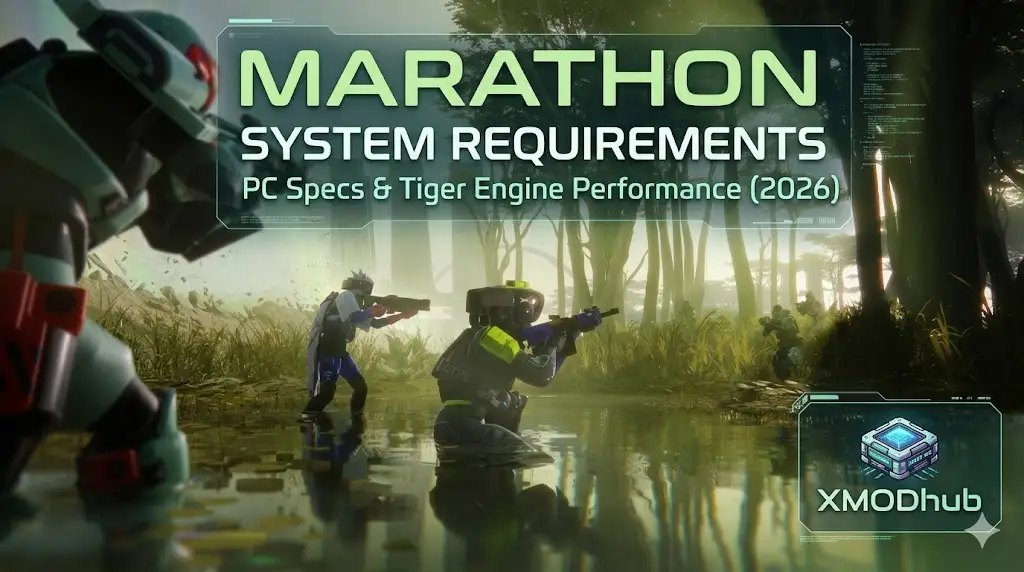
Marathon marks Bungie’s highly anticipated return to its roots, reimagined as a high-stakes PvPvE extraction shooter. Built on a heavily upgraded version of the Tiger Engine, players will deploy as cybernetic “Runners” onto the hostile, neon-drenched colony of Tau Ceti IV. But does this next-generation sci-fi shooter require a massive hardware upgrade? Check the 2026 Marathon system requirements to prepare your rig for the drop.
Unlike traditional multiplayer arenas, extraction shooters are punishing. You drop in, scavenge for alien artifacts, and fight rival squads.
If you die, you lose your loadout. Because the stakes are so high, maintaining a flawless frame rate is critical. The last thing you want is a sudden stutter right as a rival Runner ambushes your extraction zone.
If you are wondering how the Tiger Engine scales on modern hardware—or how to bypass the anxiety of “gear fear” during your raids—this guide covers official specs and real-world tactical optimizations.
您可能也會喜歡:
- Minimum GPU: GTX 1660 Super / RX 5600 XT (6GB VRAM)
- Recommended GPU: RTX 3060 Ti / RX 6700 XT (8GB VRAM)
- Storage: 80GB required, NVMe SSD mandatory for fast zone loading
- Performance Fix: For frustrating ambushes and gear loss, XMODhub tools provide Loot ESP and recoil stabilization
Editor’s View: “Gear Fear Demands Flawless Frames”
Official System Requirements
Based on Bungie’s current Tiger Engine benchmarks for the 2026 launch, here is the hardware breakdown:
| 組件 | Minimum Specs (1080p 60 FPS, Low/Medium Settings) |
Recommended Specs (1440p 60+ FPS, High Settings) |
|---|---|---|
| OS | Windows 10/11(64 位元) | Windows 11 (64-bit) |
| 處理器 | Intel Core i5-8400 / AMD Ryzen 5 2600 | Intel Core i7-10700K / AMD Ryzen 5 5600X |
| 記憶體 | 16 GB RAM | 16 GB RAM |
| 圖形 | NVIDIA GTX 1660 Super / AMD Radeon RX 5600 XT | NVIDIA RTX 3060 Ti / AMD Radeon RX 6700 XT |
| DirectX | Version 12 | Version 12 |
| 儲存 | 80 GB available space (SSD required) | 80 GB available space (NVMe SSD strongly recommended) |
Real-World Performance: The Tiger Engine Evolution
Why does Marathon demand such solid PC specs?
- Massive Draw Distances: Tau Ceti IV features sprawling, multi-layered maps. Rendering distant player squads and AI security forces simultaneously puts a heavy load on your CPU.
- High-Fidelity Gunplay: Bungie’s signature weapon feel requires extremely responsive input. Frame drops during a PvP duel will directly result in lost loot.
- Volumetric Environments: Toxic zones and dynamic weather effects are core gameplay mechanics that heavily tax GPU resources.
Optimization Checklist: Fix Stutter & Lag
- Lower Shadow Resolution: In a PvPvE game, ultra-realistic shadows are distracting. Lowering them boosts FPS and makes hiding enemies easier to spot.
- Enable NVIDIA Reflex: If available, turn this on to minimize system latency, ensuring your shots register instantly during fast-paced encounters.
- Widen Your FOV Carefully: While a wider Field of View helps spot flanking Runners, pushing it past 105 can cause significant “fisheye” distortion and lower your frame rate.
- Use XMODhub Tools: XMODhub provides specialized overlays that give you a tactical advantage without aggressively taxing your system memory.
How XMODhub Enhances Your Extraction
Surviving a raid requires perfect situational awareness. A single mistake means losing your cybernetic upgrades. XMODhub offers powerful tactical enhancements designed specifically for high-stakes extraction loops.
Loot Radar (ESP)
Instantly highlight alien artifacts and high-tier weapons through walls. Grab the best gear without blindly searching dangerous rooms.
Threat Warning
Receive visual indicators when rival squads are nearby, preventing frustrating ambushes at the extraction ship.
Recoil Stabilization
Eliminate weapon kickback. Maintain perfect accuracy during stressful, long-range firefights.
無窮的耐力
Outrun environmental hazards and beat competing Runners to the best loot zones without slowing down.
疑難排解與常見問題
Q: Will Marathon be cross-play?
A: Yes, Bungie has confirmed that Marathon will feature full cross-play and cross-save functionality across PC, PS5, and Xbox Series X/S.
Q: Do I need 32GB of RAM to play?
A: While 16GB is the expected standard, 32GB is highly recommended for running the game smoothly alongside background applications like Discord or recording software.
Conclusion: Secure Your Loot
Marathon is preparing to redefine the extraction shooter genre in 2026. While the upgraded Tiger Engine scales well, surviving Tau Ceti IV demands high, stable frame rates. Follow our settings checklist to keep your PC optimized, and if the brutal mechanics of gear loss are holding you back—XMODhub provides the ultimate tactical overlays to ensure you dominate your raids and extract safely every time.

我是一名熱情的遊戲玩家,也是 XMODhub 的作家,致力於為您帶來最新的遊戲新聞、秘訣和見解。.
與我聯繫:
LinkedIn 個人資料
 南希-米勒
南希-米勒