
 胡凱琳
胡凱琳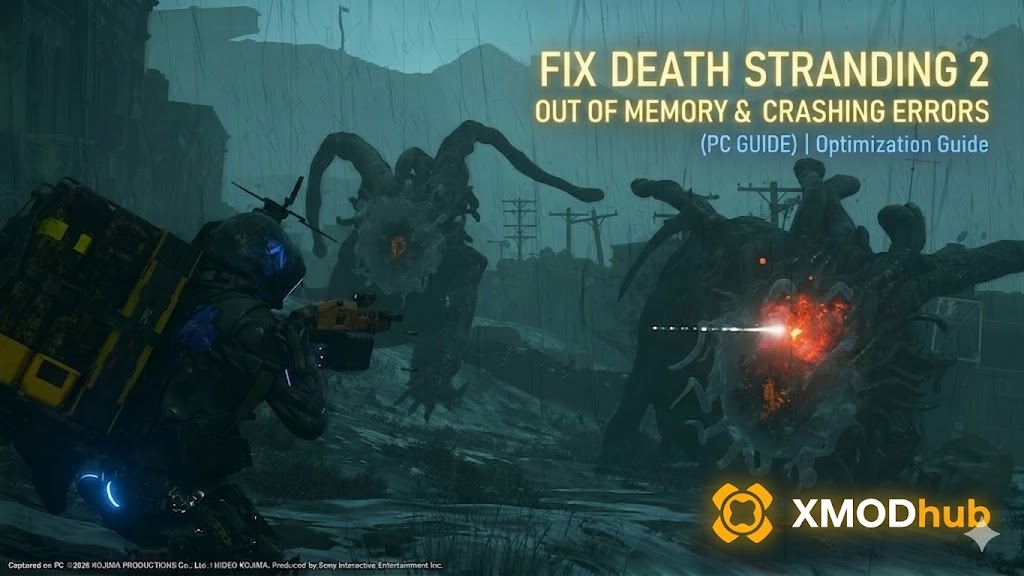 The Decima Engine powering DEATH STRANDING 2: ON THE BEACH is a visual powerhouse. Between the hyper-realistic fluid physics of the Tar, the dynamic weather systems, and the incredibly detailed character models of the Drawbridge crew, the game demands a massive amount of System RAM and Video Memory (VRAM) to run smoothly.
Unfortunately, many PC players—even those rocking high-end RTX 40-series graphics cards—are experiencing the ultimate nightmare: the screen freezes, the audio violently buzzes, and the game crashes to the desktop with a brutal “Out of Memory” or “DXGI_ERROR_DEVICE_REMOVED” pop-up.
Editor’s Take: The Memory Leak Trap
“There is nothing more demoralizing in gaming than carrying 200kg of cargo across a treacherous mountain for 45 minutes, only to get an ‘Out of Video Memory’ crash right as you reach the delivery terminal. All your progress vanishes. Death Stranding 2 seems to have a massive memory leak issue during transition loading screens.”
“Before you nuke your graphics settings down to ‘Low’ and ruin Kojima’s cinematic vision, try the Windows Paging File fix I have outlined below. And if a specific area keeps crashing your GPU, I’ve included my XMODhub teleport workaround at the bottom to physically bypass the broken loading zones.”
Quick Answer: How to Fix Out of Memory (Pagefile)
If your game is crashing specifically during long delivery runs or when opening the map, Windows is running out of Virtual Memory. You must manually increase your System Paging File size:
- Advanced System Settings: Press the Windows Key, type “Advanced System Settings,” and hit Enter.
- Performance: Under the Advanced tab, click on Settings in the Performance section.
- Virtual Memory: Go to the Advanced tab in the new window and click Change.
- Set Custom Size: Uncheck “Automatically manage paging file size.” Select your fastest SSD. Click Custom size.
- Increase Limit: Set Initial size to 16384 (16GB) and Maximum to 32768 (32GB). Click Set, OK, and restart your PC.
Fixing DXGI_ERROR_DEVICE_REMOVED / HUNG
If your crash includes a DXGI error, your GPU has momentarily disconnected. The Decima Engine is notoriously sensitive to overclocks. To fix this:
- Remove GPU Overclocks: If using MSI Afterburner, revert your GPU to factory default settings immediately.
- Lower Texture Streaming Pool: In the in-game Graphics menu, lower this setting from Epic/High to 中型.
- Disable Ray Tracing: If your card has less than 12GB of VRAM, turn Ray Tracing off to reduce memory overhead.
Why is DS2 Crashing During Cutscenes?
This is a Memory Leak. The engine streams open-world data (like Tar pools and footprints) into RAM but occasionally fails to “dump” it when a high-fidelity cutscene starts. Your RAM hits 100% capacity instantly, causing the crash. Manually restarting your game every 2-3 hours is currently the best way to clear this cache until a patch arrives.
The Ultimate Workaround: XMODhub Teleport Tool
If a specific region (like a heavy Tar flood zone) consistently crashes your hardware, don’t risk your cargo. Use the XMODhub PC Utility to physically bypass the broken loading triggers.
- •Teleport to Waypoint: Place a marker on your map at the destination, press the hotkey, and instantly teleport Sam (and all cargo) directly to safety, skipping crash-heavy zones.
- •Infinite Materials: If a crash wiped your truck full of ceramics, set your materials to 99,999 to rebuild your lost infrastructure instantly.
- •Zero Cargo Weight: Completely disable balance calculations to reduce the CPU strain when traversing difficult terrain.
How to Use XMODhub (3 Simple Steps)

- 下載: Get the verified XMODhub client from the official site.
- 啟動: Open the app alongside your Steam or Epic Games copy of DS2.
- 啟動: Click “Play” on the DS2 module and use the overlay to activate Waypoint Teleport to instantly skip zones that crash your system.
Frequently Asked Questions (FAQ)
Q: Can I run Death Stranding 2 with only 16GB of system RAM?
A: Yes, but you must manually increase your Windows Pagefile size (as shown above) to prevent crashes during heavy environment transitions.
Q: Does DLSS or FSR increase memory usage?
A: No. Upscaling renders the game at a lower internal resolution, which significantly reduces VRAM usage and can help prevent GPU memory crashes.
Q: Will increasing my Pagefile damage my SSD?
A: No. Modern NVMe SSDs are built to handle massive amounts of data swapping. Dedicating 32GB to your Pagefile is a standard and safe troubleshooting practice.
Conclusion: Stop the Crashes
Losing meticulous delivery progress to a sudden “Out of Memory” crash is frustrating. By optimizing your Pagefile and lowering your texture pool, you can stabilize the Decima Engine.
If a specific region is still melting your RAM, don’t suffer through the grind. Use the XMODhub PC Trainer to teleport past broken loading zones and secure your journey.
Think Bigger: XMODhub supports 5,000+ titles including massive hits like Horizon Forbidden West 和 Ghost of Tsushima.

我是一名熱情的遊戲玩家,也是 XMODhub 的作家,致力於為您帶來最新的遊戲新聞、秘訣和見解。.
與我聯繫:
LinkedIn 個人資料
 南希-米勒
南希-米勒