胡凱琳
胡凱琳
There is nothing worse than sinking 20 hours into exploring the haunted depths of Minakami Village, finally capturing the Kusabi, and fully upgrading your Camera Obscura—only to have your save file corrupt due to a sudden crash at a red save lantern. Whether you want to manually backup your Nightmare difficulty progress, transfer your save to a new PC, or modify the config file to uncap the frame rate, you first need to find where Koei Tecmo hides this data on your drive.
Below is the exact file path for FATAL FRAME II: Crimson Butterfly REMAKE on Windows and Steam Deck, along with a safer, automated method to manage your backups so you never lose your Ghost List progress.
您可能也會喜歡:
FATAL FRAME II: Crimson Butterfly REMAKE: Cheat Engine Table vs. XMODhub Trainer (Best Free Alternative)
Editor’s View: Why This Matters
“We have all been there. You are deep into the Kurosawa House, your health is blinking red, you have zero Herbal Medicines left, and you are desperately rushing to a save point. Suddenly—a random PC crash during the auto-save sequence. When you relaunch the game, the ‘Continue’ option is greyed out. It is a survival horror fan’s worst nightmare.
I specifically wrote this guide because the game runs on Koei Tecmo’s proprietary KT Engine. Unlike modern Unreal Engine games that put saves in the AppData folder, KT Engine titles almost always route your save data directly into your Windows Documents folder, which confuses many players. Even if you don’t plan on using trainers, please backup your SAVEDATA folder manually right now. Don’t let a corrupted file force you to face the Sae Kurosawa boss fight all over again.”
Windows PC Save File Location
For the Steam and PC Game Pass versions of FATAL FRAME II: Crimson Butterfly REMAKE, the save files (including your story progression, unlocked outfits, and Ghost List) are stored in your Windows Documents folder, adhering to the standard KT Engine structure.
C:\Users\%USERNAME%\Documents\KoeiTecmo\FATAL FRAME 2 REMAKE\SAVEDATA\How to navigate there quickly:
- Open your Windows File Explorer.
- Click on the Documents shortcut in the left-hand quick access panel.
- Open the KoeiTecmo folder.
- Open the FATAL FRAME 2 REMAKE folder, and you will see your SAVEDATA directory.
(Note: If you have Steam Cloud sync enabled, a backup version of your save is also stored in your Steam directory under C:\Program Files (x86)\Steam\userdata\<YourSteamID>\2845120\remote\)
FATAL FRAME II: Crimson Butterfly REMAKE Config File Location (Graphics & Settings)
If you need to manually tweak graphics settings (like disabling Film Grain, turning off V-Sync, or adjusting the FOV) that aren’t properly applying in the in-game menu, you will need to edit the engine’s configuration file.
C:\Users\%USERNAME%\Documents\KoeiTecmo\FATAL FRAME 2 REMAKE\graphics.xml
(Note: Some display settings are also saved in system.ini in the same folder).
How to Edit: Right-click the .xml 或 .ini file and select Open with Notepad. Warning: Be careful not to change resolution or rendering values you don’t understand, as this can cause a black screen on startup.
Steam Deck / Linux Save Location
If you are playing the game on the Steam Deck, the Windows Documents file structure is emulated deep within the Proton compatibility layer.
/home/deck/.local/share/Steam/steamapps/compatdata/2845120/pfx/drive_c/users/steamuser/Documents/KoeiTecmo/FATAL FRAME 2 REMAKE/提示: The number “2845120” is the Steam App ID. If your folder has a different number string, you can verify the exact App ID for the game by searching it on SteamDB.
The Smarter Way: One-Click Backup with XMODhub
Navigating through nested system folders every time you want to backup a save before the Hellish Abyss sequence is tedious and prone to error. One accidental drag-and-drop mistake, and your 100% completion file is gone forever.
XMODhub offers a built-in Save Manager tool designed specifically for games like FATAL FRAME II: Crimson Butterfly REMAKE.
01
02
03
XMODhub: More Than Just a Save Manager
XMODhub is your ultimate all-in-one toolkit for PC single-player gaming. Whether you need powerful Trainers, real-time Translation Tools, or detailed Interactive Maps, XMODhub has everything covered to customize your experience.
Our library supports over 5,000+ games, ensuring that whether you are playing FATAL FRAME II or similar horror hits like Resident Evil 4 Remake and Silent Hill 2, you always have the best tools at your fingertips.
How to Use XMODhub: Getting started is easy.
Download and Install the XMODhub client safely.

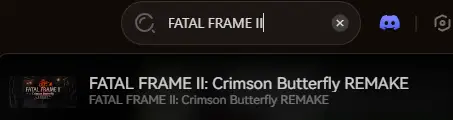
搜尋 FATAL FRAME II: Crimson Butterfly REMAKE in the client’s search bar.
Select the specific tool you need (Trainer, Mods, or Save Manager).
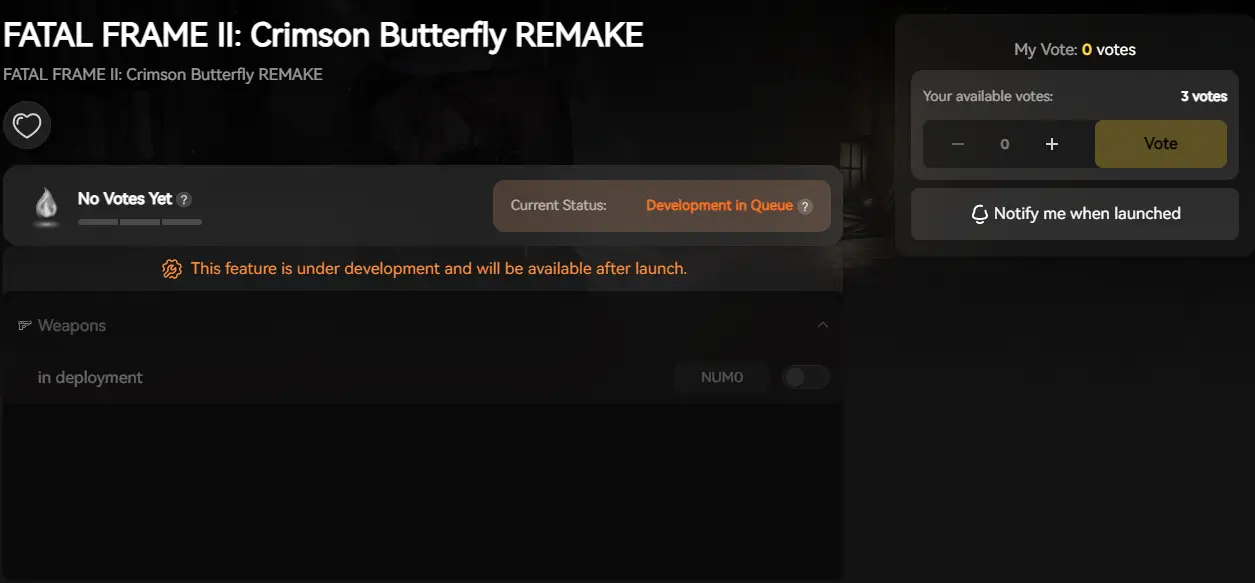
Launch the game directly from the client and enjoy your enhanced gameplay!
常見問題
Q: Can I transfer my FATAL FRAME II REMAKE save to another PC?
Yes. Simply copy the entire contents of the SAVEDATA folder located in your KoeiTecmo Documents directory to the exact same location on the new computer.
Q: What happens if I delete the config file?
Usually, the game will regenerate a default config file upon the next launch, resetting your audio and graphics settings to their default states. However, we strictly recommend renaming the file to .bak instead of permanently deleting it.
Q: Does modifying save files get me banned?
No. In a single-player narrative game like this, modifying your save file (e.g., adding Spirit Points or unlocking costumes) will not get you banned. You are completely safe to tweak your offline experience.
總結
Locating your FATAL FRAME II: Crimson Butterfly REMAKE save file is a crucial skill, whether you are recovering from a game-breaking glitch, migrating your ghost list to a Steam Deck, or manually tweaking config files for a smoother 60FPS experience.
However, digging through system folders always carries a risk. One wrong deletion can wipe out hours of terrifying progress instantly. If you prefer a safer, “set it and forget it” solution, we highly recommend the XMODhub Save Manager. It automates your backups, keeping your hard-earned progress secure so you can focus on the haunting story of Mio and Mayu, not your file directory.
XMODhub is far more than just a save manager—it is a comprehensive Gaming Platform. With support for over 5,000+ titles, we provide an all-in-one ecosystem for PC gamers. Whether you are deep into Minakami Village or exploring other survival horror worlds, XMODhub ensures you always have the ultimate toolkit ready at your fingertips.

我是一名熱情的遊戲玩家,也是 XMODhub 的作家,致力於為您帶來最新的遊戲新聞、秘訣和見解。.
與我聯繫:
LinkedIn 個人資料
 南希-米勒
南希-米勒