摘要: This guide covers the most effective fixes for Fallout 4 mods not opening in 2025, helping players troubleshoot common issues and get their mods working smoothly again.
If your 墜落 4 mods aren’t opening, this guide shows quick fixes to get them working again.
Plus, learn how to use Xmod to access free mods for Fallout New Vegas easily.
目錄
- Why are Fallout 4 mods not opening?
- Fallout 4 mods not opening: best solution
- How to get free mods for Fallout New Vegas with Xmod?
- 總結
Why Are Fallout 4 Mods Not Opening?
There are several common reasons why your Fallout 4 mods might not be launching:
Incorrect Mod Installation
Many players forget to install mods in the correct directory or don’t enable them through the proper launcher or mod manager.
Missing Plugins or Files
Some mods require dependencies (like F4SE or specific .ini tweaks) to function properly. Missing these files causes the mod to fail.
Corrupted or Outdated Mods
Mods that haven’t been updated to match the latest game version or were installed incorrectly can lead to crashes or fail to load.
Conflicting Mods
Two or more mods trying to change the same asset or feature can cause a conflict, which stops them from working entirely.
Mod Manager Issues
Tools like Vortex or Mod Organizer 2 must be configured correctly. Improper load order or disabled mods in the manager can result in them not opening.
Fallout 4 Mods Not Opening: Best Solution
To resolve Fallout 4 mods not opening, the best solution involves verifying game files, checking load order, ensuring mod compatibility, and potentially addressing issues with the mod manager or Bethesda’s servers.
Detailed Steps:
1. Verify Game Files:
使用 蒸氣‘s “Verify integrity of game files” feature to ensure the core game files are not corrupted.

2. Check Load Order:
Ensure the load order in your mod manager (like Vortex or Mod Organizer 2) is correct and that all necessary plugins are enabled.
3. Mod Compatibility:
Verify that the installed mods are compatible with each other and with the current version of Fallout 4.
4. Mod Manager Issues:
If using a mod manager, check its settings for proper deployment methods (like hard link deployment) and ensure it’s configured correctly.
5. Bethesda Server Issues:
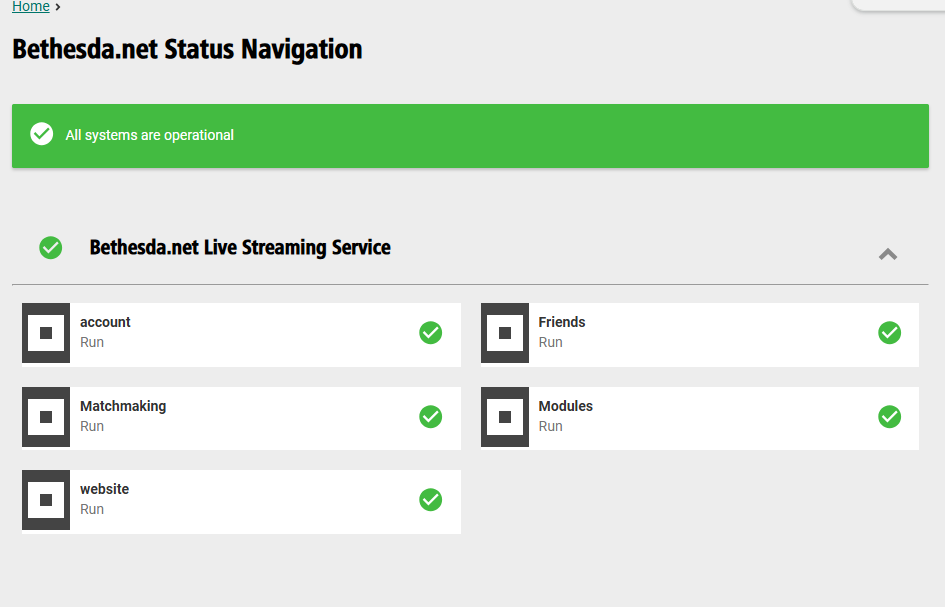
If the issue is related to accessing Bethesda’s mod browser, log out and back into your Bethesda account or check for server issues.
6. Mod Deletion:
If a specific mod is causing problems, try disabling it or deleting it, and if it’s a deleted mod from Bethesda.net, it will need to be removed from your game, according to a Reddit thread.
7. Save Game Issues:
If the problem is save-specific, consider using a save game cleaner or starting a new game.
How to Get Free Mods for Fallout: New Vegas with Xmod
Xmod is an all-in-one platform that helps players download and install mods easily — especially useful for beginners or those tired of dealing with broken links and outdated files.
Benefits of Using Xmod:
- Free access to curated, safe-to-install mods.
- Easy one-click installation.
- Auto-detection of your game version and mod compatibility.
- No manual file moving or .ini editing required.
How to Use Xmod:
- Download and install Xmod from the official website.
- Launch Xmod and let it scan for your Fallout installations.
- Browse mods by category (weapons, visuals, companions, etc.).
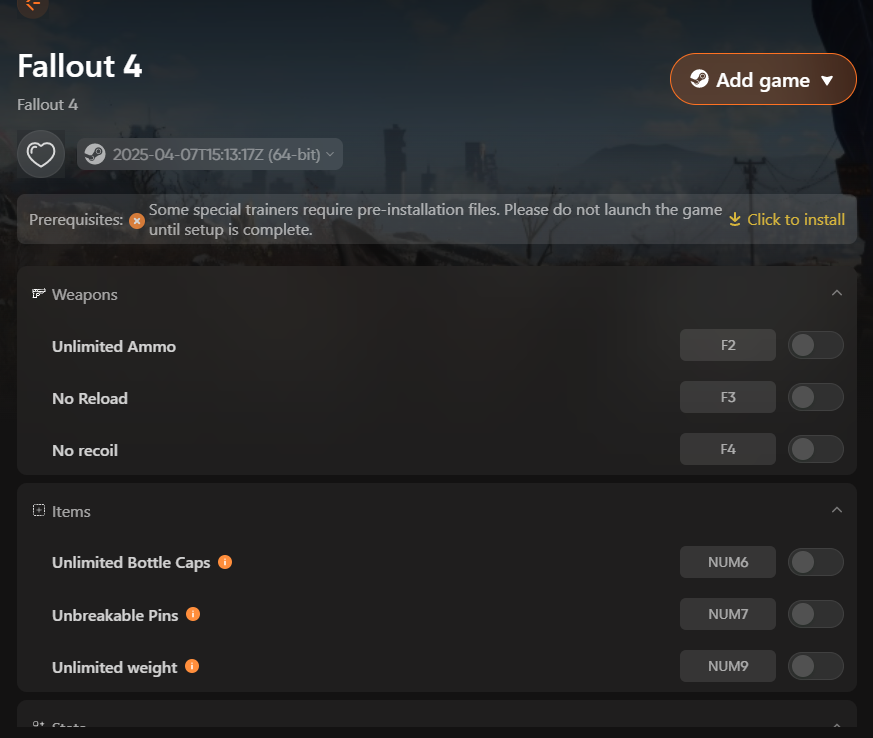
- Click 下載 and let Xmod install the mod for you.
- Launch Fallout via Xmod or your preferred mod manager, and play.
總結
In summary, resolving Fallout 4 mod issues is straightforward with the right solutions, ensuring smooth gameplay and enhanced experiences. Using tools like Xmod further simplifies finding and managing free mods, making your adventure even more enjoyable in 2025.
我是一名熱情的遊戲玩家,也是 XMODhub 的作家,致力於為您帶來最新的遊戲新聞、秘訣和見解。.
與我聯繫:
LinkedIn 個人資料

 胡凱琳
胡凱琳

 南希-米勒
南希-米勒