DuneCrawl’s hand-drawn isometric world looks like a playable comic book, but don’t let its charming aesthetic fool you into thinking it’s a lightweight title.
While Alientrap’s unique projection-mapping tech is artistically brilliant, the 4-player co-op netcode and dynamic dust physics can place a surprising tax on legacy hardware.
Whether you’re piloting the massive DuneCrawl solo or coordinating a full 4-man crew, frame drops during chaotic cannon battles can mean the difference between victory and becoming bug food.
Storage:SSD is Mandatory to eliminate stuttering during open-world transitions.
XMOD Status:Day-0 Optimization Profile Ready.
目錄
Official System Requirements (Verified for Jan 5 Launch)
Real-World Performance: Why the “Dust Sea” Stutters
Optimization Checklist: Fix Stutter & Lag
DuneCrawl on Steam Deck & Handhelds
How to Use XMODhub to Optimize Your Experience
FAQ & Troubleshooting
Conclusion: Smooth Co-op is Key
Official System Requirements (Verified for Jan 5 Launch)
組件
Minimum (30 FPS Solo)
Recommended (60 FPS Co-op)
OS
Windows 10 (64-bit)
Windows 10/11(64 位元)
CPU
Intel i3-6100 / Ryzen 3 1200
Intel i5-8400 / Ryzen 5 2600
RAM
8 GB
16 GB (Essential for Hosting)
GPU
GTX 960 / RX 560 (2GB)
GTX 1660 / RX 5600 XT (6GB)
儲存
8 GB HDD
10 GB SSD (Recommended)
Real-World Performance: Why the “Dust Sea” Stutters
In DuneCrawl, performance costs come from specific technical challenges that we identified during our demo stress tests:
The Projection Rendering Problem: By projecting 2D artwork onto 3D meshes, the GPU must handle complex lighting calculations. Older cards struggle when 4 players fire weapons simultaneously.
Multiplayer Netcode: In asymmetric co-op, the host’s CPU must sync AI, physics, and the movement of the Dune Crawler. This makes the CPU the primary bottleneck in multiplayer.
Open World Streaming: Entering new desert regions triggers asset loading. On traditional HDDs, this causes noticeable “micro-stutter.”
Optimization Checklist: Fix Stutter & Lag
Enforce High-Performance Mode: Go to Windows Settings > Display > Graphics. Force DuneCrawl.exe to use your dedicated GPU.
Move to SSD: This is the #1 fix for stuttering when your Crawler enters new regions or boss dungeons.
Host Selection: The player with the strongest PC (highest single-core CPU speed) must host the session.
Network Stability: Avoid WiFi. Use wired Ethernet to prevent the “Server no longer live” errors.
DuneCrawl on Steam Deck & Handhelds
DuneCrawl is a perfect fit for mobile play, but you need the right settings:
Target Performance: Lock to 40 FPS / 80Hz for the smoothest battery-to-visuals ratio.
XMOD Tip: Use the ‘UI Scale Mod’ to enhance text legibility on the 7 or 8-inch screens.
How to Use XMODhub to Optimize Your Experience
XMODhub acts as a performance equalizer for low-end systems. Follow these steps:
Download & Sync: Install the XMODhub Client. It will auto-detect DuneCrawl.
VRAM Buffer Flush: Click the “Optimize” button before launching to clear memory for intense 4-player battles.
XMOD 將於遊戲正式發行時提供完整的訓練器支援,確保從第一天開始就能維持相容性與穩定性。.
The XMOD Advantage: If hardware lag makes aiming difficult, use our Resource Multipliers to unlock powerful weapons like the Buzzooka 或 Acid Harpoon instantly.
Infinite Health: Use the “Crawler Health Lock” to explore the 15-hour open world without the stress of constant repairs during laggy sessions.
FAQ & Troubleshooting
Q: Can I run this on Intel HD Graphics?
A: Only at 720p/Low. 4-player co-op will likely be unplayable.
Q: Why does co-op lag more than solo?
A: The host’s CPU must process AI and network packets for all players simultaneously.
Q: How do I fix connection drops?
A: Sync your Steam Download Regions and enable the XMOD Network Stabilizer.
Conclusion: Smooth Co-op is Key
DuneCrawl officially launches on January 5, 2026. With its unique hand-drawn aesthetic and chaotic co-op, ensuring your PC is ready is essential. Use this guide and XMODhub to secure your 60 FPS journey across the sands.
Quick Answer A REPLACED Walkthrough cheat is a PC tool, like a trainer, designed to make the game easier by enabling features such as god mode or infinite health. For the anticipated April…
How to Change Matchmaking Region in Toxic Commando | XMODhub
John Carpenter’s Toxic Commando is a blast when you have a full squad of four, but fighting the Sludge God alone with AI bots because your regional server is empty can ruin the…

 胡凱琳
胡凱琳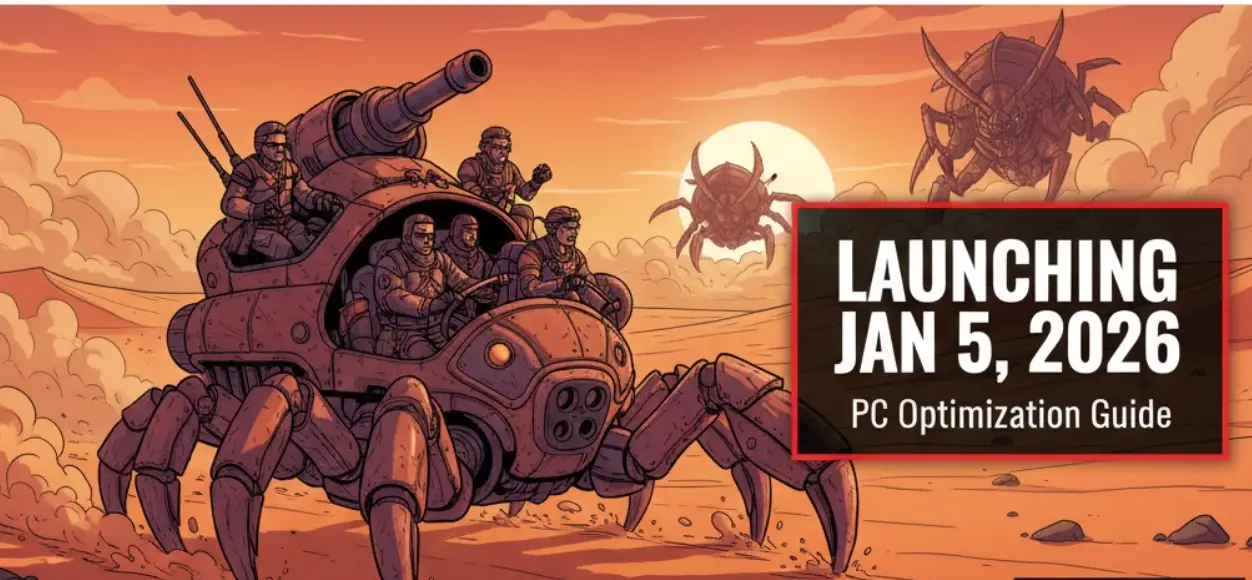



 南希-米勒
南希-米勒