
 胡凱琳
胡凱琳摘要: Here’s a breakdown of the minimum and recommended system requirements for Doom: The Dark Ages, so you can prepare your PC for launch day.
與 Doom: The Dark Ages promising intense action and a gritty, medieval twist on the franchise, PC players are eager to know if their systems can handle the carnage.
Whether you’re planning to run it on modest hardware or aiming for high-performance settings, it’s important to check the official minimum and recommended requirements.
In this guide, we’ve outlined everything you need to know to get your rig ready for battle.
目錄
- Doom: The Dark Ages System Requirements
- 我的 PC 能否執行 Doom: The Dark Ages
- 如何增強 Doom: The Dark Ages Gaming Experience with XMOD?
- 總結
Doom: The Dark Ages System Requirements
As DOOM: The Dark Ages brings a medieval twist to the iconic gameplay style, PC gamers are eager to experience the next chapter after DOOM Eternal, which released five years ago. However, the game’s fast-paced action and stunningly detailed environments require a powerful PC.
To ensure your system is ready, check out the DOOM: The Dark Ages system requirements below.
Recommended System Requirements for DOOM: The Dark Ages
- OS: Windows 10 / 11 64-Bit
- CPU: AMD Ryzen 7 5700X / Intel Core i7 12700K
- RAM: 32GB
- GPU: NVIDIA RTX 3080 / AMD RX 6800
- 儲存: 100 GB Available Space (NVMe SSD required)
Minimum System Requirements for DOOM: The Dark Ages
- OS: Windows 10 / 11 64-Bit
- CPU: AMD Ryzen 7 3700X / Intel Core i7 10700K
- RAM: 16GB
- GPU: NVIDIA RTX 2060 SUPER / AMD RX 6600
- 儲存: 100 GB Available Space (NVMe SSD required)
Make sure your specs meet or exceed these requirements for an optimal DOOM: The Dark Ages experience.
With that in mind, let’s move on to whether your PC can run Doom: The Dark Ages.
我的 PC 能否執行 Doom: The Dark Ages
DOOM: The Dark Ages requires powerful hardware due to its fast-paced gameplay and detailed environments. To run the game smoothly, focus on upgrading your GPU first, with Nvidia’s 50 Series or AMD’s 90-Series being ideal choices. Keep your CPU cool with high-quality coolers like the NAUTILUS 360 RS or TITAN 360 RX. Additionally, make sure you have 100 GB of NVMe storage, preferably with a 2TB MP700 Elite or MP600 PRO LPX for optimal performance.
Now that you’re sure you can play the game, I highly recommend Xmod to enhance your gameplay.
如何增強 Doom: The Dark Ages Gaming Experience with XMOD?
To take your single-player experience in DOOM: The Dark Ages to the next level, try using XMOD. With XMOD, you can access cheats and trainers to boost your gameplay.
以下是使用方法:
- Download the XMOD app.

- 搜尋 DOOM: The Dark Ages.

- 直接從應用程式啟動遊戲。.
- Activate your preferred mods within XMOD for a customized gaming experience.
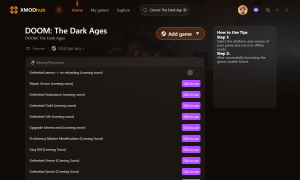
With XMOD, you can easily customize and enhance your DOOM: The Dark Ages experience, making it even more thrilling and unique.
總結
In conclusion, understanding the Doom’s system requirements is crucial for ensuring optimal gameplay. By meeting the minimum or recommended specs, you’ll be ready to dive into the action and enjoy an enhanced experience with tools like XMOD.

 南希-米勒
南希-米勒