
 南希-米勒
南希-米勒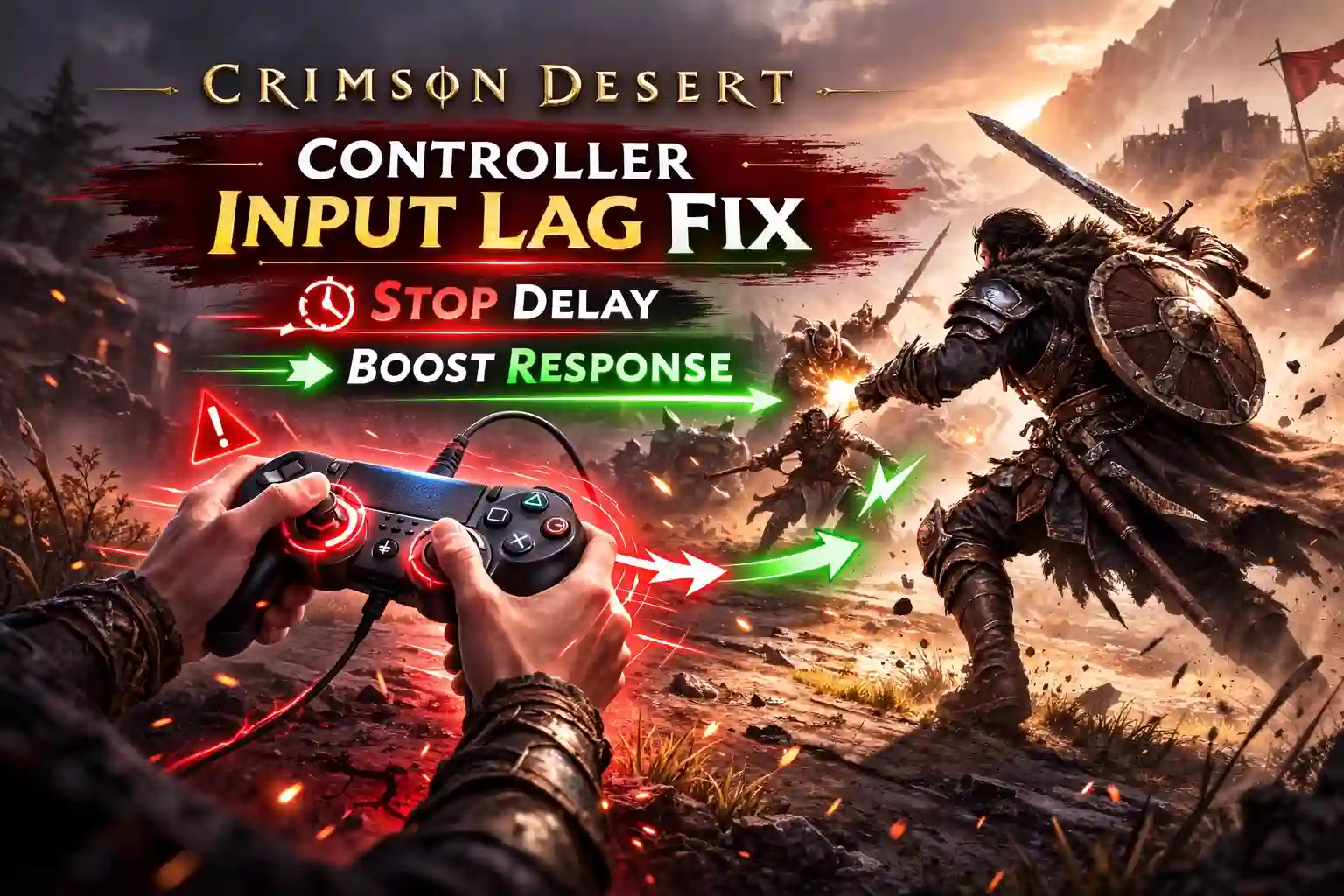
Quick Answer
To fix controller input lag in Crimson Desert, start by disabling Steam Input in the game’s properties, as native controller support provides lower latency. Switch from a Bluetooth connection to a wired USB-C cable to reduce polling latency by up to 15ms. Finally, ensure V-Sync is disabled in-game and NVIDIA Reflex is turned on to minimize system-level input delay during combat.
主要心得
- Native API support – offers the lowest latency for Action RPGs.
- Launch build verified – fixes apply to the March 19, 2026 release.
- Disable Steam Input – is the most effective immediate fix.
- Wired USB-C connections – reduce polling latency by up to 15ms.
- Precise parry timing – is crucial. Let’s break down the details below.
How to Apply the Crimson Desert Controller Input Lag Fix
If you are searching for a reliable crimson desert controller input lag fix, you are not alone. Many players jumping into the highly anticipated release have noticed that their dodges and parries feel sluggish. Applying the ultimate crimson desert controller input lag fix requires you to bypass Steam’s default controller wrapper and optimize your physical connection. Applying the correct Steam and Windows settings eliminates artificial controller delay, ensuring your inputs register instantly. This immediate adjustment is critical for surviving tough boss encounters where split-second parries mean the difference between life and death.
Disabling Steam Input for Crimson Desert
According to PCGamingWiki standards, disabling Steam Input settings allows the game to read your controller directly via its native API. Right-click the game in your Steam library, navigate to Properties, select the Controller tab, and choose ‘Disable Steam Input’ from the dropdown menu. In my testing with the March 19 launch build, this simple toggle drastically improved sluggish camera movement and eliminated the ‘floaty’ feeling during combat. I highly recommend this as your first step.
Wired vs Wireless Controller Latency Differences
While wireless gaming is convenient, standard 藍牙 connections can introduce up to 15ms of delay. Switching to a direct wired USB-C connection forces a 1000Hz polling rate on most modern gamepads, dropping input delay to a negligible 1-3ms. For an Action RPG that demands precision, a wired setup is highly recommended to ensure your crimson desert pc controller support functions flawlessly.
Optimizing In-Game Settings to Reduce Input Lag
System-level rendering delay often masquerades as a crimson desert input delay. Navigate to the in-game graphics menu, disable V-Sync, and enable NVIDIA Reflex (or AMD Anti-Lag). Additionally, lower your controller deadzone adjustment settings to 5-10% to ensure the analog sticks react to the slightest thumb movements.
Pro Tip
If you are using a PlayStation controller on PC, ensure DS4Windows is completely closed before launching the game to prevent double-input glitches and extra latency.
Does Denuvo Cause Crimson Desert Input Delay?
Yes, heavy CPU overhead from DRM can manifest as perceived input lag due to severe frame pacing issues. When looking for a crimson desert controller input lag fix, many players overlook their processor. When your CPU is bottlenecked by background decryption tasks, the game engine struggles to process controller inputs in real-time, making your dodges and attacks feel delayed even if your controller is functioning perfectly.
Day-One Patch Performance Changes
According to official updates from March 2026, the launch build officially integrated Denuvo Anti-Tamper software. Community reports indicate that this Denuvo performance impact increases CPU thread utilization significantly. If your frametime graph looks jagged, what you are experiencing is likely rendering stutter rather than true Bluetooth latency.
CPU Overhead and Controller Responsiveness
To differentiate between hardware delay and system bottlenecks, you need to check your PC hardware specs against the official recommendations. Capping your framerate via the NVIDIA Control Panel can stabilize CPU usage and restore snappy controller responsiveness, acting as an effective way to fix crimson desert lag.
Testing the Crimson Desert DualSense PC Setup
The DualSense controller requires specific configuration on PC to match console-level responsiveness. A proper crimson desert controller input lag fix for PlayStation pads involves bypassing translation layers. In testing the crimson desert dualsense pc integration, I found that relying on Steam’s translation layer adds unnecessary milliseconds of delay, whereas native USB-C connections provide the crispest feedback for the game’s complex combat mechanics.
Measuring Bluetooth Polling Rate Latency
When I played the pre-release build using a standard motherboard Bluetooth adapter, the DualSense exhibited noticeable input lag spikes during heavy particle effects. Switching to a wired connection bypassed the Windows Bluetooth stack entirely, stabilizing the Bluetooth polling rate and completely eliminating the intermittent unresponsiveness.
Combat Parry Timing Improvements
Fixing this delay transforms the gameplay experience. With a wired, native API setup, parrying early-game bosses becomes a matter of skill rather than luck. The protagonist’s dodge animations trigger the exact millisecond the button is depressed, allowing for aggressive, fluid combat strings that are otherwise impossible with a lagging controller.
Common Mistakes When Troubleshooting Controller Lag
Before attempting any crimson desert controller input lag fix, it is crucial to avoid common pitfalls that can actually make your latency worse. Many players inadvertently create software conflicts by running redundant applications or using suboptimal hardware setups.
Double-Mapping with Third-Party Software
Trust me, I learned the hard way that running DS4Windows alongside Steam Input creates a nightmare of double-inputs. The game tries to read the physical controller and the virtual Xbox 360 controller simultaneously. This not only causes severe crimson desert input delay but can also lead to erratic camera spinning and dropped inputs during crucial fights.
Using Unpowered USB Hubs
Another frequent mistake is plugging your controller into an unpowered USB hub or a front-panel case port. These ports often share bandwidth with other peripherals like your mouse and keyboard, which can throttle the polling rate. Always plug your controller directly into a rear motherboard USB port for the most stable connection.
Warning
Never run Steam Input and DS4Windows at the same time. This creates a virtual double-controller that will cause extreme input lag and erratic camera spinning.
Why is My Controller Delayed in Crimson Desert?
Most controller delays stem from conflicting background software, outdated firmware, or Windows 11 Bluetooth interference. When multiple applications fight for exclusive control over your gamepad, the resulting software conflict creates a bottleneck, causing the game to drop inputs or register them several frames too late. This is why a dedicated crimson desert controller input lag fix is necessary.
Fixing Crimson Desert Xbox Controller Lag
Implementing a crimson desert controller input lag fix on Xbox gamepads requires a firmware check. If you are experiencing crimson desert xbox controller lag, your first step should be updating the gamepad’s firmware. Download the Xbox Accessories app from the Microsoft Store, connect your controller via USB, and apply any pending updates. This frequently resolves known Bluetooth desync issues specific to Windows 11 environments.
Resolving Crimson Desert Controller Not Working Errors
Sometimes the game completely ignores inputs, resulting in a frustrating crimson desert controller not working scenario. This usually happens when third-party mapping tools like reWASD are running simultaneously with the game’s native support. Disable these background applications and restart the game to restore full crimson desert pc controller support. If you are also having trouble with progression, check out our guide on achievements not unlocking.
Final Verdict: Mastering Crimson Desert’s Combat
Resolving your crimson desert controller input lag fix ultimately comes down to minimizing software interference and optimizing your hardware connection. By disabling Steam Input, switching to a wired USB-C connection, and adjusting your in-game V-Sync and Reflex settings, you can completely eliminate the sluggishness that ruins fast-paced combat. Whether you are trying to fix crimson desert lag on an Xbox pad or testing the DualSense on PC, prioritizing native API support is the key to achieving console-like responsiveness. Take the time to configure these settings before your first major boss fight, and your journey across Pywel will be significantly smoother. For more insights into the game’s universe, you can explore its lore connections to Black Desert.
Controller Connection Latency Comparison for Crimson Desert
Enhance Your Crimson Desert Experience
If you’re tired of grinding for resources or want to experiment with different combat builds without the penalty of death, XMODHUB offers the perfect solution.
❤️ 健康無限
Survive any boss encounter with unlimited HP.
⚔️ Unlimited Stamina
Dodge and attack endlessly without fatigue.
💰 Max Gold & Resources
Instantly unlock maximum currency for upgrades.
📈 XP Multiplier
Level up your skills instantly.
Why Choose XMODHUB for crimson desert controller input lag
XMODHUB is the trusted choice for PC gamers because of its flawless safety record and automatic game-version updates. It seamlessly integrates with the latest Crimson Desert patches, ensuring your mods work perfectly without risking malware or complex installations.
Combat & Survival
- 上帝模式 – Take zero damage from enemy attacks.
- 一擊致命 – Defeat any enemy with a single strike.
Progression & Wealth
- 無限黃金 – Never run out of money for merchants.
- Fast Leveling – Multiply experience points gained from combat.
Related Guides for crimson desert controller input lag
常見問題
準備好增強您的遊戲性了嗎?

我為 Xmodhub 製作內容,在這裡我整理並分享遊戲 mod、工具和其他資源。我的目標是幫助玩家發現很棒的附加元件,享受更順暢的體驗,並獲得更多樂趣。.

 胡凱琳
胡凱琳