
 胡凱琳
胡凱琳You are deep into the Red Mist, facing a successor boss that wipes your health in one hit. You want to upgrade your Blood Veil, but you are short on “Queen’s Tungsten.” Or maybe you want to test the endgame “Queen Slayer” build early? Using console commands to spawn items is a staple of PC Action-RPGs.
Below is the most comprehensive, categorized list of Item IDs and codes for CODE VEIN II, updated for the latest 2026 patch.
Quick Reference: Top 10 Most Wanted CODE VEIN II IDs
Don’t want to scroll? Here are the codes for the absolute essentials (Haze, Upgrade Materials, and Healing).
How to Enable Console & Use Commands
CODE VEIN II runs on Unreal Engine 5, and the developers have disabled the native console key in the release build. You cannot simply press ~.
- Unlock Method: You must use the XMODhub Client or a “Universal Unreal Engine 5 Unlocker” (UUU) to inject the console.
- Open Console: Once injected, press Tilde (
~) orF10. - The Command: The format is:
GiveItem [Item_ID] [Quantity] - Example:
GiveItem Material_Tungsten 5
簡易方法:XMODhub Visual Spawner
Stop Alt-Tabbing to check spreadsheets. Typing case-sensitive strings like Weapon_GreatSword_Heavy_02 disrupts your immersion. XMODhub includes a Visual Spawner feature specifically for CODE VEIN II.
See exactly what the “Ogre Blood Veil” looks like before you spawn it.
Get 99x of every crafting material with one button.
XMODhub: More Than Just a Visual Spawner
XMODhub is your ultimate all-in-one toolkit for PC single-player gaming. Whether you need powerful Trainers, real-time Translation Tools, or detailed Interactive Maps, XMODhub has everything covered to customize your experience.
Our library supports over 5,000+ games, ensuring that whether you are playing CODE VEIN II or similar hits like Elden Ring or God Eater 3, you always have the best tools at your fingertips.
How to Use XMODhub for CODE VEIN II:
- Download and Install the XMODhub client safely.

- 搜尋 CODE VEIN II in the client’s search bar.

- Select the 物品產生器 tool.
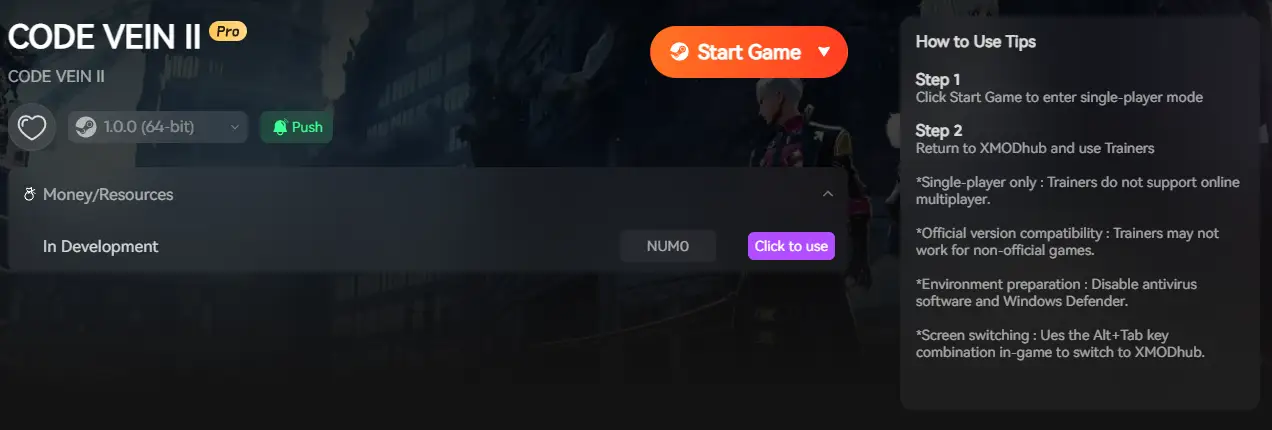
- Launch the game directly from the client and enjoy your enhanced gameplay!
Weapon IDs List (Melee & Ranged)
Here are the internal IDs for the main weapon categories.
Armor & Blood Veil IDs List
In CODE VEIN, armor is referred to as “Blood Veils”.
Ammo & Consumables IDs List
Blood Codes & Gifts IDs
You can instantly unlock Blood Codes (Classes) without finding their Vestiges.
Command: UnlockCode [Code_ID]
疑難排解:指令失敗的原因
- “Command not found”: You have not successfully injected the console. The vanilla game does not recognize
GiveItem. You must use XMODhub or a UUU injector first. - “Invalid Object”: CODE VEIN II IDs are Case-Sensitive.
material_steelmight fail, butMaterial_Steelworks. - Square Boxes [][][]: If your console text shows boxes, change your system language to English. Unreal Engine’s debug font often doesn’t support Asian characters.
常見問題
Q: Can I spawn items in Multiplayer Co-op?
No. Console commands are client-side only. If you spawn weapons while connected to a friend, you risk a “Data Mismatch” error, which can disconnect the session or soft-ban your save. Use cheats in Offline Mode only.
Q: Do I need Hex codes (e.g., 00AD3)?
No. CODE VEIN II uses String IDs (e.g., Weapon_Sword), similar to the first game. This makes it easier to guess codes, but spelling must be exact.
Q: How do I find IDs for modded items?
It’s difficult manually. We recommend using the XMODhub Item Browser, which automatically scans your game memory to detect modded items and lets you spawn them without knowing the ID.
總結
Using CODE VEIN II Item IDs is the fastest way to experiment with builds—whether you want to play as a pure Dark Mage or a heavy Tank without the grind. Bookmark this page so you can find the codes when you need them.
However, if you want a smoother experience where you don’t need to memorize GiveItem Material_Tungsten 10, the XMODhub Visual Spawner is the superior choice.
Browse items visually. Spawn instantly.

我是一名熱情的遊戲玩家,也是 XMODhub 的作家,致力於為您帶來最新的遊戲新聞、秘訣和見解。.
與我聯繫:
LinkedIn 個人資料

 南希-米勒
南希-米勒

