Summary: Getting the ‘Baldur’s Gate 3 cannot join friends game because of mods’ error? Here’s how to fix it fast and get back to smooth co-op play!
Want to enjoy seamless multiplayer adventures in 博德之門 3 with your friends?
Whether you’re new to co-op or struggling to join a friend’s game due to mod issues, this guide has you covered. We’ll walk you through how to multiplay in Baldur’s Gate 3, explain why 模組 might block your connection, and offer simple fixes to get you back into the game.
Let’s dive in and level up your multiplayer gameplay!
目錄
How to Multiplay in Baldur’s Gate 3
Why One Cannot Join Friends Game Because of Mods
How to Fix Being Unable to Join a Friend’s Game Due to Mods in Baldur’s Gate 3?
Best Mods To Play Cross-Play In Baldur’s Gate
How to Get Free Mods for BG3 with XMOD
總結
How to Multiplay in Baldur’s Gate 3
Want to enjoy 博德之門 3 with friends? Here’s how to set up multiplayer, whether you’re playing online or locally.
1: Choose Your Multiplayer Mode
Baldur’s Gate 3 supports up to 4-player online co-op 和 split-screen co-op. You can:
Start a new multiplayer game
Join an existing game session
2: How to Start a New Online Game
From the main menu, click Multiplayer.
選擇 Create to open your custom lobby.
Adjust your lobby settings:
Gameplay Mode
Number of Slots
Online Visibility (Closed / Friends Only / Invitation Only / Public)
Optional: Share a Direct Connection ID with friends for private invites.
Invite friends either in the lobby or during the character creation screen after the opening cutscene.
3: How to Join a Friend’s Game
From the main menu, select Multiplayer.
Use filters (like “Friends”) to find your friend’s lobby.
Or enter a Direct Connection ID if the host shared it with you.
Join and create your character — or take control of an existing one.
4: Join an Existing Game Session
Didn’t start in multiplayer mode? No problem.
Host opens the in-game Session Menu.
Go to Settings (gear icon) and invite friends.
Adjust visibility settings or generate a new Direct Connection ID.
5: Local Split-Screen Co-Op
Playing on the same device? BG3 supports split-screen on compatible platforms.
Connect a second controller.
From the main menu or during gameplay, press a button on the second controller to join.
A second player will be prompted to create or choose a character.
Bonus: Cross-Platform & Cloud Saves
Cross-Platform Multiplayer: Not supported (yet).
Cross-Platform Saves: Yes! You can continue your progress on a different platform using your Larian account.
BG3 multiplayer is simple—host or join games with friends and start your co-op adventure.
However, even with multiplayer set up correctly, some players encounter issues joining their friends’ games—often due to mod-related conflicts.
Why One Cannot Join Friends Game Because of Mods
You may not be able to join a friend’s game in Baldur’s Gate 3 because your installed mods don’t match theirs. All players in a session must have the same mods and versions; mismatches can cause connection issues or game crashes.
Fortunately, if mods are preventing you from connecting, there’s a quick and effective fix you can try.
How to Fix Being Unable to Join a Friend’s Game Due to Mods in Baldur’s Gate 3?
If you’re unable to join a friend’s game in Baldur’s Gate 3 due to mods, here’s a quick fix that often works:
From the main menu, open the in-game Mod Manager.
Untick all mods you’ve installed — this includes both in-game and third-party mods (like those from Nexus).
Return to the main menu.
Go back into the Mod Manager.
Re-tick all your mods to reactivate them.
This reset, in turn, can help resolve mod sync errors. So go ahead and give it a try — it’s worked for many players!
Then, once everything is running smoothly, you might also want to explore some of the best mods specifically designed for cross-play compatibility.
Best Mods To Play Cross-Play In Baldur’s Gate 3
雖然 博德之門 3 doesn’t officially support cross-play yet, some 模組 can improve cross-platform compatibility or enhance multiplayer experience. Popular options include:
Party Limit Begone – Allows more players in one session.
Native Mod Loader – Simplifies mod syncing between players.
Basket Full of Equipment – Adds new gear that works smoothly across systems.
Improved UI – Helps manage multiplayer sessions more efficiently.
Make sure all players use the same mod versions to avoid connection issues.
To easily find and install these mods, XMOD offers a streamlined and user-friendly solution.
How to Get Free Mods for BG3 with XMOD
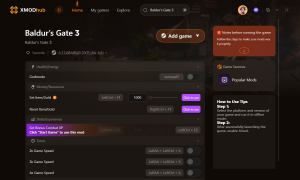
If you want to enhance your single-player experience in 博德之門 3, try Xmod. It offers free access to cheats, trainers, and mods that elevate gameplay. Here’s how to get started:
下載 the Xmod app.
Search 為 博德之門 3 within the app.
博德之門 3
啟動 the game directly from Xmod.
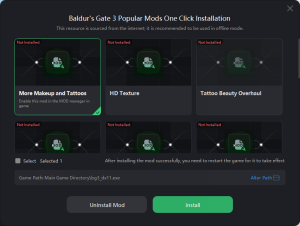
Baldur’s Gate 3 mods
Activate your favorite mods and enjoy a personalized, upgraded experience.
Whether you’re tweaking visuals or adding powerful gear, Xmod makes modding BG3 quick and easy.
總結
In conclusion, playing Baldur’s Gate 3 with friends can be an incredible experience—especially when enhanced with the right mods. By understanding how multiplayer works, resolving mod conflicts, and using tools like XMOD to safely access free mods, you can enjoy smoother, more customizable cross-play adventures together.
Quick Answer A REPLACED Walkthrough cheat is a PC tool, like a trainer, designed to make the game easier by enabling features such as god mode or infinite health. For the anticipated April…
How to Change Matchmaking Region in Toxic Commando | XMODhub
John Carpenter’s Toxic Commando is a blast when you have a full squad of four, but fighting the Sludge God alone with AI bots because your regional server is empty can ruin the…

 胡凱琳
胡凱琳


 南希-米勒
南希-米勒