胡凱琳
胡凱琳摘要: This guide provides a complete breakdown of the Long Drive North: Co-Op RV Simulator system requirements, covering minimum and recommended PC specs, performance tips, and hardware recommendations on how XMOD can further optimize your survival-driving experience.
Long Drive North delivers an immersive survival-driving experience where you maintain your RV, scavenge for resources, hunt for food, and brave harsh wilderness conditions—either solo or with up to 4 players in co-op.
We break down the minimum and recommended specs (e.g., Intel Core i5-3570K/AMD FX-8310, 8 GB RAM, GTX 970/AMD RX 580) so you can quickly check compatibility.
You’ll also learn whether low-end PCs can handle the game and how to verify your own setup.
Finally, we cover how XMOD can enhance performance and improve your overall gameplay experience, including boost tools, trainers, and quality-of-life features for survival-game enthusiasts.
目錄
- What is Long Drive North: Co-Op RV Simulator?
- System Requirements for Long Drive North: Co-Op RV Simulator: Minimum and Recommended
- 你能跑嗎 Long Drive North: Co-Op RV Simulator on a Low-End PC?
- 我的 PC 能否執行 Long Drive North: Co-Op RV Simulator?
- How to Enhance Gameplay Experience with XMOD?
- 總結
What is Long Drive North: Co-Op RV Simulator?

Long Drive North: Co-Op RV Simulator is a single-player and multiplayer survival-driving game that combines automobile simulation with open-world exploration.
Inspired by The Long Dark, The Long Drive, and My Summer Car, the game challenges post-disaster survival.
Drive and maintain an aging RV, managing hunger, thirst, sleep, and harsh environmental conditions.
Refuel, repair, and upgrade RV parts to keep your vehicle operational.
Explore abandoned buildings and vehicles, hunt with your dog, and cook meals to survive.
Supports up to 4-player online co-op; shared RVs planned for early 2026.
Procedural routes, dynamic weather, and realistic survival mechanics offer high replayability.
System Requirements for Long Drive North: Co-Op RV Simulator: Minimum and Recommended
Before installing the game (and applying any enhancements via XMOD), check your PC against the official specs.
- OS: Windows 10/11(64 位元)
- Processor: Intel Core i5-3570K or AMD FX-8310
- Memory: 8 GB RAM
- Graphics: NVIDIA GTX 970 4GB or AMD Radeon RX 580 4GB
- Storage: 10 GB available space
- DirectX: Version 11
- Additional: Requires 64-bit processor and operating system
While formal recommended specs beyond minimum have not been officially detailed, for optimal performance (especially with high-detail environments, co-op multiplayer with multiple RVs, complex weather effects, or when using XMOD enhancements), aim for:
- OS: Windows 10/11(64 位元)
- Processor: Intel Core i5-8400 / AMD Ryzen 5 2600 or better
- Memory: 16 GB RAM
- Graphics: NVIDIA GTX 1060 6GB / AMD RX 590 or better with 6GB+ VRAM
- Storage: 15 GB or more free (to allow overhead for updates, mods, XMOD files, and save data)
- DirectX: Version 11 or 12
- Additional: Up-to-date graphics drivers, stable internet connection for co-op multiplayer
你能跑嗎 Long Drive North: Co-Op RV Simulator on a Low-End PC?
Yes, the game’s minimum requirements are relatively accessible. A system with a Core i5-3570K (or AMD FX-8310 equivalent), 8 GB RAM, and GTX 970 (or AMD RX 580) meets the baseline threshold.
GPU limitations: On older graphics cards or integrated graphics below the GTX 970 level, you may experience reduced frame rates, especially during intense weather conditions, co-op sessions with multiple RVs, or in densely detailed wilderness areas. Lowering resolution and graphics settings will help.
RAM constraints: With only 8 GB RAM, background applications (browsers, Discord, streaming software) may cause performance stutters. Closing unnecessary programs before launching is strongly recommended.
Storage performance: While 10 GB is the minimum requirement, having additional free space (15+ GB) ensures smoother operation, especially if you plan to save frequently or use workshop content.
XMOD considerations: If you intend to use XMOD tools (trainers, mods, performance boosters), you’ll want headroom above minimum specs—extra RAM and better GPU performance will ensure these enhancements run smoothly without causing system strain.
In short: running is feasible on a budget machine, but for consistent performance and full enjoyment (especially with multiplayer and enhancements), a mid-tier setup matching or exceeding recommended specs is strongly preferred.
我的 PC 能否執行 Long Drive North: Co-Op RV Simulator?
To check compatibility:
Check your system information:
Open Windows → Settings → System → About to view OS and RAM
Use “dxdiag” (Windows + R → type “dxdiag” → Enter) to identify CPU, GPU, and DirectX version
Compare your specs:
Match your CPU against Intel Core i5-3570K or AMD FX-8310
Check your GPU against GTX 970 4GB or RX 580 4GB
Verify you have at least 8 GB RAM and 10 GB free storage
Assess your capabilities:
If your machine meets or exceeds minimum specs, the game should launch and run at basic settings
For smoother performance (especially co-op multiplayer, high settings, or when using XMOD enhancements), aim to meet or exceed recommended tier specs
If you’re borderline on specs: try the demo first (if available) to gauge real-world performance on your specific hardware before purchasing.
How to Enhance Gameplay Experience with XMOD?

The term XMOD refers to a comprehensive third-party toolkit and modding platform that supports trainers, mods, and performance optimization utilities. Using XMOD with Long Drive North: Co-Op RV Simulator can unlock additional flexibility and control:
Customize visual elements (weather effects, terrain textures, UI overlays), adjust RV appearance with custom skins, enhance environmental details, or add quality-of-life improvements such as better inventory management systems—boosting immersion and personalization.
Modify in-game values such as fuel consumption rates, hunger/thirst decay speed, repair costs, scavenging loot frequency, or vehicle durability—ideal for players who want to experiment with different survival challenges, practice maintenance mechanics, or reduce grind for a more relaxed experience.
Instantly unlock vehicle upgrades, skip harsh early-game resource scarcity, or access advanced crafting recipes immediately—perfect for players who want to focus on exploration and driving without survival pressure, or for testing co-op strategies quickly.
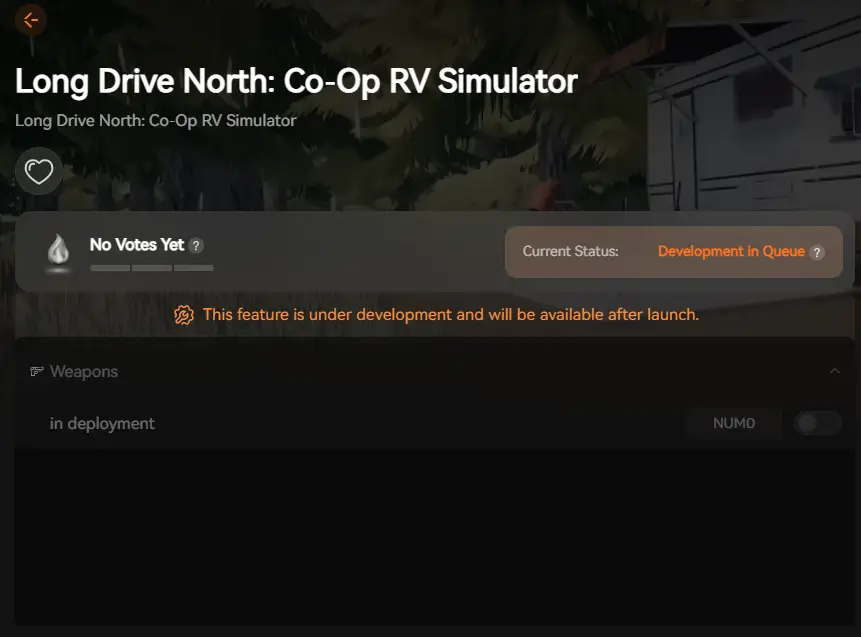
XMOD 將於遊戲正式發行時提供完整的訓練器支援,確保從第一天開始就能維持相容性與穩定性。.
總結
Long Drive North: Co-Op RV Simulator delivers a unique blend of survival mechanics, automobile simulation, and open-world exploration into an immersive post-disaster wilderness experience. Checking your system against the minimum and recommended specs is your crucial first step toward smooth gameplay.
With a modest baseline (Intel Core i5-3570K/AMD FX-8310, 8 GB RAM, GTX 970/RX 580), the game is accessible to many players, though headroom above minimum ensures better performance during multiplayer sessions and intense weather conditions.
If you’re eager to enhance and customize your experience, integrating XMOD tools unlocks additional layers of control—from visual mods and survival trainers to performance optimizers and convenience features. With the right hardware setup and thoughtful enhancements, you’re well-positioned to tackle the harsh northern wilderness, master RV maintenance, and survive the Long Drive North alongside friends.


 南希-米勒
南希-米勒