摘要: Enhance your Football Manager 26 experience with XMOD — a safer, easier alternative to Cheat Engine. Access one-click cheats, real-time trainers, and powerful mods without risk. Perfect for boosting finances, improving player stats, and customizing your single-player game effortlessly.
Looking to boost your Football Manager 26 experience without the hassle of Cheat Engine? XMOD is your all-in-one solution for safe, powerful, and user-friendly game enhancement.
Whether you want to max out your club’s budget, develop wonderkids instantly, or tweak game mechanics on the fly, XMOD offers intuitive tools and one-click cheats designed for both beginners and advanced players.
In this guide, you’ll discover why XMOD is the top Cheat Engine alternative for Football Manager 26, explore the best mods and cheats available, and learn exactly how to use the platform for a more enjoyable and customized gameplay experience — all without compromising your game’s safety or stability.
目錄
- Why XMOD Is the Best Cheat Engine Alternative for Football Manager 26
- Best Football Manager 26 Cheats and Mods on XMOD
- How to Use XMOD for Football Manager 26 Cheats
- More Than Cheats: XMOD Mods & Gaming Tools
- Is XMOD Safe to Use?
- FAQs About XMOD and Football Manager 26 Cheats
- 最終想法
Why XMOD Is the Best Cheat Engine Alternative for Football Manager 26
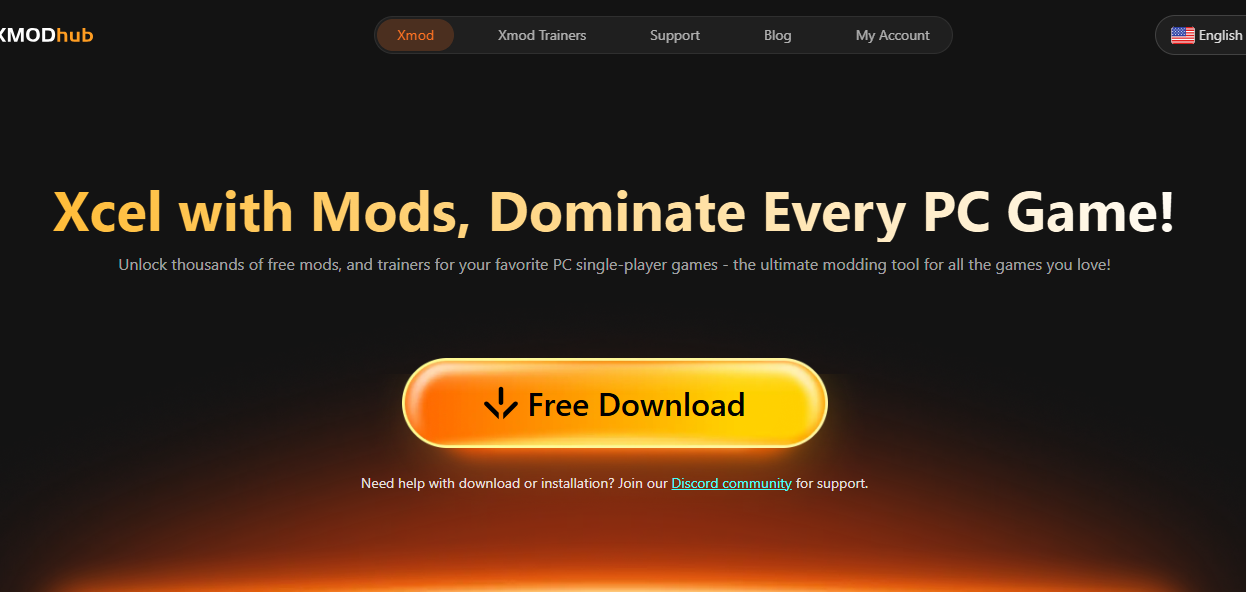
Cheat Engine has been a go-to tool for tweaking Football Manager values, but it often comes with risks — from corrupted save files to malware threats and complicated setup steps. XMOD offers a safer, easier, and more modern alternative tailored for Football Manager 26 and thousands of other PC games.
Here’s why XMOD stands out:
- One-click cheats – No scripts or coding needed. Turn on unlimited money, free transfers, or instant player development with a single click.
- Secure and stable trainers – All tools are team-tested and optimized to avoid crashes or save file corruption.
- Automatic game version detection – XMOD instantly recognizes your Football Manager version and adjusts trainers accordingly.
- Regular updates – Stay compatible with new patches and official updates, without lifting a finger.
- Made for single-player safety – XMOD is designed to enhance personal gameplay while respecting fair play in online environments.
Whether you’re a veteran manager or just getting started, XMOD brings simplicity, safety, and superior control to your Football Manager 26 experience.
Best Football Manager 26 Cheats and Mods on XMOD

XMOD gives Football Manager 26 players full control over finances, transfers, and player attributes — all without manual editing or Cheat Engine tables. With one click, you can instantly boost budgets, customize player stats, or fine-tune team performance in real time.
Popular FM26 cheats available in XMOD include:
Club & Finance Cheats
- Set Club Balance (GBP)
- Set Transfer Budget (GBP)
- Set Wage Budget (GBP)
Goalkeeper Attributes
Adjust any stat individually — Aerial Reach, Reflexes, Punching, Communication, Handling, and more.
Player Attributes
Modify every key skill from Decision-Making, Determination, Leadership, Teamwork, Acceleration, Vision, Balance, Agility, and beyond.
One-Click Control
Every cheat comes with a “Click to use” button + hotkey support, letting you activate changes instantly during gameplay — no memory scanning, no crashes, no risk.
XMOD gives you the freedom to build the perfect squad, create overpowered wonderkids, or simply speed up your long-term career saves — safely and effortlessly.
How to Use XMOD for Football Manager 26 Cheats

Using XMOD with Football Manager 26 is simple — no Cheat Engine tables, no hex editing, no risk of corrupt saves. Just install, launch, and start customizing your game in seconds.
Follow these steps:
Download and install XMOD
-
- Get the latest version from the official site and complete the quick setup.
Launch XMOD and search for “Football Manager 26”
-
- The game trainer will appear with all available cheats and attribute sliders.
Start the game from Steam or directly through XMOD
- XMOD auto-detects the running game and syncs instantly.
- Activate cheats with one click or hotkeys Boost club balance
- Max player stats
- Increase transfer budget
- Edit attributes in real time Every option has a “Click to use” button and optional keybind.
Adjust values live during gameplay
-
- No restart required — changes apply immediately inside your save file.
Enjoy safe, single-player-only cheating
-
- XMOD is built to avoid online systems, so your account stays protected.
More Than Cheats: XMOD Mods & Gaming Tools
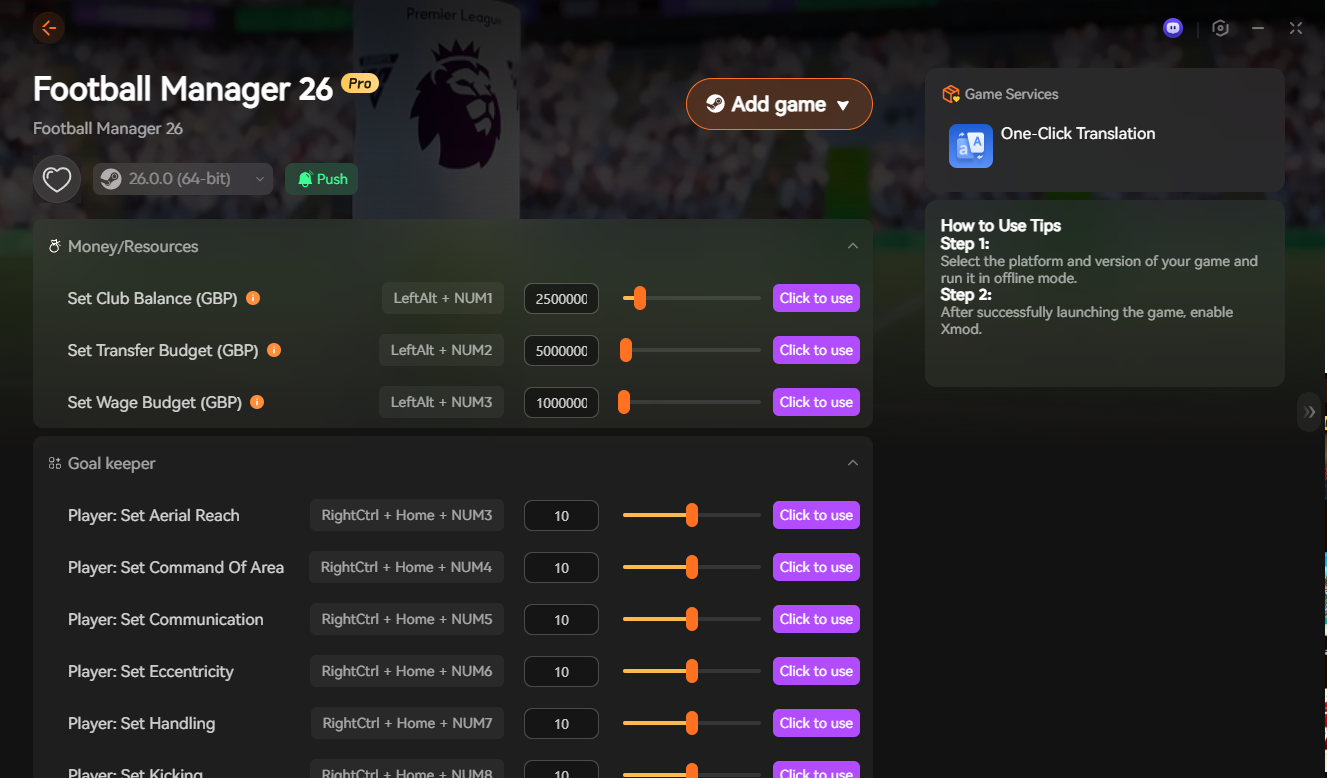
XMOD isn’t just a cheat trainer — it’s a full enhancement platform for PC gamers. Alongside instant stat editing and budget control, it offers powerful modding tools and gameplay upgrades designed to improve Football Manager 26 and any other supported game.
With XMOD, you can:
Install game mods instantly – Add visual tweaks, realism packs, UI improvements, or gameplay changes with zero file editing.
Use advanced trainers – Control player attributes, match speed, finances, fatigue, morale, and more — all in real time.
Access extra gaming utilities – FPS boost, auto-backup saves, translation support, and future AI-powered features.
Stay updated automatically – Cheats and mods are patched for every new FM26 update to prevent crashes or save corruption.
Manage all games in one hub – From Football Manager 26 to thousands of other titles like EA FC, Cities Skylines, and Bannerlord.
Whether you’re optimizing performance, experimenting with modded careers, or building a dream squad with maxed attributes, XMOD gives you a complete toolbox — not just cheats.
Is XMOD Safe to Use?
Yes — XMOD is designed to be a safe, offline-only tool for single-player games, making it a much more secure option than Cheat Engine or unofficial trainers.
Here’s why XMOD is considered safe:
No malware or hidden files – All trainers are scanned and verified before release.
No manual memory editing – Reduces the risk of game crashes, corrupted saves, or PC instability.
Single-player focused – XMOD avoids online systems, so it won’t interfere with multiplayer or trigger bans.
Auto-updates for compatibility – Trainers are updated after every game patch to prevent errors.
No complex setup – No risky scripts, third-party tables, or DLL injections required.
Unlike Cheat Engine, XMOD doesn’t require kernel access or open memory scanning, which makes it both safer and easier for everyday players。

FAQs About XMOD and Football Manager 26 Cheats
1. Does XMOD work with the latest version of Football Manager 26?
Yes. XMOD trainers are updated automatically after each game patch to ensure full compatibility.
2. Can XMOD be used in online or multiplayer modes?
No. XMOD is strictly for offline single-player use to keep your account safe and avoid unfair play.
3. Do I need Cheat Engine or scripts to use XMOD?
No. XMOD replaces Cheat Engine — everything works with one-click toggles, no coding or table editing required.
4. Will XMOD get me banned on Steam or Epic?
No, as long as you use it offline. XMOD doesn’t inject into online services or modify multiplayer servers.
5. Is XMOD free to use?
XMOD offers both free and premium features. Basic cheats are free, while advanced tools and mods may require a membership.
6. Does XMOD support other Football Manager games?
Yes. XMOD supports Football Manager 24, 25, and earlier titles, along with thousands of other PC games.
7. Can XMOD modify player attributes in Football Manager 26?
Yes. You can boost stats like stamina, acceleration, determination, flair, and more with one click.
8. Is XMOD safe for my save files?
Yes. Since it doesn’t rely on manual memory scanning like Cheat Engine, the risk of corrupting saves is very low.
9. Do I need to reinstall mods after an update?
No. XMOD has auto-update and auto-repair, so your cheats and mods stay functional after patches.
10. Does XMOD work on Windows 11?
Yes. XMOD fully supports Windows 10 and Windows 11 (64-bit).
最終想法
If you’re looking for the easiest, safest, and most powerful way to enhance Football Manager 26, XMOD is the clear winner. Unlike Cheat Engine, it provides a hassle-free, one-click experience — no coding, no complex setup, and zero risk of corrupted saves or malware. From unlimited transfer budgets to instant player attribute boosts and auto-updating trainers, XMOD gives you everything you need to dominate the game effortlessly.
Whether you’re a casual manager or a long-time Football Manager veteran, XMOD streamlines your experience and lets you focus on what matters most: building your dream team and leading them to glory.
我是一名熱情的遊戲玩家,也是 XMODhub 的作家,致力於為您帶來最新的遊戲新聞、秘訣和見解。.
與我聯繫:
LinkedIn 個人資料

 胡凱琳
胡凱琳