
 胡凱琳
胡凱琳
You are three hours deep into a grueling multiplayer session of Heroes of Might and Magic Olden Era. Your armies are perfectly positioned, your resource management is flawless, and you are just one turn away from capturing the enemy capital. Suddenly, the screen freezes, a notification pops up, and the game dumps you back to the lobby with a generic connection error. There is nothing more frustrating for a strategy gamer than a desync event that wipes out hours of tactical progress.
⚡ TL;DR: The Short Answer
If you are looking for an immediate fix for your Heroes of Might and Magic Olden Era multiplayer desync issues, follow this checklist. These are the most common culprits:
| Action | Why It Works |
|---|---|
| Enable UPnP in Router Settings | Automatically handles port forwarding required for peer-to-peer sync. |
| Verify Game File Integrity | Corrupted assets can cause logic mismatches between players. |
| Disable Background Overlays | Prevents injection conflicts with Discord, Steam, or NVIDIA overlays. |
| Limit Frame Rate (VSync) | Prevents CPU/GPU spikes that cause micro-stutters in network packets. |
Understanding the Mechanics of Desync in Strategy Games
To fix the problem, you must first understand why it happens. Heroes of Might and Magic Olden Era, like most complex turn-based strategy games, utilizes a deterministic lockstep networking model. In simple terms, your computer and your opponent’s computer are not constantly sending the entire game state back and forth. Instead, they send “commands.” If you move your hero, your PC sends a packet saying “Move Hero A to Coordinate X,Y.”
A desync occurs when one player’s game state drifts away from the other player’s game state. If your game thinks your hero is at position A, but the server or your opponent’s client thinks your hero is at position B, the simulation logic breaks. The game detects this discrepancy, realizes the match is no longer “fair” or “synchronous,” and forces a disconnect to prevent further corruption. This is why Heroes of Might and Magic Olden Era multiplayer desync is often triggered by sudden spikes in latency or dropped packets—the “commands” arrive out of order, and the simulation falls apart.
Step 1: Network Optimization and Port Configuration
The most common cause of instability is a restricted NAT type. Many home routers are configured to be restrictive for security reasons, which inadvertently blocks the traffic Heroes of Might and Magic Olden Era needs to communicate with other players.
Enabling UPnP
Universal Plug and Play (UPnP) is the easiest way to solve this. Access your router’s admin panel (usually by typing 192.168.1.1 or 192.168.0.1 into your browser). Look for the “Advanced” or “WAN” settings and ensure UPnP is set to “Enabled.” This allows the game to negotiate necessary ports automatically.
Manual Port Forwarding
If UPnP fails, you may need to manually forward ports. While the specific ports for Heroes of Might and Magic Olden Era change depending on the launcher and version, you should generally ensure that UDP ports in the 27000-27050 range are open for your local IP address. This ensures that the packets containing your turn commands have a direct, unblocked “highway” to your opponent.
Step 2: Cleaning Up Your System Environment
Multiplayer stability is heavily dependent on your PC’s ability to maintain a steady stream of data. If your CPU is struggling to process background applications, you will experience micro-stutters. These micro-stutters manifest as network jitter, which leads to desyncs.
Eliminating Overlay Conflicts
Overlays—such as Discord, Steam, EA App, or NVIDIA ShadowPlay—hook into your game’s rendering process. They can occasionally cause the game engine to hang for a millisecond, which is enough to break the lockstep synchronization. Disable all overlays before launching the game.
The Importance of a Clean Launch
Before you dive into competitive play, it is essential to understand the basics of game flow and system management. If you feel you are struggling with the core mechanics of the game alongside these technical issues, it is time to brush up on your fundamentals. I highly recommend checking out our comprehensive HoMM Olden Era Ultimate Beginner’s Guide: 15 Tips You Must Know to ensure your gameplay strategies are as optimized as your network connection.
Step 3: In-Game Settings and Performance Tweaks
Believe it or not, graphics settings can cause desyncs. If your game is running at an uncapped frame rate, your GPU might be pushing itself to 100% usage. When the GPU is pegged, the CPU often struggles to prioritize network packet processing, leading to delays in sending your turn information.
Cap Your Frame Rate
Go to the video settings in Heroes of Might and Magic Olden Era and cap your frame rate to match your monitor’s refresh rate (e.g., 60 FPS or 144 FPS). Enable VSync if you experience screen tearing, as this forces the game engine to maintain a consistent rhythm, which helps stabilize the simulation lockstep.
Disable High-Impact Graphical Features
If you are playing on older hardware, disable features like Ambient Occlusion and excessive Anti-Aliasing. While these make the game look better, they consume resources that are better allocated to keeping your game state synced with the server.
Step 4: Advanced Diagnostic Techniques
If the steps above do not solve the issue, you might be dealing with “packet loss” on your ISP’s end. You can test this by running a continuous ping test in the background while you play. Open your Command Prompt (cmd) and type: ping google.com -t. If you see the latency jumping wildly or “Request Timed Out” appearing while you are playing Heroes of Might and Magic Olden Era, the problem is your internet connection, not the game itself. In this case, switching from Wi-Fi to a wired Ethernet connection is the single most effective fix you can implement.
Identifying Desync Patterns: Diagnostic Table
Not all disconnects are created equal. Identifying the specific pattern of your crash can help you pinpoint whether the issue is local or network-based. Use the table below to categorize your experience and apply the right solution:
| Symptom | 可能原因 | Suggested Action |
|---|---|---|
| Game freezes, then returns to main menu | Packet loss or high latency | Switch to wired Ethernet; disable background downloads. |
| Crash occurs immediately after a specific action | Corrupted game files or mod conflict | Verify game file integrity via Steam/Launcher. |
| Desync happens only in late-game | CPU bottleneck/Overheating | Lower graphics settings; check PC temperatures. |
Essential System-Level Stability Tweaks
Beyond the game client, Windows OS settings can often throttle game performance, leading to desyncs. Before entering a ranked match, ensure your operating system is optimized for gaming performance rather than power saving.
- ✦Set Power Plan to “High Performance”: Go to Control Panel > Power Options and select “High Performance.” This prevents the CPU from downclocking during intense turn processing.
- ✦Add Game Exclusions to Antivirus: Ensure your Antivirus or Windows Defender is not scanning the Heroes of Might and Magic Olden Era folder in real-time, as this can cause IO spikes.
- ✦Update Network Adapter Drivers: Visit your motherboard or laptop manufacturer’s website to download the latest LAN/Wi-Fi drivers. Generic Windows drivers often lack the stability required for peer-to-peer synchronization.
- ✦Clear DNS Cache: Open Command Prompt as Administrator and type
ipconfig /flushdnsto ensure your connection routing remains fresh and uncluttered.
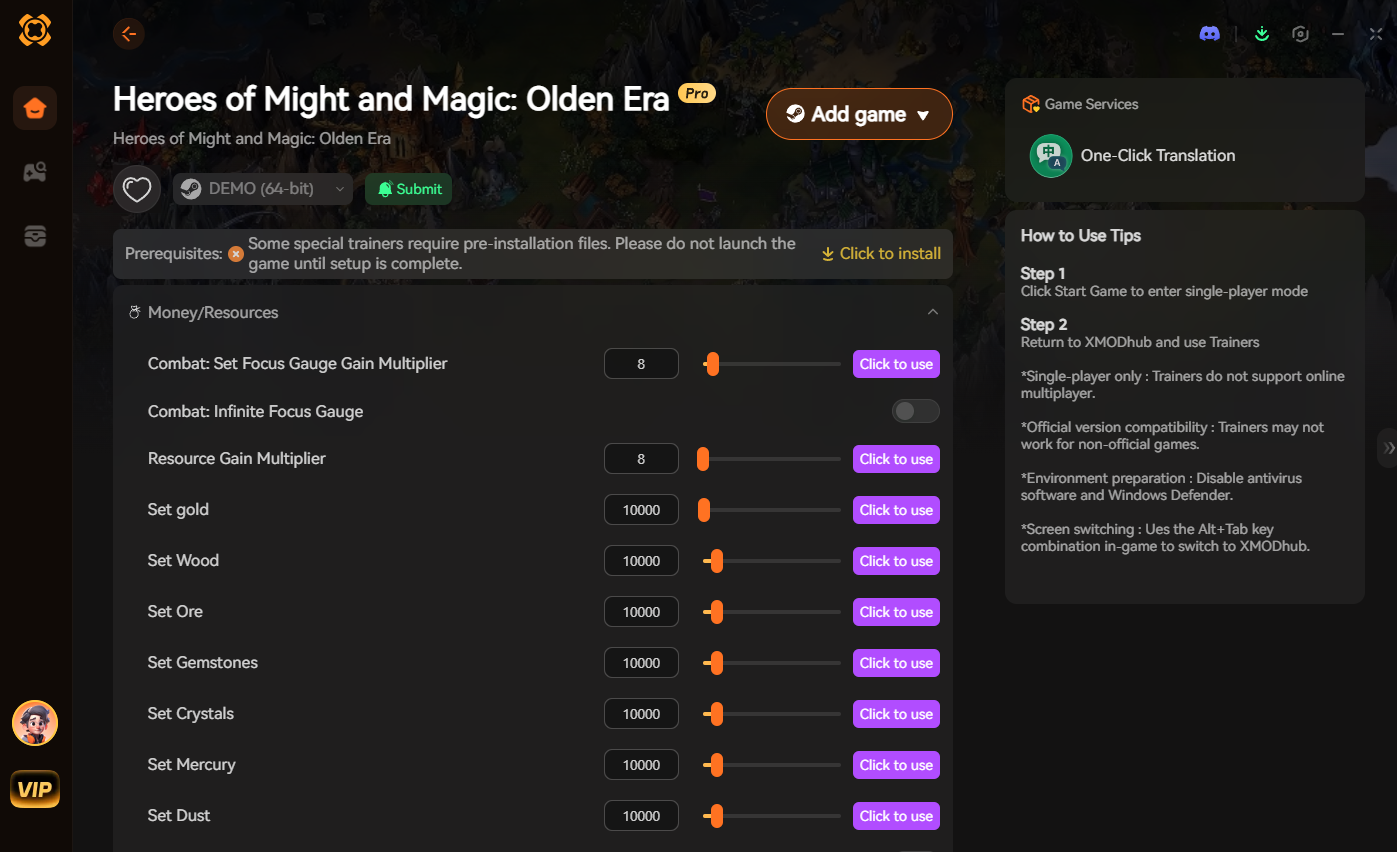
The Shortcut: XMODhub Integration
Look, we all know the drill. You want to play the game, not spend hours troubleshooting network packets and router settings. Sometimes, the game’s internal code is just finicky, or you simply want to bypass the grind and get straight to the strategic fun without worrying about connection drops ruining your momentum.
If you are tired of the technical headaches and just want to enjoy the game on your own terms, you need to use XMODhub. It is the ultimate tool for PC gamers who value their time.
How to get started with XMODhub:
- Download XMODhub: Get the latest version from our official portal to ensure full compatibility.

- Auto-Detect: Launch the tool, and it will automatically detect your installation of Heroes of Might and Magic Olden Era.
- Toggle Cheats: Activate the features you need—whether it is instant resource generation, map reveal, or unit stat boosts—and bypass the need for tedious multiplayer grinding that often leads to desync frustration.
常見問題
Q: Why does my game desync only when I play with specific friends?
A: Desyncs often happen when there is a large geographic distance or a massive difference in network quality between players. If your friend has high latency, your game will struggle to “wait” for their input, causing a mismatch in the simulation state.
Q: Does using a VPN help with Heroes of Might and Magic Olden Era desync?
A: Sometimes. A VPN can provide a more stable routing path to the game’s servers, bypassing congested nodes on your ISP’s network. However, it can also add latency. Try a gaming-optimized VPN if you suspect your ISP is throttling your connection.
Q: Can outdated drivers cause multiplayer desync?
A: Absolutely. If your network adapter drivers are outdated, they may not handle high-frequency packet transmission efficiently. Always ensure your motherboard and network card drivers are updated to the latest manufacturer versions.
Q: Is it possible that the game server is the problem?
A: Yes. If you have verified all your local settings, updated your drivers, and are using a stable wired connection, the issue might be on the developer’s side. Check the official Heroes of Might and Magic Olden Era community forums to see if other players are reporting similar issues at the same time.
Final Verdict: Stabilizing Your Experience
Resolving Heroes of Might and Magic Olden Era multiplayer desync issues is a process of elimination. Start with the basics: move to a wired connection, enable UPnP, and ensure your system isn’t bogged down by background processes. Once you have a stable environment, you can focus on what actually matters—outsmarting your opponents and conquering the map.
However, if you find that the standard gameplay loop is still plagued by issues or you simply want to experience the power fantasy of the game without the limitations of standard multiplayer synchronization, XMODhub is your best friend.
With support for over 5000+ PC titles, including heavy hitters like Age of Wonders 4 和 Songs of Conquest. XMODhub is the essential companion for any serious PC gamer. Stop fighting your connection and start winning your battles.

我是一名熱情的遊戲玩家,也是 XMODhub 的作家,致力於為您帶來最新的遊戲新聞、秘訣和見解。.
與我聯繫:
LinkedIn 個人資料