胡凱琳
胡凱琳
You have just installed Heroes of Might and Magic Olden Era, anticipation is at an all-time high, you click the “Play” button, and then… nothing. Or worse, the screen flashes black, your desktop reappears, and you are left staring at your wallpaper with a sinking feeling in your stomach. A crash on startup is the single most frustrating experience for any PC gamer, especially when you are ready to dive into the latest installment of this legendary franchise.
⚡ TL;DR: The Short Answer
If you are in a rush and need to get back to the game immediately, try these top-tier fixes in order. Most users find success within the first three steps.
| Priority | Solution | Why it works |
|---|---|---|
| 1 | Verify Game Files | Fixes corrupted installation data from the initial download. |
| 2 | Update GPU Drivers | Ensures compatibility with the game’s latest graphics API. |
| 3 | Disable Overlays | Steam/Discord overlays often conflict with game initialization. |
| 4 | Run as Administrator | Bypasses Windows permission blocks on system folders. |
Understanding Why Heroes of Might and Magic Olden Era Crashes
Before diving into the fixes, it is helpful to understand the underlying mechanism of a startup crash in Heroes of Might and Magic Olden Era. When a game fails to launch, it is usually because the executable file (the .exe) has initiated a handshake with your operating system, but the process has been interrupted. This interruption can be caused by missing DirectX components, corrupted asset files, or third-party software “hooking” into the game process to display an overlay.
Modern PC games are complex. They rely on a web of dependencies—Visual C++ Redistributables, .NET Frameworks, and specific GPU shader caches. If even one of these components is out of sync or corrupted, the game engine will intentionally crash to prevent further system damage or data corruption. Understanding that this is a “safety mechanism” rather than a broken game helps you approach the troubleshooting process with patience.
Step 1: Verifying Game File Integrity
The most common culprit for a crash on startup is a corrupted file. During the download or installation process of Heroes of Might and Magic Olden Era, a single packet loss or a minor disk read error can result in a broken asset file. When the game tries to load that asset, it hits a wall and shuts down.
How to fix it:
- ✦Steam Users: Right-click on Heroes of Might and Magic Olden Era in your Library. Select “Properties,” navigate to the “Installed Files” tab, and click “Verify integrity of game files.” Steam will compare your local files against the server version and automatically re-download any missing or damaged files.
- ✦GOG Galaxy Users: Click the settings icon next to the “Play” button, select “Manage installation,” and choose “Verify / Repair.”
Step 2: Updating Graphics Drivers and Dependencies
Heroes of Might and Magic Olden Era utilizes modern rendering techniques that require up-to-date graphics drivers. If you are running drivers that are more than a few months old, you may be missing critical optimizations for the game’s API, causing a crash upon startup.
Do not just rely on Windows Update. Go directly to the NVIDIA, AMD, or Intel website. Perform a “Clean Installation” if possible. Furthermore, ensure your DirectX runtime is current. Even if you have the latest Windows, sometimes the legacy DirectX components need a manual refresh via the Microsoft web installer.
Step 3: Disabling Background Overlays and Conflicts
This is a frequent, yet overlooked, cause of startup crashes. Overlay software (Steam Overlay, Discord Overlay, NVIDIA GeForce Experience, MSI Afterburner) all work by “hooking” into the game’s rendering pipeline. Sometimes, Heroes of Might and Magic Olden Era detects this external hook as a security threat or a conflict, causing the game to close immediately.
Try disabling all overlays. Go into your Steam settings, turn off the Steam Overlay. Close Discord entirely. If you have MSI Afterburner running, exit it completely before launching the game. If the game launches successfully after these steps, you have identified the culprit.
Step 4: Administrator Mode and Compatibility
Sometimes, Windows User Account Control (UAC) prevents the game from writing temporary files to your “Documents” or “AppData” folders. Without write access to these directories, Heroes of Might and Magic Olden Era cannot initialize its save file paths or configuration settings, leading to a crash.
Navigate to the game’s installation folder (right-click the game in Steam > Manage > Browse local files). Locate the main executable (.exe). Right-click it, select “Properties,” go to the “Compatibility” tab, and check the box that says “Run this program as an administrator.” Apply the changes and attempt to launch the game again.
Step 5: Verifying System Requirements
Before assuming the game is faulty, ensure your hardware meets the minimum threshold for Heroes of Might and Magic Olden Era. While the game may look stylized, the engine requires specific instruction sets from your CPU and GPU to initialize properly.
If your hardware is outdated, the game may trigger a “silent crash” upon startup to prevent memory overflow errors. Use the checklist below to verify if your rig is ready:
| 組件 | Requirement Check |
|---|---|
| Operating System | 64-bit Windows 10 or 11 (Ensure all updates are installed). |
| GPU | Must support DirectX 11 or 12. Update your drivers to the latest version. |
| RAM | Minimum 8GB. If you have 8GB, close Chrome and other background apps. |
| 儲存 | SSD is highly recommended. Launching from an HDD can cause timeout crashes. |
Step 6: Advanced Diagnosis via Event Viewer
If the game continues to crash without an error message, Windows is likely logging the specific reason in the background. You can pinpoint the exact DLL file or process causing the conflict by checking the Windows Event Viewer.
Follow these steps to find the crash log:
- Press Windows Key + R, type
eventvwr.msc, and hit Enter. - 導覽到 Windows Logs > Application in the left-hand sidebar.
- Look for a red “Error” icon with a timestamp matching your last game launch attempt.
- Click on the error and check the “General” tab for the Faulting module name.
If the faulting module is something like ntdll.dll, it is often a system file issue. If it points to your GPU driver file (e.g., nvwgf2umx.dll), you must perform a clean reinstallation of your graphics drivers.
Mastering the Game: Faction Tiers
Once you have bypassed the technical hurdles and successfully launched the game, the real challenge begins: strategy. Heroes of Might and Magic Olden Era is a game of deep tactical decision-making. You cannot simply smash your units into the enemy and expect to win. You need to understand the strengths and weaknesses of the various factions.
While you are stabilizing your game client, I highly recommend that you prepare for your upcoming campaigns by checking out our comprehensive guide: Best Factions in Heroes of Might and Magic Olden Era: Ultimate Tier List & Build Orders. Knowing which faction fits your playstyle early on will save you countless hours of trial and error in the long run.
The Ultimate Shortcut: XMODhub
Look, I get it. You bought Heroes of Might and Magic Olden Era to enjoy the strategic depth and the nostalgia, not to spend three hours debugging Windows registries and updating C++ redistributables. If you have tried the steps above and are still hitting walls, or if you are simply tired of the grind and want to focus on the fun parts of the game without the technical headaches or artificial difficulty barriers, there is a better way.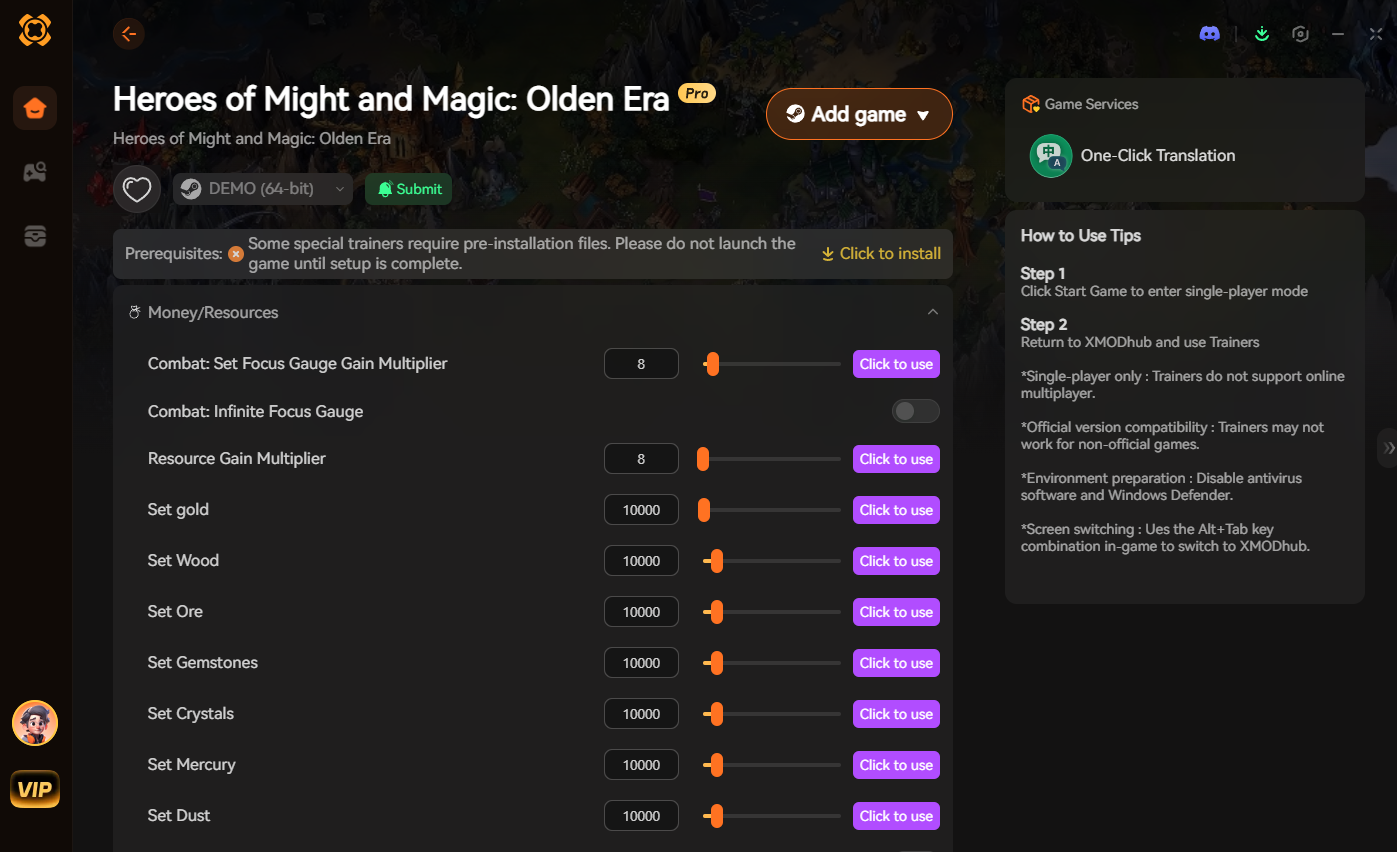
Stop fighting the game and start mastering it with XMODhub. XMODhub is the premier platform for PC gamers who value their time.
Why struggle when you can streamline?
- ✓Download XMODhub: Get the lightweight client that integrates seamlessly with your PC gaming library.

- ✓Auto-Detect Heroes of Might and Magic Olden Era: XMODhub instantly scans your library and identifies your installed titles.
- ✓Toggle Cheats and Mods: Instantly enable features like infinite resources, instant unit recruitment, and map reveals to bypass the tedious parts of the game and get straight to the epic battles.
XMODhub removes the friction, allowing you to play exactly how you want to play.
常見問題
Q: Why does Heroes of Might and Magic Olden Era crash on startup specifically?
A: Most crashes are due to missing dependencies, corrupted installation files, or conflicts with overlay software. It is rarely a problem with your hardware unless your PC falls below the minimum system requirements.
Q: Will updating my BIOS help with game startup crashes?
A: In 99% of cases, no. BIOS updates are for hardware compatibility and system stability. Unless you are experiencing crashes in multiple AAA titles, stick to updating your GPU drivers and verifying game files first.
Q: Can I play Heroes of Might and Magic Olden Era offline to avoid crashes?
A: Yes, you can play in offline mode. If the game crashes due to a network handshake issue with the game’s launcher, going offline can sometimes bypass the initial login check and allow the game to load.
Q: Will these fixes work for the GOG version of the game?
A: Absolutely. The troubleshooting steps provided—verifying files, updating drivers, and disabling overlays—are universal across Steam, GOG, and Epic Games Store versions of Heroes of Might and Magic Olden Era.
最後判斷
Troubleshooting a crash in Heroes of Might and Magic Olden Era is a process of elimination. Start with the basics: verify your files, update your drivers, and silence your overlays. In the vast majority of cases, these steps will resolve the issue and get you back into the world of Enroth.
If you find yourself hitting a wall, remember that you don’t have to suffer through the tedious aspects of modern gaming. Whether it’s overcoming a technical crash or just wanting to bypass the grind, XMODhub is your ultimate companion.
XMODhub supports over 5,000+ single-player titles, ensuring that no matter what you are playing—whether it is a classic strategy game like Heroes of Might and Magic Olden Era, or other titans of the genre like Age of Wonders 4—you have the tools to customize your experience. Stop troubleshooting, start dominating. Download XMODhub today and take full control of your gaming experience.

我是一名熱情的遊戲玩家,也是 XMODhub 的作家,致力於為您帶來最新的遊戲新聞、秘訣和見解。.
與我聯繫:
LinkedIn 個人資料
 南希-米勒
南希-米勒