胡凱琳
胡凱琳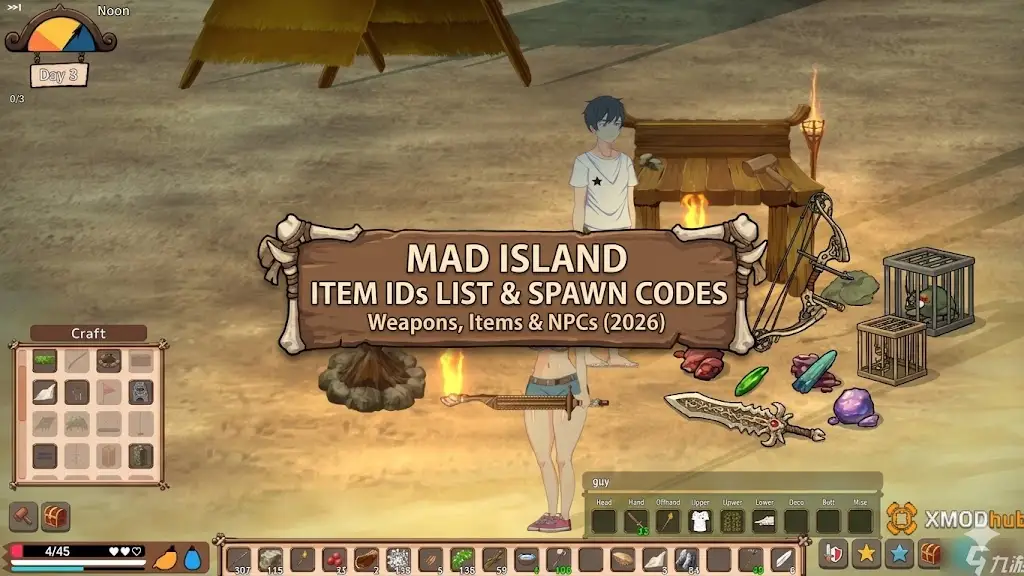
Want to test out endgame base-building mechanics early? Are you tired of grinding for Wood and Iron, or perhaps you accidentally lost a critical survival item and your playthrough is soft-locked?
Using developer console commands to spawn items is a beloved staple of PC gaming freedom. Below is the most comprehensive, categorized, and up-to-date list of Item IDs, spawn codes, and NPC IDs for Mad Island, verified for the latest Early Access patch.
 您可能也會喜歡:
Mad Island Cheat Engine Table vs. XMODhub: Best Free Trainer (2026)
Quick Reference: Top 10 Most Wanted Mad Island IDs
If you do not want to scroll through thousands of rows, here are the exact spawn codes for the most essential and frequently searched items and NPCs in the game (including Wood, Age Potions, and friendly companions).
| Item / NPC Name | Exact Item ID / Code | Item Effect / Stats |
|---|---|---|
| Wood | wood_01 |
Essential crafting material |
| Iron Ore | iron_01 |
Mid-tier crafting material |
| Repair Kit | repairkit_01 |
Fixes broken tools and weapons |
| Red Mushroom | mushroom_01 |
Restores basic health/stats |
| Age Potion | potion_age_02 |
Changes an NPC’s age state |
| Random Top Clothing | cloth_01 |
Basic upper body apparel |
| Random Bottom Clothing | clothu_01 |
Basic lower body apparel |
| Friendly Native Woman | 015 |
Use with the /friend command |
| Friendly Merchant | 0111 |
Use with the /friend command |
| Reika (Story NPC) | 5 |
Use with the /friend command |
How to Enable the Console & Use Spawn Commands
Before you can use the ID codes listed below, you must understand the correct syntax for the developer console in Mad Island. The game uses the multiplayer chat box as its command line.
✦
✦
✦
/get [Item ID] [Quantity]✦
/get wood_01 99 and press Enter.✦
/friend [NPC ID] for a tamed ally, or /npc [NPC ID] for a neutral entity.Expert Warning
“Typing
/get wood_01 999is fine if you only need to do it once. But if you are building a massive island camp or experimenting with different NPC outfits, manually typing case-sensitive strings likeclothu_45becomes incredibly repetitive. One wrong character results in a chat error. While the lists below are meticulously verified, I personally switched to a visual UI injector months ago. Seeing the item icon and just clicking ‘Add to Inventory’ is how modern PC modding should feel.”— Catherine Hu, Senior Modding Specialist at XMODhub
The Easy Way: XMODhub Visual Spawner (No Typing Required)
Stop Alt-Tabbing to check massive spreadsheets. Typing long, case-sensitive ID codes breaks your immersion and wastes time.
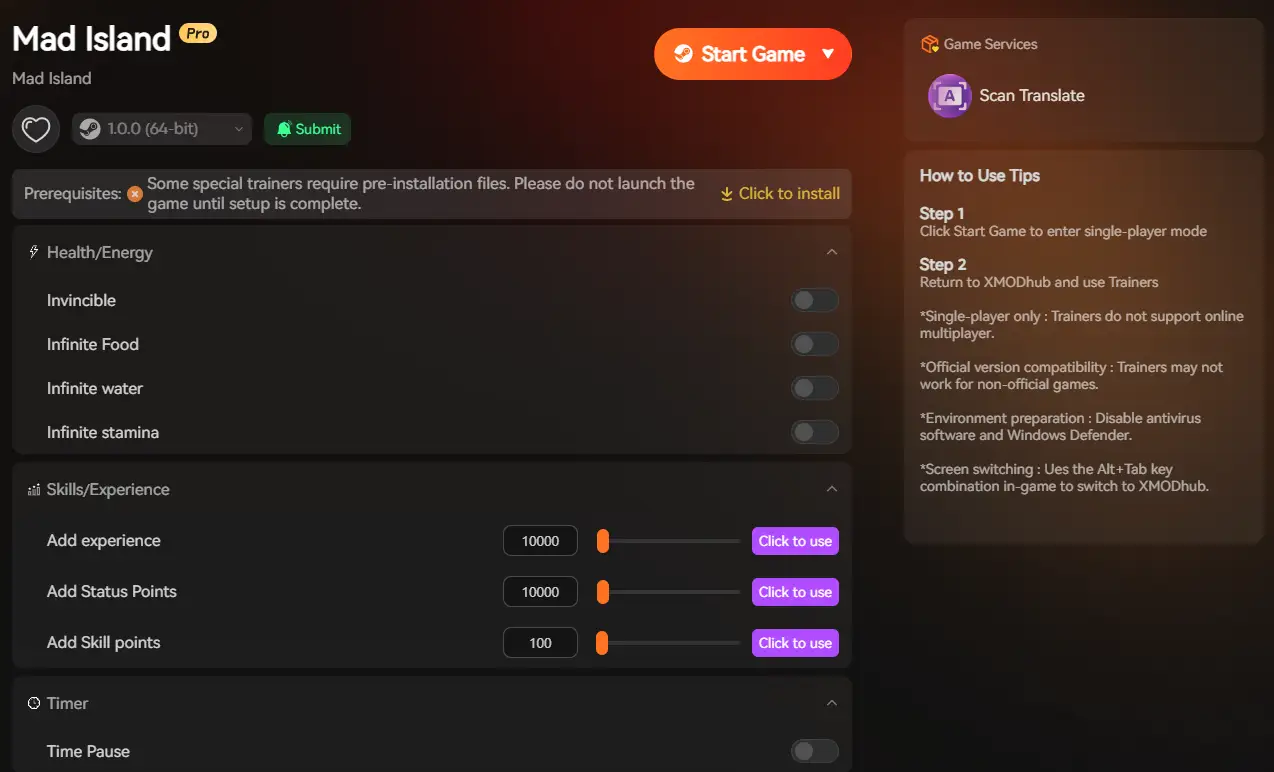
The XMODhub PC Client includes a dedicated Visual Item Spawner feature specifically built for Mad Island‘s Unity engine architecture.
✨
Icon-Based UI: See exactly what the clothing, material, or weapon looks like before you spawn it.
✨
Instant Search: Just type “Iron” or “Potion” in the overlay search bar and click the one you want.
✨
Batch Spawning: Get 999x of every single crafting material with one button press.
✨
Auto-Updated Lists: When the developers at EmadePlus add new Early Access items, XMODhub updates its database automatically via the cloud. You never have to hunt for new ID codes again.
Weapon & Tool IDs List
Use these codes to instantly equip yourself with the tools needed to survive.
(Command Format: /get [Item ID] [Quantity])
| Weapon Name | Item ID | Rarity / Tier |
|---|---|---|
| Basic Repair Kit | repairkit_01 |
常見問題 |
| Stone Axe | axe_stone_01 |
常見問題 |
| Iron Sword | sword_iron_01 |
罕見 |
Armor & Clothing IDs List
Mad Island features hundreds of clothing variations for character customization. Use the ranges below to find your preferred style.
(Command Format: /get [Item ID] 1)
| Clothing Type | Item ID Range | Equip Slot |
|---|---|---|
| Shirts & Tops | cloth_01 through cloth_100 |
Torso |
| Pants & Skirts | clothu_01 through clothu_81 |
Legs |
| Accessories | acc_01 through acc_50 |
Various |
Consumables & Materials IDs List
Never run out of supplies during a native raid again. We recommend spawning these in batches of 99.
(Command Format: /get [Item ID] 99)
| 項目名稱 | Item ID | Recommended Quantity |
|---|---|---|
| Wood Log | wood_01 |
999 |
| Iron Ore | iron_01 |
999 |
| Red Mushroom | mushroom_01 |
50 |
| White Mushroom | mushroom_02 |
50 |
NPC & Monster Spawn IDs
You do not just have to spawn physical items. You can use the chat console to instantly spawn monsters, bosses, or friendly companions to help defend your base.
(Command Format: /friend [NPC ID] 或 /npc [NPC ID])
| NPC / Monster Name | NPC ID | Entity Type |
|---|---|---|
| Native Woman | 015 |
Companion |
| Native Girl (Loli) | 016 |
Companion |
| Old Woman | 019 |
Companion |
| Laboratory Girl | 113 |
Special Companion |
| Bigfoot (Boss) | 25 |
Hostile Boss |
| Giant Spider | 101 |
Hostile Boss |
| Merchant | 0111 |
Neutral Trader |
Troubleshooting: Why Are My Commands Failing?
If you are typing the IDs correctly but the game is throwing errors in the chat box, check these common issues:
🔥
Two-Digit vs Three-Digit IDs: Some NPC IDs require a leading zero to work properly in the Unity engine. For example, instead of typing /npc 15 for a Native Woman, you must type /npc 015.
🔥
Spacing Errors: Ensure there is exactly one space between the command, the Item ID, and the quantity.
🔥
Story Triggers: Spawning specific story characters (IDs 2 through 9) might fail or cause glitches if their specific quest flags haven’t been triggered in your save file yet.
Frequently Asked Questions (FAQ)
Q: Are these Item IDs case-sensitive in Mad Island?
A: Yes, native chat commands in Mad Island are strictly case-sensitive. The item IDs are completely lowercase (e.g., wood_01). Typing WOOD_01 will yield a syntax error.
Q: Can I spawn items while playing in Multiplayer or Co-Op?
A: Yes, if you are the Host of the server, your chat commands will work. However, client players joining your island cannot use the /get command unless the host grants permission.
Q: How do I find the Item IDs for new content updates?
A: Finding dynamic Unity IDs manually is extremely difficult after every patch. We highly recommend using the XMODhub Item Browser, which automatically scans the game’s updated asset bundles and lets you spawn new items with a single click without knowing the exact string ID.
Conclusion: The Ultimate Sandbox Experience
Having access to the complete Mad Island Item IDs list is the fastest way to experiment with massive base building, test NPC outfits, or simply recover from a frustrating survival death. Bookmark this page so you can quickly reference the codes whenever you need a resupply.
However, if you want a significantly smoother, crash-free experience where you do not need to memorize strings of code like clothu_81, the XMODhub Visual Spawner is the superior modern choice. Browse items visually. Spawn them instantly. Build your ultimate island paradise.

XMODhub is your ultimate all-in-one toolkit for PC single-player gaming. Whether you need powerful Trainers, real-time Translation Tools, or Interactive Maps, our engine supports over 5,000+ games—including Mad Island and similar survival hits like Subnautica and The Forest.

我是一名熱情的遊戲玩家,也是 XMODhub 的作家,致力於為您帶來最新的遊戲新聞、秘訣和見解。.
與我聯繫:
LinkedIn 個人資料

 南希-米勒
南希-米勒