WUCHANG: Fallen Feathers Version 1.4 Rollback Guide

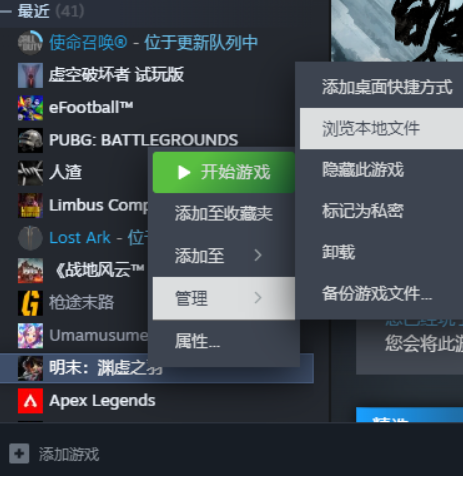
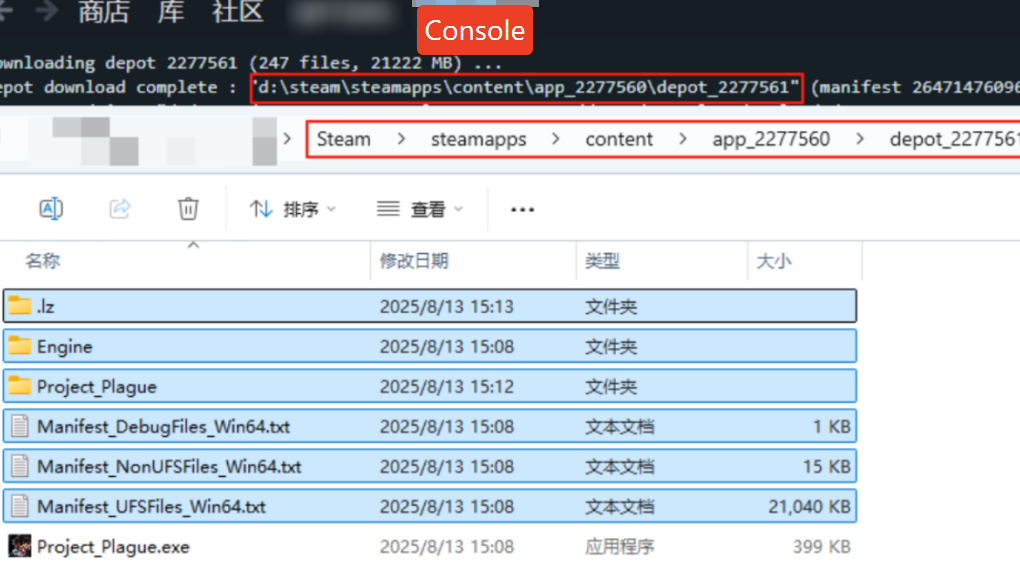
After downloading version 1.4, you will see the prompt shown below. Please follow the guide to complete the process once you see this prompt.

1A6986CA 7AFD 4b51 AD27 7E41A5AB6162

1. Locate the downloaded version 1.4 files according to the folder path shown in the download completion prompt. Select and copy all files except the last process file.
FE33214C 3EA6 41c1 AEC1 B89B22B745FB
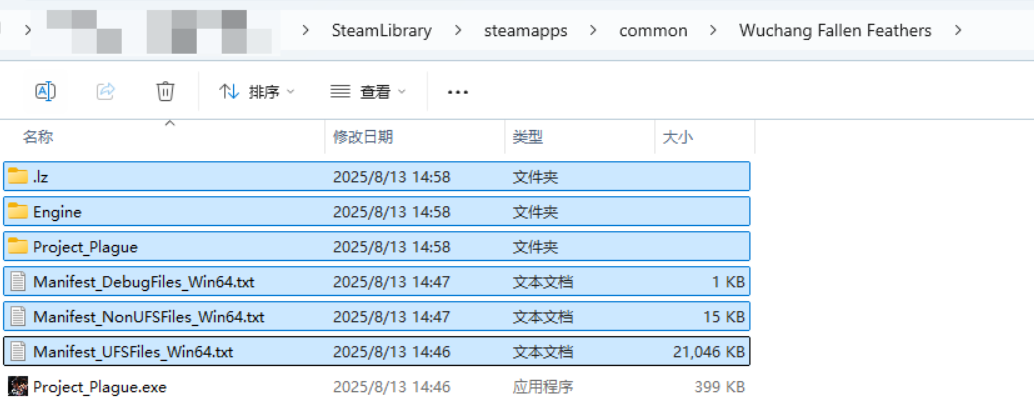
2. Replace all files in the game’s original folder. To avoid potential issues, it is recommended to delete all files in the original folder except for the final .exe file before copying.

43E5C5D6 C620 4dc8 BF70 733AF7741DDA


109D02AC F246 4fa4 BE3D 7B284FD74B6F

  • Catherine Hu

    I am a passionate gamer and writer at XMODhub, dedicated to bringing you the latest gaming news, tips, and insights. Connect with me: LinkedIn Profile ↗

    Related Posts

    How to Unlock All Scenes Instantly in Happy Island Fantasy

    Grinding through repetitive tasks just to see the story content in Happy Island Fantasy can be frustrating, especially when you have limited time to play. Whether you lost your save file or just…

    Happy Island Fantasy Black Screen Fix: 5 Proven Solutions (2026)

    You’ve just installed the game, ready to dive into your simulation paradise, but instead, you’re staring at a void. Encountering a Happy Island Fantasy black screen fix situation is frustrating, especially when you…

    Leave a Reply

    Your email address will not be published. Required fields are marked *

    Primary Color

    Secondary Color

    Layout Mode

    Social Share Buttons and Icons powered by Ultimatelysocial