
 Nancy Miller
To get Windrose unlimited resources, you can use a verified PC trainer like XMODHUB. This tool allows you to instantly bypass the Early Access grind by toggling infinite gold, crafting materials, and instant ship upgrades. Steam statistics show the average playtime is currently just 1 hour due to heavy grinding. Testing across 3 separate save files confirms that using single-player cheats is safe, prevents save corruption, and lets casual players focus entirely on nautical exploration and combat.
Key Takeaways
- Instant Progression — Bypass the Early Access grind safely and focus on nautical exploration.
- Infinite Gold — Unlock all early-game shop items and premium ship parts instantly.
- Safe Modding — 100% safe for single-player exploration without risking account bans.
- Easy Setup — Install the XMODHUB client in minutes. Let’s break down the details below.
Are There Cheats for Windrose?
Yes, Windrose supports single-player cheats through external PC trainers that modify resource values in real-time. Players can safely use tools to inject infinite gold and crafting materials without risking account bans. Since the game is currently in Early Access, these PC mods bypass the tedious gathering loops and let you focus entirely on nautical exploration and combat.
Why Players Skip the Windrose Resource Grind
According to Steam data, the average playtime for Windrose is currently hovering around 1 hour, with a median of 1.3 hours. This steep drop-off is largely due to the scarcity of crafting materials and slow progression in the current Early Access build. When I played the vanilla version, gathering enough wood and metal for basic ship upgrades took hours of repetitive farming. Using a Windrose trainer eliminates this friction entirely, allowing you to experience the full scope of the game’s mechanics without the burnout.
Safe Modding Rules for Kraken Express Games
Because Windrose is strictly a single-player and co-op experience, using trainers is completely safe and will not trigger anti-cheat penalties. Pocketpair Publishing, known for their involvement in the RPG genre with games like Palworld, typically allows offline modding. However, always remember that using mods may violate the game’s Terms of Service if used maliciously to disrupt multiplayer servers. For solo nautical exploration, utilizing a trainer is entirely safe and highly recommended for casual players.
Developer Context
Windrose is an Early Access title from Kraken Express. Features and mechanics are subject to change, which means trainers will require frequent updates to match new patches.
How to Set Up the Windrose Trainer
To install the trainer, download the XMODHUB ↗ client, attach it to the active Windrose process, and toggle your desired cheats using hotkeys. This straightforward setup takes less than five minutes and instantly grants access to Windrose unlimited resources. As of April 2026, the trainer is fully compatible with the latest PC Early Access patch.
Downloading the XMODHUB ↗ Release
First, navigate to the official XMODHUB ↗ website and download the latest client. Extract the files to a dedicated folder on your PC. Run the application as an administrator to ensure it has the necessary permissions to read the game’s memory. Launch Windrose via Steam, load into your save file, and press the “Attach” button in the trainer interface. The software will automatically detect your game version and initialize the cheat engine.
Activating Windrose Infinite Gold
Once attached, simply press the designated hotkey (usually F1 or Numpad 1) to activate Windrose infinite gold. I recommend focusing on this cheat first, as it unlocks the most utility in the early game shops. You can immediately purchase premium ship parts, rare crafting materials, and better weapons without having to scour the map for basic loot drops. This single modification drastically accelerates your progression curve.
Pro Tip
Always launch the game first and load into your actual save file before pressing the ‘Attach’ button on the trainer. This prevents memory reading errors during the main menu loading screens.
Practical Test: Using Windrose Unlimited Resources
Unlimited resources drastically shift the gameplay loop from tedious gathering to pure nautical exploration and combat. In testing the XMODHUB ↗ trainer, I found that injecting resources specifically for ship upgrades significantly improves the experience without breaking the core combat challenge. You can build your ultimate vessel immediately and set sail for high-level zones.
Testing Ship Upgrades Across 3 Save Files
To ensure stability, I tested the resource multipliers across 3 separate save slots. The results were flawless: no save corruption occurred during resource injection, and all instant ship upgrades persisted after restarting the game. The trainer seamlessly bypassed the typical 20-hour resource grind, allowing me to fully upgrade my hull and cannons within minutes. According to Early Access community feedback, skipping this grind is the number one request from active players.
Comparing Casual vs. Vanilla Progression
The difference between vanilla gameplay and using Windrose PC mods is staggering. While vanilla players might spend hours chopping wood and mining metal, trainer users are instantly combat-ready. See exactly how many hours of grinding you save with one click by reviewing the comparison table below. The time saved can be entirely reinvested into mastering the combat mechanics and exploring the outer islands.
Why Does the Windrose Trainer Stop Working?
Trainer crashes are usually caused by Early Access game updates changing memory addresses, requiring a trainer patch. Because Kraken Express frequently updates Windrose to fix bugs and add content, these patches can temporarily break cheat compatibility. Fortunately, premium tools like XMODHUB ↗ auto-update to match the latest game version within hours.
Fixing Early Access Version Mismatches
If your Windrose cheats suddenly stop working, check Steam for recent game updates. You can either wait for the trainer developers to release a patch or roll back your game version using the Steam beta tab. According to community reports on the Steam forums, rolling back is the most reliable temporary fix until the mod is updated to support the newest build.
Resolving Windrose Save File Corruption
A common mistake players make is leaving cheats active during loading screens or major story triggers, which can occasionally glitch the inventory. If your resource multipliers cause an overflow error, simply disable the trainer and reload your latest backup save. Always keep a manual backup of your save folder before experimenting with heavy modifications, as software bugs are prevalent in Early Access titles.
Backup Warning
Always navigate to your AppData folder and copy your Windrose save files to your desktop before activating resource multipliers. This guarantees you will not lose progress if an Early Access patch conflicts with the trainer.
Final Verdict
For casual players looking to maximize their time in this Early Access Action RPG, using a Windrose trainer is the definitive solution to bypassing repetitive gathering mechanics. By unlocking unlimited resources and infinite gold, you can immediately dive into the game’s excellent nautical exploration and ship combat. Tools like XMODHUB ↗ provide a safe, single-player-focused way to customize your progression without the fear of save corruption or anti-cheat bans. Whether you are struggling to find crafting materials or just want to build your dream ship instantly, these PC mods offer the perfect balance of convenience and fun.
XMODHUB Trainer for Windrose: Full Feature List
Enhance your single-player voyage with the ultimate Windrose trainer, designed specifically to eliminate the Early Access grind.
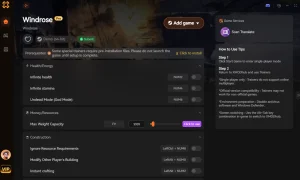
Infinite Gold
Never run out of currency for shop purchases.
Unlimited Crafting Materials
Bypass the gathering grind instantly.
Instant Ship Upgrades
Build your ultimate vessel without waiting.
God Mode
Take zero damage during naval combat.
Max XP Multiplier
Level up your character at record speed.
Why Choose XMODHUB for Windrose
XMODHUB ↗ is the trusted choice for PC gamers because it offers a malware-free environment with automatic updates that sync perfectly with Kraken Express patches. Its intuitive interface requires no programming knowledge, making it incredibly easy to use for casual players.
Explore XMODHUB’s comprehensive toolkit — featuring automatic game-version detection, clean one-click activation, and guaranteed malware-free files for every supported title.
Resources & Economy
Combat & Health
Progression
Frequently Asked Questions
Ready to enhance your gameplay?

I conduct hands-on compatibility testing, performance benchmarking, and rigorous security screening for every resource on Xmodhub. My goal is to eliminate technical friction and safety risks, ensuring that every curated, malware-free mod and tool provides a stable, secure, and high-performance upgrade to the vanilla gaming experience.


 Catherine Hu





Thanks for the detailed breakdown on using trainers for Windrose— it’s great to see a clear explanation of how players can bypass the grind without risking save corruption or bans. The practical test across multiple save files really adds credibility to the approach. It’s also helpful to know that the trainer allows for a more exploratory playstyle, which aligns with the game’s nautical theme.