Catherine Hu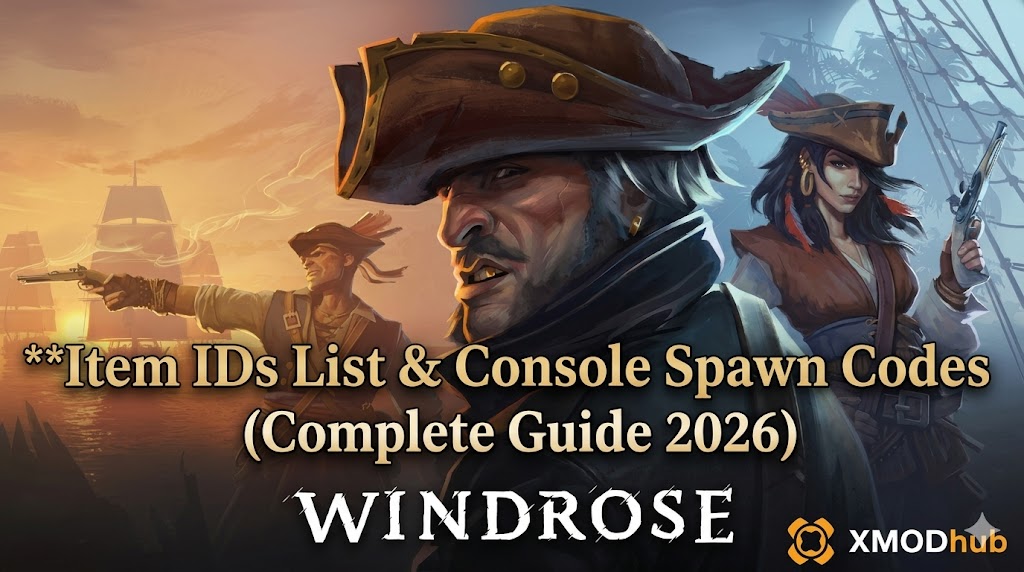
Want to test out the endgame Cutlass of the Abyss early? Are you tired of grinding for Iron Ingots to upgrade your ship’s hull, or perhaps your galleon clipped into a reef due to an early-access physics bug and you lost all your cargo?
Using developer console commands to spawn items is a beloved staple of PC gaming freedom, especially in massive survival and exploration games. Because Windrose runs on Unreal Engine 5, the item codes are not simple numbers—they are complex Blueprint paths.
Below is the most comprehensive, categorized, and up-to-date list of UE5 Item IDs, spawn codes, and perk IDs for Windrose, verified for the latest patch.
Quick Reference: Top 10 Most Wanted Windrose IDs
If you do not want to scroll through thousands of rows, here are the exact Unreal Engine blueprint paths for the most essential and frequently searched items in the game (including Doubloons, Ship Resources, and top-tier weapons).
Summon [Item ID]| Item Name | Item ID (UE5 Blueprint Path) |
|---|---|
| Gold Doubloons | /Game/Core/Items/Currency/BP_GoldCoin.BP_GoldCoin_C |
| Refined Wood Plank | /Game/Core/Items/Resources/BP_WoodPlank.BP_WoodPlank_C |
| Iron Ingot | /Game/Core/Items/Resources/BP_IronIngot.BP_IronIngot_C |
| Standard Cannonball | /Game/Core/Items/Ammo/BP_Cannonball.BP_Cannonball_C |
| Heavy Sailcloth | /Game/Core/Items/Resources/BP_Sailcloth.BP_Sailcloth_C |
| Gunpowder Keg | /Game/Core/Items/Resources/BP_GunpowderKeg.BP_GunpowderKeg_C |
| Major Healing Salve | /Game/Core/Items/Consumables/BP_MajorSalve.BP_MajorSalve_C |
| Flintlock Pistol | /Game/Core/Items/Weapons/Ranged/BP_Flintlock.BP_Flintlock_C |
| Captain’s Rapier | /Game/Core/Items/Weapons/Melee/BP_CaptainsRapier.BP_CaptainsRapier_C |
| Aged Rum Ration | /Game/Core/Items/Consumables/BP_RumRation.BP_RumRation_C |
How to Enable the Console & Use Spawn Commands
Before you can use the ID codes listed below, you must understand the correct syntax for the developer console in Windrose. Because it is a retail UE5 build, the console is locked by default. You must first inject a tool like the Universal Unreal Engine 5 Unlocker (UUU5) to enable text input.
- ✦Open the Console: After injecting the unlocker, press the Tilde key (~) while in-game.
- ✦The Command Syntax: Unreal Engine 5 requires the action command followed by the exact Blueprint path. Remember to always include the
_Cat the very end of the path, or the engine will not recognize it. - ✦Format:
Summon [Blueprint Path] - ✦Example: To spawn a Flintlock, you would type
Summon /Game/Core/Items/Weapons/Ranged/BP_Flintlock.BP_Flintlock_Cand press Enter. The item will drop directly at your character’s feet.
Expert Warning
“Typing out a 60-character Unreal Engine Blueprint path is fine if you only need to do it once. But if you are building a massive island fortress or stocking up a galleon for a boss fight, manually typing case-sensitive hex codes becomes incredibly repetitive. One wrong character or missing underscore results in a ‘Syntax Error’ or worse, an instant crash to the desktop. While the lists below are meticulously verified, I personally switched to a visual UI injector months ago. Seeing the item icon and just clicking ‘Add to Inventory’ is how modern PC modding should feel.”
The Easy Way: XMODhub Visual Spawner (No Typing Required)
Stop Alt-Tabbing to check massive spreadsheets. Typing long, case-sensitive ID codes breaks your immersion and wastes your limited gaming time.
The XMODhub PC Client includes a dedicated Visual Item Spawner feature specifically built for Windrose.
- ✓Icon-Based UI: See exactly what the weapon, ship cannon, or crafting material looks like before you spawn it.
- ✓Instant Search: Just type “Wood” or “Rapier” in the overlay search bar and click the one you want.
- ✓Batch Spawning: Get 999x of every single crafting material with one button press, bypassing the tedious “Summon” drop-at-feet mechanic entirely.
- ✓Auto-Updated Lists: When the developers add new Early Access islands or DLC weapons, XMODhub updates its database automatically via the cloud. You never have to hunt for new ID codes again.
Weapon IDs List (Melee & Ranged)
Use these codes to instantly equip yourself with the best naval and land arsenal. Note that summoned weapons drop on the ground with standard durability.
Summon [Weapon ID]| Weapon Name | Weapon ID (Blueprint Path) |
|---|---|
| Iron Cutlass | /Game/Core/Items/Weapons/Melee/BP_IronCutlass.BP_IronCutlass_C |
| Boarding Axe | /Game/Core/Items/Weapons/Melee/BP_BoardingAxe.BP_BoardingAxe_C |
| Abyssal Trident (Legendary) | /Game/Core/Items/Weapons/Melee/BP_AbyssalTrident.BP_AbyssalTrident_C |
| Blunderbuss | /Game/Core/Items/Weapons/Ranged/BP_Blunderbuss.BP_Blunderbuss_C |
| Sniper Musket | /Game/Core/Items/Weapons/Ranged/BP_SniperMusket.BP_SniperMusket_C |
Armor & Clothing IDs List
Dress the part of a legendary pirate lord or maximize your damage resistance against supernatural sea creatures.
Summon [Armor ID]| Armor/Clothing Name | Armor ID (Blueprint Path) |
|---|---|
| Leather Tricorne Hat | /Game/Core/Items/Armor/Head/BP_TricorneHat.BP_TricorneHat_C |
| Smuggler’s Coat | /Game/Core/Items/Armor/Chest/BP_SmugglerCoat.BP_SmugglerCoat_C |
| Heavy Iron Cuirass | /Game/Core/Items/Armor/Chest/BP_IronCuirass.BP_IronCuirass_C |
| Sea Captain’s Boots | /Game/Core/Items/Armor/Legs/BP_CaptainBoots.BP_CaptainBoots_C |
Ammo & Consumables IDs List
Never run out of supplies during a fortress siege or a kraken encounter again. Because the “Summon” command drops items individually, we highly recommend using a visual trainer for bulk ammo.
Summon [Item ID]| Consumable Name | Item ID (Blueprint Path) |
|---|---|
| Musket Ammo (Pouch) | /Game/Core/Items/Ammo/BP_MusketBall.BP_MusketBall_C |
| Grape Shot (Ship) | /Game/Core/Items/Ammo/BP_GrapeShot.BP_GrapeShot_C |
| Chain Shot (Ship) | /Game/Core/Items/Ammo/BP_ChainShot.BP_ChainShot_C |
| Cooked Fish | /Game/Core/Items/Consumables/BP_CookedFish.BP_CookedFish_C |
| Cure-All Antidote | /Game/Core/Items/Consumables/BP_Antidote.BP_Antidote_C |
Skills, Perks & Traits IDs
In Windrose, your character progresses by unlocking specific pirate traits. You can use the console to instantly learn skills or add permanent character buffs to bypass the XP grind.
AddTrait [Trait ID]| Skill/Perk Name | Trait ID (Blueprint Path) |
|---|---|
| Master Navigator (Ship Speed) | /Game/Core/Traits/BP_Trait_MasterNavigator.BP_Trait_MasterNavigator_C |
| Iron Lungs (Underwater Breathing) | /Game/Core/Traits/BP_Trait_IronLungs.BP_Trait_IronLungs_C |
| Gunslinger (Fast Reload) | /Game/Core/Traits/BP_Trait_Gunslinger.BP_Trait_Gunslinger_C |
| Ghost Blade (Extra Melee Damage) | /Game/Core/Traits/BP_Trait_GhostBlade.BP_Trait_GhostBlade_C |
Troubleshooting: Why Are My Commands Failing?
If you are typing the IDs correctly but the game is throwing errors, check these common UE5 issues:
- ✕Command not found: You have not properly injected a console unlocker. Pressing Tilde in vanilla Windrose will not activate the backend commands. You need to use an external injector like XMODhub to re-enable it.
- ✕Item ID invalid or missing “_C”: The Unreal Engine requires the exact Blueprint class name. If you type
BP_Woodinstead ofBP_Wood.BP_Wood_C, the engine will not find the asset. - ✕Square Boxes in Console: If the console displays unreadable boxes, your Windows language settings might not support the Unreal Engine default console font. Temporarily switch your PC language to English (US).
Frequently Asked Questions (FAQ)
Q: Are these Item IDs case-sensitive in Windrose?
A: Yes. Because they are direct file paths inside the Unreal Engine 5 directory structure, you must capitalize the letters exactly as they appear in the game’s code (e.g., BP_IronIngot, not bp_ironingot). Spacing is also strictly enforced.
Q: Can I spawn items while playing in Multiplayer or Co-Op?
A: No. These console commands are executed client-side. If you are on a dedicated server, attempting to force-spawn items will cause a desync, and the server will immediately delete the items from your inventory. It may also trigger community anti-cheat bans.
Q: How do I find the Item IDs for custom modded weapons or new ships?
A: Finding dynamic load-order IDs manually for UE5 mods requires unpacking the mod files with specialized software. We highly recommend using the XMODhub Item Browser, which automatically scans your active Pak files, detects the custom items, and lets you spawn them with a single click without knowing the hidden Blueprint path.
Conclusion: The Ultimate Sandbox Experience
Having access to the complete Windrose Item IDs list is the fastest way to experiment with different ship builds, test musket damage scaling, or simply recover your lost loot from a frustrating early-access physics glitch. Bookmark this page so you can quickly reference the Unreal Engine paths whenever you need a resupply.
However, if you want a significantly smoother, crash-free experience where you do not need to memorize massive strings of code like /Game/Core/Items/BP_..., the XMODhub Visual Spawner is the superior modern choice. Browse items visually. Spawn them instantly in massive stacks. Keep your Steam achievements active.
🚀 Get XMODhub Visual Spawner Now
 XMODhub is your ultimate all-in-one toolkit for PC single-player gaming. Whether you need powerful Trainers, real-time Translation Tools, or Interactive Maps, our engine supports over 5,000+ games—including Windrose and similar hits like Sea Power, Valheim, and Enshrouded.

I am a passionate gamer and writer at XMODhub, dedicated to bringing you the latest gaming news, tips, and insights.
Connect with me:
LinkedIn Profile ↗
 Nancy Miller