
 Catherine Hu
Strategos is a brutal test of tactical wit, but hitting a wall in the late-game campaign isn’t fun for anyone. As a defining title in the real-time strategy genre, it demands precision. Whether you are stuck on the notorious siege missions or just want to experiment with massive armies without the economic headache, this guide covers essential strategies, unit management tips, and tools to help you conquer the map on your own terms.
Key Takeaways
- Master Terrain – High ground and choke points are more valuable than raw numbers.
- Economy First – Secure resource nodes before expanding your military production.
- Skip Grinding – Use safe trainers to bypass tedious resource farming.
- Unit Counters – Diverse army compositions prevent getting hard-countered by AI.
Let’s break down the details below.
Complete Strategos Walkthrough for Campaign Mode
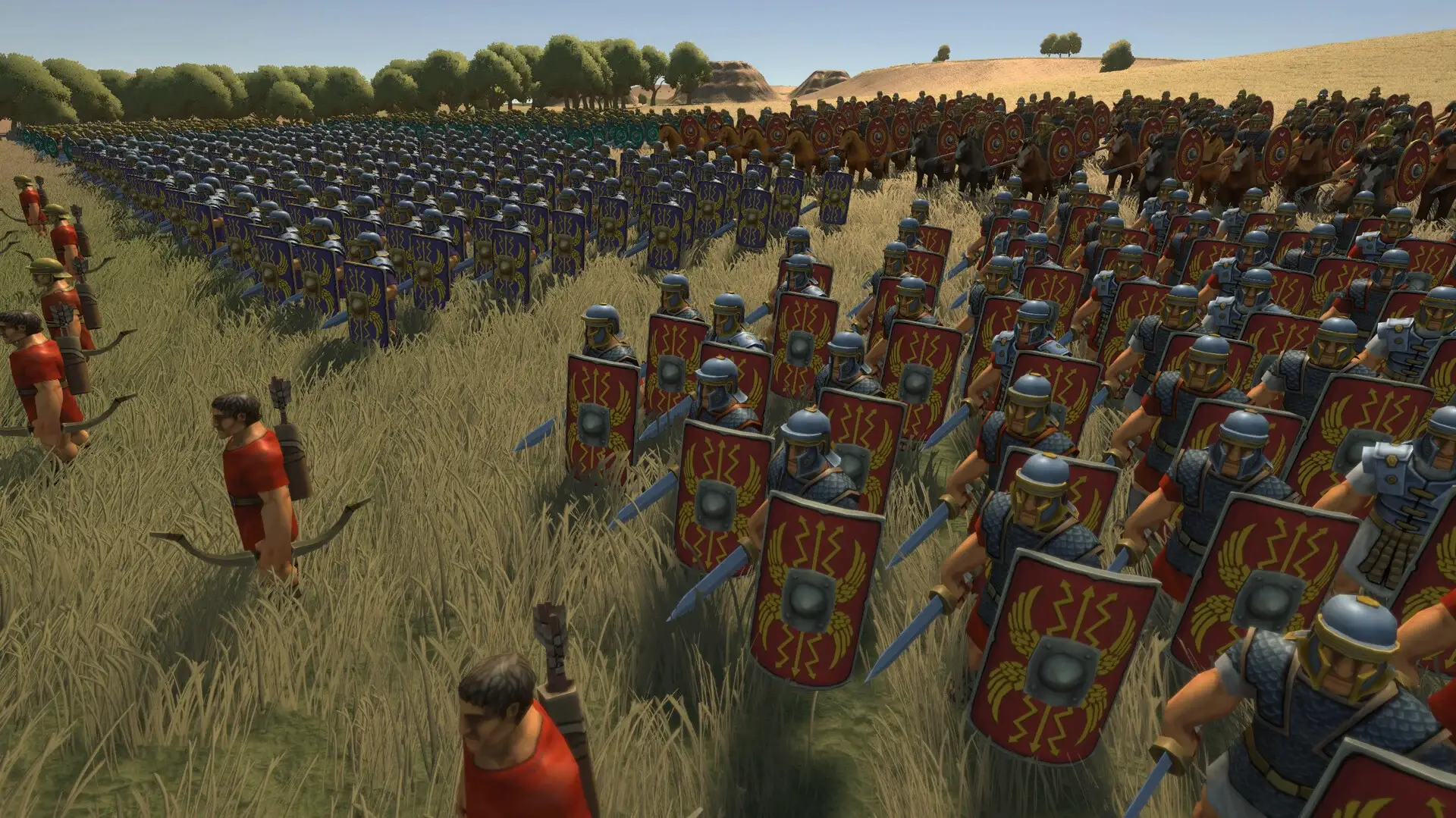
The campaign in Strategos is designed to punish players who rush without a plan. Success relies heavily on understanding the early game economy and transitioning smoothly into mid-game unit production. Unlike simpler arcade titles, you can’t just select all units and attack-move to victory here.
Essential Strategos Beginner Guide Tips
Your first priority in any mission should be stabilizing your income. Many beginners make the mistake of building barracks immediately, draining their starting funds. Instead, focus on deploying workers to safe resource nodes. A strong economy allows you to replace losses quickly, which is inevitable in later stages. Keep your scouts active; knowing where the enemy is massing forces allows you to position defenses proactively rather than reactively.
In the early game, stick to basic infantry. They are cheap, quick to produce, and can hold the line while you tech up. Don’t waste resources on expensive siege workshops until you have a steady surplus of gold and iron. Map control is more important than a fancy army composition in the first ten minutes.
Mastering Mission Tactics and Unit Management
Once your economy is rolling, unit management becomes the deciding factor. This is where micromanagement comes into play. Group your units by speed and range using control groups. Keep artillery and archers on high ground whenever possible, as the damage bonus is significant and they can fire over your frontline troops.
Use your heavy infantry to hold choke points while cavalry flanks the enemy rear. Honestly, I got stuck here too the first time I tried to brute-force a siege mission. The key is patience—lure enemies into your kill zones rather than charging into theirs. Also, pay attention to the fog of war. The AI loves to hide ambush units in forests, so sending a cheap scout ahead of your main force can save your entire army from a devastating surprise attack.
Understanding the Rock-Paper-Scissors Mechanic
Strategos relies on a strict counter system. Spears beat cavalry, cavalry beats archers, and archers beat infantry. If you ignore this, even a max-level army can be wiped out by a cheaper, well-composed force. Before engaging, click on enemy units to see their type. If they are massing horses, stop building swordsmen immediately and switch all production to pikemen. Adapting on the fly is the hallmark of a veteran commander.
Base Building Layouts for Defense
Your base layout matters. Don’t cluster all your production buildings together, or a single area-of-effect spell or artillery barrage could halt your reinforcement capability. Place towers near your resource nodes to harass enemy raiders, and use walls to funnel enemies into specific kill boxes where your main army is waiting. A well-designed base defends itself, freeing up your attention for offensive maneuvers.
How Can You Skip Grinding in Strategos?
Strategos has a steep progression curve that often forces players to replay skirmish maps just to level up commanders or earn resources for campaign upgrades. This artificial difficulty, often referred to as grinding, can kill the pacing of the story and turn a fun strategy game into a second job.
Optimizing Resource Farming Efficiently
If you prefer the manual route, focus on maps with high resource density and short completion times. Ignore secondary objectives during farming runs to maximize your resources per hour. However, even with optimization, this process can take dozens of hours. You’ll need to memorize spawn locations and perfect your build order to shave seconds off each run.
Identifying Difficulty Spikes Before They Happen
You’ll know you’ve hit a difficulty spike when your standard army composition gets wiped out in seconds. This usually happens around Mission 8 and Mission 15. The AI suddenly gains access to Tier 3 units while you are still struggling to upgrade your Tier 2 barracks. If you find yourself constantly out of gold or unable to produce units fast enough to counter the AI’s spam, it might be time to look for a helping hand.
Stuck? Customize Your Difficulty with XMODhub
Sometimes the game’s difficulty feels more like a chore than a challenge. XMODhub provides a suite of tools that let you tailor the experience to your liking, whether you want to build a massive sandbox empire or just nudge your resources slightly.
💰 Infinite Resources
Never run out of gold or materials. Perfect for building the ultimate fortress without waiting.
❤️ God Mode
Keep your favorite hero units alive during massive battles so you don’t lose their XP bonuses.
⏱️ Instant Build
Construct buildings and train units instantly. Great for recovering quickly after a surprise attack.
📈 Max Commander XP
Unlock all commander abilities immediately to experiment with different tactical loadouts.
These featured mods are just the beginning. Whether you’re looking to skip tedious grinding, experiment with different playstyles, or speed up your progression, XMODhub’s comprehensive toolkit offers dozens more options tailored to your playstyle.
Money/Resources
- Infinite Gold – Purchase any unit or upgrade
- Unlimited Materials – Build without restrictions
Combat/Damage
- One-Hit Kills – Clear enemy waves instantly
- Unlimited Ammo – Units never need to reload
Time Control
- Unlimited Movement – Move units across the map in one turn
- Freeze Mission Timer – Remove time pressure from objectives
Using Strategos Cheats to Bypass Frustration
The trainer allows you to toggle features on and off in real-time. You can use “Infinite Resources” just to build your initial base, then turn it off to play the combat legitimately. This hybrid approach lets you skip the boring parts while still enjoying the tactical battles. It’s particularly useful for testing out high-tier units that you rarely get to see in a normal campaign run due to their prohibitive costs.
Safe Modding with the Strategos Trainer
Using XMODhub is safe for your save files as long as you use it in single-player campaign mode. The tool runs externally and modifies memory values temporarily, meaning it doesn’t permanently alter game files like a traditional mod might. Always back up your save before experimenting with major progression cheats like “Max Level” to ensure you can revert if you want to experience the natural progression later.
Why Do Players Fail Specific Missions?
Failure in Strategos usually comes down to two things: over-extension and poor supply management. Understanding these pitfalls is key to completing the campaign without restarting constantly. The artificial intelligence in this game is programmed to punish mistakes ruthlessly.
Common Mistakes in Strategos Campaign Strategy
The most common error is pushing your army too far forward without securing the supply lines behind them. If your units get cut off, they suffer massive morale penalties and can be routed by much smaller forces. Always leave a rear guard to protect your captured nodes. Another classic blunder is “turtling”—building massive defenses but never expanding. The AI will eventually out-scale your economy and crush you with superior numbers. You must be aggressive enough to secure resources but defensive enough to hold them.
Overcoming Resource Management Frustration
Balancing unit upkeep with income is a delicate dance. If you build too many elite units early on, their upkeep will drain your gold, preventing you from building necessary infrastructure. Check your income flow constantly and delete obsolete units if they are just eating up supplies without contributing to the current objective. Don’t be afraid to scrap a Tier 1 barracks to make room for a Tier 3 factory if space is limited.
Strategos Walkthrough FAQ
Ready to enhance your gameplay?

I am a passionate gamer and writer at XMODhub, dedicated to bringing you the latest gaming news, tips, and insights.
Connect with me:
LinkedIn Profile ↗
 Nancy Miller