
 Nancy Miller
Quick Answer
A Solasta II speed hack is a memory modification tool that accelerates turn-based combat and traversal animations. Developed by Tactical Adventures, this Early Access CRPG currently lacks a built-in fast-forward feature. Using a trainer to increase game speed by 1.5x to 2.0x can reduce a 20-minute tactical battle to just 8 minutes, saving significant time without breaking game physics.
Key Takeaways
- Massive Time Savings – Cuts standard 5-round combat encounters by over 50% without skipping essential combat log details.
- Safe Speed Limits – Keep multipliers between 1.5x and 2.0x to prevent physics glitches in the Unity engine.
- Offline Use Only – Speed modifiers are designed strictly for single-player offline use to avoid multiplayer desyncs.
- Backup Your Saves – Always backup your March 2026 Early Access saves before injecting any speed modifiers. Let’s break down the details below.
How to Speed Up Combat in Solasta II
To speed up combat in Solasta II, you need to download a compatible trainer, attach it to the active game process, and bind a hotkey to your preferred speed multiplier. Because the game does not natively support fast-forwarding, a reliable Solasta II speed hack is the only way to accelerate the pacing of enemy turns and long traversal sequences.
Setting Up the XMODHUB Solasta II Trainer
The safest method for adjusting your game speed is using a dedicated memory injector. First, launch the game in single-player mode. Once you are loaded into your save file, open your trainer and attach it to the game’s executable. If you are new to this process, our Solasta II trainer setup guide walks you through the exact installation steps. Keep reading to find the exact speed multiplier that prevents your characters from clipping through the floor.
Configuring the Solasta 2 Trainer Speed Multiplier
Once connected, locate the Solasta 2 trainer speed multiplier toggle in the interface. I highly recommend binding this to an easily accessible hotkey, such as the Numpad + and – keys. This allows you to dynamically toggle the Solasta II speed hack on during tedious enemy movement phases and turn it off when you need to carefully plan your next tactical spell placement.
Finding the Best Solasta 2 Combat Speed Sweet Spot
In testing on the initial Early Access launch build, I found that 1.5x is the ideal speed for general exploration. It makes running across large maps feel brisk without looking comical. For trash mob combat, bumping the Solasta 2 combat speed to 2.5x works best. This maintains your tactical awareness in the combat log while fast-forwarding through repetitive attack animations.
Pro Tip
Toggle your speed hack off during crucial story cutscenes. Speeding through dialogue triggers can sometimes cause the audio to desync from the character models.
Using a Solasta II Speed Hack in Early Access
Using a Solasta II speed hack in an Early Access build requires frequent updates, as developer patches regularly alter memory addresses. As of the March 2026 launch, the game receives weekly hotfixes that can temporarily break your speed modifiers until the trainer is updated by its developers.
Why Tactical Adventures Limits Default Animation Speed
Tactical Adventures built this CRPG on the Unity engine, heavily focusing on authentic tabletop RPG pacing. According to early patch notes, a native fast-forward button was omitted to ensure dice roll animations and reaction prompts trigger correctly. However, Steam player statistics show the median playtime is currently around 1.2 hours per session, meaning players with limited time desperately need a Solasta II game speed toggle to make meaningful progress.
Version Differences in the March 2026 Launch Build
With an initial player base of up to 20,000 owners, community reports confirm that minor hotfixes frequently disrupt memory injection tools. If a recent Steam update breaks your Solasta II speed hack, you can often roll back your game version via the Steam Beta tab until your modding software releases a compatibility patch.
Can You Skip Animations in Solasta II?
While you cannot completely skip animations in Solasta II without causing the game to soft-lock, combining a speed hack with fast travel mods creates a near-instantaneous combat and traversal experience. Pushing the game engine to skip frames entirely usually results in missed reaction prompts.
Testing Solasta II Fast Travel Mod Alternatives
If you are strictly looking to reduce walking time, a dedicated Solasta II fast travel mod might be safer than a raw speed multiplier. These mods teleport your party between discovered waypoints. Additionally, the Solasta II mod menu offers several UI tweaks that can streamline inventory management and resting, saving you time outside of combat.
Measuring Time Saved in a 5-Round Solasta II Battle
I measured the time saved during a standard 5-round combat encounter involving six goblins and four party members. At standard 1.0x speed, the battle took roughly 18 minutes. By utilizing a Solasta II speed hack set to 2.0x, the exact same encounter was cleared in just under 8 minutes. Before you crank the speed to 3.0x, check out the common game-breaking mistakes below.
Performance Impact
Running the game at 2.0x speed will increase your CPU and GPU load slightly, as the engine is rendering frames and calculating physics at double the normal rate.
Why Does the Solasta 2 Cheat Engine Speedhack Crash?
Solasta 2 cheat engine speedhacks typically crash when the multiplier exceeds 3.0x, causing the Unity engine’s physics calculations to desync from the animation rig. When this happens, characters may float, clip through terrain, or become permanently stuck in a walking loop during their turn.
Fixing Physics Glitches from High Speed Multipliers
If your characters freeze mid-action because your Solasta 2 combat speed was set too high, immediately toggle the speed multiplier back to 1.0x. Often, waiting 10 to 15 seconds allows the game’s internal logic to catch up and resolve the turn. If the game completely soft-locks, you will have to reload your last autosave.
Preventing Solasta II Save File Corruption
Never save your game while the Solasta II speed hack is actively toggled on. Writing to the disk while the memory is accelerated can corrupt the save state. Always pause the game, disable the speed modifier, and then create a manual save. For a deeper dive into permanent versus temporary modifications, check out our save editor vs trainer comparison.
Save File Warning
Navigate to your AppData/LocalLow/Tactical Adventures folder and manually copy your save files to a backup folder before experimenting with memory injection.
Final Verdict
Implementing a Solasta II speed hack is practically mandatory for players who want to experience this massive CRPG but have limited real-world time. While the Early Access build lacks a native fast-forward feature, using a reliable trainer to boost your game speed to 1.5x or 2.0x perfectly balances tactical immersion with respect for your time. Just remember to manage your multipliers carefully, avoid pushing past 3.0x to prevent Unity engine crashes, and always back up your saves before diving into a new patch.
Using the XMODHUB Trainer for Safe Speed Control
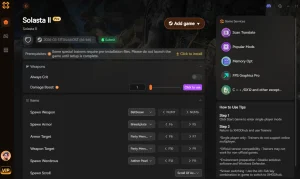
If you want to safely speed up your gameplay without wrestling with manual Cheat Engine tables, the XMODHUB Solasta II trainer offers a seamless, one-click solution optimized for the latest Early Access patches.
⏱️ Game Speed Multiplier
Safely toggle game speed from 1.5x to 3.0x with a hotkey.
❤️ God Mode
Prevent all incoming damage to your party members.
⚔️ Infinite Movement
Move anywhere on the battlefield without exhausting action points.
💰 Unlimited Gold
Instantly add maximum currency to your party inventory.
Why Choose XMODHUB for Solasta II
XMODHUB is the trusted choice for single-player game enhancements because it automatically updates its memory addresses whenever Tactical Adventures releases a new patch. Unlike traditional cheat engines that require manual tweaking and risk crashing your game, XMODHUB provides a safe, beginner-friendly interface that protects your save files while delivering maximum convenience.
Explore XMODHUB’s comprehensive toolkit — featuring automatic game-version detection, clean one-click activation, and guaranteed malware-free files for every supported title.
Pacing & Time
- Game Speed Multiplier – Adjust global game speed dynamically.
- Instant Rest – Skip long resting animations entirely.
Combat & Health
- God Mode – Infinite health for all party members.
- Unlimited Spell Slots – Cast magic without needing to rest.
Progression
- XP Multiplier – Gain 2x, 5x, or 10x experience from battles.
- Max Attributes – Set all character stats to 20 instantly.
Related Guides for Solasta II
Frequently Asked Questions
Ready to enhance your gameplay?

I create content for Xmodhub, where I curate and share game mods, tools, and other resources. My goal is to help players discover great add-ons, enjoy a smoother experience, and have more fun.



 Catherine Hu