Summary:The ROUTINE system requirements outline the hardware you’ll need to run the game smoothly, helping players prepare their PCs for its atmospheric sci-fi horror experience.
We detail the official minimum and recommended PC specs so you can quickly assess compatibility and prepare for tense lunar base exploration.
ROUTINE is an immersive survival horror adventure set on an abandoned moon outpost, blending investigative exploration with hostile encounters and a gripping retro-futuristic atmosphere.
You’ll also learn how using XMOD tools can help tweak performance, tailor visual quality, and potentially modify gameplay elements to suit your preferred balance of challenge and stability.
Table of contents
- What is ROUTINE?
- System Requirements for ROUTINE: Minimum and Recommended
- Can You Run ROUTINE on a Low-End PC?
- Can My PC Run ROUTINE?
- How to Enhance Gameplay Experience with XMOD?
- Conclusion
What is ROUTINE?

ROUTINE is a first-person survival horror game set on a deserted lunar facility designed around an 80s sci-fi vision of the future. Players explore eerie environments, uncover data logs, and confront or evade hostile robotic threats while navigating atmospheric corridors and open sectors of the base.
The game emphasizes exploration, investigation, and survival, with minimal HUD elements and immersive audio design that heighten tension and encourage careful observation rather than constant combat.
System Requirements for ROUTINE: Minimum and Recommended
Before installing ROUTINE, verify that your PC meets the official or commonly reported system requirements. These ensure the game runs at acceptable frame rates and that key features—especially the detailed environments and audio—work smoothly.
Minimum Requirements (to launch and play at a basic level):
- OS: Windows 10 (64-bit)
- Processor: Intel Core i5-8600 or AMD Ryzen 5 3600
- Memory: 8 GB RAM
- Graphics: NVIDIA GeForce GTX 1060 / AMD Radeon RX 570
- DirectX: Version 11
- Storage: ~10 GB available space
Recommended Requirements (for smoother performance and higher settings):
- Processor: Intel Core i5-13600K or AMD Ryzen 5 7600X
- Memory: 16 GB RAM
- Graphics: NVIDIA GeForce RTX 2060 / AMD Radeon RX 5700
- Storage: SSD recommended for faster loading
Meeting the recommended specs generally provides better stability, higher resolution, and consistent frame pacing—especially important in a horror survival title where immersion and responsiveness matter.
Can You Run ROUTINE on a Low-End PC?
No—ROUTINE is not well suited to low-end hardware. Its minimum specs require a mid-range CPU and dedicated graphics card, and integrated graphics or older GPUs typically cannot deliver a playable experience. An 8 GB RAM system may run the game at low settings, but you’ll likely encounter performance dips during intense scenes or while loading detailed environmental assets.
Using XMOD for performance enhancements on low-end hardware can add overhead and further challenge stability, so if you plan to use XMOD, aim for at least the recommended hardware or above.
Can My PC Run ROUTINE?
To check if your system can handle ROUTINE:
- Find your specs: Open Windows Settings → System → About, or press Windows + R, type dxdiag, and press Enter.
- Compare Components: Look at your OS version (64-bit required), CPU model, installed RAM, and GPU model/VRAM.
- Match Against Requirements: If your components match or exceed the minimum, the game should launch. For a smooth experience—especially when using XMOD tools for performance or aesthetic tweaks—aim for the recommended specs or better.
If your system falls below the minimum, expect severe slowdown or inability to launch the game.
How to Enhance Gameplay Experience with XMOD?

Using XMOD with ROUTINE can help you customize and optimize various aspects of performance and experience:
Performance Optimization:
- XMOD performance boosters or custom configuration profiles can help stabilize frame rates on systems near minimum specs.
- Tools like memory cleaners and FPS stabilizers can reduce stutters during exploration in Unreal Engine 5 environments.
Visual Customization:
- XMOD can introduce reshade filters or visual tweaks to enhance atmosphere, including custom lighting presets or contrast adjustments.
- Graphics tweaks can balance visual fidelity and performance according to your hardware limits.
Gameplay Tools / Mods:
- Trainers available through XMOD may allow adjustments such as slower enemy reaction times, modified stamina mechanics, or enhanced alert cues—useful for players who want to tailor the survival challenge.
Best Practices when using XMOD with ROUTINE:
- Test Stability First: Performance mods should be tested alone before adding visual or gameplay mods.
- Backup Saves: Always back up game saves before applying major trainers or mods.
- Hardware Headroom: If using multiple XMOD enhancements, ensure your system surpasses the recommended specs for stability.
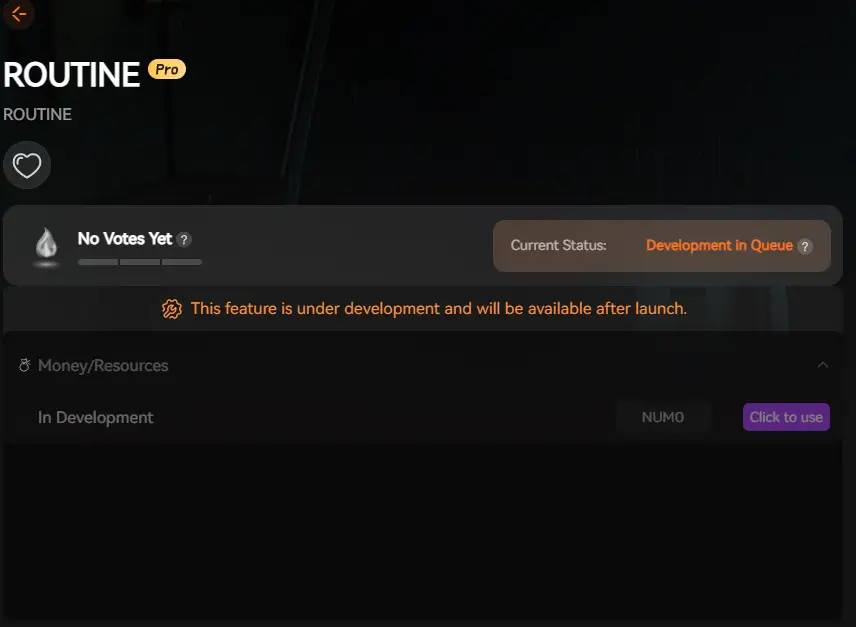
XMOD will provide full trainer support upon the game’s official release, ensuring compatibility and stability from day one.
Conclusion
ROUTINE delivers a tense and atmospheric survival horror experience that blends exploration and investigation in a mysterious lunar base. Confirming your PC meets the minimum and recommended system requirements is crucial for stable gameplay at acceptable visual quality and responsiveness.
If you intend to push performance further or tailor the horror experience, leveraging XMOD tools for performance tweaks, custom settings, and mods can elevate your personal playthrough—just be sure to prioritize stability and back up your progress before modding.
I am a passionate gamer and writer at XMODhub, dedicated to bringing you the latest gaming news, tips, and insights.
Connect with me:
LinkedIn Profile ↗

 Catherine Hu

 Nancy Miller

