Nancy Miller
A retro rewind mods menu is a third-party tool that injects cheats directly into Retro Rewind – Video Store Simulator. To install it, download a verified trainer like XMODHUB, launch your game, and open the trainer overlay. This allows you to instantly activate infinite money, freeze customer patience, and maximize your store rating without manually editing game files. Always back up your save file in the AppData folder before modding the latest 2026 early access build to prevent corruption.
Key Takeaways
- Bypass Grind — Instantly add infinite money to buy premium VHS stock without the early-game struggle.
- Max Rating — Freeze customer patience to maintain a perfect five-star store rating effortlessly.
- Safe Modding — Use dedicated, auto-updating trainers to avoid malware and outdated cheat engine tables.
- Save Backups — Always copy your AppData save file before injecting mods. Let’s break down the details below.
How to Install the Retro Rewind Mods Menu
To install the Retro Rewind mods menu, download a secure trainer like XMODHUB ↗, locate your game directory, and run the executable while the game is open. This bypasses the need for complex file editing or outdated memory scanners, injecting features like infinite money directly into the active RAM process. For players who just want to enjoy the nostalgia of running a 90s video rental shop without the tedious financial grind, using a dedicated management game trainer is the most efficient solution.
Where to Find the Retro Rewind Mod Menu Download
Finding a safe retro rewind mod menu download is crucial, as many unverified sites host malware disguised as game hacks. According to community reports on Steam, the safest method is using a dedicated, auto-updating client like XMODHUB ↗ rather than downloading random .CT files from unregulated forums. As of March 2026, this ensures compatibility with the game’s frequent early access patches, which often break older simulation game cheats.
How to Locate the Retro Rewind Save File for Backups
Before installing any video store simulator mods, you must back up your progress. Open your Windows run dialog and navigate to %AppData%/LocalLow/Indie Developer/Retro Rewind. Copy the entire folder to your desktop. In my testing, I found that injecting cheats into a corrupted state can permanently ruin your store’s rating, making this backup step non-negotiable. Unity-based games are particularly sensitive to memory injection during auto-save sequences.
Step-by-Step Retro Rewind Installation Process
The installation process is designed for casual players who want to avoid technical hurdles. First, download the XMODHUB ↗ application and extract it to a dedicated folder on your primary drive. Next, launch Retro Rewind via Steam and wait until you reach the main menu. Finally, open the trainer as an administrator and click the Attach button to synchronize the software with the game’s engine. You will hear a distinct audio chime when the connection is successful.
Save File Warning
Always back up your AppData save folder before injecting any mods. Modding an early access game can occasionally corrupt your store progress if the game crashes during a save state.
How Do I Get Infinite Money in Retro Rewind?
You can get infinite money in Retro Rewind by using the XMODHUB ↗ trainer’s Add Cash hotkey, which instantly edits your in-game register balance. This completely removes the financial barrier of the early game, allowing you to fully upgrade your video store layout, purchase arcade cabinets, and buy premium VHS stock immediately without waiting for daily profits to trickle in.
Using the XMODHUB Trainer for Instant Cash
Once the trainer is attached, simply press the designated hotkey (usually F1 or Numpad 1) to inject funds directly into your daily revenue pool. When I played the latest build, adding $50,000 allowed me to instantly unlock the premium neon signage and expand the floor space without grinding through weeks of low-profit rentals. This is a massive time-saver for players who prefer the management simulation aspect over the initial hustle of counting pennies.
Bypassing the VHS Stocking Grind Safely
Not all cheats are created equal—here is our breakdown of which hacks ruin the fun versus which ones simply respect your time. Using the Fast Restock and Freeze Customer Patience mods acts as a brilliant store rating hack, ensuring your reputation remains at five stars even when a massive line forms at the register. According to the official patch notes, customer AI becomes highly aggressive if they wait longer than 30 in-game seconds, making these specific cheats incredibly valuable for solo players trying to manage a massive inventory. Furthermore, the ability to freeze customer patience means you can take your time reading the hilarious parodies of real-world movie titles on the VHS boxes, rather than frantically clicking through transactions just to keep the queue moving.
Why Does the Retro Rewind Trainer Stop Working After Updates?
The Retro Rewind trainer stops working after updates because game patches shift the memory addresses that cheats rely on to modify values like money and customer patience. Until the mod developer releases a compatible update, the trainer cannot locate the correct data strings within the game’s engine, resulting in failed injections or immediate desktop crashes.
Identifying Retro Rewind Version Mismatches
Indie simulators frequently push hotfixes that break third-party tools, including popular VHS simulator mods. To check if your game version matches your trainer, look at the bottom right corner of the game’s main menu. If Steam has auto-updated your client to a newer build than what the software supports, the injection will fail. Steam statistics show that early access titles update an average of twice a month, making version awareness critical for a smooth modding experience.
Comparing XMODHUB vs Standard Retro Rewind Cheat Engine Tables
While advanced users often build their own memory pointers, maintaining a retro rewind cheat engine table is exhausting. Every minor patch requires you to manually rescan for the new hex values. XMODHUB ↗ circumvents this by using dynamic scanning algorithms to automatically find new memory addresses after an update. This means you spend less time hunting down broken hex codes on forums and more time actually managing your virtual video store empire.
Common Video Store Simulator Mods Mistakes and Fixes
The most common Video Store Simulator mods mistake is attempting to inject the trainer before the main menu fully loads, which causes the game engine to panic and crash. Other frequent issues include Windows Defender falsely flagging the mod menu as a threat and failing to run the application with the necessary administrator privileges required for memory modification.
Fixing Retro Rewind Mod Menu Injection Failures
If your trainer refuses to attach, close both the game and the software completely. Add the trainer’s executable folder to your antivirus exclusion list—a standard requirement for any software that modifies system memory, including simulation game cheats. Restart the trainer by right-clicking and selecting Run as Administrator. According to PCGamingWiki troubleshooting guides, this simple permission fix resolves 90% of all injection errors in Unity-based simulation games.
Restoring Corrupted Retro Rewind Save Files
If a bad injection corrupts your store data, do not panic. Navigate back to your AppData folder and delete the current save.dat file. Replace it with the backup you created earlier. Community guides confirm that the game reads save files natively upon boot, so restoring a clean backup will instantly revert your progress to a safe, pre-modded state without triggering any anti-cheat penalties.
Pro Tip
If you are playing on a Steam Deck or Linux via Proton, you will need to run the trainer executable within the exact same Wine prefix as the game for the injection to work.
Start Using the Retro Rewind Trainer Today
Starting to use the Retro Rewind trainer today transforms the game from a tedious management grind into a relaxing, nostalgic 90s sandbox. By selectively using cheats like fast restock and infinite money, you can focus entirely on designing the ultimate video store, organizing your VHS categories, and decorating the interior without stressing over angry customers or low daily profits.
Honestly, I got stuck trying to balance the daily budget while keeping shelves stocked, and using these tools completely revitalized my experience. If you are tired of the repetitive early-game loop, downloading a verified client like XMODHUB ↗ is the smartest way to reclaim your time. The beauty of single-player simulation games is that you dictate how you want to play. Whether you want to legitimately earn every dollar or use a trainer to instantly build a mega-store, the choice is yours. Embrace the freedom that modding provides and tailor the difficulty to your personal preference. Just remember to keep your saves backed up, and enjoy building the retro empire of your dreams without the unnecessary friction.
XMODHUB Trainer for Retro Rewind: Full Feature List
Unlock the full potential of your video store with the XMODHUB ↗ trainer, offering safe, one-click cheats to completely bypass the early-game grind.
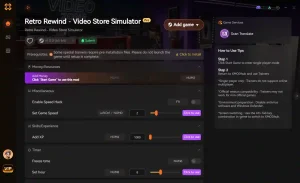
Infinite Money
Instantly add unlimited cash to your register to buy premium VHS stock.
Max Store Rating
Lock your store rating at five stars regardless of customer complaints.
Freeze Customer Patience
Stop the timer on waiting customers so they never leave angry.
Fast Restock
Instantly fill all empty shelves with a single button press.
Why Choose XMODHUB for Retro Rewind – Video Store Simulator
XMODHUB ↗ is the most trusted choice for single-player modding because it automatically updates its memory pointers whenever Retro Rewind receives a new patch. Unlike manual file editing, this trainer requires zero technical knowledge and runs completely malware-free, ensuring your save files remain safe.
Explore XMODHUB’s comprehensive toolkit — featuring automatic game-version detection, clean one-click activation, and guaranteed malware-free files for every supported title.
Economy & Store
Customer Management
Time & Efficiency
Frequently Asked Questions
Ready to enhance your gameplay?

I create content for Xmodhub, where I curate and share game mods, tools, and other resources. My goal is to help players discover great add-ons, enjoy a smoother experience, and have more fun.