Summary: Quarantine Zone: The Last Check has specific system requirements that players should know to ensure smooth gameplay and an optimal experience.
Before jumping into Quarantine Zone: The Last Check, it’s important to make sure your PC can handle the game’s demands. This survival-action title features detailed environments, dynamic combat, and immersive gameplay mechanics that require a stable system setup for the best experience.
Knowing the game’s minimum and recommended specifications helps you avoid performance issues like lag or crashes and ensures you can fully enjoy every tense encounter and exploration opportunity.
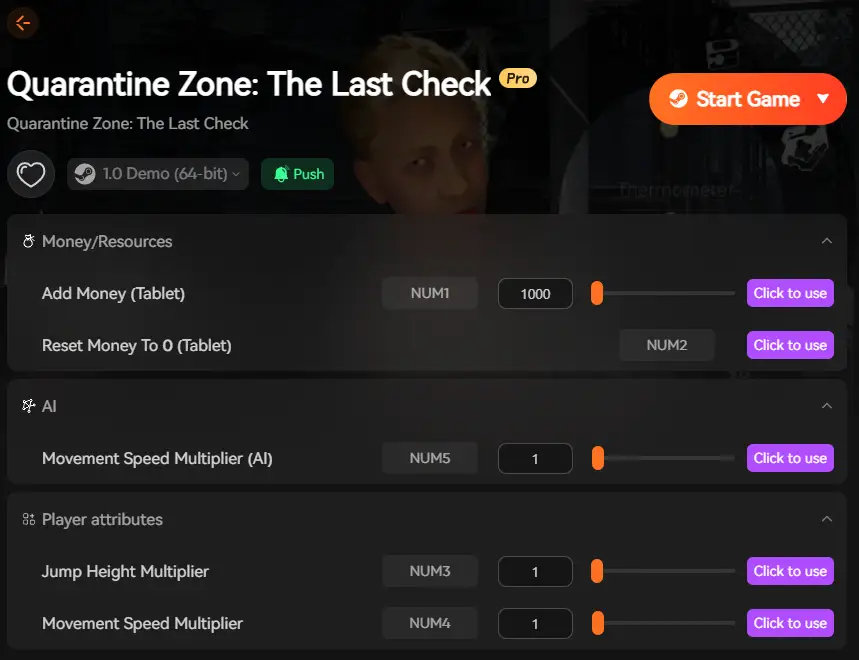
Additionally, using XMOD alongside the game can further enhance your experience, providing tools to manage resources and navigate challenging scenarios with ease, making your playthrough smoother and more enjoyable.
Table of contents
- What is Quarantine Zone: The Last Check?
- System Requirements for Quarantine Zone: The Last Check: Minimum and ecommended
- Can You Run Quarantine Zone: The Last Check on a Low‑End PC?
- Can My PC Run Quarantine Zone: The Last Check?
- How to Enhance Gameplay Experience with XMOD?
- Conclusion
What is Quarantine Zone: The Last Check?
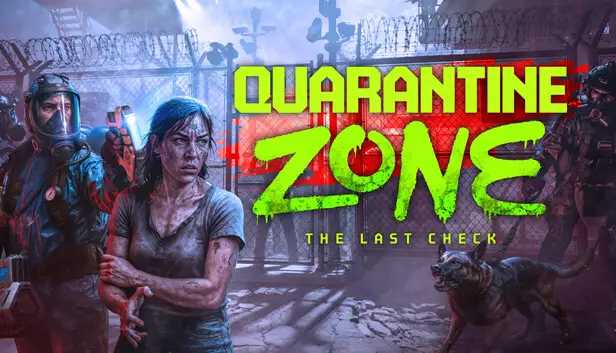
Quarantine Zone: The Last Check is a zombie apocalypse simulation and strategy game developed by Brigada Games and published by Devolver Digital. You play as the operator of the last functioning checkpoint in a collapsing city, using advanced screening tools to inspect survivors, manage limited resources like power and medicine, and defend against undead threats.
The game combines deep inspection mechanics with base management and tactical decision‑making.
System Requirements for Quarantine Zone: The Last Check: Minimum and Recommended
Before installing Quarantine Zone: The Last Check (or planning to use performance tools like XMOD), check that your PC meets the requirements below.
Minimum Requirements (to launch and play)
- Requires a 64‑bit processor and operating system
- OS: Windows 10 (64‑bit)
- Processor: Intel Core i5‑10400F
- Memory: 16 GB RAM
- Graphics: NVIDIA GeForce GTX 1050 Ti equivalent
- DirectX: Version 12 [These specs let you run the game at baseline settings but may require lowering graphical options in intense scenarios.]
Recommended Requirements (for a smoother experience)
- Requires a 64‑bit processor and operating system
- OS: Windows 11 (64‑bit)
- Processor: Intel Core i7‑10700F or equivalent
- Memory: 16 GB RAM
- Graphics: NVIDIA GeForce RTX 3060 or similar
- DirectX: Version 12 [Recommended specs help maintain stable performance especially during heavy inspection loops and base defense phases.]
Can You Run Quarantine Zone: The Last Check on a Low‑End PC?
Meeting the minimum requirements lets the game launch, but Quarantine Zone: The Last Check is built around processing large amounts of simulation data and visuals, which can challenge older or weaker hardware.
Key Considerations:
- Graphics Performance: Cards weaker than a GTX 1050 Ti may struggle with stability and framerate dips during busy scenes with many NPCs and defenses.
- Memory: 16 GB RAM is the baseline—systems with less will likely see stuttering or crashes, especially when resource visuals and base management UI elements overlap.
- CPU Load: The game’s simulation and decision loops rely heavily on CPU throughput, so older dual‑core or low‑frequency CPUs may bottleneck performance.
XMOD Usage:
If you plan to use XMOD performance tools (such as FPS stabilizers or custom configuration tweaks), that additional load can push minimum‑spec hardware beyond comfortable performance levels.
It’s safer to aim for or exceed recommended specs before applying XMOD enhancements.
Can My PC Run Quarantine Zone: The Last Check?
To determine your system’s compatibility:
- Identify Your Specs: Use “dxdiag” (press Windows + R → type dxdiag) or check system settings to find your OS version, CPU model, RAM, and GPU details.
- Compare Components: Match your hardware to the minimum and recommended requirements listed above.
- Assess Performance Expectations: If your PC meets or exceeds recommended specs, you’re likely to experience smooth gameplay with stable frame rates and quick UI responsiveness.
- Plan for XMOD Enhancements: If you intend to apply XMOD performance or customization tools, ensure your system has extra hardware headroom—this prevents performance dips when adding overlays, custom shaders, or optimization modules.
How to Enhance Gameplay Experience with XMOD?

Using XMOD with Quarantine Zone: The Last Check can give you more control over performance and user experience:
Performance Tools:
XMOD may provide FPS stabilization, memory optimization, and custom configuration files that help maintain smoother performance—especially useful on systems near minimum specs.
Gameplay Customizations:
Customize UI elements, informational overlays, or visibility tweaks to enhance decision clarity during complex inspection and base management segments.
Utility Enhancements:
XMOD can offer quality‑of‑life tweaks like custom hotkeys, adjustable simulation speeds, and configurable performance presets tailored to your hardware.
Best Practices with XMOD:
- Stability First: Test performance tweaks before applying visual mods or overlays.
- Backup Settings: Save game and configuration backups before applying major changes.
- Compatibility Checks: Ensure XMOD tools are updated latest for Quarantine Zone’s build to avoid conflicts.
Conclusion
Quarantine Zone: The Last Check presents a gripping simulation experience where strategic decisions determine the fate of humanity at a crowded checkpoint. Confirming your PC meets or exceeds the listed minimum and recommended requirements is crucial for stable gameplay.
If you plan to use XMOD tools to enhance performance or tailor your experience, ensure your system has enough headroom to handle those enhancements smoothly. With the right setup, you’ll be well‑equipped to manage survivors, balance scarce resources, and hold back the undead hordes.
I am a passionate gamer and writer at XMODhub, dedicated to bringing you the latest gaming news, tips, and insights.
Connect with me:
LinkedIn Profile ↗

 Catherine Hu